📍 Vim이란?
- text editor program for Unix
- improved Vi
- 맥북에는 우선 기본적으로 깔려있음
📍 자주쓰는 command
:w: save changes to the file:q: quit Vim:wq: save changes and quit Vim/[string]: search the string from forward?[string]: search the string from backward:sp: divide the window horizontally:vs: divide the window verticallycmd + w -> w: move window-to-windowdd: delete the lineyy: copy the line:from,toy: copy from from line to to line.e.g. :2,5yp: paste
📍 Vim setting
.vimrc
- setting file for vim
- vim을 시작할 때 .vimrc 파일이 자동으로 읽혀 설정에 적용됨
- 기본적으로 존재하지는 않아서 홈 디렉토리에 만들어줘야함, 또한 편집도 vim을 통해서 함
vim ~/.vimrc set nu: display line numberset nonu: hide line numberset mouse=a: enable auto visible mode using mouseset mouse-=a: disable auto visible mode using mouseset autoindent: set automatic indentationset ts=[#]: adjust tap size
cf) .viminfo: Vim이 작업의 상태(예: 검색 히스토리, 커서 위치 등)를 저장하고 복구하기 위한 자동 기록 파일으로 사용자가 편집하지 않는다.
📍 유용한 tools
Ctags
- it recognizes symbols in source code and connects file to each other
- Allow definitions to be quickly and easily located by a text editor
Ctags setting
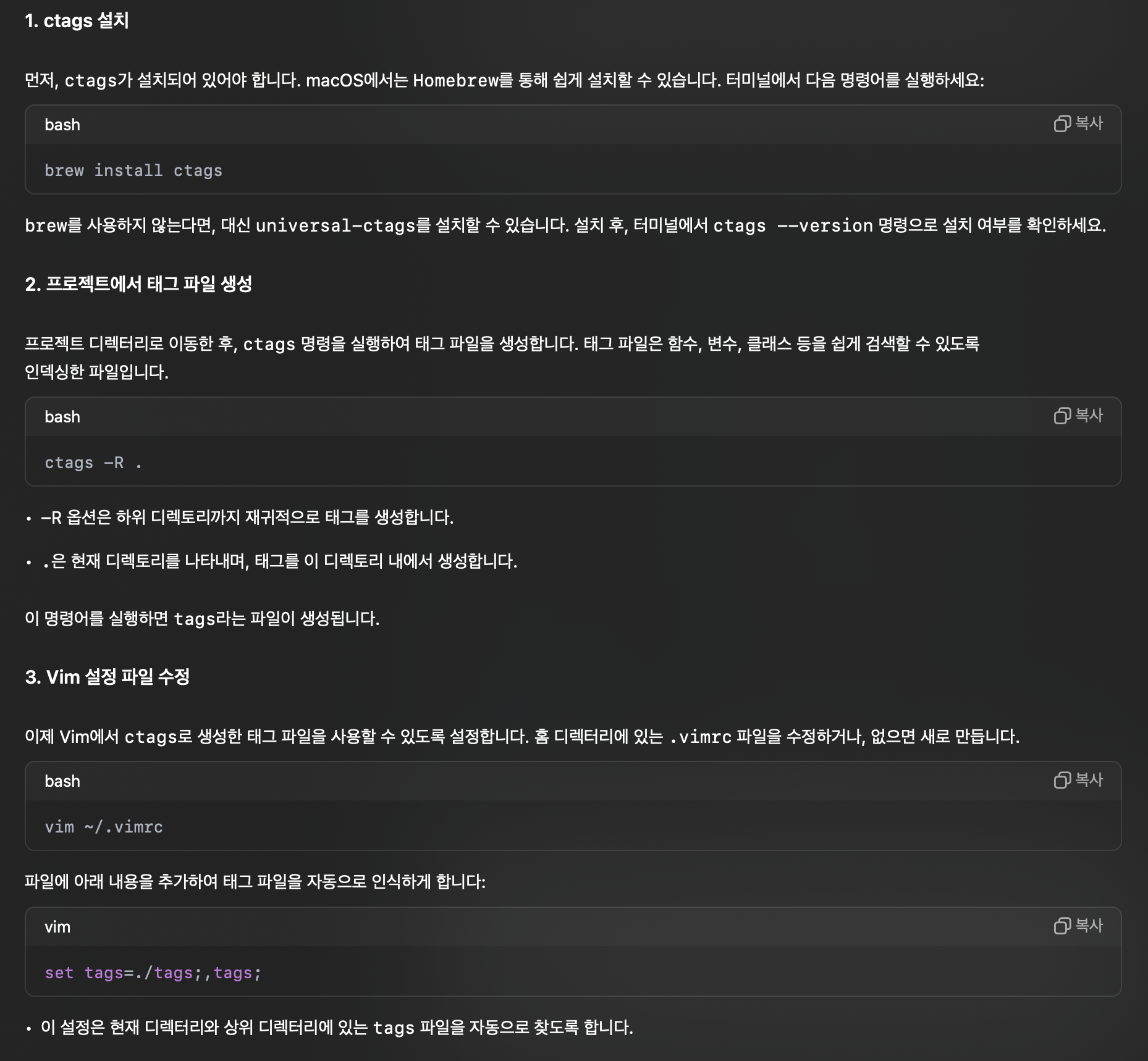
리눅스 환경에서는 brew 대신 sudo apt-get install ctags
Ctags 사용법(in Vim)
Ctrl + ]: follow tagCtrl + T: back to last tag
Cscope
- Search for a string or function that calls a function in C based code
Cscope setting
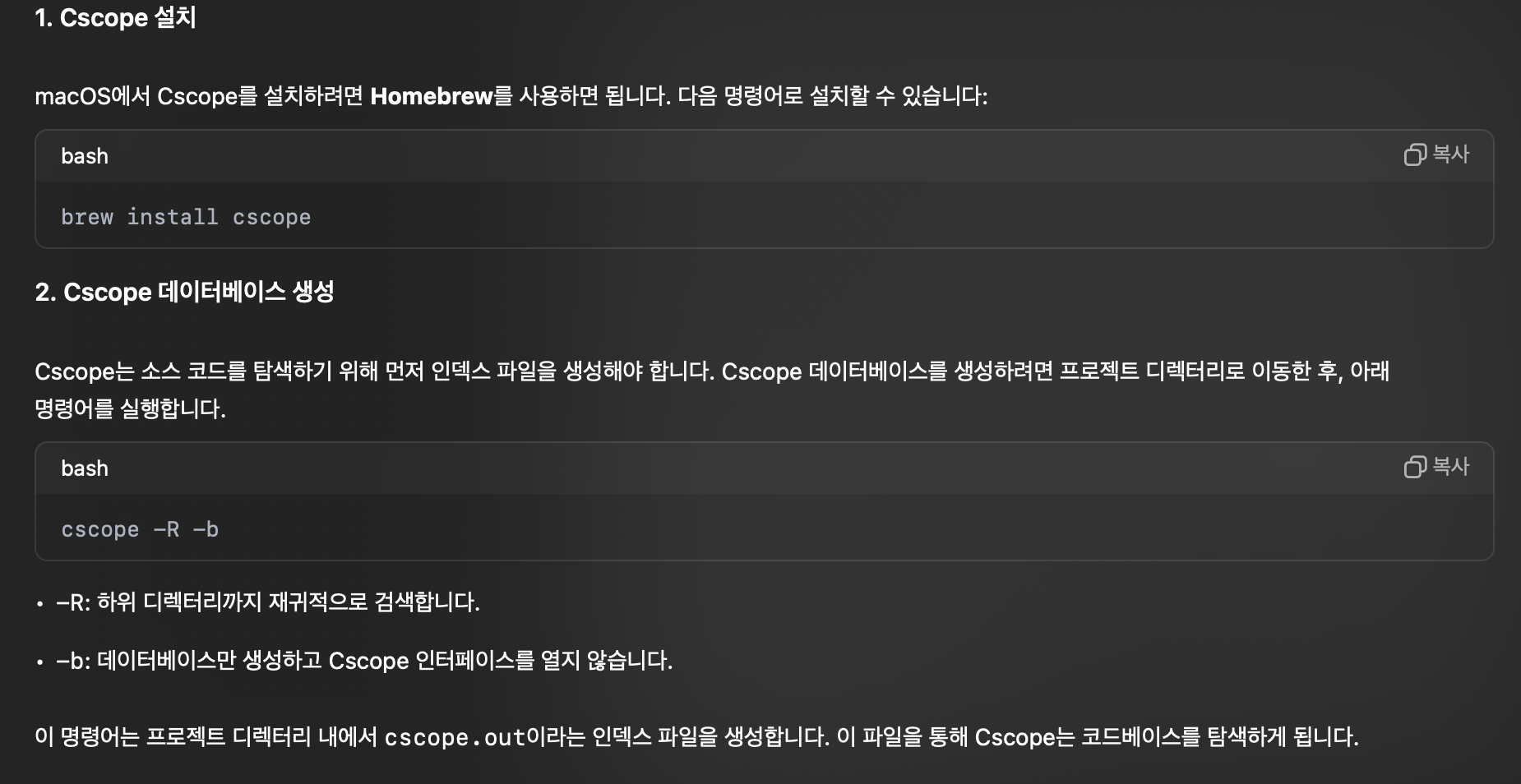
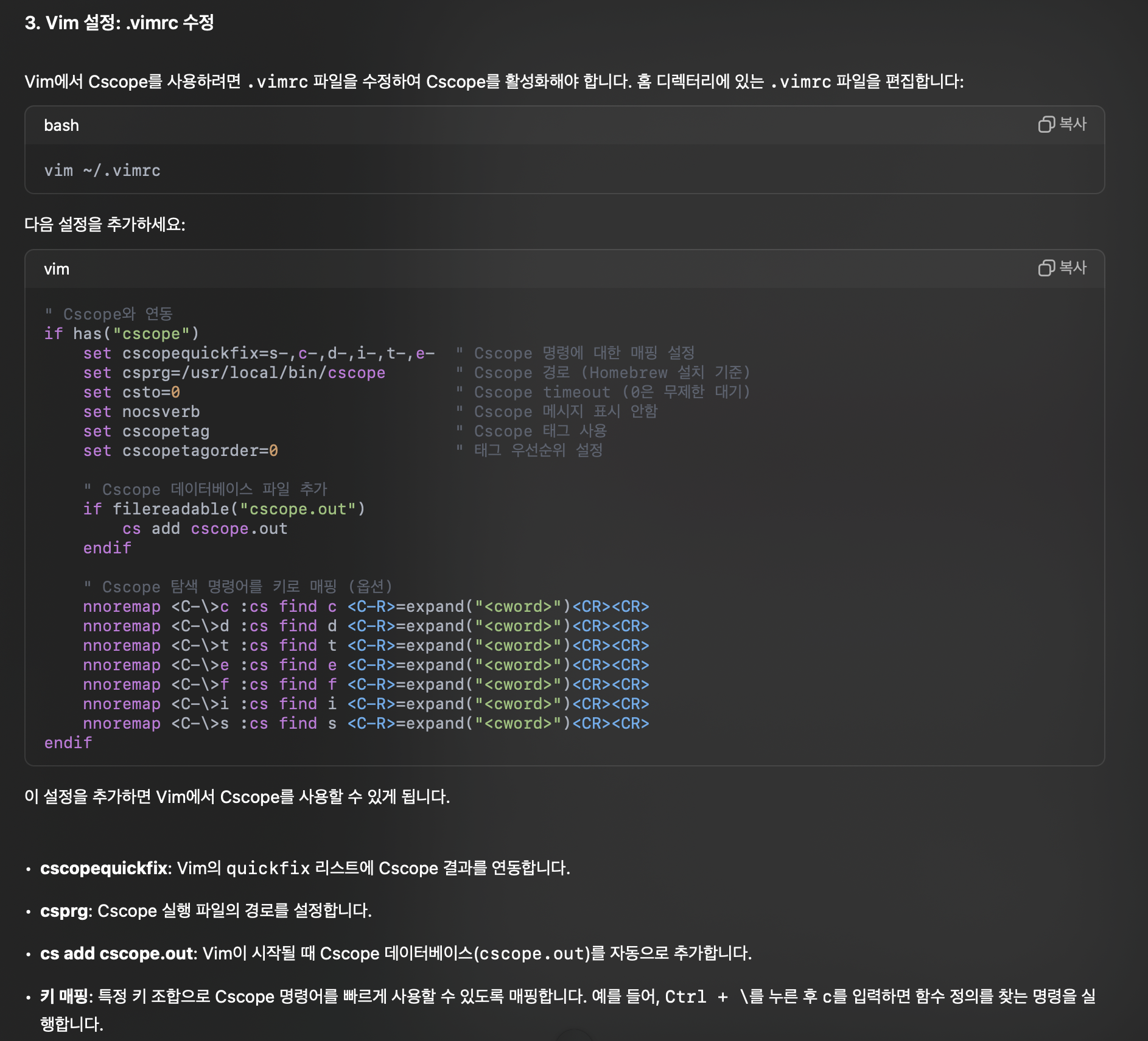
리눅스 환경에서는 brew 대신 sudo apt-get install cscope
Cscope 사용법(in Vim)
:cs find [type] [search]
- type
0ors: find this C symbol - type
1org: find this definition - type
2ord: find functions called by this function - type
3orc: find functions calling this function - type
4ort: find assignments to
e.g. :cs find c fecthing
📖 출처
- chat gpt
- 대학교 운영체제 강의자료

지극히 개인적인 복습 블로그