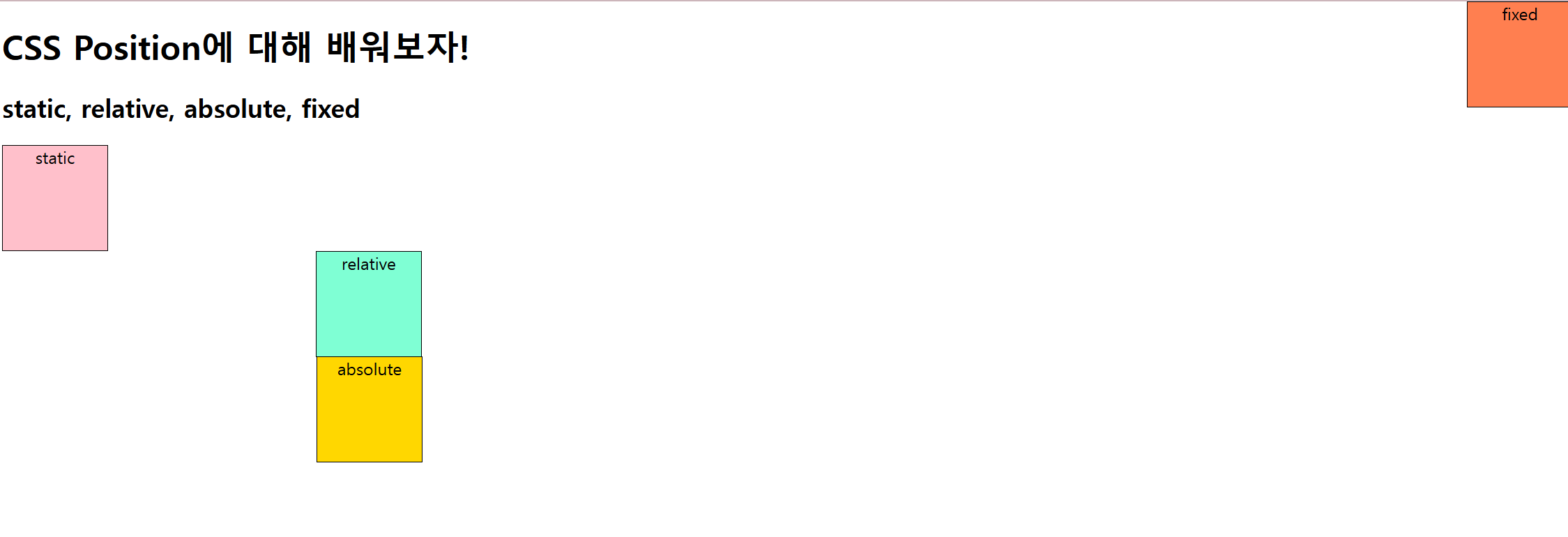
- static : 기본 값
- 기본 값이기 때문에 작성하지 않더라도 적용
- inline 요소 : 왼 -> 오 쌓임
- block 요소 : 위 -> 아래 쌓임
css
.position-static {
	background-color: pink;
	position : static;
}
- relative : 상대 위치
- 누구를 기준? : 자기 자신을 기준으로 함
- 일반적인 흐름에 따라 배치,
top / bottom / left / right 중 하나 이상 작성해야됨
- " 원래 있어야 하는 위치 기준 " 으로 부터
top / bottom / left / right 씩 이동함
- 배치(위치)가 바뀌어도 원래 기존 자리가 유지 됨
- 보통 부모 요소로 많이 사용
css

.position-relative{
	background-color : aquamarine;
    position: relative;
    left : 300px;
}
- absolute : 절대 위치
- 누구를 기준? : position 속성을 갖는 제일 가까운 부모 기준
-> position 속성을 갖는 부모가 없다면? 뷰포트(html, body)기준
-> "특정 요소"를 기준 삼아서 top / bottom / left / right 씩 이동
- 배치가 바뀌면 기존 자리가 없어진다
css

.position-absolute {
  background-color: gold;
  position: absolute;
  top: 100px;
}
- fixed : 고정 위치
- viewport(뷰포트) = 브라우저의 화면 전체를 기준으로 특정 위치 배치
- 스크롤 되어도 움직이지 않음
- header, footer에 많이 사용
css

.position-fixed {
  background-color: coral;
  position: fixed;
  top: 0;
  right: 0;
}