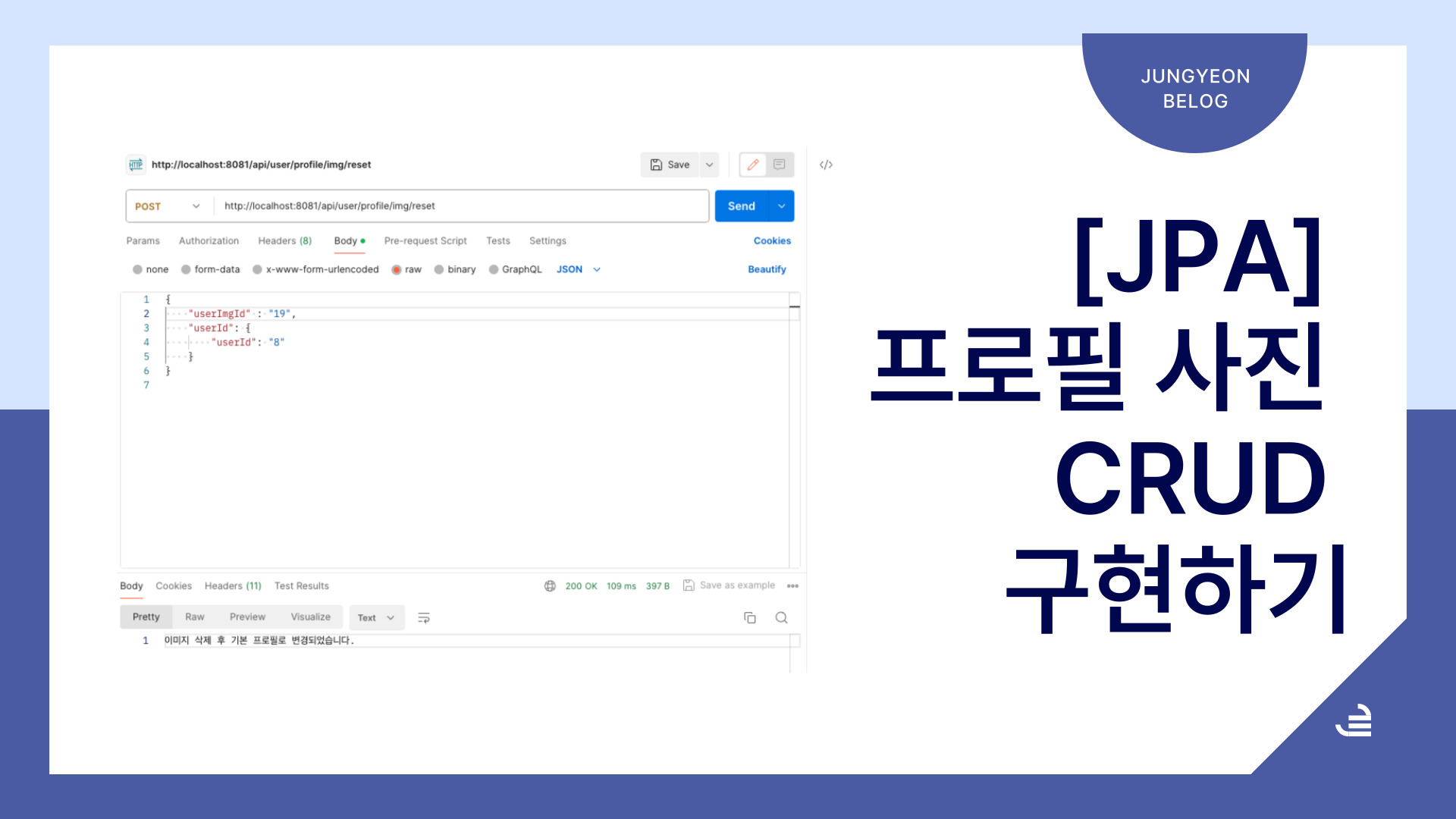
😄 디스코드는 회원가입 할 때 기본 프로필 이미지가 등록되고 프로필 이미지를 내가 원하는 것으로 변경도 가능하다.
프로필 등록 순서
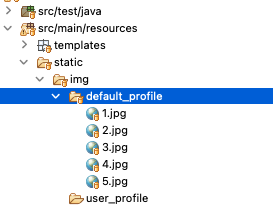
나는 기본 이미지는 경로만 지정해놓고 새로운 프로필 이미지를 등록하는 것은 static/img/user_profile에 저장했다. default_profile이 기본 프로필이다!
- 첨부파일과 User param을 담아서 post로 보낸다.
- 받을 때 userId로 등록되어있는 user_img 테이블을 조회한다.
- 디렉토리에 파일이 있는지 확인한다.
- 만약 파일이 있다면 디렉토리 삭제, 없다면 디비에서만 삭제하고 appProfile을 이용해 새로운 프로필을 등록한다.
AddProfileImg API > 등록&수정
api의 코드를 처음 썻을 때는 try catch문 1개와 if문을 두개를 썻었다. 그래서 기본이미지 여부를 어떻게 체크할까 고민하다가 디렉토리를 확인하면 될 것 같아서 File을 사용했다.
@PostMapping("/user/profile/img")
	@Transactional
	public ResponseEntity<String> addProfileImg(
			@RequestPart(value = "imgs", required = false) List<MultipartFile> files,
			@RequestPart(value = "user", required = false) User userId
			){
		try {
			Optional<User_Img> img = imgService.findUserImg(userId);
			File directory = new File("src/main/resources/static/img/user_profile/" + userId.getUserId());
	            // 디렉토리 안에 파일이 있는지 확인
	            File[] fileDirectory = directory.listFiles();
	            if (fileDirectory == null || fileDirectory.length == 0) {
	                System.out.println("디렉토리에 파일이 없습니다.");
	            } else {
	                System.out.println("디렉토리에 파일이 있습니다.");
	                Long userImgId = img.get().getUserImgId();
	    			imgService.imgRemove(userImgId, userId);
	            }
	            imgService.imgDbRemove(img.get().getUserImgId());
	            imgService.addProfile(files, userId);
			return ResponseEntity.ok("이미지가 등록되었습니다.");
		}catch (Exception e) {
			e.printStackTrace();
			return ResponseEntity.status(HttpStatus.INTERNAL_SERVER_ERROR).body("이미지 등록에 실패했습니다.");
		}
	}
deleteIfExists > 삭제
디비에서 데이터를 지우는 것은 자주 해봐서 쉬웠지만 실제 디렉토리에 접근해서 삭제하는 것은 처음 해봐서 이것 저것 많이 찾아봤다. 여러가지 방법이 있었지만 File을 이미 사용했기 때문에 Files.deleteIfExists를 활용했다.
@Transactional
	public void imgRemove(Long user_img_id, User user_id) {
		String relativePath = "src/main/resources/static/img/user_profile/" + user_id.getUserId();
		Path absolutePath = Paths.get(relativePath);
		try {
			// 디렉토리 체크
			Files.walk(absolutePath).sorted(Comparator.reverseOrder()).map(Path::toFile).forEach(File::delete);
			// 디렉토리 삭제
			Files.deleteIfExists(absolutePath);
			imgRepository.deleteByUserImgId(user_img_id);
		} catch (IOException e) {
			e.printStackTrace();
		}
	}
실제로 img폴더에서 삭제가 되니 신기했다!
기본 프로필로 변경 > 삭제
이미지를 등록하고 수정했다면 기본 프로필로 변경도 필요하다. 여기서는 그동안 만든 메서드를 이용하면 되는데 디비 데이터 삭제, 디렉토리 삭제 , 기본 프로필 경로만 추가 해주면 된다.
@PostMapping("/user/profile/img/reset")
	@Transactional
	public ResponseEntity<String> resetProfile(@RequestBody AddAndRemoveProfile profile){
		try {
			imgService.imgDbRemove(profile.getUserImgId());
			imgService.imgRemove(profile.getUserImgId(), profile.getUserId());
			User userId = profile.getUserId();
			userService.insertRandom(userId);
			return ResponseEntity.ok("이미지 삭제 후 기본 프로필로 변경되었습니다.");
		} catch (Exception e) {
			e.printStackTrace();
			return ResponseEntity.status(HttpStatus.INTERNAL_SERVER_ERROR).body("프로필 변경에 실패했습니다.");
		}
	}
이번에도 repository에서 타입과 메서드 이름으로 고생했는데 이제서야 repository가 조금 이해가 된다. 오늘은 상태변화 코드를 구현할 예정이다.끝!

백엔드 개발자