2024.01.30 TIL
Today's list
- 피드백전 배포
이제 유저 피드백을 받기 위해 최종 배포 직전까지 기능을 마무리 했습니다.
/* eslint-disable jsx-a11y/anchor-has-content */
import { useDispatch, useSelector } from 'react-redux';
import { useNavigate } from 'react-router-dom';
import { logout } from '../../redux/modules/AuthSlice';

import logoutbtn from '../../assets/images/logo3.png';
import logo from '../../assets/images/logo.png';

import styled from 'styled-components';
import { BsSearchHeart } from 'react-icons/bs';
import Swal from 'sweetalert2';
import { RootState } from '../../redux/Store';
import { Link } from 'react-router-dom';

const Header: React.FC = () => {
  const navigate = useNavigate();

  const dispatch = useDispatch();
  const isLogin = useSelector((state: RootState) => state.auth.isLogin);

  const navlogin = () => {
    navigate('/Signin');
  };

  const navregister = () => {
    navigate('/Signup');
  };

  const navprofile = () => {
    navigate('/Profile');
  };

  const showAlert = (e: React.MouseEvent) => {
    e.preventDefault(); // 기본 링크 동작 방지
    alert('추후 업데이트 예정입니다');
  };

  return (
    <HeaderContainer key={isLogin ? 'loggedIn' : 'loggedOut'}>
      <Link to={'/'}>
        <Image src={logo} alt={'logo image'} />
      </Link>
      <Navigation>
        <ul>
          <li>
            <a href="/">Home</a>
          </li>
          <li>
            <a href="/Community">커뮤니티</a>
          </li>
          <li>
            <a href="/Shopping">쇼핑</a>
          </li>
          <li>
            <a href="/map">맵</a>
          </li>
          <li>
          <a href="/chat" onClick={showAlert}>실시간 채팅</a>
          </li>
        </ul>
      </Navigation>
      <Headerbtn>
        {isLogin ? (
          <>
            <button
              onClick={() => {
                Swal.fire({
                  title: '로그아웃',
                  text: '로그아웃 되셨습니다.',
                  confirmButtonColor: '#20b2aa',
                  confirmButtonText: '확인',
                  imageUrl: logoutbtn,
                  imageWidth: 130,
                  imageHeight: 130,
                  imageAlt: 'Custom image',
                });
                dispatch(logout());
                navigate('/');
              }}>
              로그아웃
            </button>
            <button onClick={navprofile}>마이페이지</button>
          </>
        ) : (
          <>
            <button onClick={navregister}>회원가입</button>
            <button onClick={navlogin}>로그인</button>
          </>
        )}
      </Headerbtn>
      <BsSearchHeart />
    </HeaderContainer>
  );
};

const Headerbtn = styled.button`
  display: flex;
  flex-direction: row;
  justify-content: center;
  align-items: center;
  gap: 5px;
  background: transparent;
  border: none;
  cursor: pointer;

  button {
    cursor: pointer;
    width: 120px;
    height: 40px;
    font-family: GmarketSansMedium;
    font-size: 18px;
    background-color: #c5abab;
    color: white;
    border: none;
    border-radius: 10px;

    @media (max-width: 768px) {
      width: 100px;
      height: 35px;
      font-size: 16px;
    }

    &:hover {
      transform: scale(1.05);
    }
  }
`;

const HeaderContainer = styled.header`
  background-color: #f6f7c4;
  color: #312b2b;
  padding: 1em;
  display: flex;
  justify-content: space-between;
  align-items: center;

  @media (max-width: 768px) {
    flex-direction: column;
    align-items: flex-start;
  }
`;

const Image = styled.img`
  width: 10%;
  height: 8%;
  margin-right: 0px;
`;

const Navigation = styled.nav`
  //헤더 네비게이션바 수정부분
  width: 100%;
  ul {
    padding: 0;
    display: flex;
    justify-content: space-between;
    flex-direction: row;
    align-items: center;
    margin: 0;
  }

  li {
    margin-right: 60px;

    @media (max-width: 768px) {
      margin-right: 20px;
    }
  }

  a {
    text-decoration: none;
    font-size: 21px;
    font-family: GmarketSansMedium;
    gap: 20px;
    color: #312b2b;

    @media (max-width: 768px) {
      font-size: 18px;
    }

    &:hover {
      transform: scale(1.05);
    }
  }
`;
export default Header;
헤더 부분에 반응형 디자인을 추가했습니다.
화면 크기마다 헤더 부분의 버튼 이름이 세로로 바뀌는 점을 수정했습니다.
그리고 Vercel로 배포를 해줍니다.
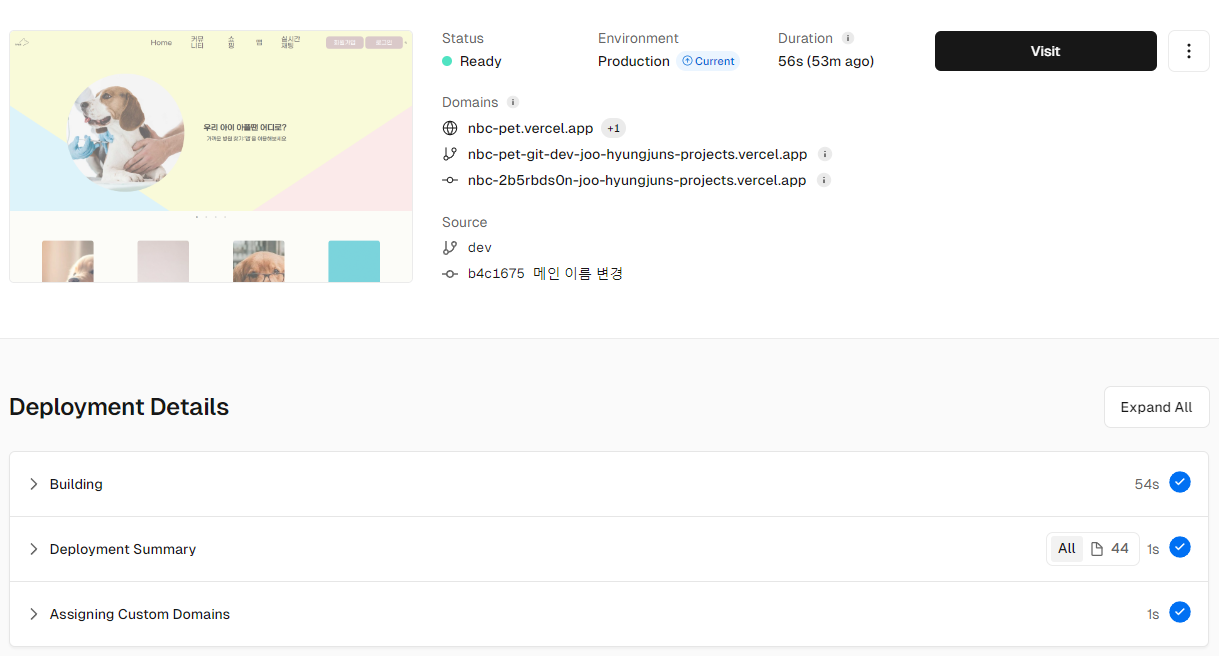
이제 깃허브에 push 되고 많은 기능이 수정 될 때마다 deploy를 다시 해 재 배포를 하면 됩니다.

돌연사 하기전에 하고야 만다