https://spiny-orbit-764.notion.site/Alpaco-aad1ccd48e8c4081aed6e452bb7e2586
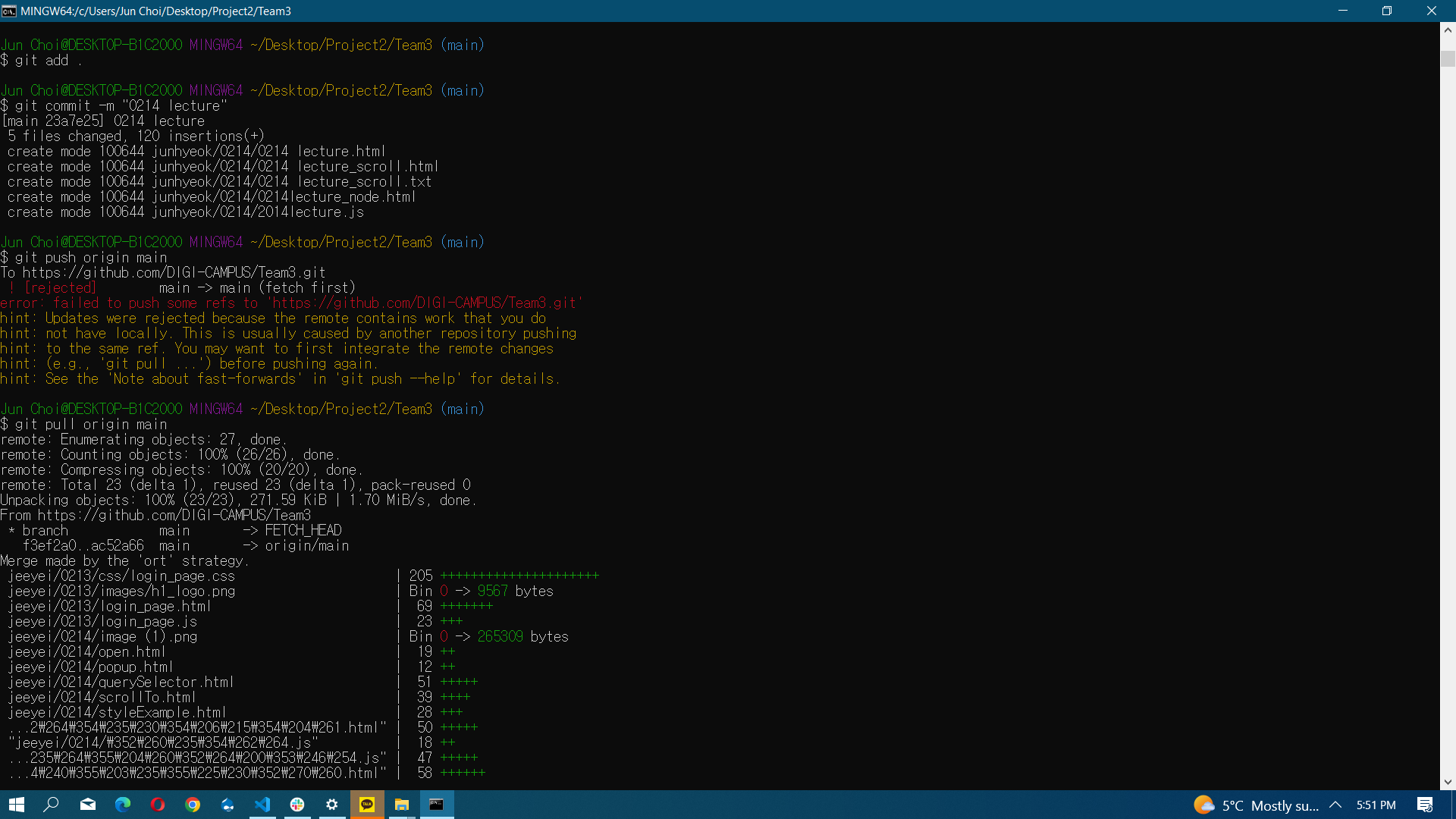
cd Desktop/Project2/Team3
git add .
git commit -m "0214 lecture"
git push origin main * 절대 master 아님.
git pull origin main ** 필요한 경우
Git hub 사용방법
- Git Bash
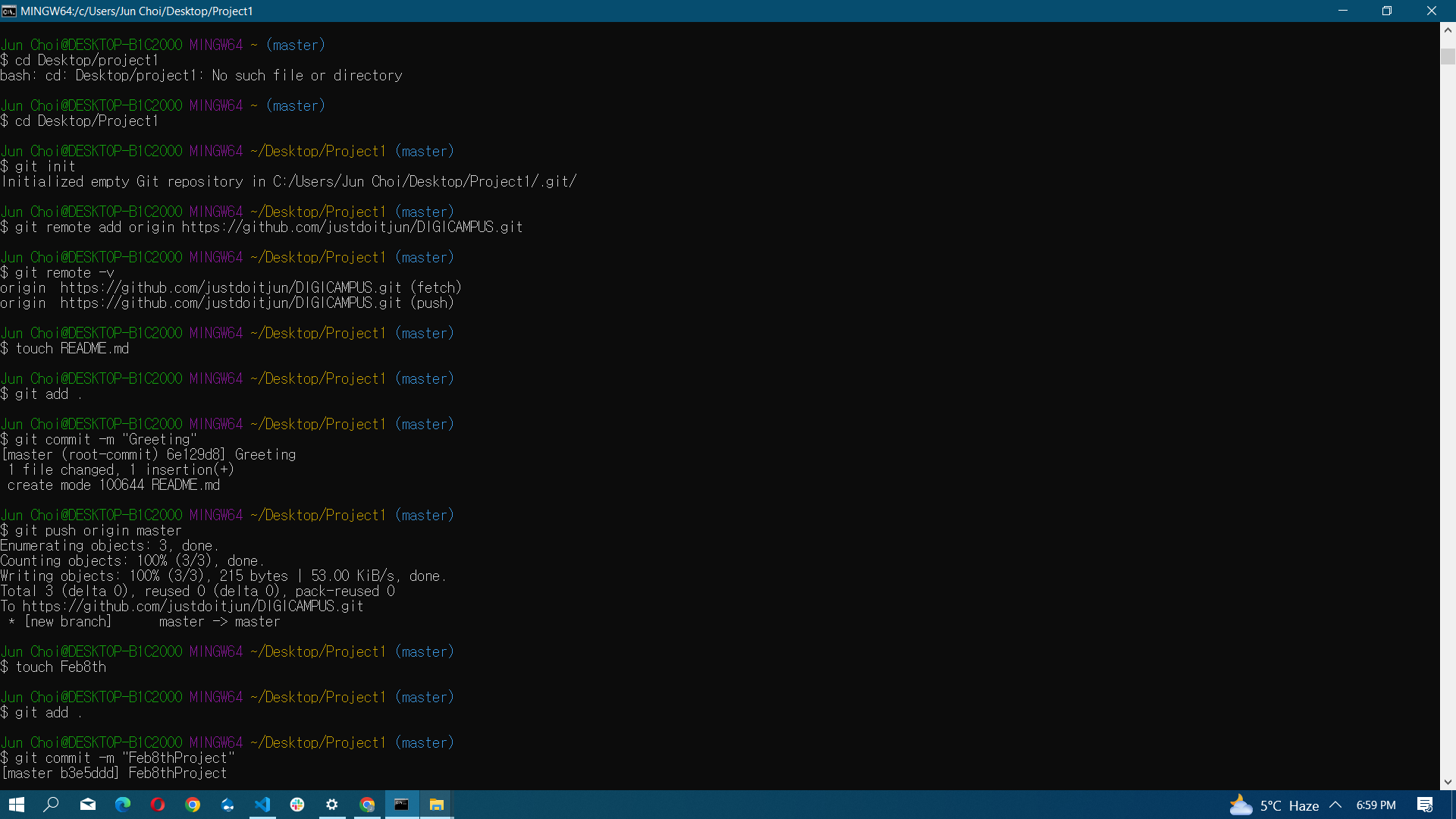
cd Desktop/project
git init
git remote add origin https://github.com/justdoitjun/test1.git
git remote -v
touch README.md
git add .
git commit -m "Greeting"
git push origin master
url 바꾸는 법
https://cheershennah.tistory.com/217
$ git remote set-url origin https://github.com/user/repo1.git

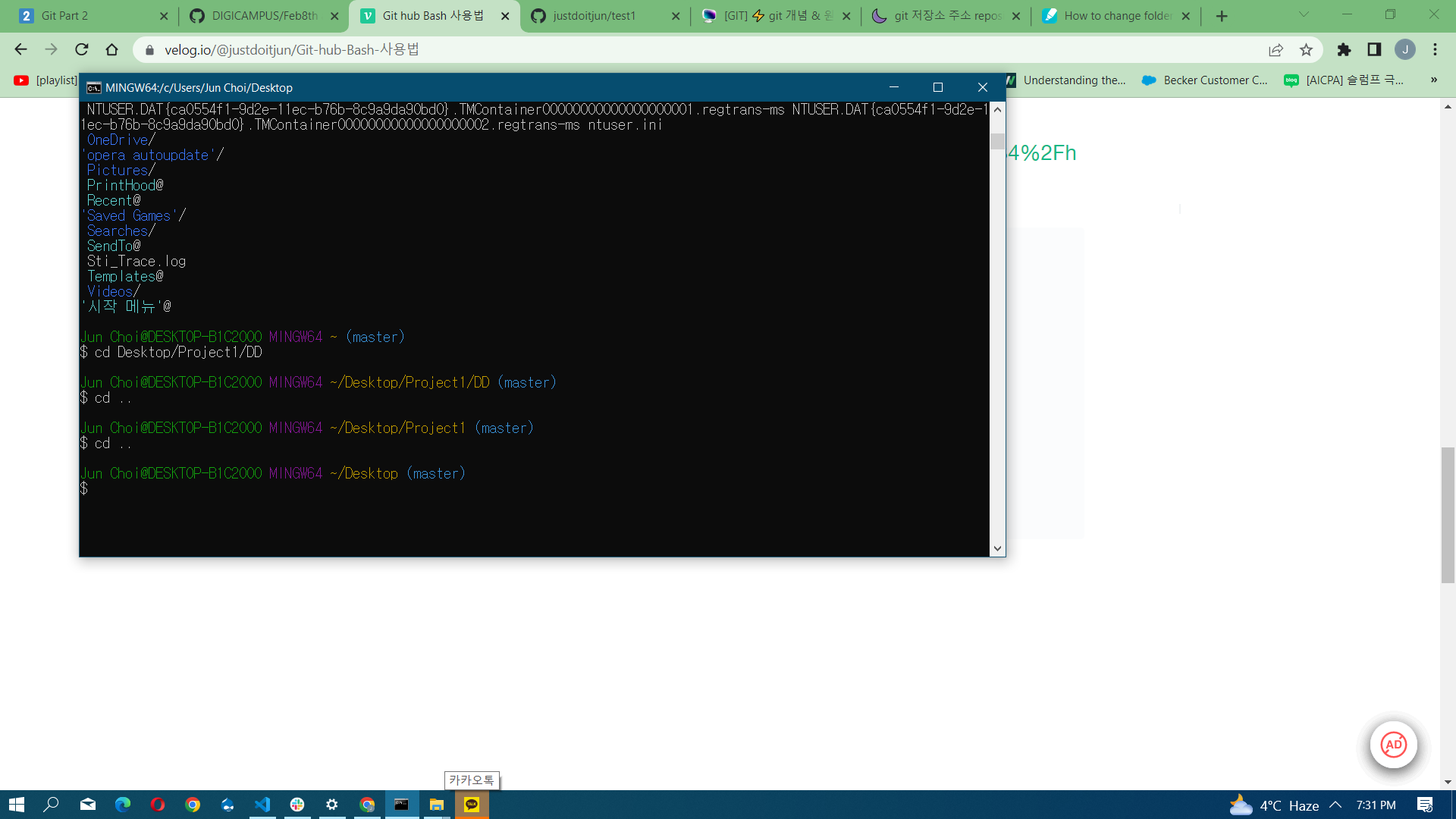
git remote set-url origin [새로운 repo 주소]Jun Choi@DESKTOP-B1C200O MINGW64 ~ (master)
$ cd Desktop/Project1/DD
Jun Choi@DESKTOP-B1C200O MINGW64 ~/Desktop/Project1/DD (master)
$ cd ..
Jun Choi@DESKTOP-B1C200O MINGW64 ~/Desktop/Project1 (master)
$ cd ..
Jun Choi@DESKTOP-B1C200O MINGW64 ~/Desktop (master)
$
불러오는 방법
Jun Choi@DESKTOP-B1C200O MINGW64 ~ (master)
$ cd Desktop/project2/alpaco

Jun Choi@DESKTOP-B1C200O MINGW64 ~/Desktop/project2/alpaco (master)
$ git init
Initialized empty Git repository in C:/Users/Jun Choi/Desktop/project2/alpaco/.git/

Jun Choi@DESKTOP-B1C200O MINGW64 ~/Desktop/project2/alpaco (master)
$ git clone https://github.com/DIGI-CAMPUS/Team3.git
Cloning into 'Team3'...
remote: Enumerating objects: 4, done.
remote: Counting objects: 100% (4/4), done.
remote: Compressing objects: 100% (2/2), done.
remote: Total 4 (delta 0), reused 4 (delta 0), pack-reused 0
Receiving objects: 100% (4/4), done.
에러가 나는 경우
Jun Choi@DESKTOP-B1C200O MINGW64 ~/Desktop/project2/alpaco/Team3/junhyeok (master)
$ git push origin master
To https://github.com/DIGI-CAMPUS/Team3.git
 ! [rejected]        master -> master (fetch first)
error: failed to push some refs to 'https://github.com/DIGI-CAMPUS/Team3.git'
hint: Updates were rejected because the remote contains work that you do
hint: not have locally. This is usually caused by another repository pushing
hint: to the same ref. You may want to first integrate the remote changes
hint: (e.g., 'git pull ...') before pushing again.
hint: See the 'Note about fast-forwards' in 'git push --help' for details.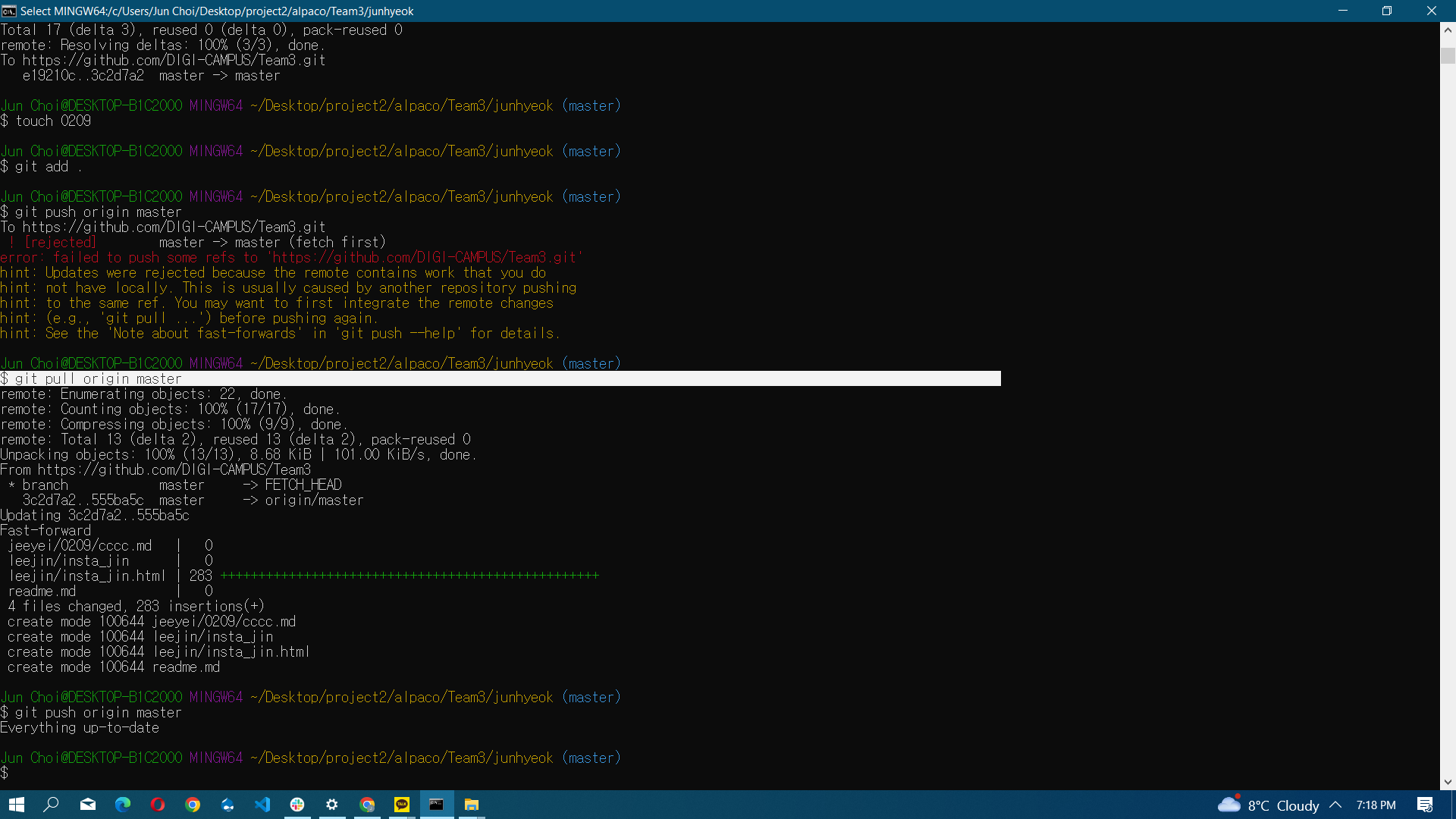
이 오류는 함께 작업하는 폴더의 싱크문제 때문에 그렇다. 즉, 팀원들의 파일과 폴더가 있는데 이 파일과 폴더가 업데이트가 안되어있는 상태에서 올리는 거기 때문에 그렇다.
즉 내 레퍼지토리에 각자의 파일이 지금 올라와있다.
A라는 레퍼지토리에
홍길동과 로빈훗이 작업을 하고 있었다.
로빈훗은 A라는 레퍼지토리를 클론해서 미러링을 했다.
그런데, 로빈훗이 한참 로빈훗 폴더에서 작업을 하다가 A라는 레퍼지토리에 반영을 하기 위해 로빈훗 폴더(로컬 : 실제 로빈훗 컴퓨터에 있는 폴더)에 있는 파일 하나를 touch에서 push(업로드)를 하면, 홍길동이 작업한 파일과 충돌이 일어날 수가 있다. 따라서, 이런 충돌 때문에 git hub에서는 충돌 방지 차원에서 pull(다운로드)을 한 후 push(업로드)하도록 한다
git push origin master를 했는데 오류가 나면, git pull origin master를 했다가 다시 git push origin master를 하면 올라간다.
Jun Choi@DESKTOP-B1C200O MINGW64 ~/Desktop/project2/alpaco/Team3/junhyeok (master)
$ git pull origin master
remote: Enumerating objects: 12, done.
remote: Counting objects: 100% (12/12), done.
remote: Compressing objects: 100% (8/8), done.
remote: Total 10 (delta 1), reused 10 (delta 1), pack-reused 0
Unpacking objects: 100% (10/10), 6.54 KiB | 53.00 KiB/s, done.
From https://github.com/DIGI-CAMPUS/Team3
 * branch            master     -> FETCH_HEAD
   fe4b70c..e19210c  master     -> origin/master
Merge made by the 'ort' strategy.
 kihyeon/0209/baekjoon.js          |  18 +++
 kihyeon/0209/bakjoon1110.js       |  40 ++++++
 kihyeon/0209/java.css             |   0
 kihyeon/0209/java.html            | 217 +++++++++++++++++++++++++++++++++
 kihyeon/0209/java.js              | 136 +++++++++++++++++++++
 kihyeon/0209/notion_assignment.js | 248 ++++++++++++++++++++++++++++++++++++++
 6 files changed, 659 insertions(+)
 create mode 100644 kihyeon/0209/baekjoon.js
 create mode 100644 kihyeon/0209/bakjoon1110.js
 create mode 100644 kihyeon/0209/java.css
 create mode 100644 kihyeon/0209/java.html
 create mode 100644 kihyeon/0209/java.js
 create mode 100644 kihyeon/0209/notion_assignment.js

Jun Choi@DESKTOP-B1C200O MINGW64 ~/Desktop/project2/alpaco/Team3/junhyeok (master)
$ git push origin master
Master브랜치는 가능한 거의 건드리지 않는다. 원래는 브랜치 관리를 하게 되어있다. Master
- Clone하는 방법
git clone https://github.com/DIGI-CAMPUS/Team3.git

Jun Choi@DESKTOP-B1C200O MINGW64 ~/Desktop/project2/alpaco/Team3 (master)
$ git clone https://github.com/DIGI-CAMPUS/Team3.git
Cloning into 'Team3'...
remote: Enumerating objects: 4, done.
remote: Counting objects: 100% (4/4), done.
remote: Compressing objects: 100% (2/2), done.
remote: Total 4 (delta 0), reused 4 (delta 0), pack-reused 0
Receiving objects: 100% (4/4), done.
Facts
- 마스터를 잘못한 경우
…or push an existing repository from the command line
git remote add origin https://github.com/justdoitjun/gggg.git
git branch -M main
git push -u origin main