
이슈 현상
요약
Alert로 오는 CSV 데이터가 1만개에서 끊킴
- Alert를 이용해 CSV를 전달 받을 CSV 데이터가 10,000건의 데이터만 출력
메세지
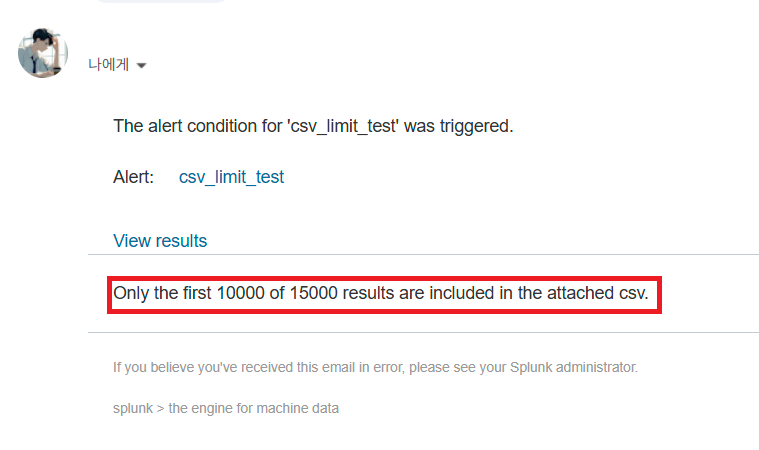
>Only the first 10000 of XXXXX results are included in the attached csv이슈 원인
action.email.maxresult 옵션
- Splunk에서는 기본적으로 메일을 통해 1만 건의 데이터만 전달하도록 설정되어 있음
- 설정 위치 :
system/default/savedsearches.conf(전역 설정)
- 공식 문서 (링크)
[email]
action.email.maxresults = <integer>
* Set the maximum number of results to email.
* Any alert-level results threshold greater than this number is capped at this
  level.
* This value affects all methods of result inclusion by email alert: inline,
  CSV, and PDF.
* NOTE: This setting is affected globally by the 'maxresults' setting in the
  [email] stanza of the alert_actions.conf file.
* Default: 10000
이슈 해결 방법
action.email.maxresult 옵션 수정
- 설정 > 검색, 보고서 및 경고 > 작업 - 편집 > 고급 편집
action.email.maxresult옵션 수정
테스트 진행
테스트 환경
- Splunk : 9.1.4
- OS : Rocky 8 버전
- SMTP : Gmail
- 기존에 직장 메일 SMTP 서버를 이용하려 했으나
보안 정책 문제로 Gmail로 선회
SMTP 세팅
Gmail STMP 설정
- Gmail 세팅 (링크)
Splunk SMTP 설정
- 설정 > 서버 설정 > 이메일 설정
- 메일 호스트 : smtp.gmail.com:587
- 이메일 보안 : TLS 사용
- 사용자 이름 : 본인 계정
- 암호 : Gmail SMTP 생성 시 받은 16자리 숫자
- 이메일 발신 이름 : 본인 계정
경고 생성용 SPL
- 데이터를 10,000건 이상 생성하는 쿼리문 생성
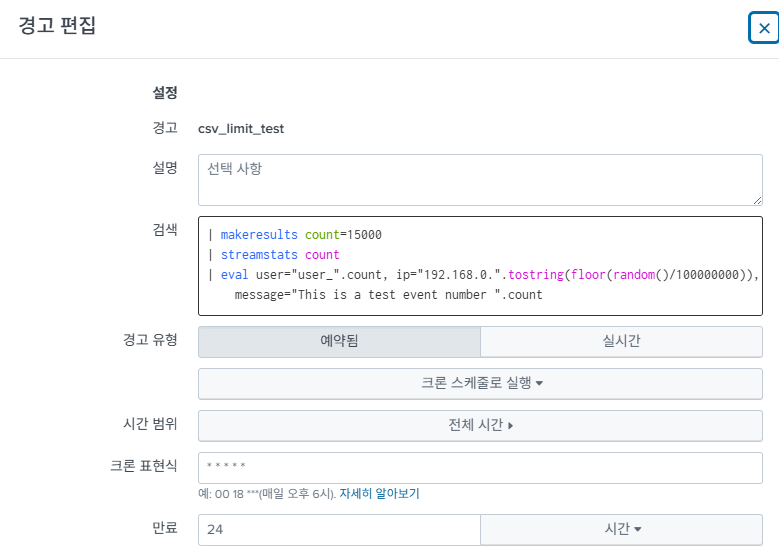
| makeresults count=15000
| streamstats count
| eval user="user_".count, ip="192.168.0.".tostring(floor(random()/100000000)), message="This is a test event number ".count
작동 확인
- SPL을 통해 연동이 잘 되는지 확인
| makeresults count=15000
| streamstats count
| eval user="user_".count, ip="192.168.0.".tostring(floor(random()/100000000)), message="This is a test event number ".count
| sort 0 count
| sendemail to="<본인_이메일>" subject=test sendresults=true format=table sendcsv=false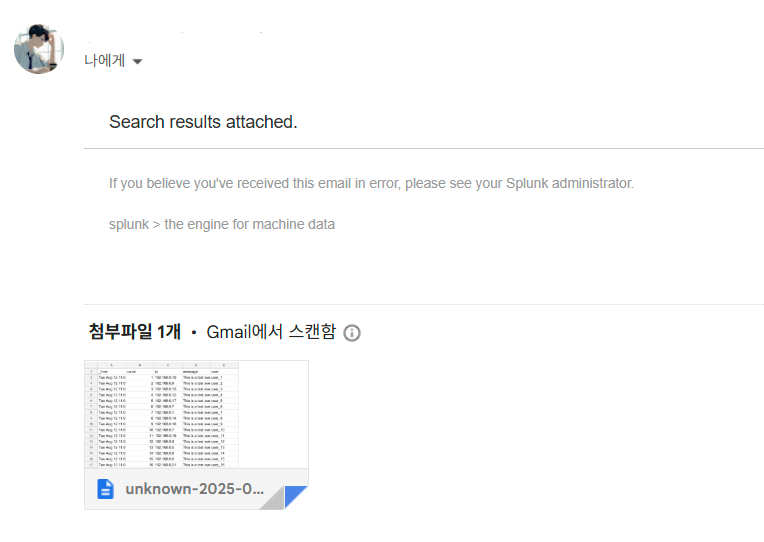
경고 세팅
- 크론탭을
* * * * *로 설정하여 결과를 빠르게 봄
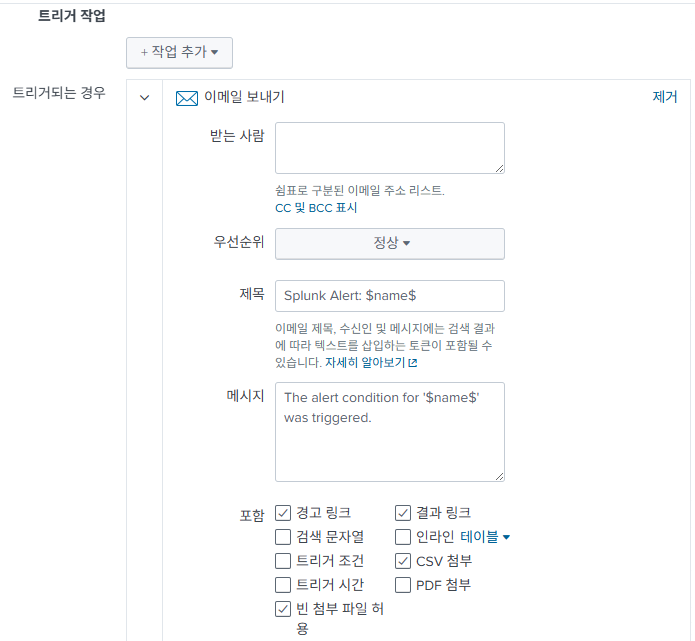
- 트리거 작업에서
이메일 보내기선택
- CSV 첨부 선택
maxresults 를 설정하지 않은 경우
- 데이터가 1만개 까지만 들어왔다는 메세지 발생
- 데이터가 1만개 까지만 들어옴

maxresults 설정을 한 경우
- 메세지 없음
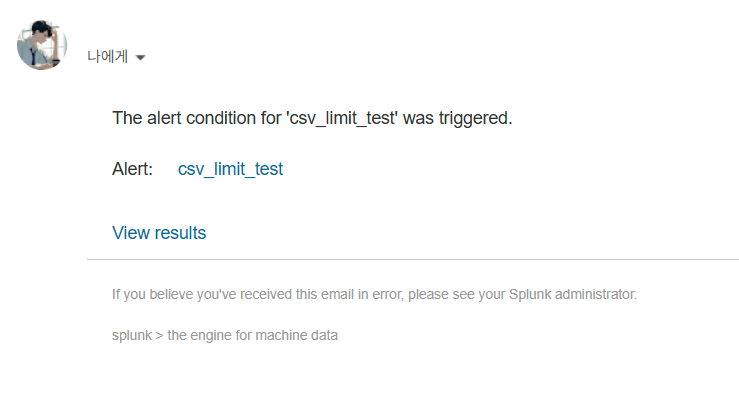
- 데이터가 15,000개 전부 들어옴

느낀 점
- 생각보다..... Gemini는 할루시네이션이 심하다.
- Splunk 관련된 정보는 한 번은 확인하는게 좋을 정도- 예시 : Gemini는
limits.conf를 수정하라 했다... - 나중에 한 번 Splunk 정보를 누가 누가 더 잘 아는지 테스트 해봐야겠다.
- 예시 : Gemini는

우유애호가의 종합 IT 생활 그런데 ML과 보안과 Splunk와 인프라를 곁들인