오늘의 목표는 next.js의 하이브리드 렌더링 구현
CSR + SSR
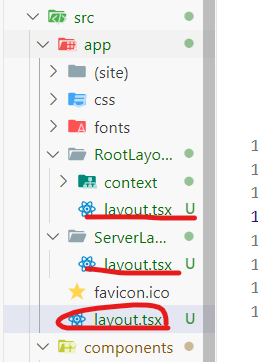
src/
└── app/
├── layout.tsx // 공통 레이아웃 (RootLayout & ServerLayout 조합)
├── RootLayout/ // 클라이언트 전용 레이아웃
│ └── layout.tsx
│ └── css/ // 클라이언트 전용 CSS
│ └── fonts/ // 클라이언트 폰트
├── ServerLayout/ // 서버 전용 레이아웃
│ └── layout.tsx
│ └── css/ // 서버 전용 CSS
│ └── fonts/ // 서버 폰트
├── (site)/ // 실제 페이지가 위치하는 곳
│ ├── page.tsx // 홈 페이지
│ ├── (pages)/ // 서브 페이지들
│ │ └── Topbar/
│ │ └── page.tsx
│ │ └── mypage/
│ │ └── signup/
│ └── layout.tsx // 사이트 전용 레이아웃 (필요 시)
└── context/ // 전역 상태 관리 (예: ModalContext)
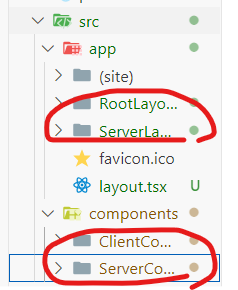
디렉터리 구조를 나눴습니다.
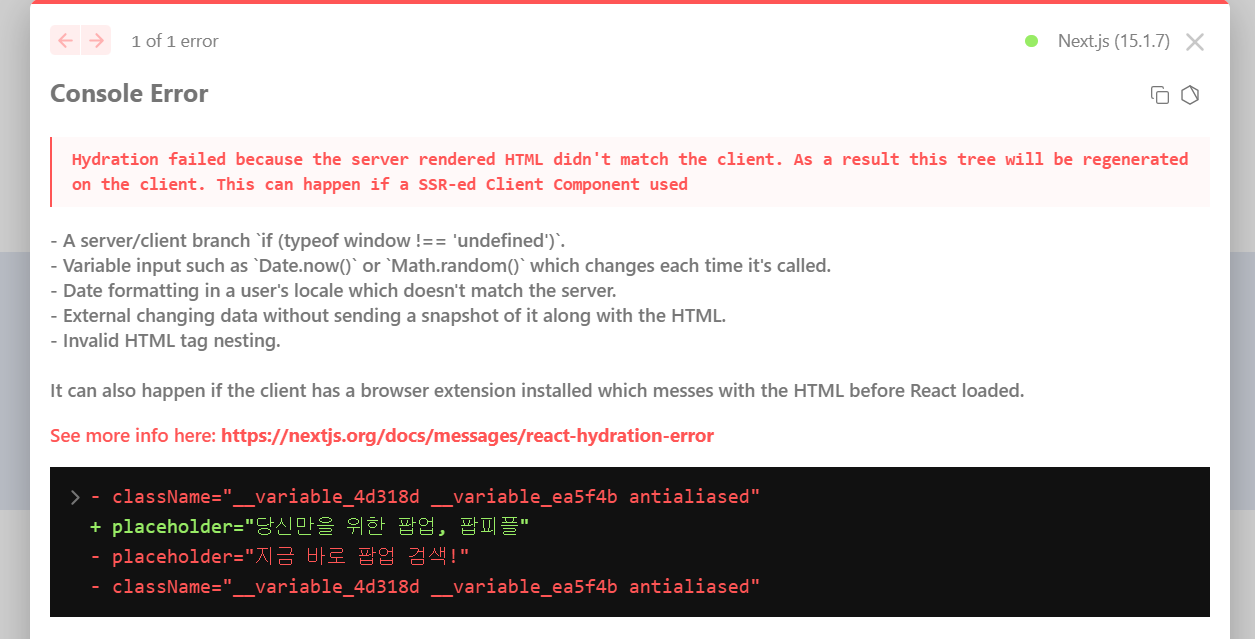
에러가 발생합니다 원인은
ssr,csr 랜더링시 ssr이빠르게 먼저 랜더링하고 csr이 늦게 렌더링 되기때문입니다.
때문에 기본값이 일치하게 한다음에 그리고나서 ssr이 csr에 데이터를 뿌려지는 기술을 사용해야해요
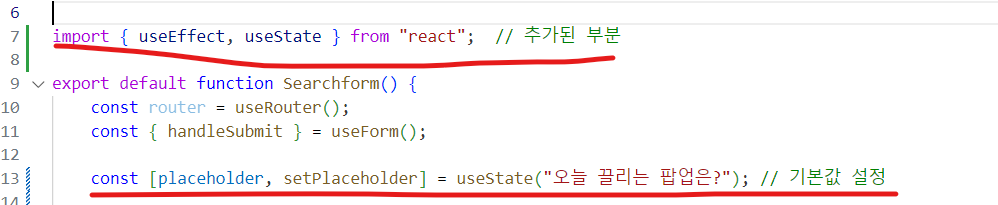
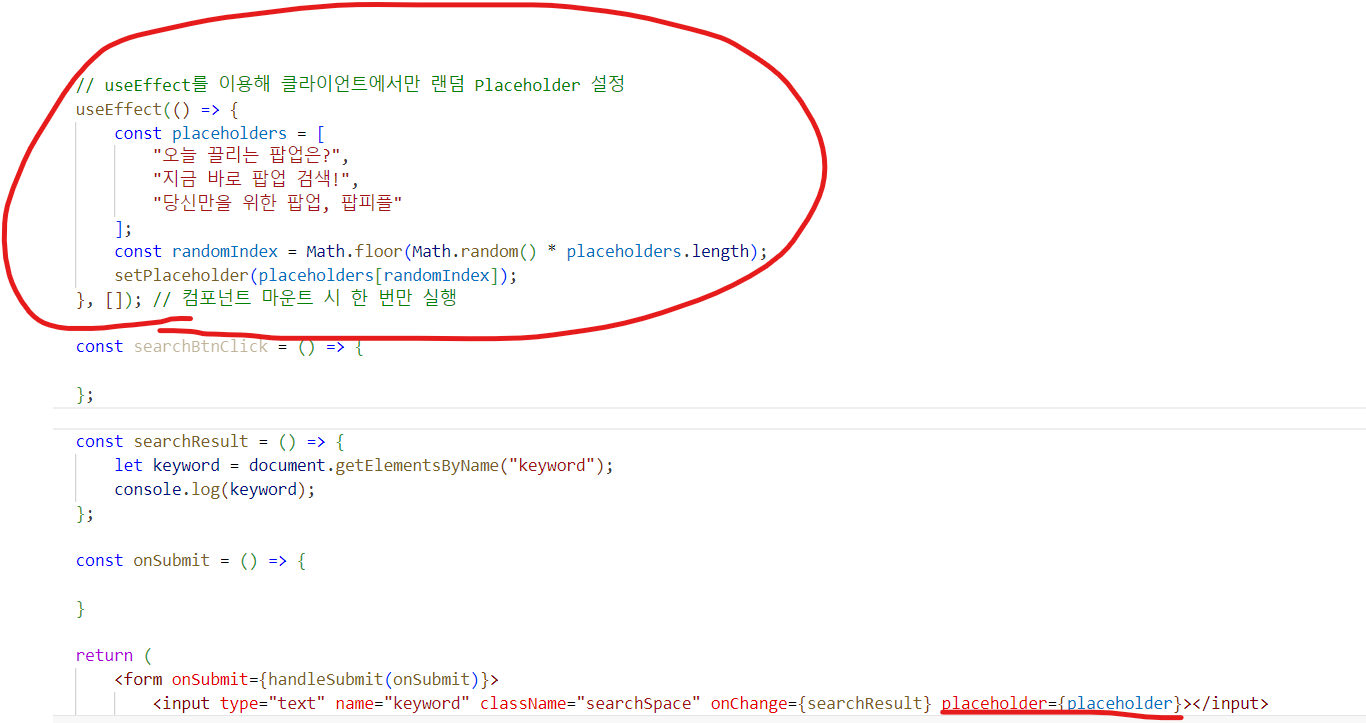
useEffect를 사용해 변수를 저장했다가 뿌리는방법입니다.
그랬더니 새롭게 발생하는에러
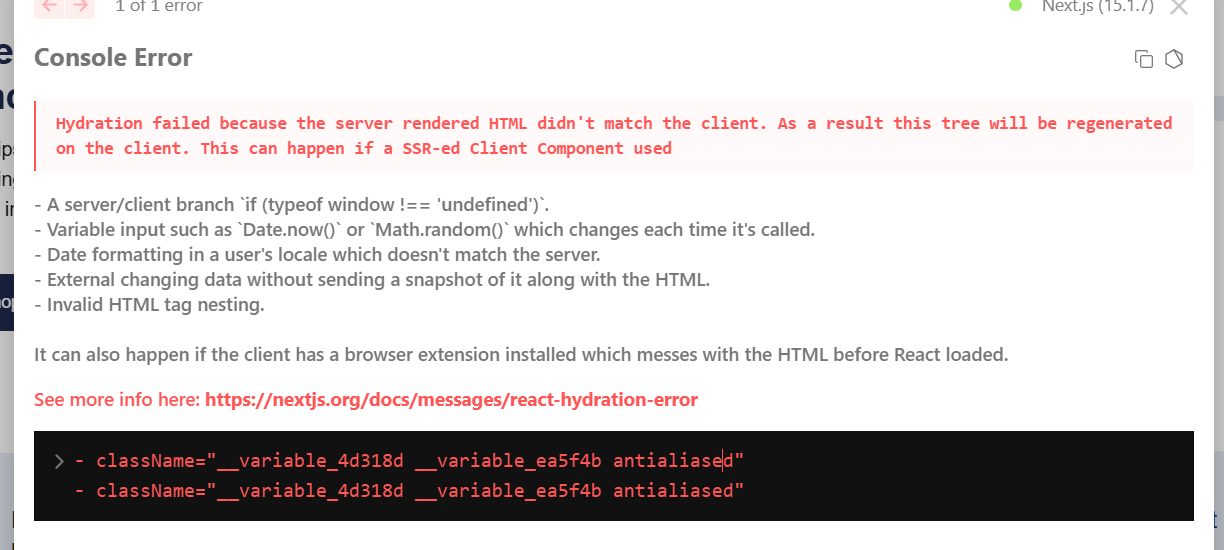
렌더링 순서 및 일관성 확보
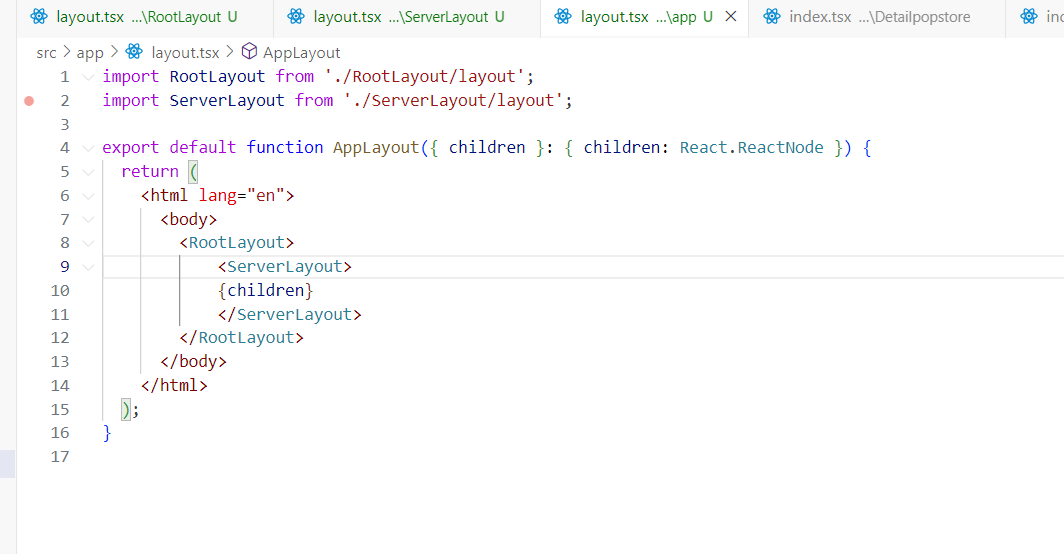
그리고 html, body 태그는 최상위 레이아웃에서만사용 왜냐하면 하위에서 사용하면 충돌일으킴
해결
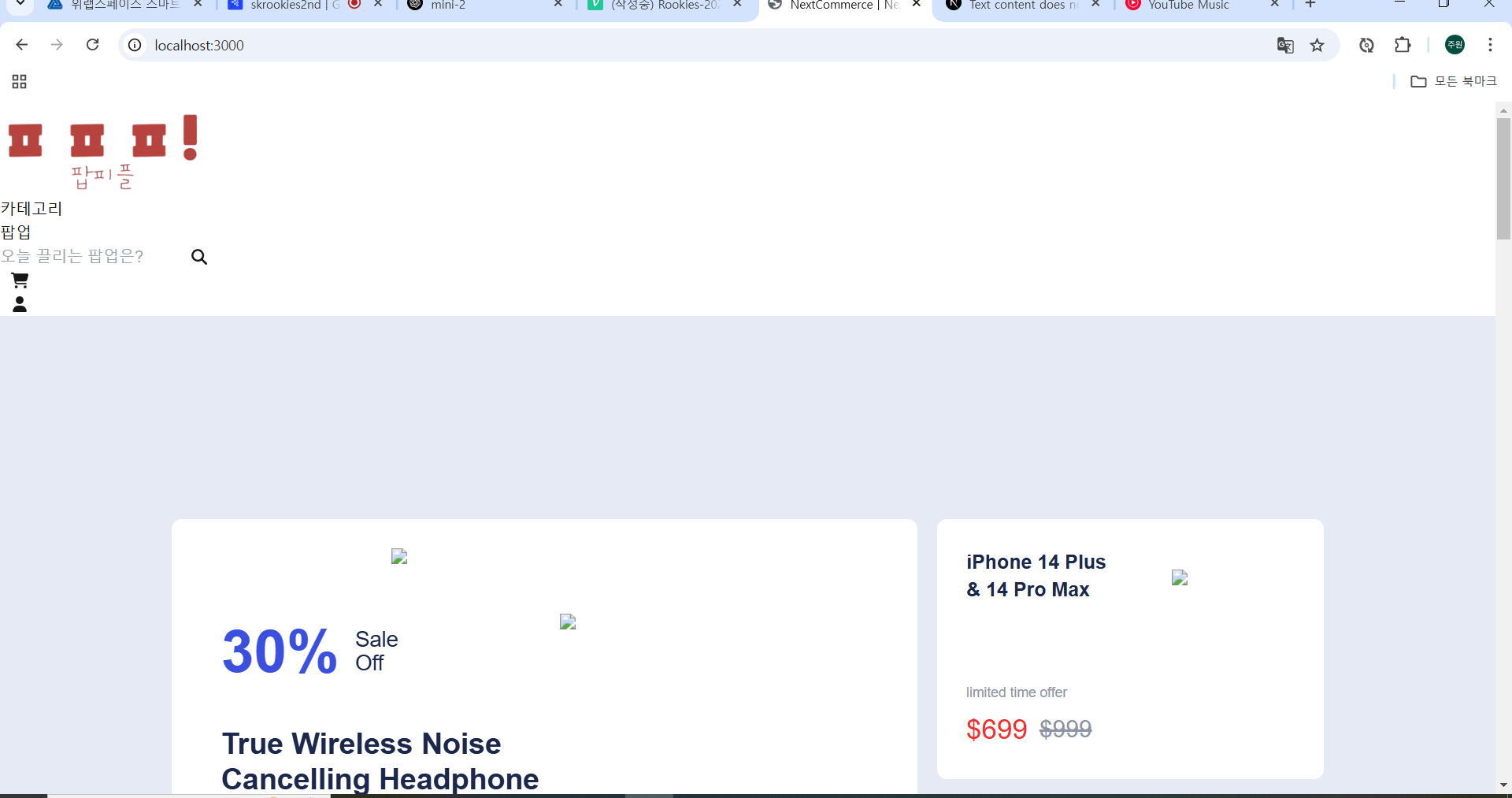
이제 렌더링이쁘게 해야겠죠

그런데 css는 팀원분이 만들어서 주신다고했으니 기다리고 다른거하고옵시다
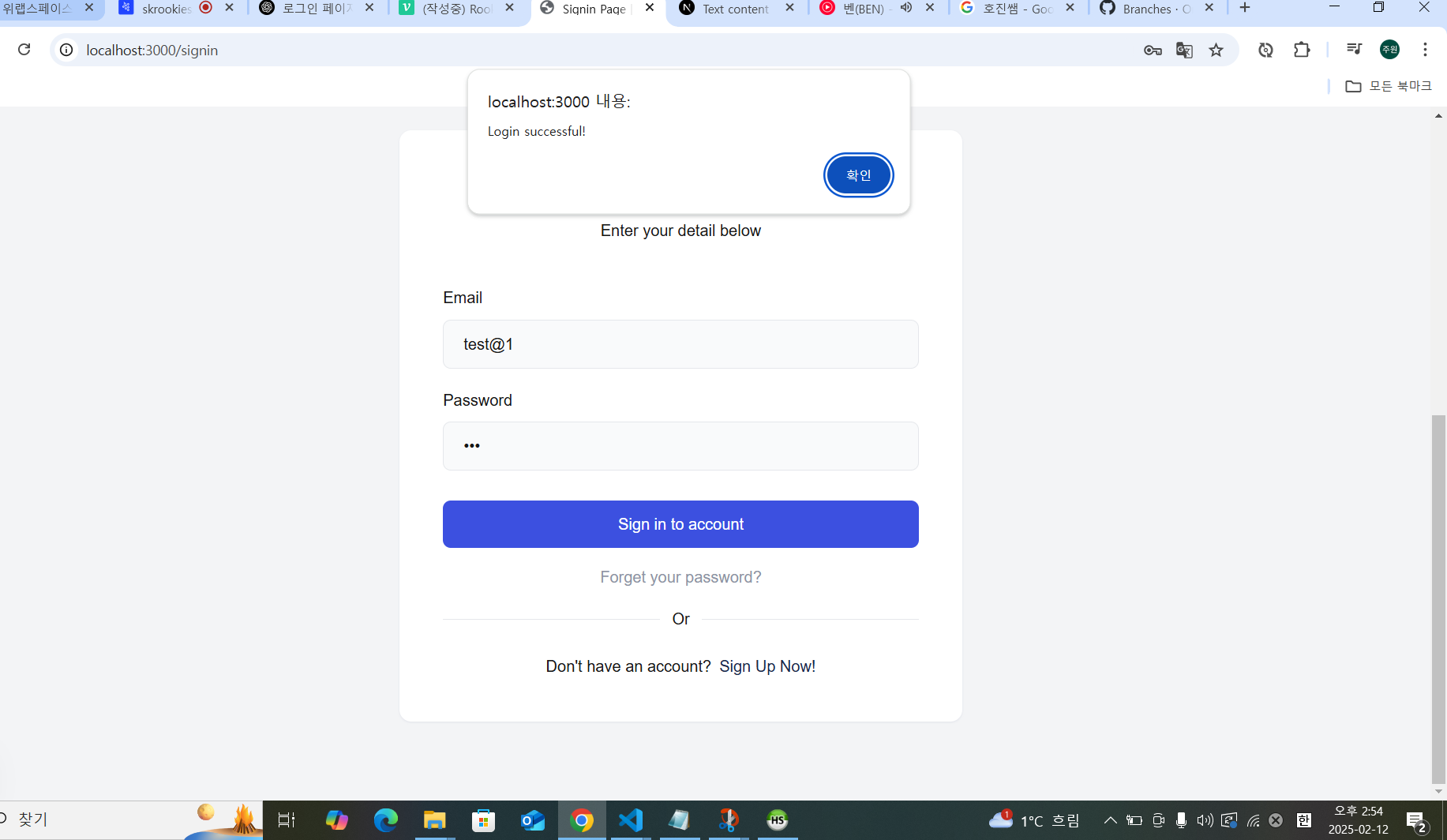
server의 signin을 통해 토큰을 받아 저장하는 클라이언트 내부 api를 구현해봐요
"use client"; : 이 파일이 클라이언트 사이드에서 실행됨을 명시.
Breadcrumb : 페이지 상단에 위치한 내비게이션 경로 표시용 컴포넌트.
Link : Next.js의 링크 컴포넌트로, 페이지 간 이동을 할 때 사용.
useState : React의 상태 관리 훅으로, 폼 데이터(email, password)를 관리.
axios : HTTP 요청을 보내기 위한 라이브러리.
useRouter : Next.js의 내비게이션 기능을 사용할 수 있는 훅.
일단 로그인 요청보내는거까지는 ok 인데
헤더에 같이 전송되는 토큰이 뭔지도모르고 그거 이용하는 방법도몰라요
큰문제 발생
"use client"
// import Breadcrumb from "@/components/ClientComponent/Common/Breadcrumb";
import Link from "next/link";
import React, { useState, useEffect } from "react";
import axios from "axios";
import { useRouter } from "next/navigation";
const Signin = () => {
const [formData, setFormData] = useState({
email: "",
password: "",
});
const router = useRouter();
const handleChange = (e) => {
const { name, value } = e.target;
setFormData({
...formData,
[name]: value,
});
};
// 토큰 없이
// const handleSubmit = async (e) => {
// e.preventDefault();
// const formDataToSend = new FormData();
// formDataToSend.append("email", formData.email);
// formDataToSend.append("password", formData.password);
// try {
// const response = await axios.post(
// "http://47.130.76.132:8080/auth/login",
// formDataToSend,
// {
// headers: {
// "Content-Type": "multipart/form-data",
// },
// }
// );
// console.log("Login successful:", response.data);
// alert("Login successful!");
// setFormData({
// email: "",
// password: "",
// });
// router.push("/");
// } catch (error) {
// console.error("Login failed:", error.response?.data || error.message);
// alert("Login failed. Please try again.");
// }
// };
// 토큰 있을때
const handleSubmit = async (e) => {
e.preventDefault();
const formDataToSend = new FormData();
formDataToSend.append("email", formData.email);
formDataToSend.append("password", formData.password);
try {
const response = await axios.post(
"http://47.130.76.132:8080/auth/login",
formDataToSend,
{
headers: {
"Content-Type": "multipart/form-data",
},
}
);
// 서버 응답 전체 출력 (디버깅용)
console.log("Full response:", response);
// 서버 응답 헤더 또는 본문에서 AccessToken 추출
const accessToken = response.headers['accesstoken'] || response.data.accessToken; // 소문자 키 사용
if (accessToken) {
// 로컬 스토리지에 AccessToken 저장
localStorage.setItem('accessToken', accessToken);
console.log("Login successful:", response.data);
alert("Login successful!");
setFormData({
email: "",
password: "",
});
router.push("/");
} else {
throw new Error("AccessToken not received");
}
} catch (error) {
console.error("Login failed:", error.response?.data || error.message);
alert("Login failed. Please try again.");
}
};
// 토큰 들어왔는지 테스트
// useEffect(() => {
// const token = localStorage.getItem('accessToken');
// if (token) {
// console.log("Token exists in localStorage:", token);
// } else {
// console.log("No token found in localStorage.");
// }
// }, []);
return (
<>
{/* <Breadcrumb title={"Signin"} pages={["Signin"]} /> */}
<section className="overflow-hidden py-20 bg-gray-2">
<div className="max-w-[1170px] w-full mx-auto px-4 sm:px-8 xl:px-0">
<div className="max-w-[570px] w-full mx-auto rounded-xl bg-white shadow-1 p-4 sm:p-7.5 xl:p-11">
<div className="text-center mb-11">
<h2 className="font-semibold text-xl sm:text-2xl xl:text-heading-5 text-dark mb-1.5">
Sign In to Your Account
</h2>
<p>Enter your detail below</p>
</div>
<div>
<form onSubmit={handleSubmit}>
<div className="mb-5">
<label htmlFor="email" className="block mb-2.5">
Email
</label>
<input
type="email"
name="email"
id="email"
placeholder="Enter your email"
value={formData.email}
onChange={handleChange}
className="rounded-lg border border-gray-3 bg-gray-1 placeholder:text-dark-5 w-full py-3 px-5 outline-none duration-200 focus:border-transparent focus:shadow-input focus:ring-2 focus:ring-blue/20"
/>
</div>
<div className="mb-5">
<label htmlFor="password" className="block mb-2.5">
Password
</label>
<input
type="password"
name="password"
id="password"
placeholder="Enter your password"
value={formData.password}
onChange={handleChange}
autoComplete="on"
className="rounded-lg border border-gray-3 bg-gray-1 placeholder:text-dark-5 w-full py-3 px-5 outline-none duration-200 focus:border-transparent focus:shadow-input focus:ring-2 focus:ring-blue/20"
/>
</div>
<button
type="submit"
className="w-full flex justify-center font-medium text-white bg-dark py-3 px-6 rounded-lg ease-out duration-200 hover:bg-blue mt-7.5"
>
Sign in to account
</button>
<a
href="#"
className="block text-center text-dark-4 mt-4.5 ease-out duration-200 hover:text-dark"
>
Forget your password?
</a>
<span className="relative z-1 block font-medium text-center mt-4.5">
<span className="block absolute -z-1 left-0 top-1/2 h-px w-full bg-gray-3"></span>
<span className="inline-block px-3 bg-white">Or</span>
</span>
<p className="text-center mt-6">
Don't have an account?
<Link
href="/signup"
className="text-dark ease-out duration-200 hover:text-blue pl-2"
>
Sign Up Now!
</Link>
</p>
</form>
</div>
</div>
</div>
</section>
</>
);
};
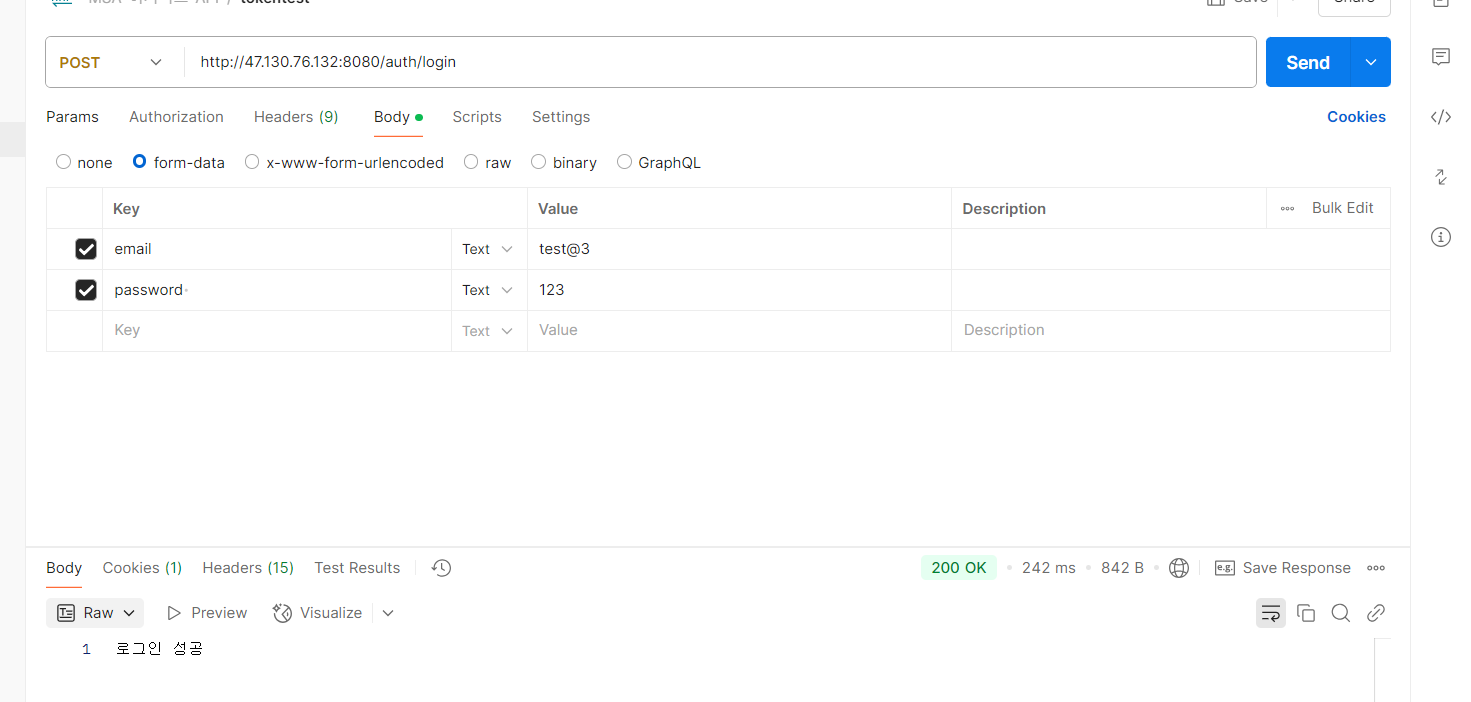
export default Signin;토큰이 안와! 문제는 postman은 잘만옴
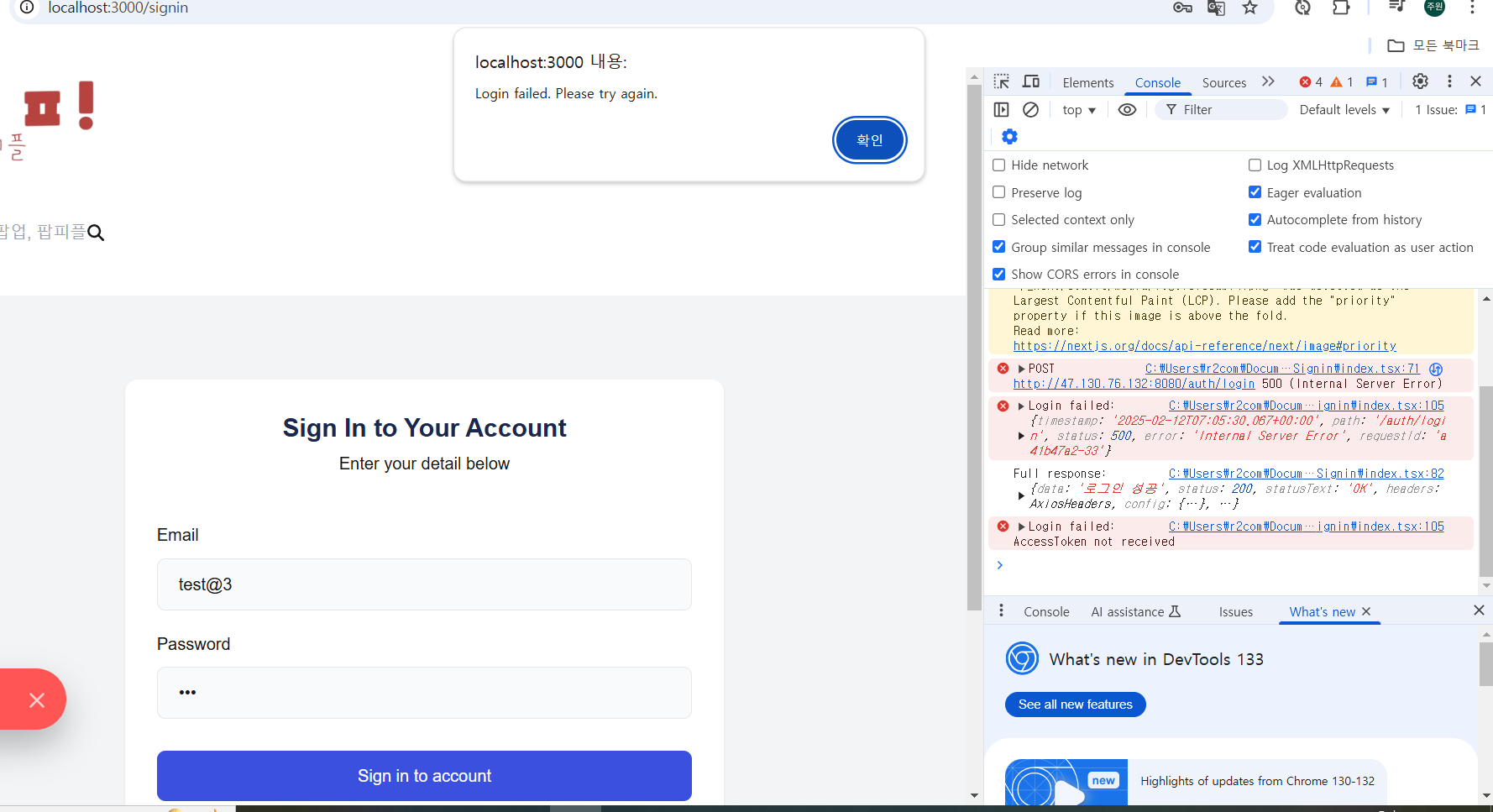
대문자로 accesstoken 으로 받아봅시다
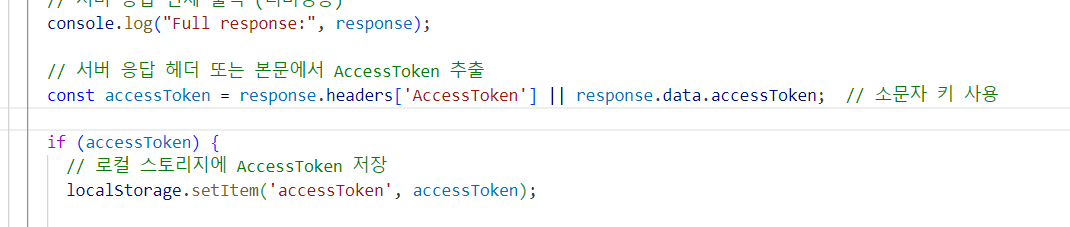
실패.
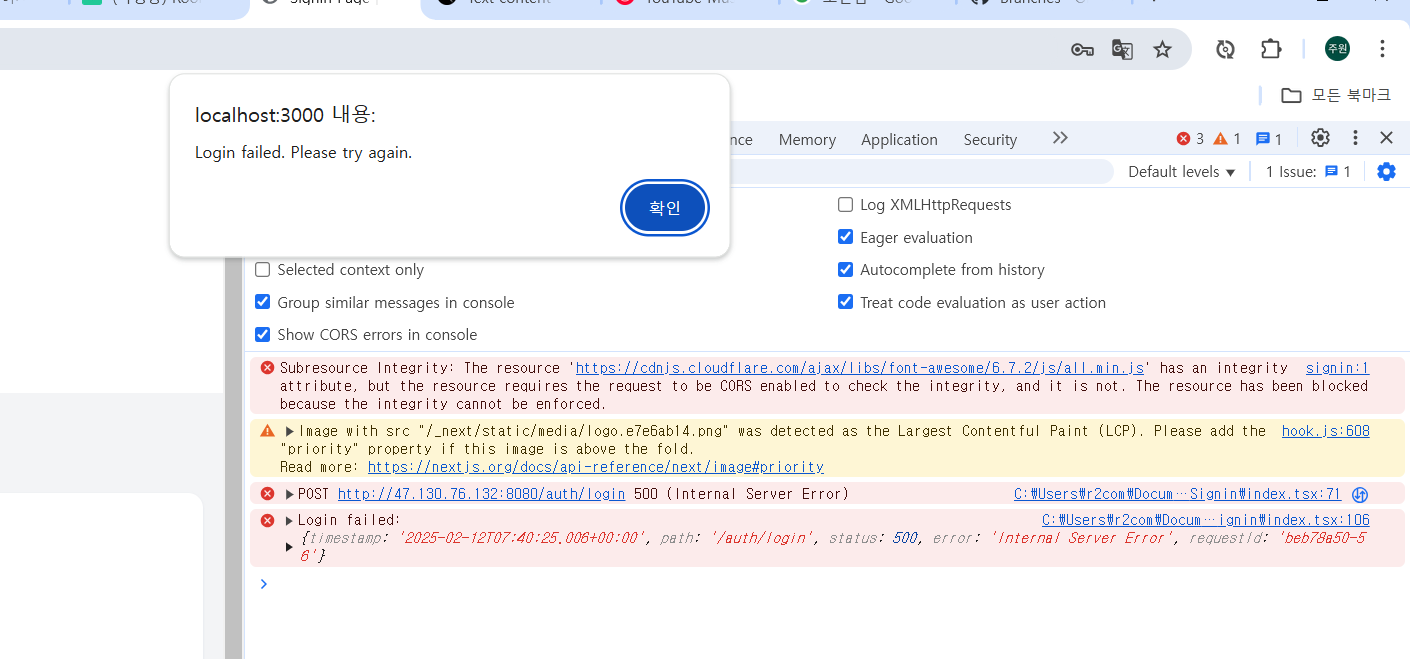
서버에 요청오는 헤더가 두개였음
http://localhost:3000 , http://localhost:3000
그래서 cors정책이 그런경우에는 허용하지않아서 오류발생시키네요
프론트 하나 끄고 다시보내니까
요청은오는데 다른메시지가와서
그냥 토큰 헤더로 보내는거는 포기하고
바디로 받아서 사용하기로함
바디로 받은토큰을 사용해서 다른 api의 응답을 받도록 한번 해보는걸로...