React-2일차
학습한 내용
React- 실습
1. 버튼 클릭시 숫자 증가하기
값을 바꾸고자 할때 state 사용
function App() {
  let counter = 0;
  const increase =()=>{
    conter = conter + 1;
  };
  return (
    <div>
      <div>{counter}</div>
      <button onClick={increase}>클릭!</button>
  </div>
  );
}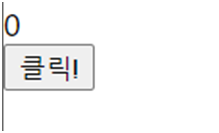
- 클릭 버튼 눌렀을 때 숫자가 안 올라감 > state 적용
import {useState} from "react";

function App() {
  const [counter, setCounter] = useState(0);
  const increase =()=>{
    setCounter(counter +1);
  };
  const decrease =()=>{
    setCounter(counter -1);
  };
  return (
    <div>
      <div>{counter}</div>
      <button onClick={increase}>증가 버튼</button>
      <button onClick={decrease}>감소 버튼</button>
  </div>
  );
}- react에서는 기존 대입 연산자가 적용이 안됨( counter = counter +1 )
- 리엑트훅을 사용하기 위해 import추가
- 초기값도 같이 정해주기에 let counter = 0 필요없음
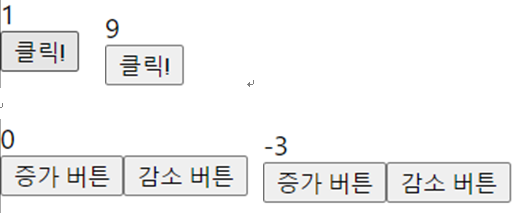
- 증가, 감소 버튼이 잘 적용되는 것을 알 수 있음
2. 에이비앤비 디자인 시스템 따라하기
- 스토리북(Storybook) : UI컴포넌트 개발 도구
- 공통적으로 사용될 컴포넌트를 팀원들과 편리하게 공유하는 도구로 활용
- 로직이 안 복잡함.
- 스토리에 등록되어 있는 컴포넌트들을 조합해서 사용 가능
스토리북 설치 및 실행
- 프로젝트 폴더 만들기
- 터미널에서 명령어 입력
- npx create-react-app 0627_proj2
- 프로젝트 설치 확인 하기
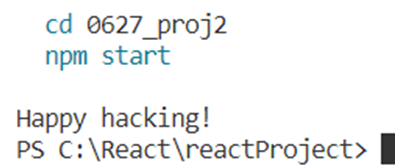
- Happy hacking! 라고 문구가 나오면 완료
- 해당 경로로 접속하기
- cd 0627_proj2

- 스토리북 설치
- npx –p storybook sb init

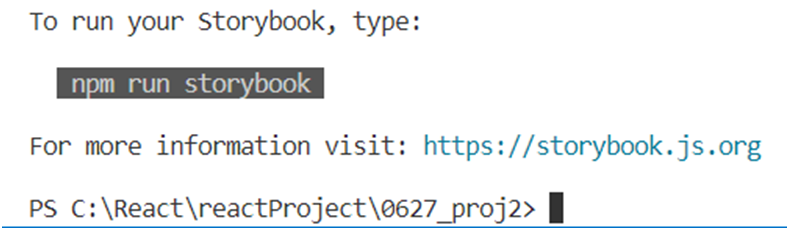
- 일정 시간이 지난 뒤, 다음과 같이 나오면 설치 완료
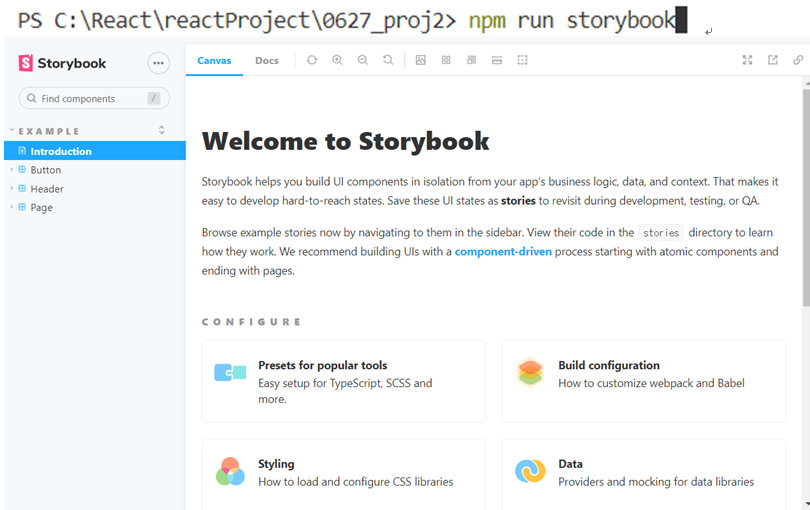
- 스토리북 실행
- npm run storybook
- 명령어 입력 후 일정 시간이 지나면 다음과 같이 스토리북이 실행된다.
- 스토리북 폴더 구조
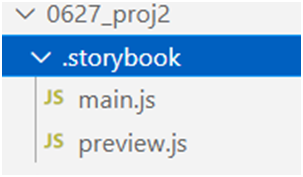
- main.js : stories를 위한 config 설정
- preview.js : 모든 story들에 글로벌하게 적용될 포맷 세팅
실습. text 컴포넌트 작성 및 story 연결
- 컴포넌트 만들기
- 다음 경로에 해당 파일을 만들어 준다.
- src - component - Text.jsx
import React, { Component } from 'react';
import PropTypes from "prop-types";

// chlidren 객체를 받아서 색, 글씨체, 밑줄을 적용해 볼 것이다.
export function Text({children, color, italic, underline}){
    const style={
        color : color,
        fontStyle : italic? "italic" : "normal",
        textDecoration : underline? "underline" : "none",
    }
    return <span style={style}>{children}</span>;
};

Text.PropTypes = {
	// 자료형이 선언되어 있지 않으면 경고 메세지를 띄우기
    children : PropTypes.string.isRequired,
    color : PropTypes.string,
    // italic이나 underline은 참, 거짓만 있으면 되니 bool
    italic : PropTypes.bool,
    underline : PropTypes.bool,
};

Text.defaultProps = {
    color : "black",
    italic : false,
    underline : false,
}- 스토리북에 연결(등록)
- component - Text.stories.js 생성
import React, {Component} from "react";
import {Text} from "./Text";

export default{
    title : "Text",
    component : Text,
};

const TEST_TEXT = "Story Text Test";
export const Default= ()=><Text>{TEST_TEXT}</Text>;
export const Red= ()=><Text color="red">{TEST_TEXT}</Text>;
export const Italic= ()=><Text italic>{TEST_TEXT}</Text>;
export const Underline= ()=><Text underline>{TEST_TEXT}</Text>;- 어디에 있는 파일을 가져오는 지 선언해줘야 함 = import부분
- 스토리 기본 구조
Export default {
	Title : 스토리북에 올릴 component 폴더 계층 구조,
	Component : 스토리를 만들 컴포넌트 이름
}

Export const 스토리이름 = () => 해당스토리에서 테스트할 인자가 담긴 컴
포넌트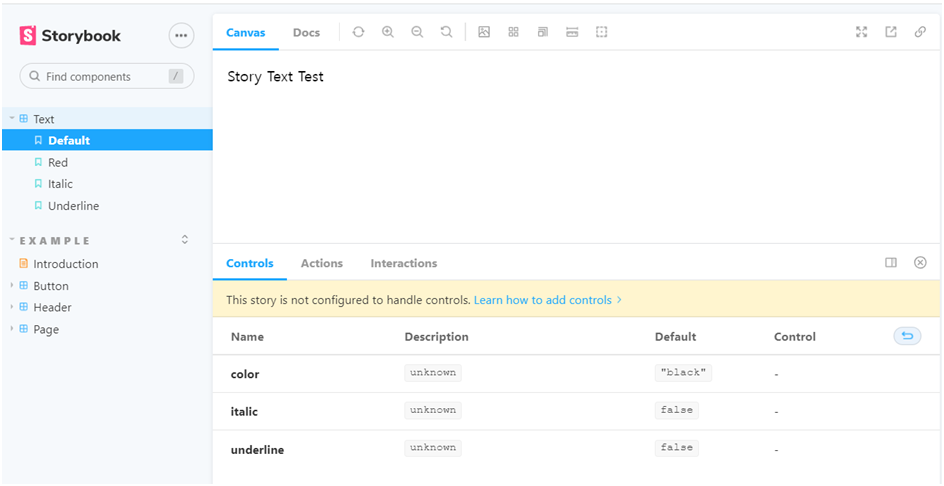
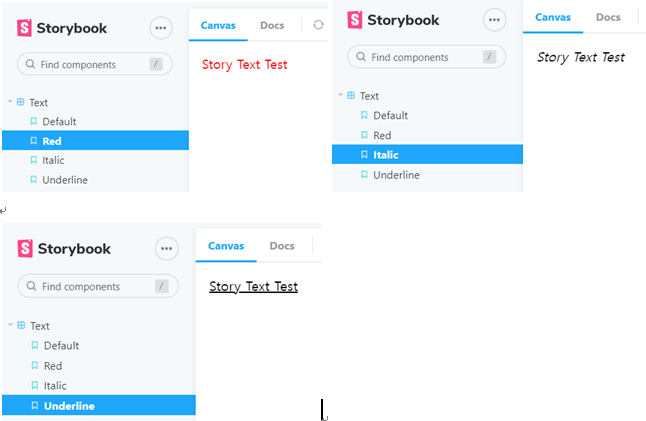
- 설정한 다른 Text도 확인 해보면 다음과 같다.
실습. Input 컴포넌트 작성 및 story 연결
- 텍스트, 함수, 배열, 객체형 다양한 컴포넌트가 많음.
- 컴포넌트 만들기
- src - component - Input.jsx
import React, { Component } from "react";
import PropTypes from "prop-types";

class Input extends Component {
  constructor(props) {
    super(props);
    this.setRef = this.setRef.bind(this);
    this.handleChange = this.handleChange.bind(this);
  }

  handleChange(e) {
    const { name, onChange } = this.props;
    if (onChange) {
      onChange(name, e.target.value);
    }
  }

  componentDidMount() {
    if (this.props.autoFocus) {
      this.ref.focus();
    }
  }

  componentDidUpdate() {
    if (this.props.autoFocus) {
      this.ref.focus();
    }
  }

  setRef(ref) {
    this.ref = ref;
  }

  render() {
    const { errorMessage, label, name, value, type, onFocus } = this.props;
    return (
      <label>
        {label}
        <input
          id={"input_${name}"}
          ref={this.setRef}
          onChange={this.handleChange}
          onFocus={onFocus}
          value={value}
          type={type}
        />
        {errorMessage && <span className="error">{errorMessage}</span>}
      </label>
    );
  }
}

Input.propTypes = {
  type: PropTypes.oneOf(["text", "number", "price"]),
  name: PropTypes.string.isRequired,
  value: PropTypes.oneOfType([PropTypes.number, PropTypes.string]),
  errorMessage: PropTypes.string,
  label: PropTypes.string,
  onChange: PropTypes.func,
  autoFocus: PropTypes.bool,
};

Input.defaultProps = {
  onChange: () => {},
  onFocus: () => {},
  autoFocus: false,
  type: "text",
};

export default Input;- this는 자신, super은 상위
- this를 많이 사용하다보면 어느 순간에 this가 누구인지 경계가 애매모해질 때를 방지하기 위해 bind사용
2.스토리북에 연결(등록)
- component - Input.stories.js
import React, { Component } from 'react';
import Input from "./Input";

export default{
    title : "Input",
    component : Input,
};

export const label = () => <Input name="name" label="이름 : "/>;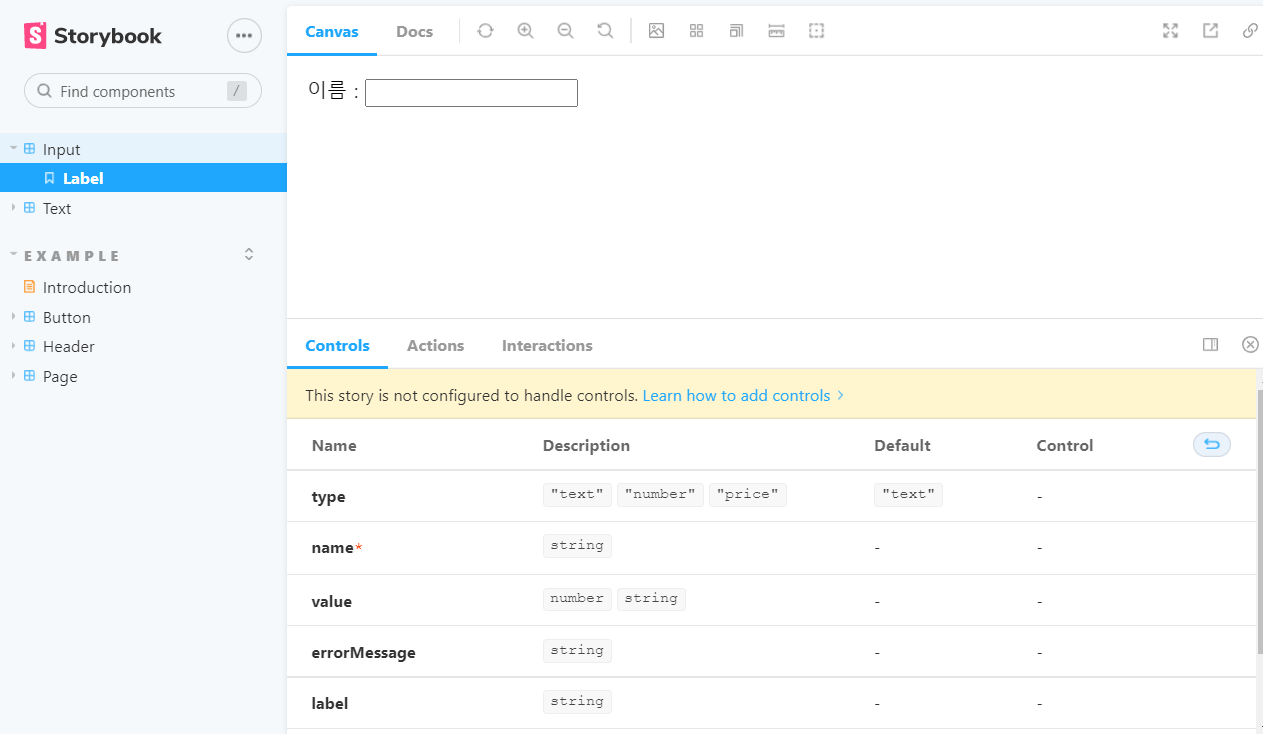
학습한 내용 중 어려웠던 점 또는 해결못한 것들
해결방법 작성
학습 소감
스토리북를 쓰는 이유와 장점 및 실습을 해보았는데, 처음 부분은 상당히 어려웠다. 명령어라던지, 생성 방법 및 적용에 접근이 어려움이 있었다. 함수 자체도 아직까지는 어떤 것을 사용해야 하는지 어렵다. 오늘 배운 text, input 컴포넌트 뿐만 아니라 다른 종류도 공부해봐야 겠다.

예비 프론트엔드 개발자