2023.04.06 메타코딩
server는 인텔리제이로 하는게 편하다..
인텔리제이에서 서버열때 터미널열어서 npm start도 해준다.
vscode에서 자바파일 열어서
front는 vscode에서 변경하는게 편하다.
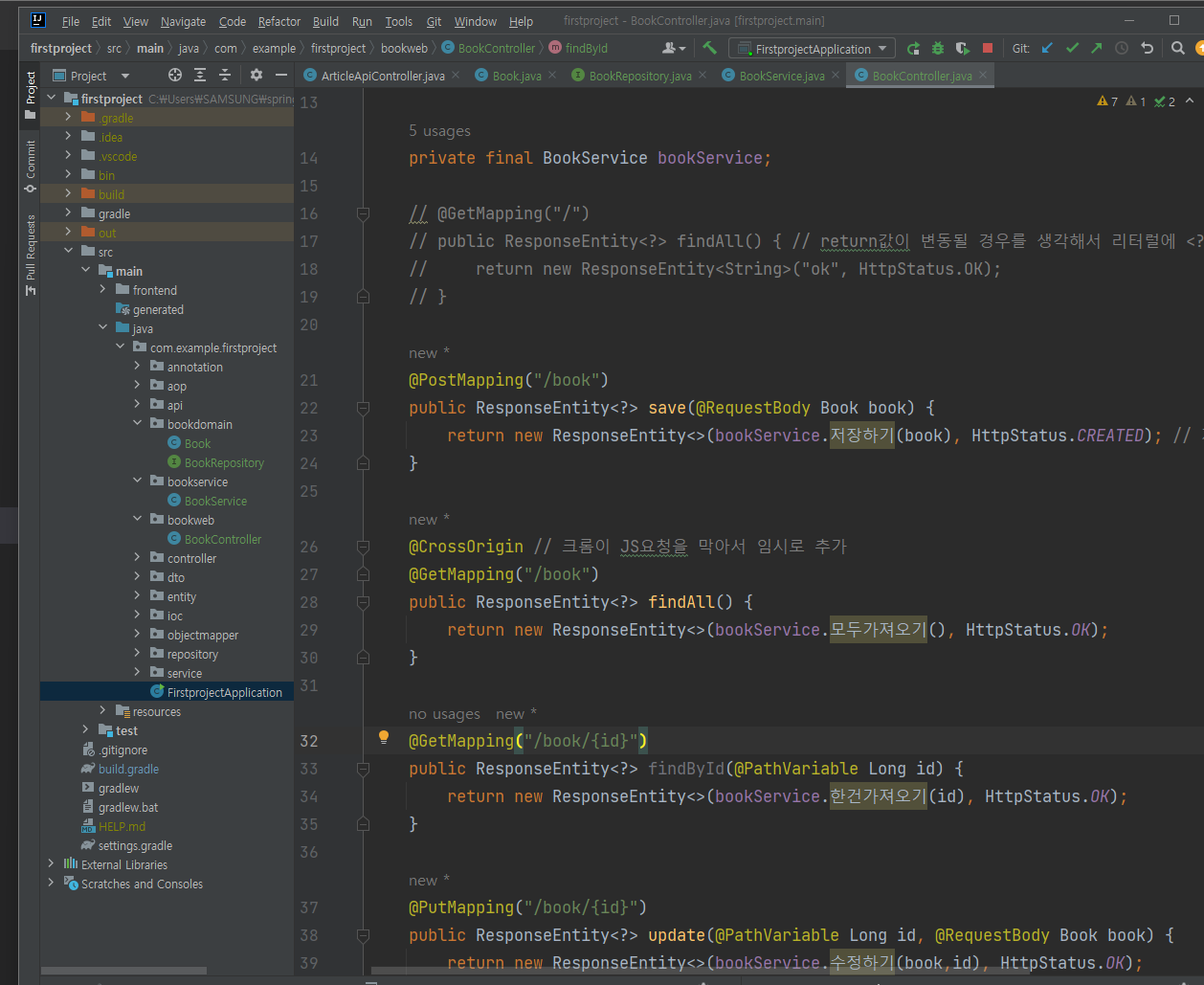
✨ @CrossOrigin
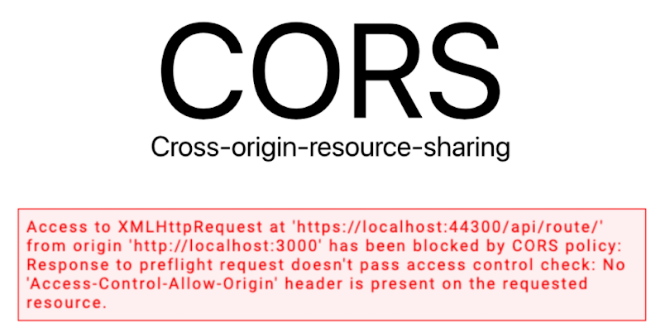
크롬이 JS요청을 막는 에러 .
컨트롤러에 임의로 @CrossOrigin 추가해주면 에러 해결됨.
컨트롤러 진입직전에 실행됨.
✨ 나중에 security라이브러리적용하면
: CORS 정책을 가지고 있어서 @CrossOrigin 없어도 된다.
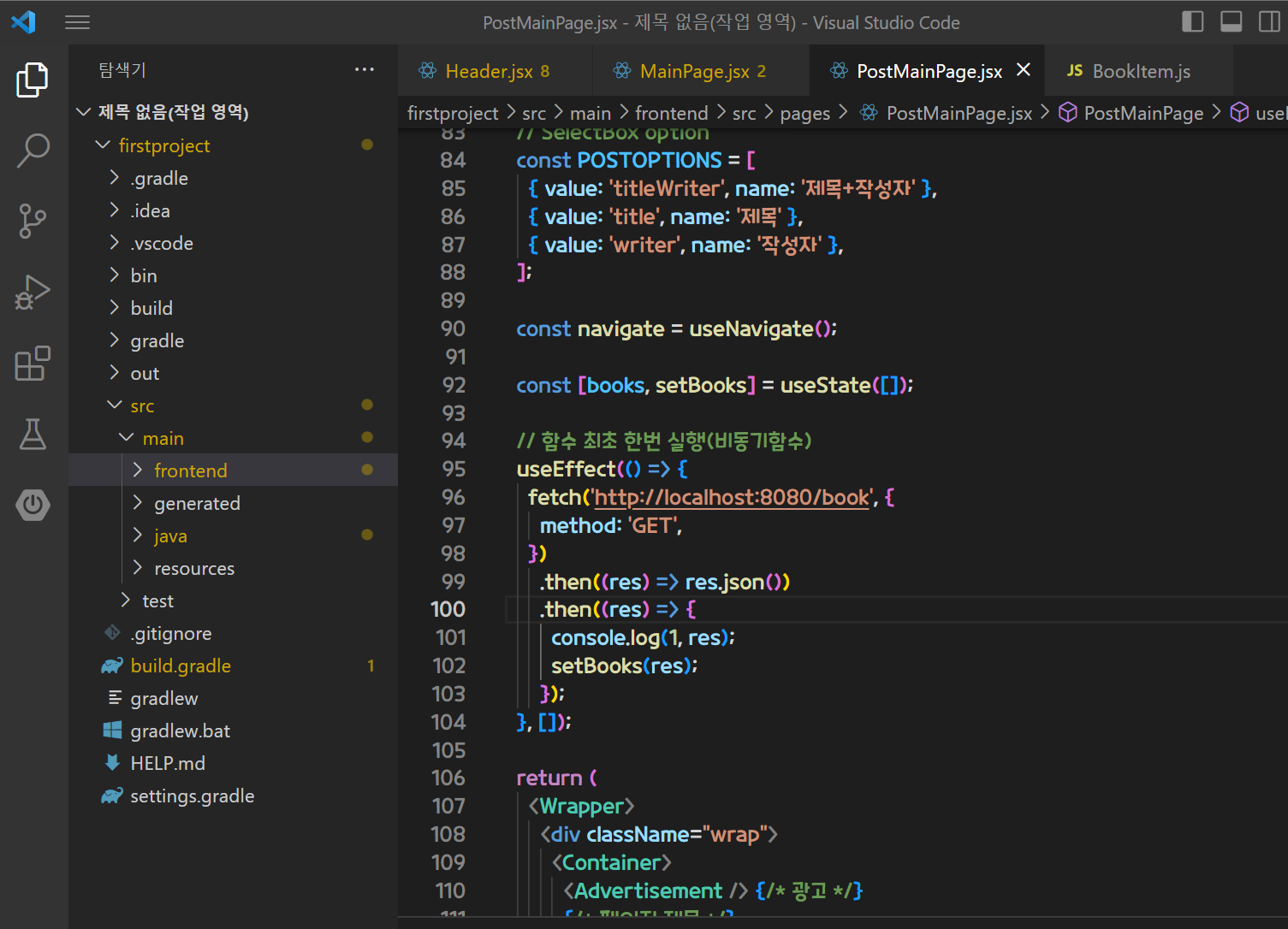
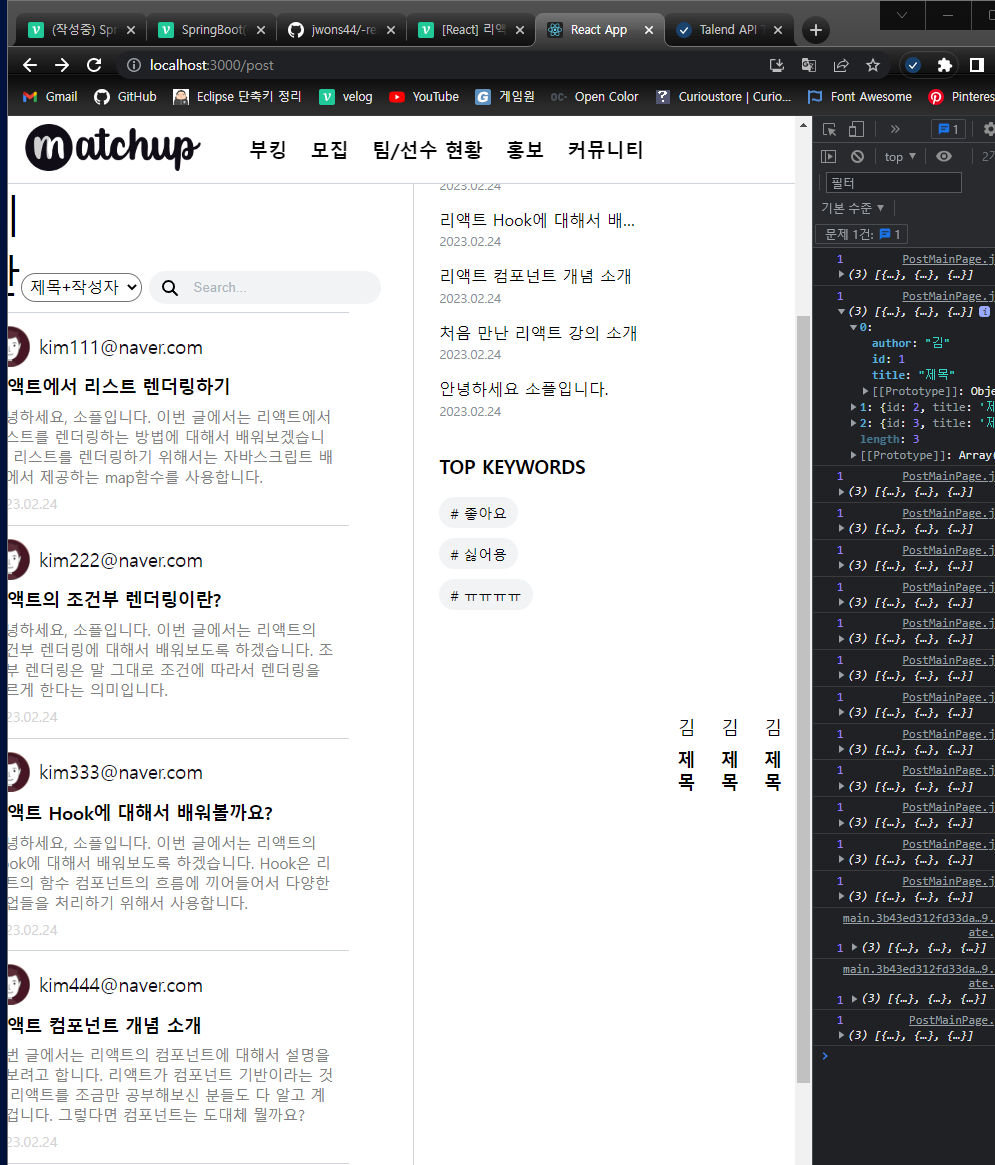
목록 불러오기
PostMainPage
const [books, setBooks] = useState([]);

  // 함수 최초 한번 실행(비동기함수)
  useEffect(() => {
    fetch('http://localhost:8080/book', {
      method: 'GET',
    })
      .then((res) => res.json())
      .then((res) => {
        console.log(1, res);
        setBooks(res);
      });
  }, []);

...
return (
  {books.map((book) => (
    <BookItem key={book.id} book={book} />
  ))}
)
BookItem
const BookItem = (props) => {
  const { id, title, author } = props.book;
  return (
    <Wrapper>
      <TitleText>
        <div className="user-wrap">
          <div className="user-img"></div>
          <div className="user-name">{author}</div>
        </div>
        <div className="post-title">
          <Link to={'/post/' + id}>{title}</Link>
        </div>
      </TitleText>
    </Wrapper>
  );
};
UI는 나중에 고칠거...ㅎㅎ
지금은 DB데이터를 잘 끌어오는것에 집중!! ✨👌👍❤️😊😍
글쓰기
PostWritePage
const [book, setBook] = useState({
    title: '',
    author: '',
  });
  const changeValue = (e) => {
    setBook({
      ...book,
      [e.target.name]: e.target.value,
    });
  };
  const submitBook = (e) => {
    e.preventDefault();
    fetch('http://localhost:8080/book', {
      method: 'POST',
      headers: {
        'Content-Type': 'application/json; charset=utf-8',
      },
      body: JSON.stringify(book), // book -> json
    })
      .then((res) => {
        console.log(1, res);
        if (res.status === 201) {
          return res.json();
        } else {
          return null;
        }
      })
      .then((res) => {
        console.log(2, res);
        if (res !== null) {
          navigate('/');
        } else {
          alert('책 등록에 실패하였습니다.');
        }
      });
  };

...
return (
  <form onSubmit={submitBook}>
  <input
    type="text"
    placeholder="title"
    onChange={changeValue}
    name="title"
  />
  <input
    type="text"
    placeholder="title"
    onChange={changeValue}
    name="author"
  />
  <button type="submit">등록</button>
</form>
)
상세보기
Detail
import React, { useEffect, useState } from 'react';
import { useParams } from 'react-router-dom';

const Detail = (props) => {
  console.log('detail', props);
  // 메타코딩 상세보기
  const id = useParams();

  console.log('id=======', id);

  const [book, setBook] = useState({
    id: '',
    title: 'dd',
    author: 'dd',
  });
  useEffect(() => {
    fetch('http://localhost:8080/post/' + id)
      .then((res) => res.json())
      .then((res) => {
        setBook(res);
      });
  }, []);

  return (
    <div>
      {/* ================ */}
      <h1>{book.title}</h1>
      <h3>{book.author}</h3>
    </div>
  );
};

export default Detail;
App.js
<Route path="post/:Id" element={<Detail />} />삭제하기
 const deleteBook = () => {
    fetch('http://localhost:8080/post/' + id, {
      method: 'DELETE',
    })
      .then((res) => res.text())
      .then((res) => {
        if (res === 'ok') {
          navigate('/');
        } else {
          alert('삭제실패');
        }
      });
  };

return (
  ...
	<button onClick={deleteBook}>삭제</button>
)
수정하기
PostUpdatePage
import React, { useEffect, useState } from 'react';
import { useNavigate, useParams } from 'react-router-dom';

const PostUpdatePage = (props) => {
  const id = useParams();
  const navigate = useNavigate();
  // 메타코딩 수정하기
  const [book, setBook] = useState({
    title: '',
    author: '',
  });

  useEffect(() => {
    fetch('http://localhost:8080/post/' + id)
      .then((res) => res.json())
      .then((res) => {
        setBook(res);
      });
  }, []);

  const changeValue = (e) => {
    setBook({
      ...book,
      [e.target.name]: e.target.value,
    });
  };
  const submitBook = (e) => {
    e.preventDefault();
    fetch('http://localhost:8080/post/' + id, {
      method: 'PUT',
      headers: {
        'Content-Type': 'application/json; charset=utf-8',
      },
      body: JSON.stringify(book), // book -> json
    })
      .then((res) => {
        if (res.status === 200) {
          return res.json();
        } else {
          return null;
        }
      })
      .then((res) => {
        if (res !== null) {
          navigate('/post/' + id);
        } else {
          alert('책 수정에 실패하였습니다.');
        }
      });
  };
  return (
    <div>
      <form onSubmit={submitBook}>
        <input
          type="text"
          placeholder="title"
          onChange={changeValue}
          name="title"
          value={book.title}
        />
        <input
          type="text"
          placeholder="title"
          onChange={changeValue}
          name="author"
          value={book.author}
        />
        <button type="submit">등록</button>
      </form>
    </div>
  );
};

export default PostUpdatePage;
CRUD 끝 !!!
url에 id를 넣으면 계속 CROS에러가 나서 그냥 1을 줘서 테스트했다..
fetch('http://localhost:8080/post/' + id