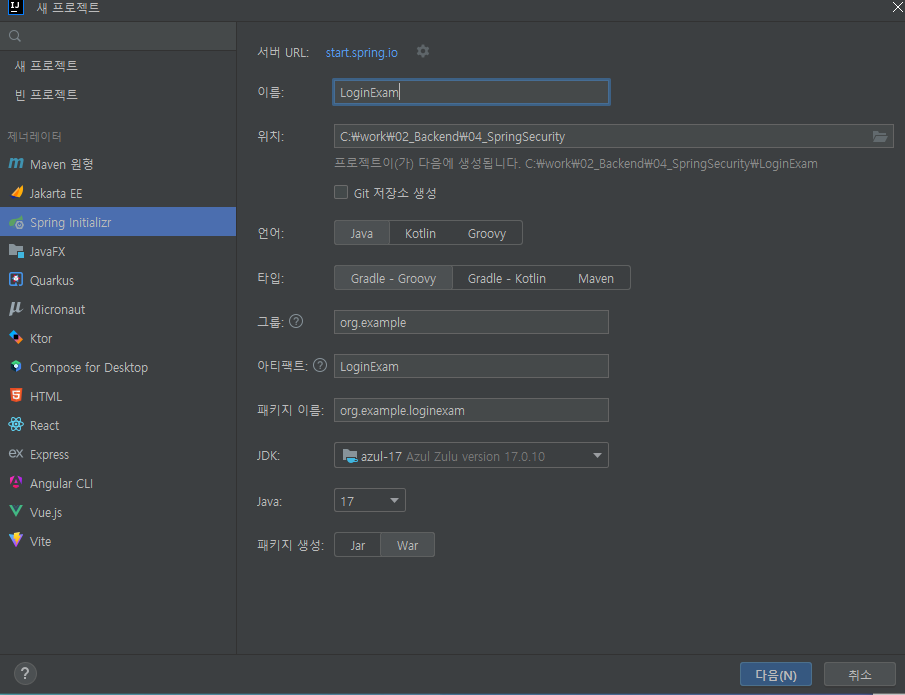
- 새프로젝트 만들기
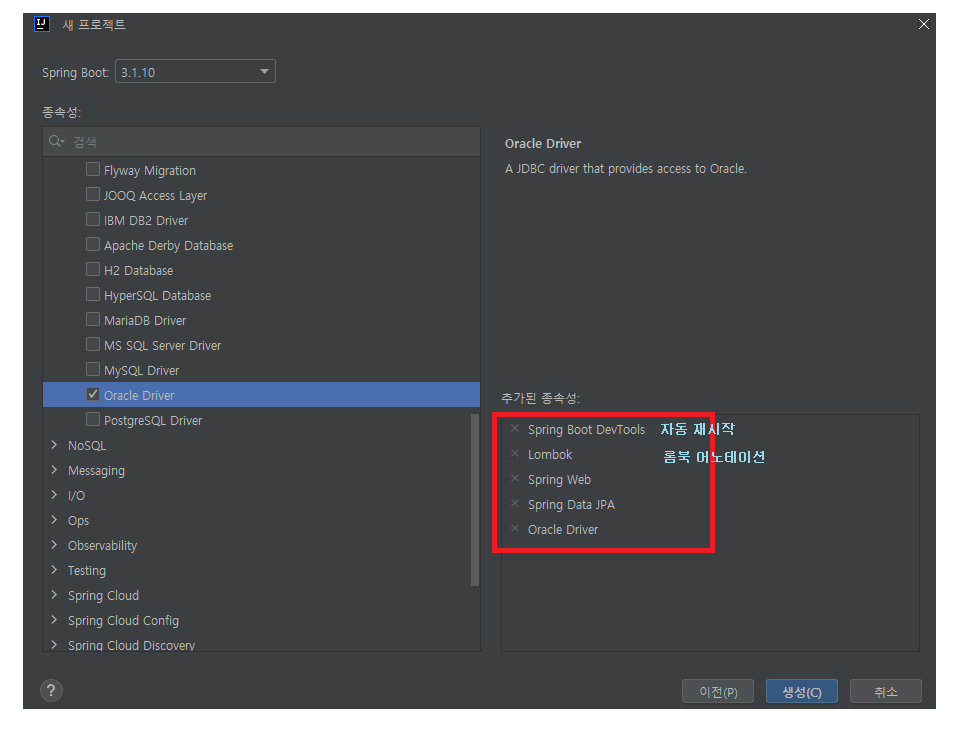
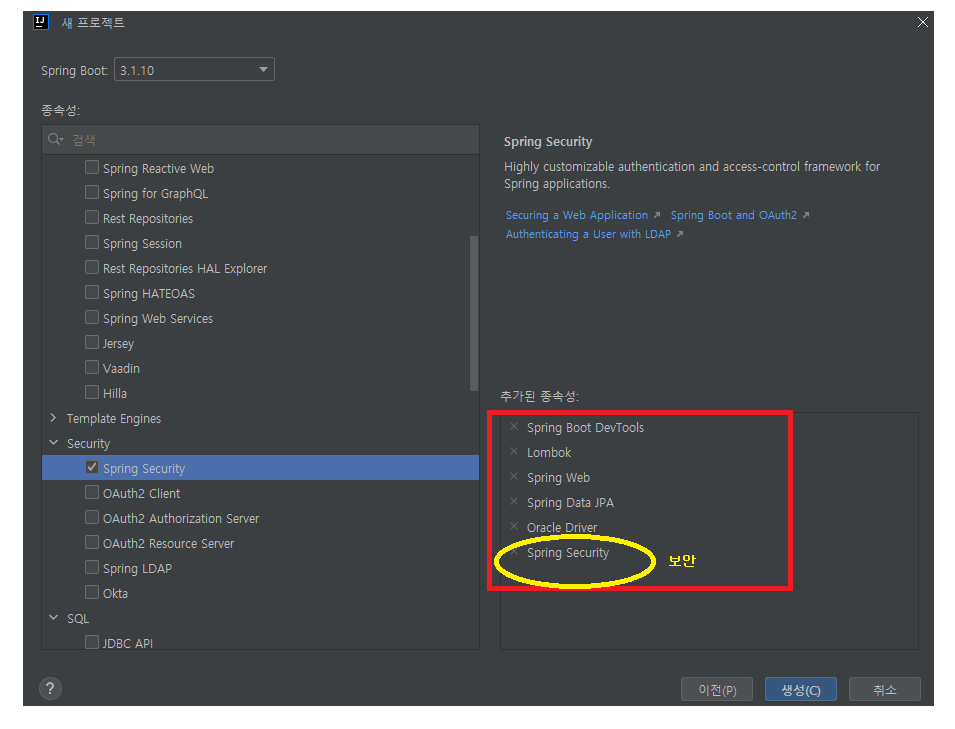
-Security -> Spring Security 보안
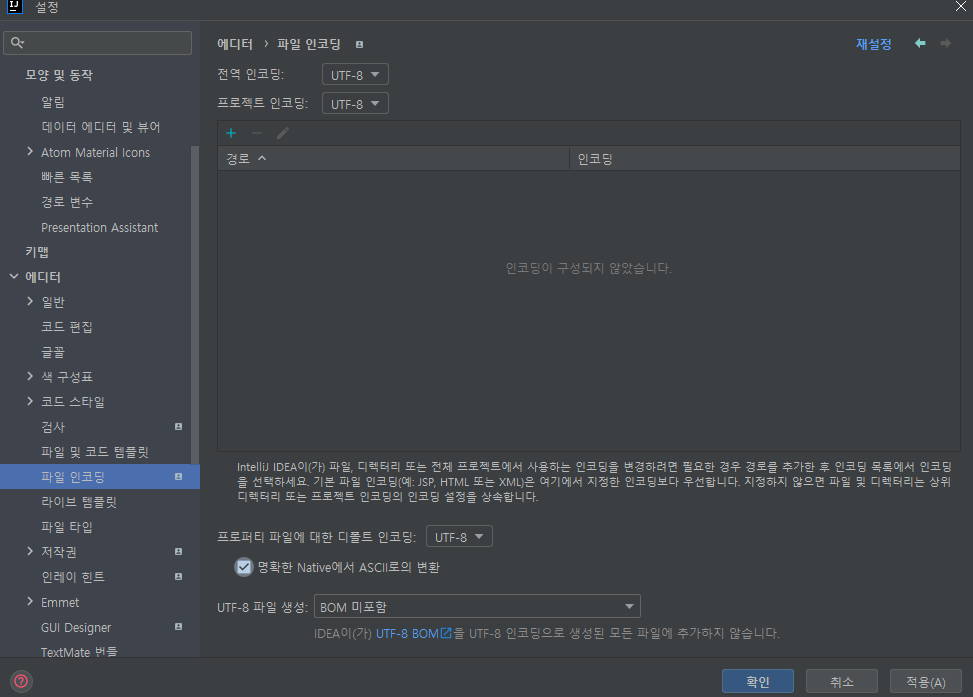
- 설정 -> 파일 인코딩 -> UTF-8
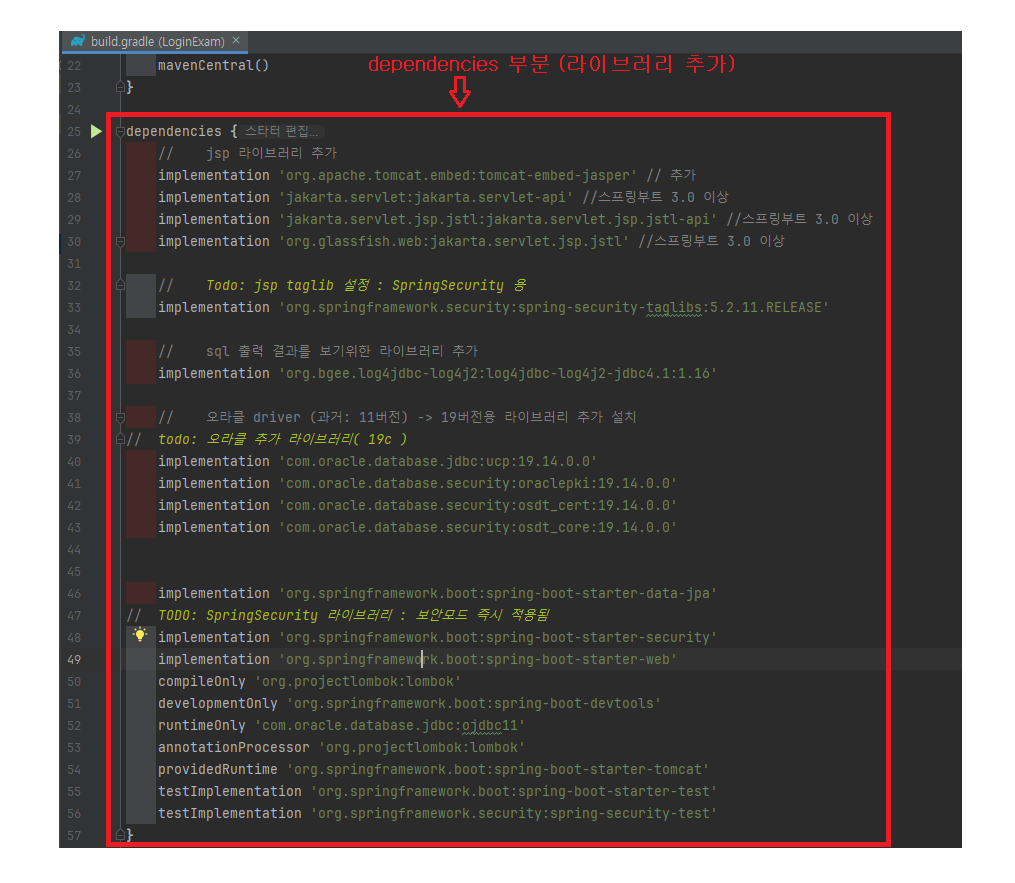
- build.gradle -> jsp 라이브러리 추가
dependencies {
	//    jsp 라이브러리 추가
	implementation 'org.apache.tomcat.embed:tomcat-embed-jasper' // 추가
	implementation 'jakarta.servlet:jakarta.servlet-api' //스프링부트 3.0 이상
	implementation 'jakarta.servlet.jsp.jstl:jakarta.servlet.jsp.jstl-api' //스프링부트 3.0 이상
	implementation 'org.glassfish.web:jakarta.servlet.jsp.jstl' //스프링부트 3.0 이상

    //    Todo: jsp taglib 설정 : SpringSecurity 용
    implementation 'org.springframework.security:spring-security-taglibs:5.2.11.RELEASE'

	//    sql 출력 결과를 보기위한 라이브러리 추가
	implementation 'org.bgee.log4jdbc-log4j2:log4jdbc-log4j2-jdbc4.1:1.16'

	//    오라클 driver (과거: 11버전) -> 19버전용 라이브러리 추가 설치
//  todo: 오라클 추가 라이브러리( 19c )
	implementation 'com.oracle.database.jdbc:ucp:19.14.0.0'
	implementation 'com.oracle.database.security:oraclepki:19.14.0.0'
	implementation 'com.oracle.database.security:osdt_cert:19.14.0.0'
	implementation 'com.oracle.database.security:osdt_core:19.14.0.0'


	implementation 'org.springframework.boot:spring-boot-starter-data-jpa'
//	TODO: SpringSecurity 라이브러리 : 보안모드 즉시 적용됨
    implementation 'org.springframework.boot:spring-boot-starter-security'
    implementation 'org.springframework.boot:spring-boot-starter-web'
    compileOnly 'org.projectlombok:lombok'
    developmentOnly 'org.springframework.boot:spring-boot-devtools'
    runtimeOnly 'com.oracle.database.jdbc:ojdbc11'
    annotationProcessor 'org.projectlombok:lombok'
    providedRuntime 'org.springframework.boot:spring-boot-starter-tomcat'
    testImplementation 'org.springframework.boot:spring-boot-starter-test'
    testImplementation 'org.springframework.security:spring-security-test'
}
- application.properties 작성
# 서버 포트 : 기본포트(8080) -> 8000(변경)
server.port=8000
# jsp 파일 경로 지정 : spring 에 jsp 위치 알려주는 설정
spring.mvc.view.prefix=/WEB-INF/views/
# 자바 소스가 수정되면 서버 자동 재시작을 함
spring.devtools.restart.enabled=true
# todo: PUT , DELETE 방식도 form 태그에서 사용할 수 있게 만들어줌
spring.mvc.hiddenmethod.filter.enabled=true

# TODO: DB 라이브러리 설정 : build.gradle 오라클 db 라이브러리 없으면 에러발생
spring.datasource.driver-class-name=net.sf.log4jdbc.sql.jdbcapi.DriverSpy
# TODO: DB 접속 설정  : 도커 오라클 , 계정/암호, db명(서비스이름)(xepdb1)
# todo: spring.datasource.url=jdbc:log4jdbc:oracle:thin:@ip주소:db포트번호/db이름
spring.datasource.url=jdbc:log4jdbc:oracle:thin:@localhost:1521/xepdb1
# 계정 정보
spring.datasource.username=scott
# 암호
spring.datasource.password=!Ds1234567890

# TODO: JPA 접속 설정
# JPA : sql 를 자동 생성해주는 프레임워크 :
# => JPA 기본함수만 실행하면 해당되는 sql 문을 만들어줌(자동화기능)
# => JPA 복잡한 sql 문은 개발자 직접 작성하는 기능이 있음 => Querydsl 라이브러리
# vs Mybatis : 모든 sql 을 개발자 직접 작성하는 방식, 대신에 작성시 가독성 높여서 작성가능

# JPA : sql 자동작성 기능 : 1) ddl (테이블생성, 시퀀스 생성등) 생성           : x
#                         2) dml (CRUD:insert/select/update/delete) 생성 : O
# ddl 자동생성 기능 켜기 옵션 : none(끄기), create(켜기), update(없는것만 만들기)
spring.jpa.hibernate.ddl-auto=none
# todo: db 제품 연결 ( oracle 12이상 : Oracle12cDialect )
spring.jpa.database-platform=org.hibernate.dialect.Oracle12cDialect

# TODO: 업로드 파일 사이즈 제한 설정 : 기본(1MB 까지)
#  file upload size 설정
spring.servlet.multipart.max-file-size=10MB
spring.servlet.multipart.max-request-size=10MB
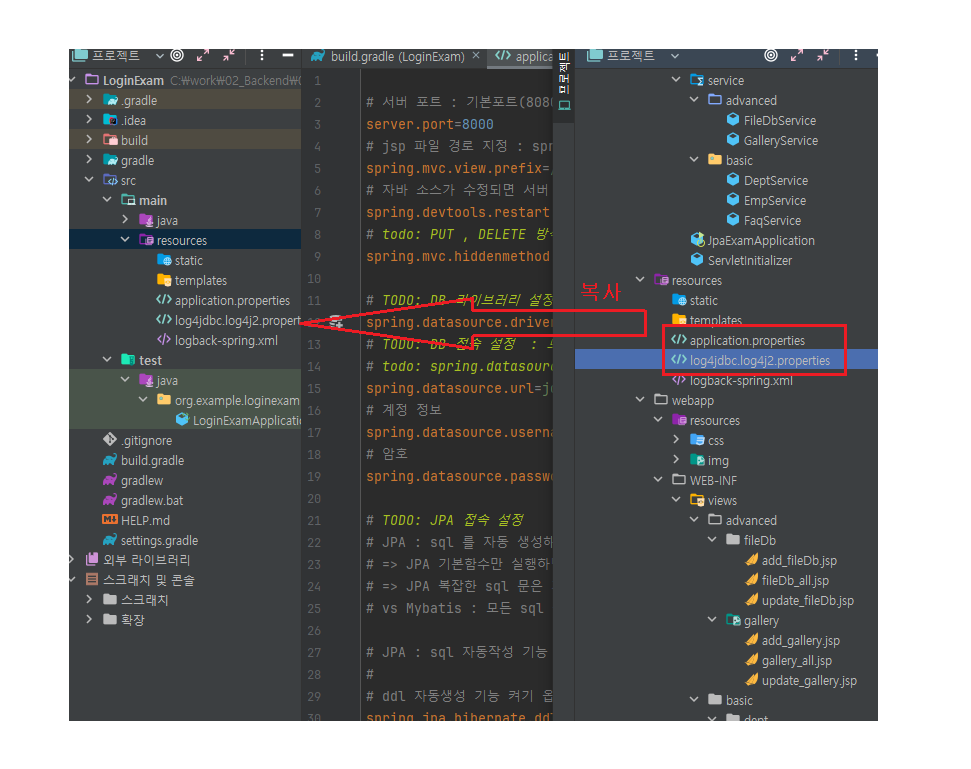
-
복사하여 붙히기
-
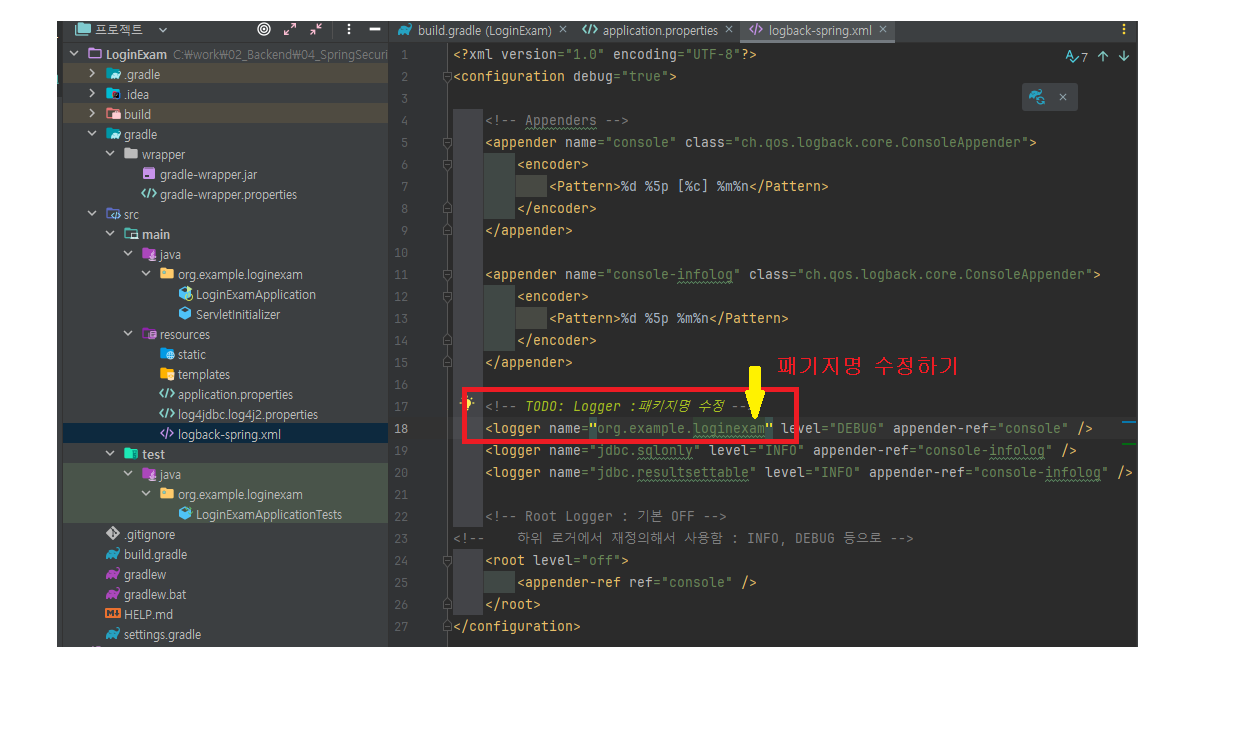
패키지명 수정하기
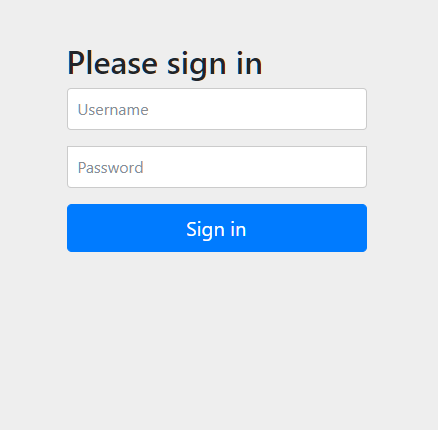
6. 화면 출력

그냥 졍이라구하자