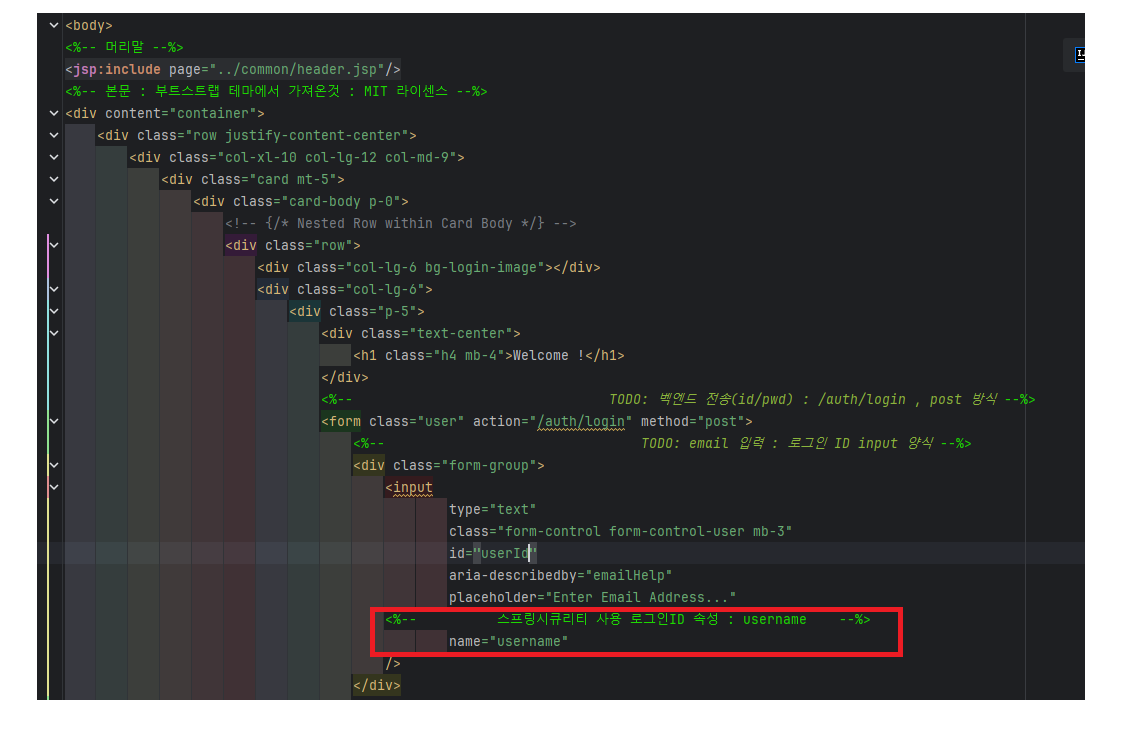
// 연습 : Member 가 잇는 LoginExam 프로젝트를 참고해서
// Fellow 가 로그인하는 페이지를 완성하세요
1. 스프링 시큐리티 설정(권한/인증) 클래스
-WebSecurityConfig
@Configuration
public class WebSecurityConfig {

    //    패스워드 암호화 함수 : 필수
    @Bean
    public PasswordEncoder passwordEncoder() {
        return new BCryptPasswordEncoder();
    }

    //    공통 jsp, css, img 등 : 인증 필요없음 => 무시 설정
    @Bean
    public WebSecurityCustomizer webSecurityCustomizer() {
        return (web) -> web.ignoring().requestMatchers("/resources/js/**"
                , "/resources/img/**"
                , "/resources/css/**"
                , "/WEB-INF/views/**"     // 직접 jsp include 하는 것은 인증 제외
        );
    }

    //    TODO: 핵심함수 ) 스프링 시큐리티 권한/인증 규칙 설정 함수
    @Bean
    public SecurityFilterChain filterChain(HttpSecurity http) throws Exception {

//      TODO: 스프링 시큐리티 규칙 설정 : (1) 권한 설정
        http.authorizeHttpRequests(req -> req
                .dispatcherTypeMatchers(DispatcherType.FORWARD).permitAll()
                .requestMatchers("/auth/**").permitAll()       // 이 url 은 /auth/** 만 사용자 접근 허용
                .requestMatchers("/admin/**").hasRole("ADMIN") // admin 메뉴는 ROLE_ADMIN 만 가능
                .requestMatchers("/basic/**").permitAll()      // 이 url 은 /basic/** 만 사용자 접근 허용
                .requestMatchers("/").permitAll()              // 이 url 은 / 만 사용자 접근 허용
                .anyRequest()
                .authenticated());                               // 이 외의 url 은 로그인된 사용자만 볼수 있음

//       TODO: 1) 로그인 설정
        http.formLogin(req -> req
                .loginPage("/auth/customLogin")             // 사용자가 만든 화면 로그인 사용
                .loginProcessingUrl("/auth/login")          // Url로 요청이 될 시 SpringSecurity가 직접 알아서 로그인 과정을 진행 : 컨트롤러함수 필요없음, 대신 user(userdetails) 정의 필요
                .defaultSuccessUrl("/")                     // 로그인 성공하면 이동할 페이지 url
        );

//        TODO: 2) 로그아웃 설정
        http.logout(
                req -> req
                        .logoutUrl("/auth/customLogout")      // 스프링에서 logout url 제공함 (로그아웃 페이지는 따로 필요없음)
                        .invalidateHttpSession(true)          // session 삭제 후
                        .logoutSuccessUrl("/")                // logout에 성공하면 /로 redirect
        );

        return http.build();
    }
}
2. Fellow
-Fellow.java
@Entity
@Table(name = "TB_FELLOW")
@Setter
@Getter
@NoArgsConstructor
@AllArgsConstructor
// soft delete
@Where(clause = "DELETE_YN = 'N'")
@SQLDelete(sql ="UPDATE TB_FELLOW SET DELETE_YN = 'Y', DELETE_TIME=TO_CHAR(SYSDATE, 'YYYY-MM-DD HH24:MI:SS') WHERE USER_ID = ?")
public class Fellow extends BaseTimeEntity2 {
    //    연습 : Member 가 잇는 LoginExam 프로젝트를 참고해서
//      Fellow 가 로그인하는 페이지를 완성하세요
//      id : forbob
//      pwd : 123456
    @Id
    private String userId;      // 기본키, 유저ID (jsp : username(스프링에서 사용하는 유저ID)

    private String password;    // 암호

    private String name;        // 유저명

    private String codeName;    // 권한명 (ROLE_ADMIN, ROLE_USER) : TB_CODE 테이블
}
3. Repository
-FellowRepository
@Repository
public interface FellowRepository extends JpaRepository<Fellow, String> {
}
4. Service
-FellowService.java
@Service
public class FellowService {

    @Autowired
    FellowRepository fellowRepository; // DI

    //    상세조회 함수
    public Optional<Fellow> findById(String userId) {
        Optional<Fellow> optionalFellow
                = fellowRepository.findById(userId);
        return optionalFellow;
    }

    //    기본키로 조회 함수
    public boolean existsById(String userId) {
        boolean result = fellowRepository.existsById(userId);
        return result;
    }
}
5. Controller
-FellowController.java
@Slf4j
@Controller
@RequestMapping("/auth")
public class FellowController {


    //    DB 서비스 객체
    @Autowired
    FellowService fellowService;     // DB CRUD DI

    @Autowired
    PasswordEncoder passwordEncoder; // 암호화 객체 DI

    //  로그인 함수 :
//    복습 :  @GetMapping("/customLogin") : url 웹 브라우저 주소창
    @GetMapping("/customLogin")
//    TODO: 주의! spring security(보안) 절대주소 안됨
//      예) /auth/customLogin.jsp (x) : 절대주소
//      예) auth/customLogin.jsp (o) : 상대주소
    public String login() {
        return "auth/customLogin.jsp";
    }  // jsp 파일 위치
}
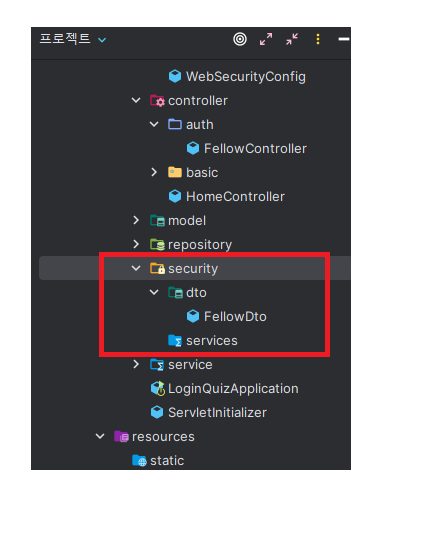
6. 검증이 완료된 사용자 클래스
-securitiy -> FellowDto
@Getter
@Setter
@ToString
public class FellowDto extends User {
    private String userId; // 개발자 추가 속성, 로그인 ID(username)

//    생성자
    public FellowDto(String username, String password, Collection<? extends GrantedAuthority> authorities, String userId) {
        super(username, password, authorities);  // super : 부모의 생성자를 생성함 (부모 : User)
        this.userId = userId;
    }
}
8. DB에 현재 프론트에서 접근한 사용자가 있는지 확인하는 클래스
-UserDetailsServiceImpl.java
1) 스프링시큐리티에서 제공한 함수명으로 작성 : 인터페이스 상속(함수 재정의) : UserDetailsService 상속 받음
-> DB 에 있는지 확인(코딩)
-> 확인되면 권한도 생성해서 검증이 완료된 객체로 리턴(FellowDto)
@Service
public class UserDetailsServiceImpl implements UserDetailsService  {

    @Autowired
    FellowRepository fellowRepository; // DB CRUD DI

    // 스프링 시큐리티에서 제공한 함수 재정의 : alt + insert
    @Override
    public UserDetails loadUserByUsername(String userId) throws UsernameNotFoundException {

        // TODO: 1) DB 에 사용자 있는지 확인 : 상세조회
        //  화살표함수(js) , (자바:람다식) : 목적(가독성 증진)
        //  js   : 화살표 함수 : (x) => x+1; // function mysum(x){return x+1;}
        //  java : 람다식      : (x) -> x+1; // interface MySum{mysum(x);}
        Fellow fellow = fellowRepository.findById(userId)
                .orElseThrow(() -> new UsernameNotFoundException("유저 없음 : " + userId));

        return null;
    }
}
9. jsp
-customLogin.jsp
<%--
Created by IntelliJ IDEA.
User: GGG
Date: 2024-03-27
Time: 오전 11:31
To change this template use File | Settings | File Templates.
--%>
<%@ page contentType="text/html;charset=UTF-8" language="java" %>
<%@ taglib uri="http://java.sun.com/jsp/jstl/core" prefix="c" %>
<html>
<head>
<title>Title</title>
</head>
<body>
<%-- 머리말 --%>
<jsp:include page="../common/header.jsp"/>
<%-- 본문 : 부트스트랩 테마에서 가져온것 : MIT 라이센스 --%>
<div content="container">
<div class="row justify-content-center">
<div class="col-xl-10 col-lg-12 col-md-9">
<div class="card mt-5">
<div class="card-body p-0">
<!-- {/* Nested Row within Card Body */} -->
<div class="row">
<div class="col-lg-6 bg-login-image"></div>
<div class="col-lg-6">
<div class="p-5">
<div class="text-center">
<h1 class="h4 mb-4">Welcome Back!</h1>
</div>
<%-- TODO: 벡엔드 전송(id/pwd) : /auth/login , post 방식 --%>
<form class="user" action="/auth/login" method="post">
<%-- TODO: email 입력 : 로그인 ID input 양식 --%>
<div class="form-group">
<input
<%-- type=email : 이메일 잘못 입력하면 경고 뜸 --%>
<%-- 예) forbobfdsad => 경고 뜸(이메일 아님) --%>
type="email"
class="form-control form-control-user mb-3"
id="email"
aria-describedby="emailHelp"
placeholder="Enter Email Address..."
<%-- 스프링시큐리티 사용 로그인ID 속성 : username --%>
name="username"
/>
</div>
<%-- TODO: password 입력 : input 양식 --%>
<div class="form-group">
<input
type="password"
class="form-control form-control-user mb-3"
id="password"
placeholder="password"
name="password"
/>
</div>
<%-- TODO: 로그인 버튼 --%>
<button type="submit" class="btn btn-primary btn-user w-100 mb-3">Login</button>
<hr/>
<a href="/" class="btn btn-google btn-user w-100 mb-2">
<i class="fab fa-google fa-fw"></i> Login with
Google
</a>
<a href="/" class="btn btn-naver btn-user w-100 mb-2">
<i class="fa-solid fa-n"></i> Login with Naver
</a>
<a href="/" class="btn btn-kakao btn-user w-100 mb-3">
<i class="fa-solid fa-k"></i> Login with Kakao
</a>
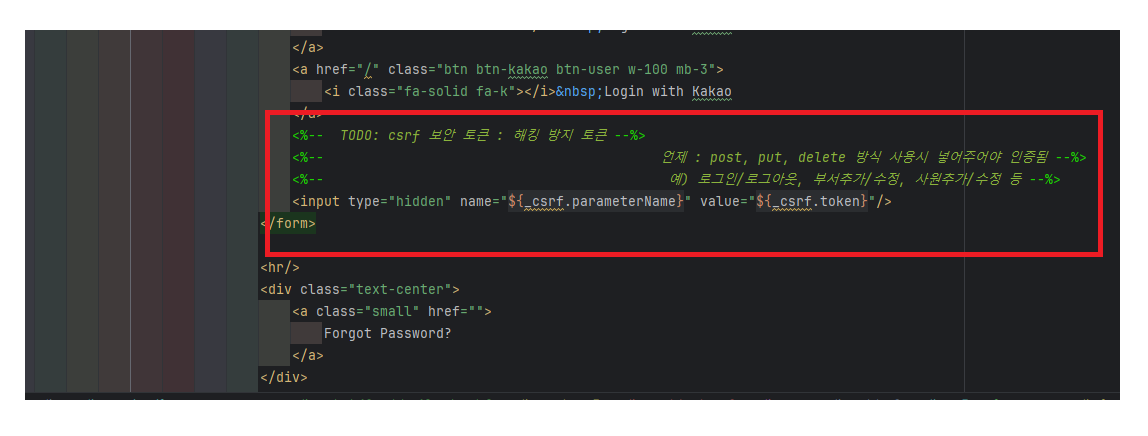
<%-- TODO: csrf 보안 토큰 : 해킹 방지 토큰 --%>
<%-- 언제 : post, put, delete 방식 사용시 넣어주어야 인증됨 --%>
<%-- 예) 로그인/로그아웃, 부서추가/수정, 사원추가/수정 등 --%>
<input type="hidden" name="${_csrf.parameterName}" value="${_csrf.token}"/>
</form>
<hr/>
<div class="text-center">
<a class="small" href="">
Forgot Password?
</a>
</div>
<%-- TODO: 회원가입 url --%>
<div class="text-center">
<a class="small" href="/auth/register">
회원가입
</a>
</div>
</div>
</div>
</div>
</div>
</div>
</div>
</div>
</div>
<%-- 꼬리말--%>
<jsp:include page="../common/footer.jsp"/>
</body>
</html>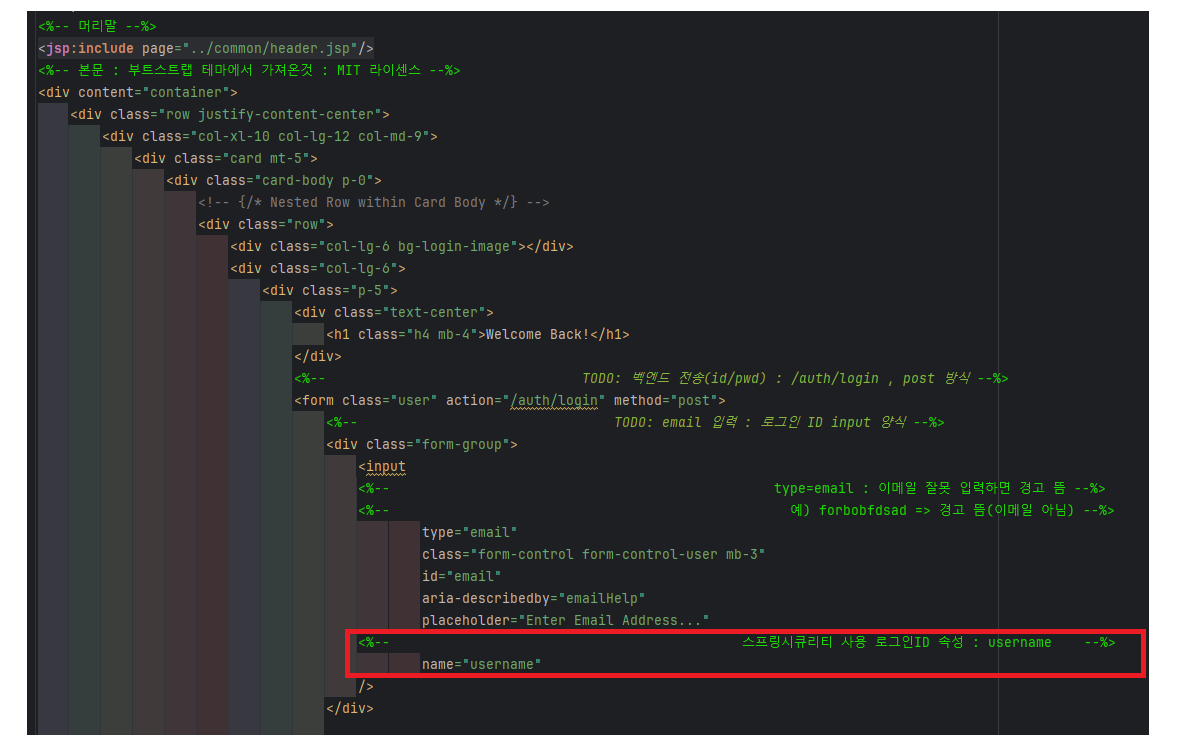

그냥 졍이라구하자