- forntend (vue)
-DeptList.vue
▣ a 태그 (전체 새로고침)
a 태그는 페이지 이동 (전환) 시 전체 새로고침을 하기 때문에 성능이 저하됨
 <a :href="'/dept/'+ data.dno">
                  <span class="badge text-bg-success">수정</span>
                </a>
▣ router-link (부분 새로고침)
뷰에서 제공하는 router-links 은
부분 새로고침을 해주기 때문에 성능 향상에 도움됨
뷰를 사용할때에는 a태그 대신 router-lonk 를 사용해준다.
  <router-link :to="'/dept/'+ data.dno">
                  <span class="badge text-bg-success">수정</span>
                </router-link>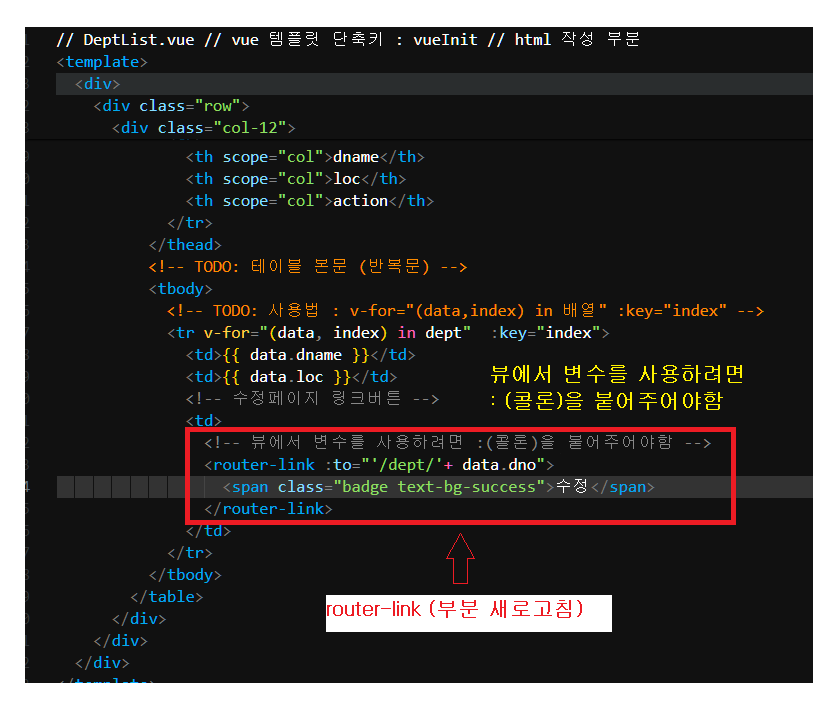
-DeptDeatile.vue
- 상세조회 + 수정
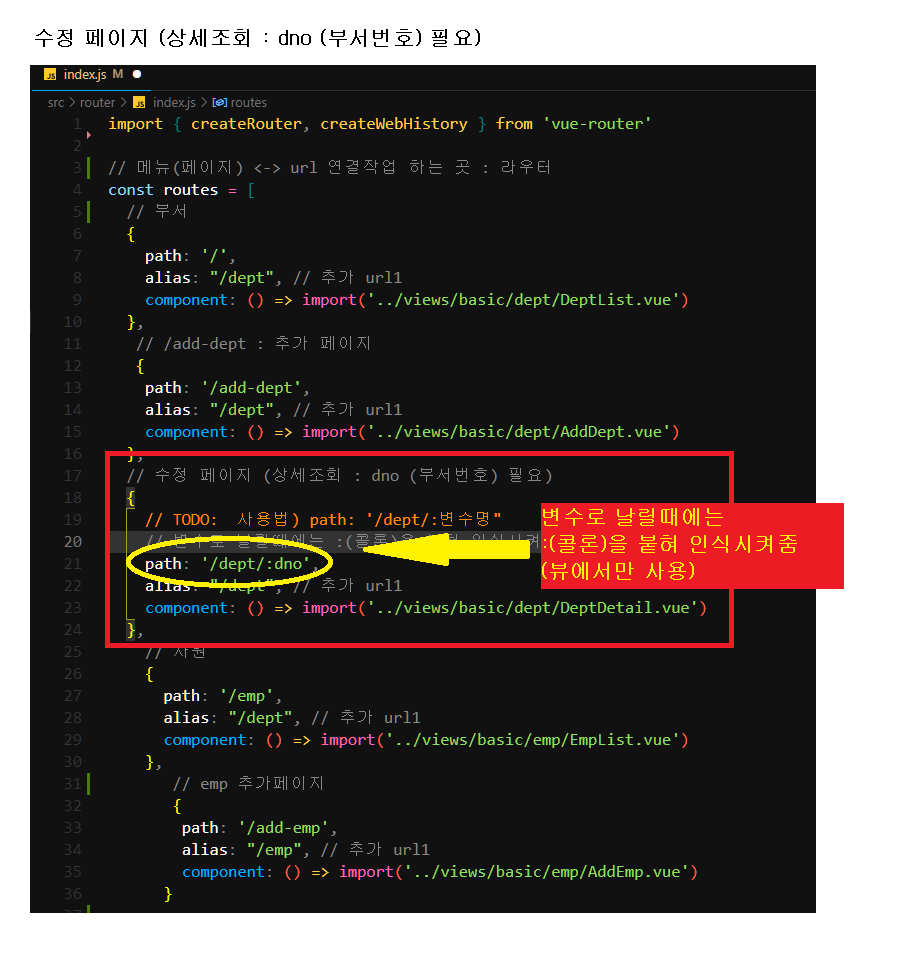
 // 수정 페이지 (상세조회 : dno (부서번호) 필요)
  {
    // TODO:  사용법) path: '/dept/:변수명"
    // 변수로 날릴때에는 :(콜론)을 붙혀 인식시켜줌 (뷰에서만 사용)
    path: '/dept/:dno',
    alias: "/dept", // 추가 url1
    component: () => import('../views/basic/dept/DeptDetail.vue')
  },
-화면출력
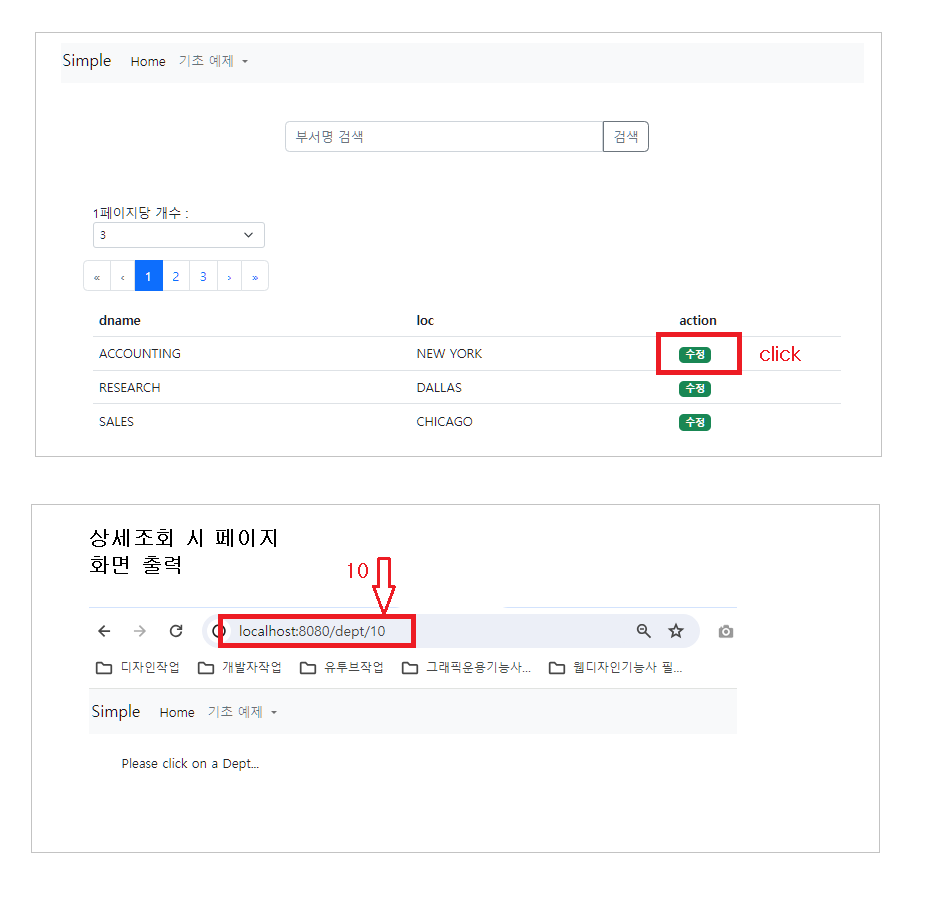
상세조회 함수 : 부서번호(dno)
-DeptService.js
 // TODO: 상세조회 함수 : 부서번호(dno)
    // TODO: 조회(select) -> get 방식 -> @GetMapping
    get(dno) {
        // TODO: 사용법 : http.get(`/컨트롤러함수url/${부서번호}`)
        return http.get(`/basic/dept/${dno}`);
    }
-DeptDetail.vue
// DeptDetail.vue // 상세조회 + 수정 // 단축키 : vueInit
<template>
  <div>
    <!-- null -> 거짓(false) -->
    <div v-if="dept">
      <div class="col-6 mx-auto">
        <div>
          <div class="row g-3 align-items-center mb-3">
            <div class="col-3">
              <label htmlFor="dname" class="col-form-label"> Dname </label>
            </div>

            <div class="col-9">
              <input
                type="text"
                id="dname"
                required
                class="form-control"
                placeholder="dname"
                name="dname"
                v-model="dept.dname"
              />
            </div>
          </div>

          <div class="row g-3 align-items-center mb-3">
            <div class="col-3">
              <label htmlFor="loc" class="col-form-label"> Loc </label>
            </div>

            <div class="col-9">
              <input
                type="text"
                id="loc"
                required
                class="form-control"
                placeholder="loc"
                name="loc"
                v-model="dept.loc"
              />
            </div>
          </div>
        </div>

        <div class="row g-3 mt-3 mb-3">
          <button class="btn btn-outline-danger ms-3 col"
                @click="deleteDept"
          >
            Delete
           </button>

          <button type="submit"
                class="btn btn-outline-success ms-2 col"
                @click="updateDept"
            >
            Update
          </button>
        </div>

<!-- TODO: message 있으면 true, "" 이면 false -->
        <p v-if="message != ''" class="alert alert-success mt-3 text-center">
          {{ message }}
        </p>
      </div>
    </div>

    <div v-else>
      <br />
      <p>Please click on a Dept...</p>
    </div>
  </div>
</template>
<script>
import DeptService from '@/services/basic/DeptService';
export default {
    // TODO: 데이터 바인딩 속성 정의
    data() {
        return {
            dept: null,  // 초기값
            message: "", // 수정성공시 화면 성공메세지 출력하는 변수
        }
    },
    // TODO: 함수 정의
    methods: {
        // TODO: 상세조회요청 함수 : 화면 뜰때
        // TODO: 비동기 코딩 : async ~ await
        async getDept(dno) {
            try {
                // 상세조회 공통함수 실행 : DeptService.get()
                let response = await DeptService.get(dno);
                this.dept = response.data; // spring 의 결과를 바인딩 속성변수 dept 저장
                // 로깅
                console.log(response.data);
            } catch(e) {
                console.log(e);
            }
        },
        // TODO: 수정요청 함수
        updateDept() {},
        // TODO: 삭제요청 함수
        deleteDept() {}
    },
    // TODO: 화면에 뜰때 자동 실행되는 함수
    mounted() {
        this.message = "";  // 변수 초기화
        // TODO: 뷰 사용법 : 주소(라우터주소)에서 변수 가져오기 방법
        // TODO: 사용법 : this.$route.params.변수명
        // TODO: 변수명 확인 : router/index.js => url 정의 (:dno)
        this.getDept(this.$route.params.dno); // 상세조회 함수 실행
    },
};
</script>
<style></style>
백엔드 (상세 조회 함수)
 //    TODO: 상세 조회 함수
    @GetMapping("/dept/{dno}")
    public ResponseEntity<Object> findById(
            @PathVariable int dno
    ) {
        try {
//            DB 상세조회 서비스 함수 실행
            Optional<Dept> optionalDept = deptService.findById(dno);

            if(optionalDept.isEmpty() == true) {
//                데이터 없음(203)
                return new ResponseEntity<>(HttpStatus.NO_CONTENT);
            } else {
//                데이터 있음(200)
                return new ResponseEntity<>(optionalDept.get()
                        , HttpStatus.OK);
            }

        } catch (Exception e) {
            return new ResponseEntity<>(HttpStatus.INTERNAL_SERVER_ERROR);
        }
    }
-결과) 화면출력
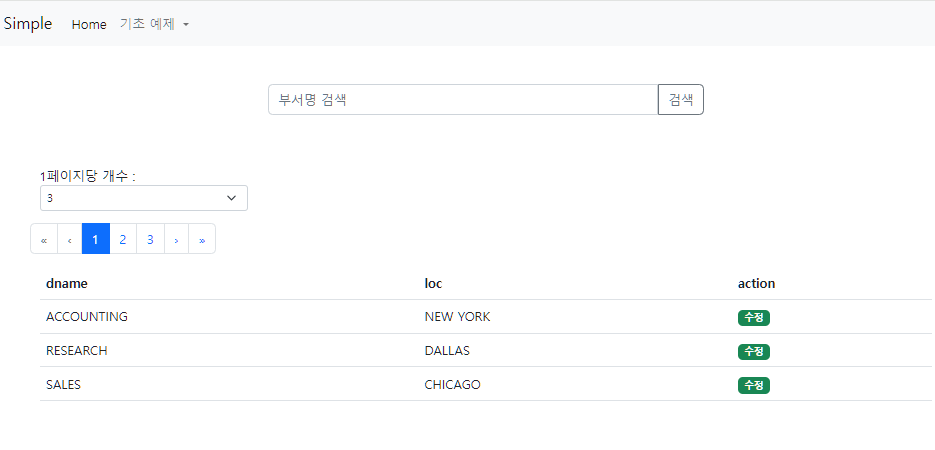

그냥 졍이라구하자