
속성 값 설정
HTML 태그 내에 **th:*** 속성을 지정하면 타임리프가 기존 속성**th:*** 로 지정한 속성으로 대체한다
<input type="text" name="mock" th:name="userA" /> → <input type="text" name="userA" />
속성 추가
**th:attrappend**: 속성 값의 뒤에 값을 추가한다.**th:attrprepend**: 속성 값의 앞에 값을 추가한다.**th:classappend**: class 속성에 자연스럽게 추가한다.
checked 처리
- HTML에서
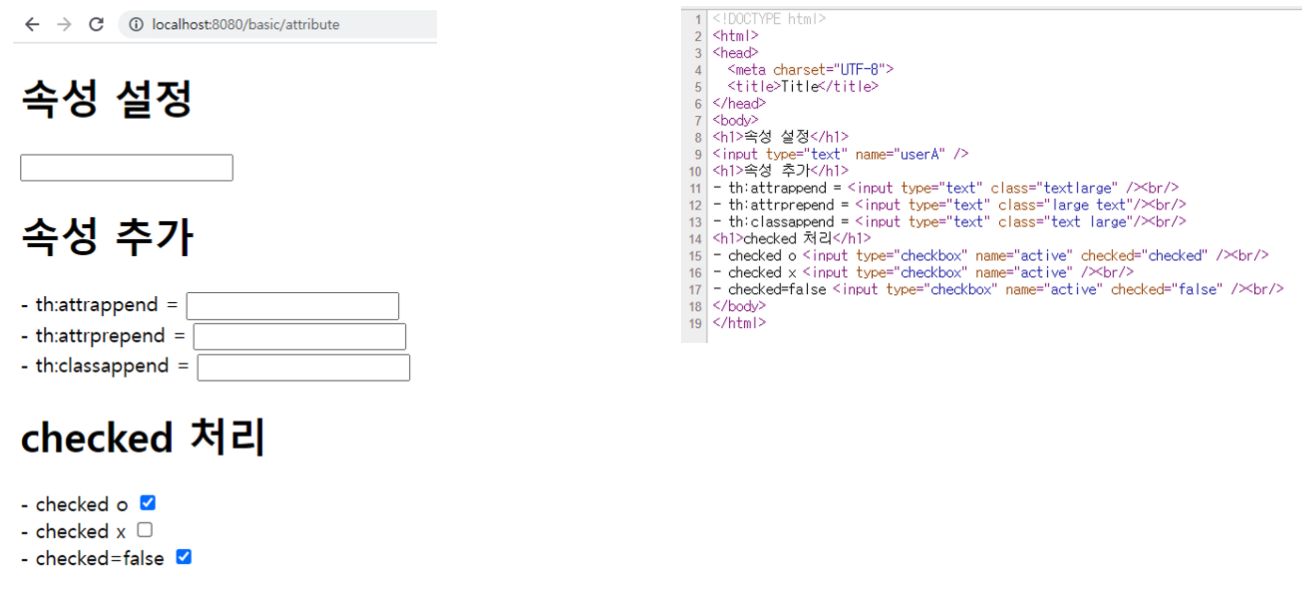
checked속성은checked속성의 값과 상관없이checked라는 속성만 있어도 체크가 된다. (true,false값을 주로 사용하는 개발자 입장에서는 불편하다.) - 타임리프의
th:checked는 값이false인 경우checked속성 자체를 제거한다. <input type="checkbox" name="active" th:checked="false" />→<input type="checkbox" name="active" />
basicController
@Controller
@RequestMapping("/basic")
public class basicController {

    @GetMapping("/attribute")
    public String attribute() {
        return "basic/attribute";
    }

}
basic/attribute.html
<!DOCTYPE html>
<html xmlns:th="http://www.thymeleaf.org">
<head>
  <meta charset="UTF-8">
  <title>Title</title>
</head>
<body>
<h1>속성 설정</h1>
<input type="text" name="mock" th:name="userA" />
<h1>속성 추가</h1>
- th:attrappend = <input type="text" class="text" th:attrappend="class='large'" /><br/>
- th:attrprepend = <input type="text" class="text" th:attrprepend="class='large '"/><br/>
- th:classappend = <input type="text" class="text" th:classappend="large"/><br/>
<h1>checked 처리</h1>
- checked o <input type="checkbox" name="active" th:checked="true" /><br/>
- checked x <input type="checkbox" name="active" th:checked="false" /><br/>
- checked=false <input type="checkbox" name="active" checked="false" /><br/>
</body>
</html>
실행결과

Just for fun