
타임리프에서 조건식
타임리프는 해당 조건이 맞지 않으면 태그 자체를 렌더링하지 않는다.
**th:if="조건식"****th:unless="조건식"(if의 반대)**- 조건을 여러개 걸어줄 경우에는
and와or를 사용 th:if="조건1 and 조건2"
- 조건을 여러개 걸어줄 경우에는
- switch-case문
***:** 디폴트
basicController
@Controller
@RequestMapping("/basic")
public class basicController {

    @GetMapping("/condition")
    public String condition(Model model) {
        addUsers(model);
        return "basic/condition";
    }
    private void addUsers(Model model) {
        List<User> list = new ArrayList<>();
        list.add(new User("userA", 10));
        list.add(new User("userB", 20));
        list.add(new User("userC", 30));
        model.addAttribute("users", list);
    }
}
basic/condition.html
<!DOCTYPE html>
<html xmlns:th="http://www.thymeleaf.org">
<head>
  <meta charset="UTF-8">
  <title>Title</title>
</head>
<body>
<h1>if, unless</h1>
<table border="1">
  <tr>
    <th>count</th>
    <th>username</th>
    <th>age</th>
  </tr>
  <tr th:each="user, userStat : ${users}">
    <td th:text="${userStat.count}">1</td>
    <td th:text="${user.username}">username</td>
    <td>
      <span th:text="${user.age}">0</span>
      <span th:text="'미성년자'" th:if="${user.age} lt 20"></span>
      <span th:text="'미성년자'" th:unless="${user.age ge 20}"></span>
    </td>
  </tr>
</table>
<h1>switch</h1>
<table border="1">
  <tr>
    <th>count</th>
    <th>username</th>
    <th>age</th>
  </tr>
  <tr th:each="user, userStat : ${users}">
    <td th:text="${userStat.count}">1</td>
    <td th:text="${user.username}">username</td>
    <td th:switch="${user.age}">
      <span th:case="10">10살</span>
      <span th:case="20">20살</span>
      <span th:case="*">기타</span>
    </td>
  </tr>
</table>
</body>
</html>
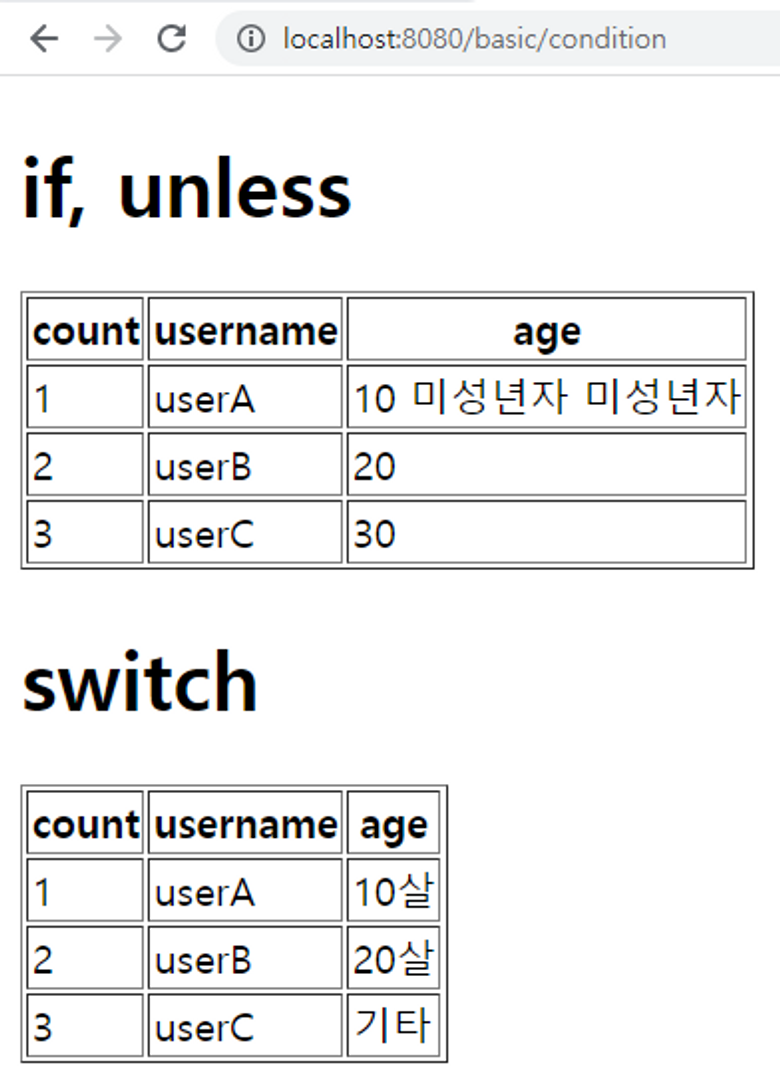
실행 결과

Just for fun