if/else
- 조건을 만족하는 데이터를 처리하고 싶을 때
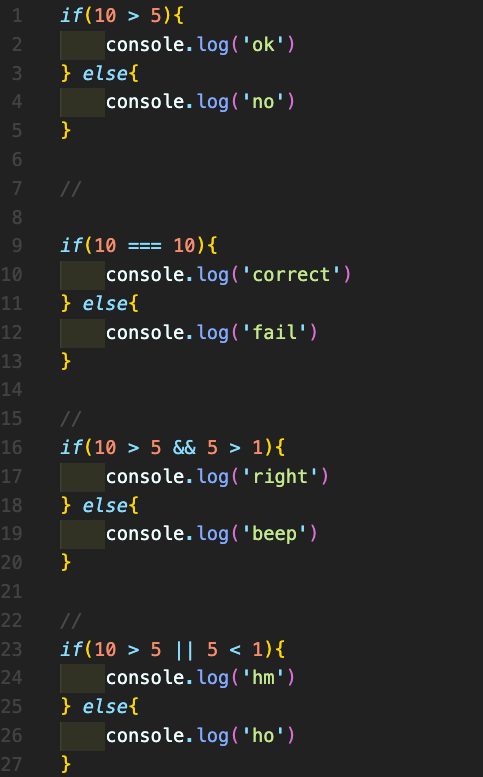
if(10 > 5){
	console.log('ok')}
else{
console.log('no')}; // ok- if() : ()안의 값은 항상 true이다.
- if(참)일 경우 if의 코드가 실행되고, 거짓일 경우 else 코드가 실행된다.
- &&(and), ||(or)을 사용하여 여러 조건을 사용할 수 있다.
- ===은 같다의 의미.
상수를 선언할 때 대문자를 사용하는 경우는 일반 변수와 차이를 두기 위함.
- !는 반대를 의미한다.
- !== 같지 않다는 표현
- classList는 Method를 갖는다. → 해당되는 함수들을 쓸 수 있다.
- hasClass는 엘리먼트가 지정한 class를 가지는지 체크한다.
- toggle은 class가 있는지 체크해서 있으면 add, 아니면 remove를 해준다.
이벤트와 if/else를 이용한 실습
- 실습 내용 : 인터넷창의 가로 사이즈가 특정 사이즈가 될 때 배경색을 3개 이상 적용해보기.
html
<!DOCTYPE html>
<html lang="en">
  <head>
    <meta charset="UTF-8" />
    <meta name="viewport" content="width=device-width, initial-scale=1.0" />
    <link rel="stylesheet" href="index.css" />
    <title>Welcome</title>
  </head>
  <body>
    <h1 id="width-log">Try resize</h1>
    <!-- js -->
    <script src="0311.js" defer></script>
  </body>
</html>
css
.small {
  background-color: blue;
}

.medium {
  background-color: yellow;
}

.large {
  background-color: green;
}
js
// 윈도우 사이즈 표시
const widthLog = document.querySelector("#width-log");

window.addEventListener('resize' , () => {
    widthLog.innerHTML = `${window.innerWidth}px`
    }
)

// 윈도우 사이즈 변화 시 body 컬러값 변경
const body = document.querySelector("body");

const SMALL_SIZE = "small";
const MEDIUM_SIZE = "medium";
const LARGE_SIZE = "large";

function resizeColor(){
    const currentSize = window.innerWidth;
    if(currentSize >= 900){
        body.className = LARGE_SIZE
    } else if(currentSize >= 600){
        body.className = MEDIUM_SIZE
    } else {
        body.className = SMALL_SIZE
    }

}

window.addEventListener('resize' , resizeColor)- 실습 중 문제 : currentSize가 한번만 호출되어 조건에 맞는 class가 적용이 안된다.
- resizeColor 함수 밖에 위치해 있었기 때문에 함수 실행시 항상 호출할 수 있도록 currentSize를 함수 안으로 이동하여 해결.
실습 링크 : https://codesandbox.io/s/empty-blueprint-forked-eloff?file=/src/index.js

코린이