https://start.spring.io/
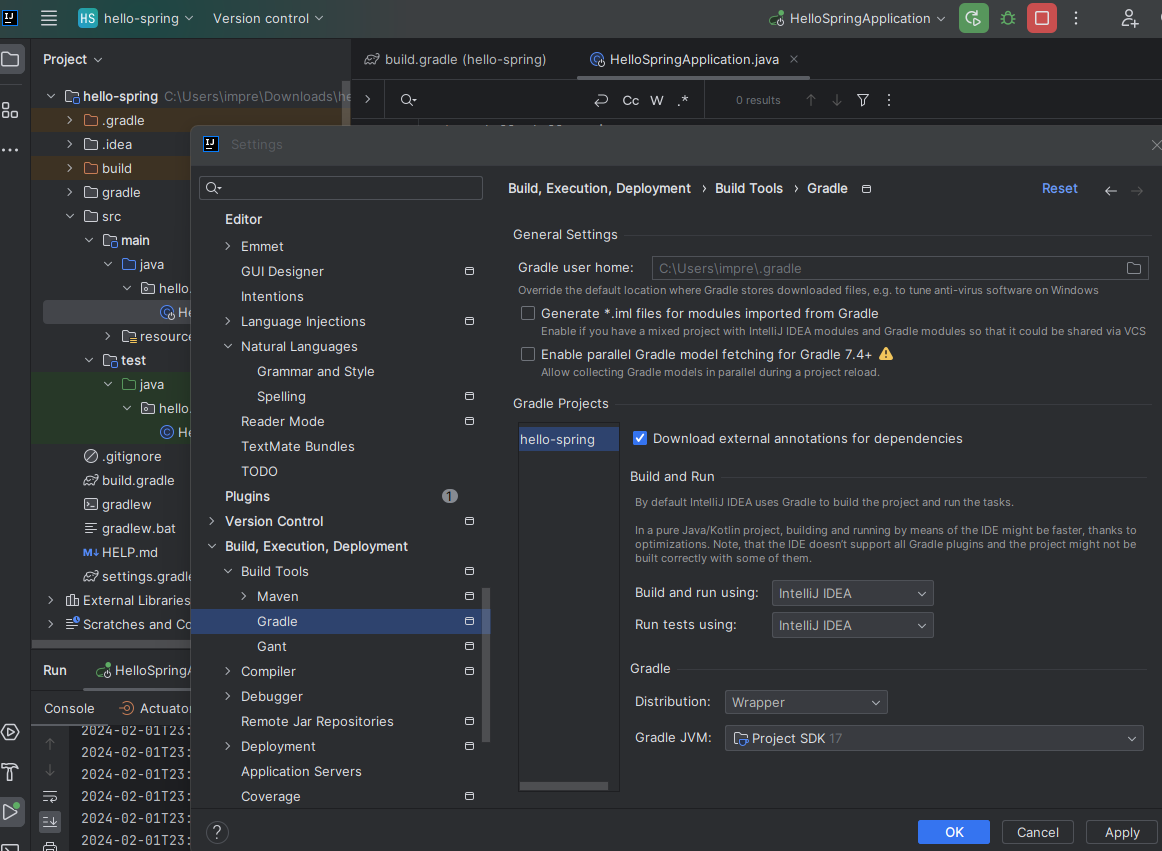
Spring initializr 을 사용하여 스프링 프로젝트를 생성해보자
step1) https://start.spring.io/ 에 들어가보자
step2) project - language - spring boot - project Metadata 선택
-> springboot version은 snapshot,M1 제외 가장 최신으로 선택
spring boot version 선택시
- snapshot : 만들어지는 중
- M1 : 정식 release 되지는 않음
project metadata 선택시
- group : 기업명, 기업 도메인명
- artifact : 결과물
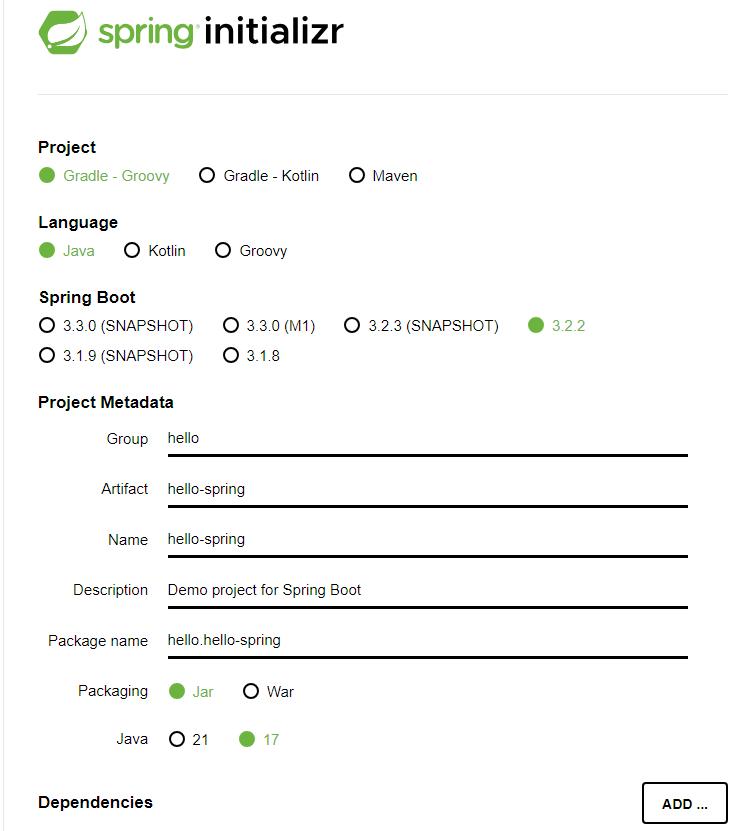
step3) dependencies add : 어떤 라이브러리를 이용할 것인지 선택
-> spring web, thymeleaf 를 추가해준다
step4) generate를 눌러 다운로드 해준뒤, 압축 해제
step5) intelliJ 접속 후, 가운데 사각형 open 또는 import를 눌러서 build.gradle을 선택 후
ok - open as project 선택 ( + trust 선택)
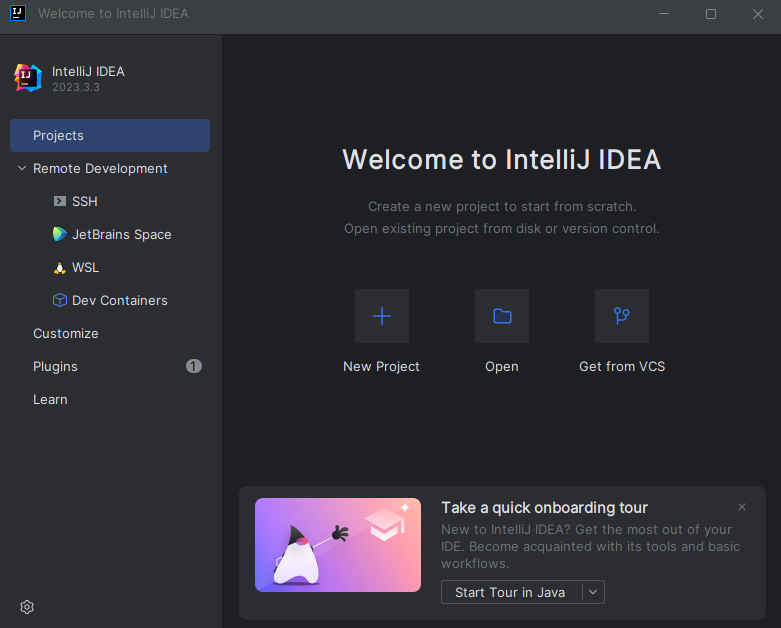
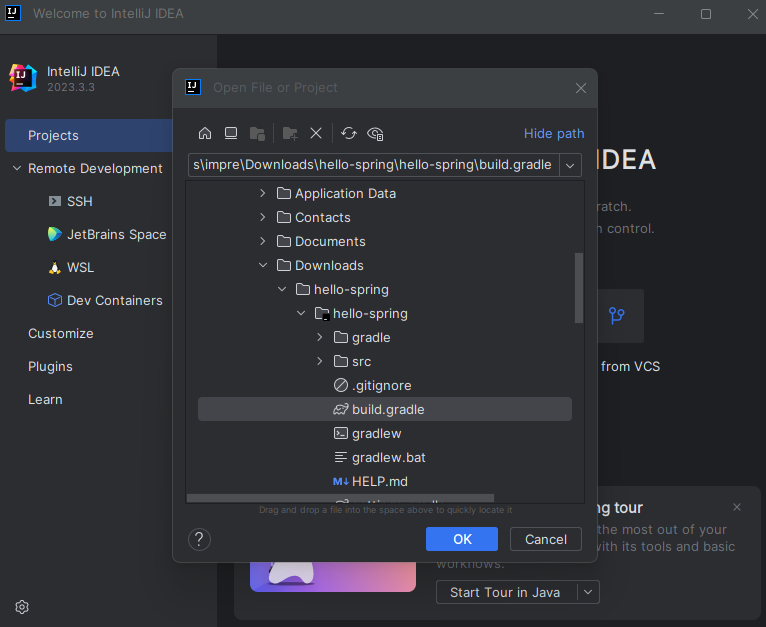
추가1
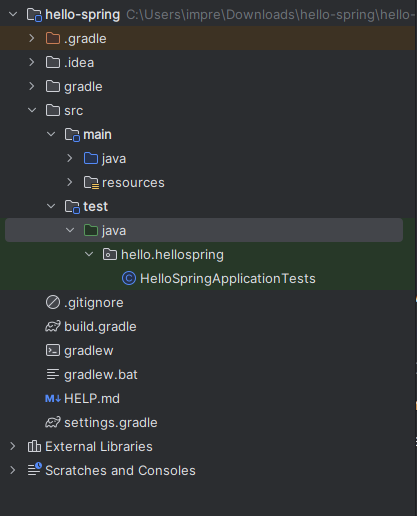
main 코드와 test 코드 부분이 나뉘어져 있는 것이 확인 가능
step6) main-java-hello.hellospring-hello.helloapplication을 누르고,
코드상에서 public static void main() 옆의 시작 버튼을 누르면 동작 확인 가능
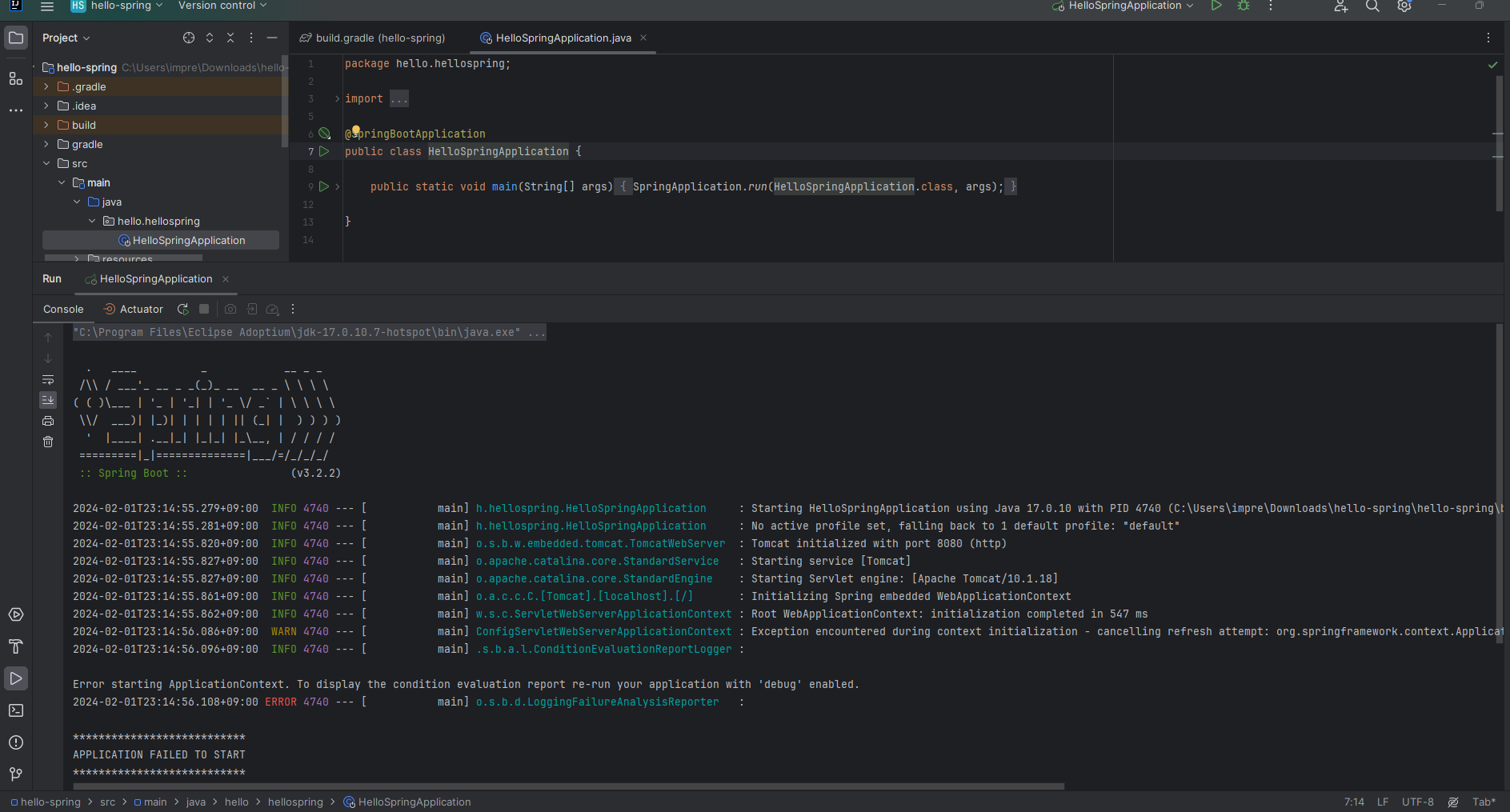
Problem 잘 된 것 같지만, 8080 포트가 이미 사용중이라는 에러가 발생했다
Error starting ApplicationContext. To display the condition evaluation report re-run your application with 'debug' enabled.
2024-02-01T23:14:56.108+09:00 ERROR 4740 --- [ main] o.s.b.d.LoggingFailureAnalysisReporter :
Description: Web server failed to start. Port 8080 was already in use.
Action: Identify and stop the process that's listening on port 8080 or configure this application to listen on another port.
Process finished with exit code 1
Solution 내가 돌리고 있는 xxamp에서 이미 8080 포트를 사용하고 있어서 xxamp에 들어가서 8080 port 버튼 stop 한 뒤, 다시 intelliJ에서 main 함수를 실행하니 해결
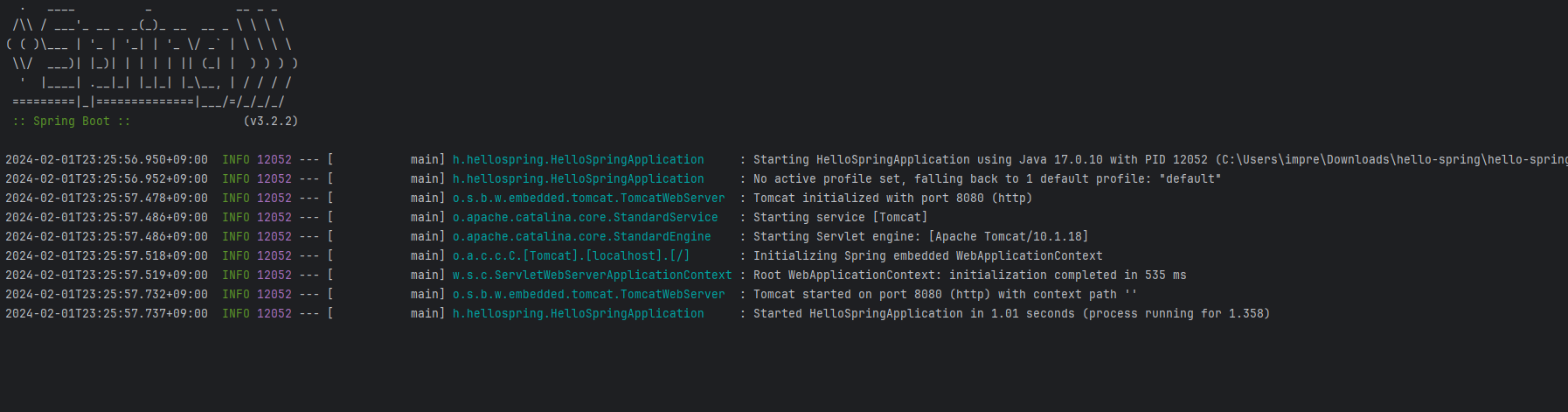
step7) http://localhost:8080/ 라고 검색해보자
-> 에러가 뜨면 성공(당연히 아무것도 코드를 작성한게 없기 때문)
환경 설정 완료!
추가2
build.gradle이 중요
build.gradle의 코드를 분석해보자
plugins {
	id 'java'
	id 'org.springframework.boot' version '3.2.2'
	id 'io.spring.dependency-management' version '1.1.4'
}

group = 'hello' // 내가 설정한 그룹명
version = '0.0.1-SNAPSHOT'

java {
	sourceCompatibility = '17' //java 17 version 사용
}

repositories {
	mavenCentral()
    // 아래 추가한 library들이 다운이 되어야 하는데 mavencentral이라는 공개된 사이트에서 다운로드 받아와라고 설정한 것
}

dependencies {
	implementation 'org.springframework.boot:spring-boot-starter-thymeleaf' // html을 만드는 template engine
	implementation 'org.springframework.boot:spring-boot-starter-web' // web project를 만들기 위해 추가했던 library
	testImplementation 'org.springframework.boot:spring-boot-starter-test'
    // test를 위한 라이브러리가 기본적으로 들어간다
}

tasks.named('test') {
	useJUnitPlatform()
}
추가2 setting - build,execution,deployment - build tools - gradle 에서
build and run using, run test using을 intelliJ IDEA로 바꾸면 더 빨라진다
(gradle에서 실행되는 것이 아니라 intelliJ에서 바로 실행되도록 변경한 것)