📝 개념 정리
-
Async : 비동기 실행
-
Await : 비동기를 실행하는 데 결과가 올 때까지 기다리겠다는 의미
📝 Fetch API 예제
📌 Async/Await 활용 전
서버로 요청을 보내고 응답을 보낸 후 응답받은 결과를 바탕으로 다시 서버로 요청을 보내는 코드
function myFunction() {
	fetch("https://jsonplaceholder.typicode.com/posts/1")
		.then((response) => resopnse.json())
        .then((json) => {
			console.log(json);
    		fetch("https://jsonplaceholder.typicode.com/posts/1", {
	            method: 'PUT',
    	        body: JSONstringify({
					id: 1,
					title: 'foo',
					body: 'bar',
					userId: 1,
				}),
				headers: {
              		'Content-type' : 'application/json; charset=UTF-8',
            	},
          }).then((response) => response.json())
            .then((json) => console.log(json));
	});
}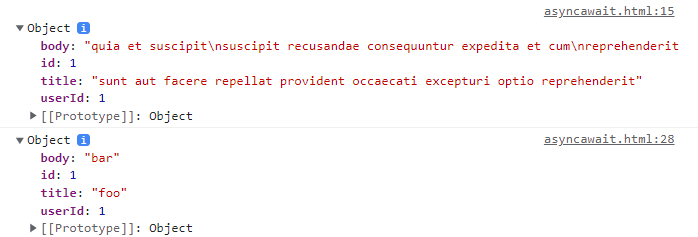
- 첫 번째는 GET에 대한 결과이고, 두 번째는 PUT에 대한 결과임
📌 Async/Await 활용 후
async function myFunction() {
	const res1 = await fetch(
    	"https://jsonplaceholder.typicode.com/posts/1"
    );
    const res1Json = await res1.json();
    console.log(res1Json);

	const res2 = await fetch(
		"https://jsonplaceholder.typicode.com/posts/1",
		{
			method: "PUT",
			body: JSON.stringify({
            	id: 1,
            	title: 'foo',
            	body: 'bar',
            	userId: 1,
		}),
		headers: {
			'Content-type' : 'application/json; charset=UTF-8',
		},
	});

	const res2Json = await res2.json();
    console.log(res2Json);
}
📌 결론
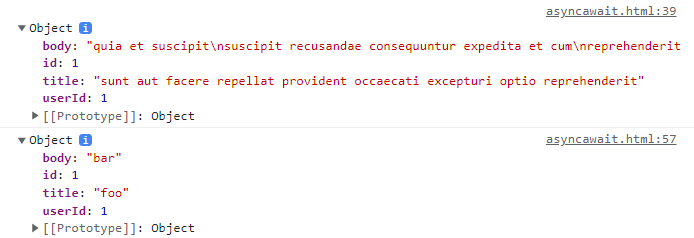
fetch 자체로만 써도 상관은 없지만 가독성과 복잡성을 보면 async/await을 활용하는 편이 보기 좋다

어쩌면 개발자