항상 GIF 파일을 만들때 Web에 있는 오픈 서비스를 이용해서 동영상을 GIF로 변환했었는데, 보안 이슈도 그렇고 대기 시간도 답답하고 퀄리티도 낮아서 고민이었다. 그래서... Python으로 직접(대부분은 라이브러리) 구현했다.
Python 파일 실행시 아래 파일 선택창을 통해 선택하고 저장할 파일명을 지정후 저장을 누르면 자동 변환된다.
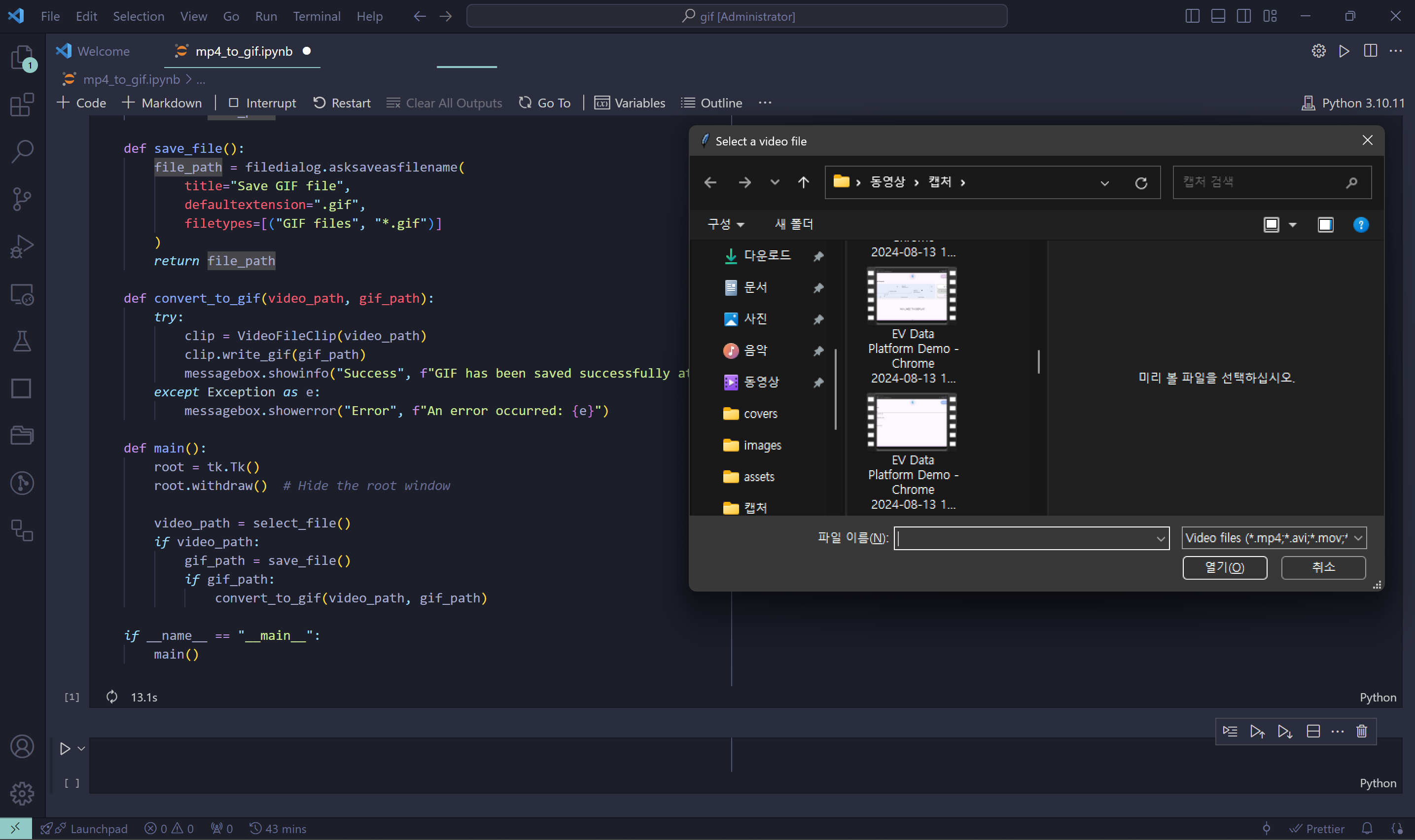
import tkinter as tk
from tkinter import filedialog, messagebox
from moviepy.editor import VideoFileClip
import os

def select_file():
    file_path = filedialog.askopenfilename(
        title="Select a video file",
        filetypes=[("Video files", "*.mp4;*.avi;*.mov;*.mkv")]
    )
    return file_path

def save_file():
    file_path = filedialog.asksaveasfilename(
        title="Save GIF file",
        defaultextension=".gif",
        filetypes=[("GIF files", "*.gif")]
    )
    return file_path

def convert_to_gif(video_path, gif_path):
    try:
        clip = VideoFileClip(video_path)
        clip.write_gif(gif_path)
        messagebox.showinfo("Success", f"GIF has been saved successfully at {gif_path}")
    except Exception as e:
        messagebox.showerror("Error", f"An error occurred: {e}")

def main():
    root = tk.Tk()
    root.withdraw()

    video_path = select_file()
    if video_path:
        gif_path = save_file()
        if gif_path:
            convert_to_gif(video_path, gif_path)

if __name__ == "__main__":
    main()

AI, Security