Flashback Query
- 특정 시간에 query를 수행할 수 있다.
- select문의 as of 절을 사용하여 데이터를 확인할 시간 기록을 지정할 수 있다.
- 데이터 불일치 분석에 유용하다.
-
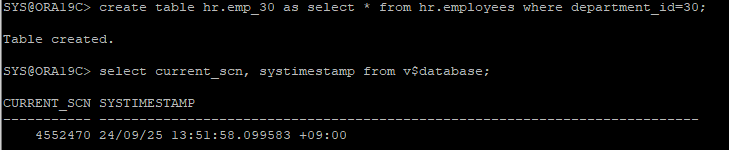
샘플테이블 생성
-
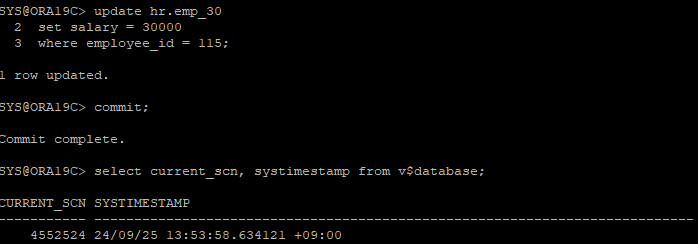
값 업데이트
-
undo retention이 보장하는 시간안에 과거 값 확인하기
- as of timestamp
 select salary
from hr.emp_30 as of timestamp to_timestamp('2024-09-25 13:51:58','yyyy-mm-dd hh24:mi:ss')
where employee_id=115;- as of scn
select salary
from hr.emp_30 as of scn 4552470
where employee_id=115;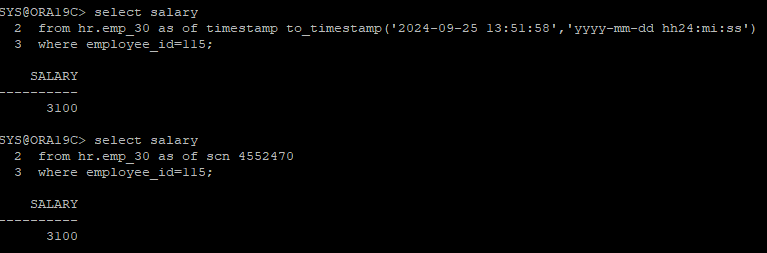
Flashback version query
- version절을 사용하여 두 point-in-time 또는 두 scn 사이에 존재하는 행의 모든 버전을 검색할 수 있다.
- versions between scn 이용
select versions_xid, employee_id, salary
from hr.emp_30 versions between scn minvalue and maxvalue
where employee_id in (116,117);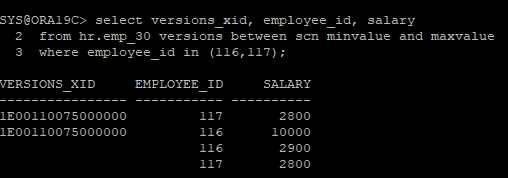
- versions between timestamp 이용
SELECT versions_xid, employee_id,salary
FROM hr.emp_30 VERSIONS BETWEEN TIMESTAMP SYSTIMESTAMP - INTERVAL '15' MINUTE AND SYSTIMESTAMP
where employee_id in (116,117);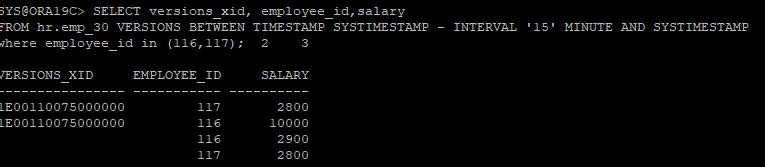
Flashback Table
- 백업으로 복원하지 않고 테이블을 특정 시점으로 recovery 할 수 있다.
- 데이터베이스는 온라인 상태를 유지한다.
- flashback table 작업을 수행하기 위해 undo 테이블스페이스에서 데이터를 사용한다.
- 권한 부여
grant flashback on hr.emp_30 to insa;(객체 권한)
또는
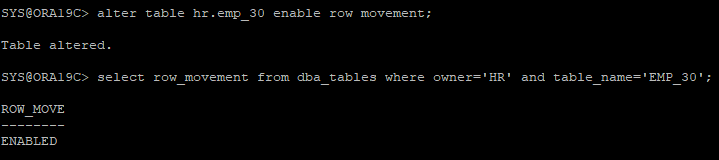
grant flashback any table to insa;(시스템 권한)- flashback table에 대한 행 이동이 활성화 되어야한다.
- 테이블 데이터 삭제
delete from hr.emp_30;

commit;- 데이터가 행 이동이 가능한지 확인
select row_movement from dba_tables where owner='HR' and table_name='EMP_30';
-
행 이동이 가능하도록 활성화
alter table hr.emp_30 enable row movement;
-
테이블을 flashback 시키기
flashback table hr.emp_30 to timestamp to_timestamp('2024/09/25 14:40:44','yyyy/mm/dd hh24:mi:ss');
- flashback된 테이블 확인
select * from hr.emp_30;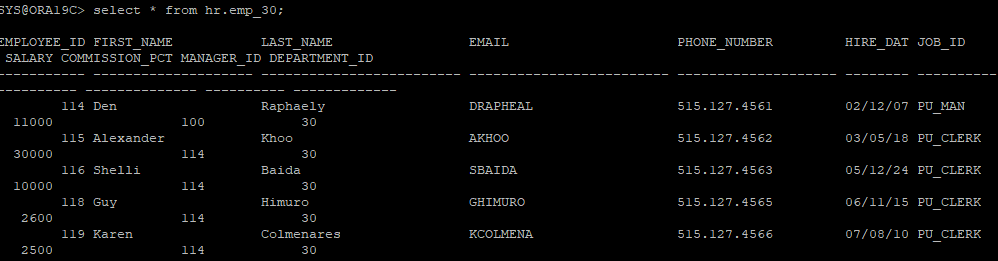
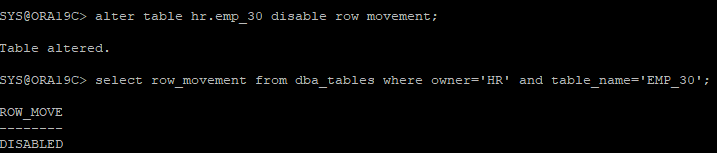
- 작업이 끝났으면 row movement는 비활성화 시키기
alter table hr.emp_30 disable row movement;
Flashback Data Archive
- 기록 데이터 저장소
- FBDA 백그라운드 프로세스를 사용하여 flashback data archive에 대한 활성화되어 있는 테이블의 데이터를 자동으로 추적하고 아카이브한다.
- undo retention과는 상관없이 보존용도
- fda(flashback data archive)를 저장할 테이블스페이스 생성
create tablespace fda_tbs datafile '/u01/app/oracle/oradata/ORA19C/fda_tbs01.dbf' size 10m autoextend on;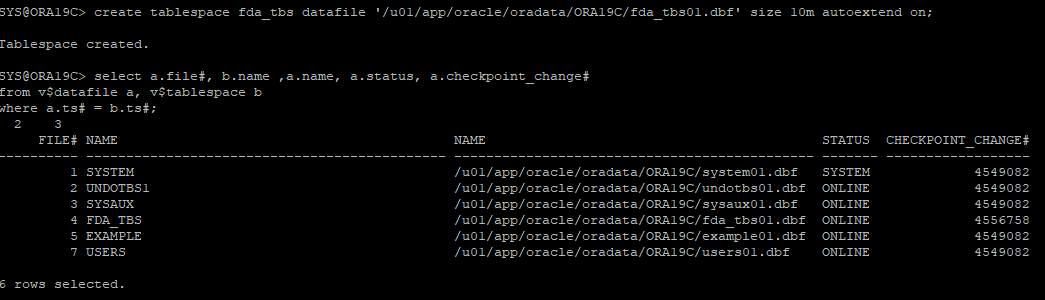
- flashback data archive 생성
- 1년까지 보장하는 아카이브를 생성했다.
create flashback archive fda1 tablespace fda_tbs quota 10m retention 1 year;
- 만들어진 flashback data archive 확인
select * from dba_flashback_archive;
- fda 대상 테이블 활성화
create table hr.emp_fda as select * from hr.employees;

alter table hr.emp_fda flashback archive fda1;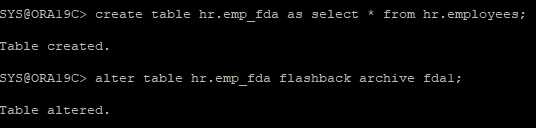
- fda 설정되어있는 테이블 확인
select * from dba_flashback_archive_tables;
- 현재 emp_fda에 있는 값 확인
select employee_id, salary from hr.emp_fda where department_id=20;- 데이터값 업데이트
update hr.emp_fda
	set salary=salary*1.1
    where department_id=20;

commit;- undo retention의 적용이 끝났을거 같은 20분뒤에 조회를 해보면 이전값을 조회하는걸 확인할 수 있는데 flashback archive에서 데이터를 읽어오는걸 확인할 수 있다.
select employee_id, salary
from hr.emp_fda as of timestamp (systimestamp - interval '20' minute)
where department_id=20;- 테이블에 대한 fda를 비활성화
alter table hr.emp_fda no flashback archive;
fda retention 변경
alter flashback archive fda1 modify retention 2 year;
fda에 대한 quota값 확인
select * from dba_flashback_archive_ts;
fda에 대한 qutoa값 수정
- unlimited로는 설정할 수 없다.
alter flashback archive fda1 modify tablespace fda_tbs quota 20m;
fda 데이터지우기
alter flashback archive fda1 purge before timestamp (systimestamp - interval '1' day);
fda 삭제
drop flashback archive fda1;
Flashback Database
- 데이터베이스에 대해 되감기 버튼처럼 작동한다.
- 이전 데이터로 되감기하기 위해서 리두정보, 아카이브정보를 이용한다.
- 아카이브 모드에서만 사용할 수 있다.
- RVWR 백그라운드 프로세스에서 수행한다.
- 장점 : 백업파일을 사용하지 않고 복구가 가능하다
- 단점 : 불완전한 복구이기 때문에 데이터에 갭이 생긴다.
- flashback 할 수 있는 시간을 분단위로 설정
show parameter db_flashback_retention_target

-
flashback log 정보가 저장되는곳
show parameter db_recovery_file_dest

-
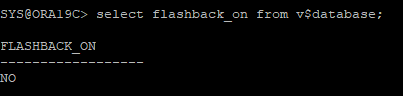
flashback database 활성화 여부 체크
select flashback_on from v$database;
-
flashback database 활성화 하기
alter database flashback on;
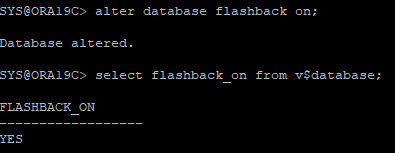
활성화를 하게 되면 저장 디렉터리가 생성된다.

- 샘플 테이블 생성
create table hr.september as select * from hr.employees;

select count(*) from hr.september;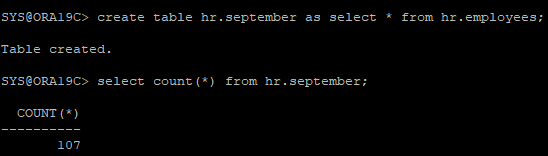
-
표시자 설정
- 푯대 만들기
create restore point before_hr_truc;
- 푯대 확인
select * from v$restore_point;

-
잘못 데이터 삭제로 복구환경 만들기
truncate table hr.september;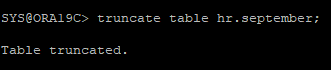
select * from hr.september;
-
flashback database 이용해서 데이터베이스를 되감기
- DB를 되감기 하기위해서는 DB는 내려야한다.
SHUTDOWN IMMEDIATE -
DB는 MOUNT 단계까지 실행
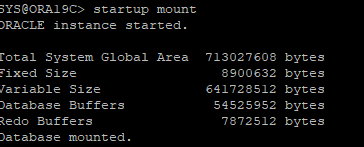
-
flashback database 하기
1) 원하는 표시자 시점까지만 flashback
flashback database to restore point before_hr_truc;

2) flashback database는 푯대 말고도 시간대로도 가능하다.
flashback database to timestamp to_timestamp(); -
원하는 시점까지 되감기가 되었는지 확인하고자 DB OPEN은 READ ONLY로 해야한다.

-
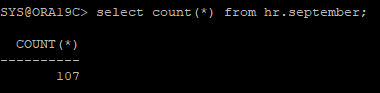
데이터가 잘 복구되었는지 확인
-
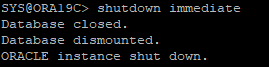
read only 모드에서는 바로 read write 모드로 변경이 불가능하기 때문에 DB는 다시 내려야한다.
-
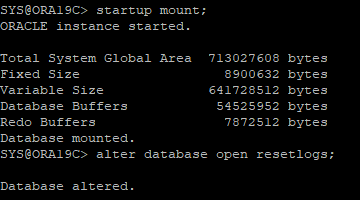
불완전한 복구이기때문에 DB는 MOUNT 단계에서 OPEN 할때 RESETLOGS로 해야한다.
-
표시자 지우기
drop restore point before_hr_truc; -
flashback database 비활성화
- 비활성화시 flashback 디렉터리에 있던 로그 정보가 자동으로 삭제된다.
alter database flashback off;