Oracle Data Pump
- 대량의 데이터, 메타 데이터 이동을 위한 고속 export, import 유틸리티를 제공한다.
논리적 디렉터리
-
data pump를 하기 위해서는 물리적 디렉터리도 필요하지만 논리적인 디렉터리 또한 설정해줘야한다.
-
물리적 디렉터리 생성
mkdir data_pump -
논리적 디렉터리 생성
create directory pump_dir as '/home/oracle/data_pump';

-
논리적으로 생성한 디렉터리 확인
select * From dba_directories where directory_name = 'PUMP_DIR';

-
일반유저에게 논리적인 디렉터리에 대한 객체권한 부여
grant read,write on directory pump_dir to hr; -
부여받은 객체권한 확인
select * from dba_tab_privs where grantee = 'HR';
export dump & import dump
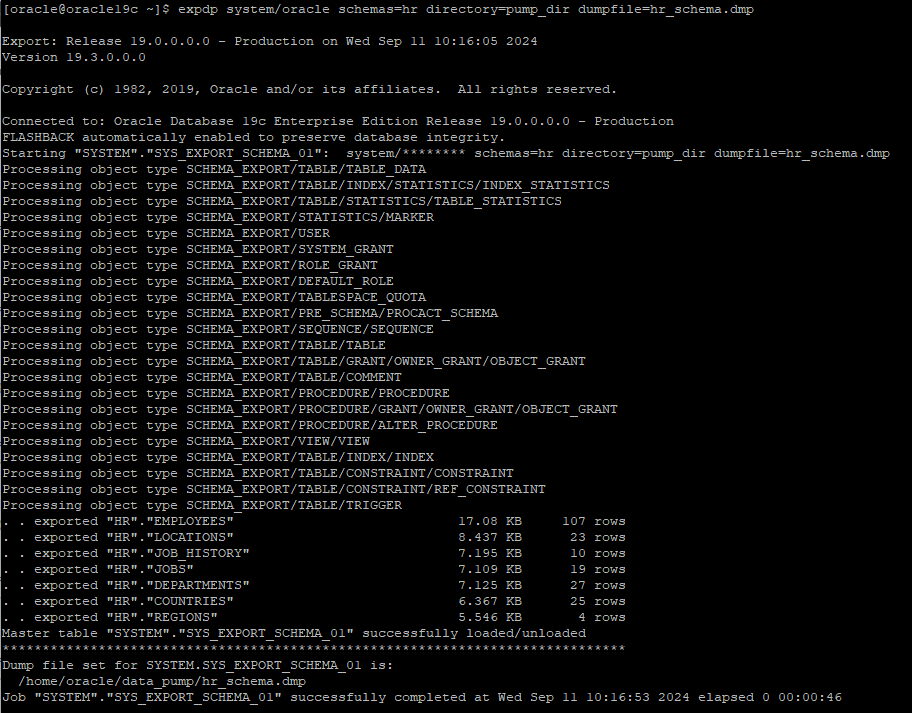
hr 계정의 모든 객체를 export
expdp system/oracle schemas=hr directory=pump_dir dumpfile=hr_schema.dmp
hr.employees의 제약조건 확인
select constraint_name, constraint_type, search_condition, r_constraint_name, status, validated, index_name
from dba_constraints
where owner='HR' and table_name = 'EMPLOYEES';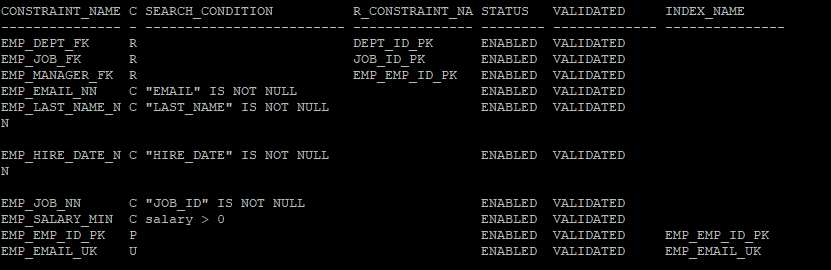
테이블 삭제

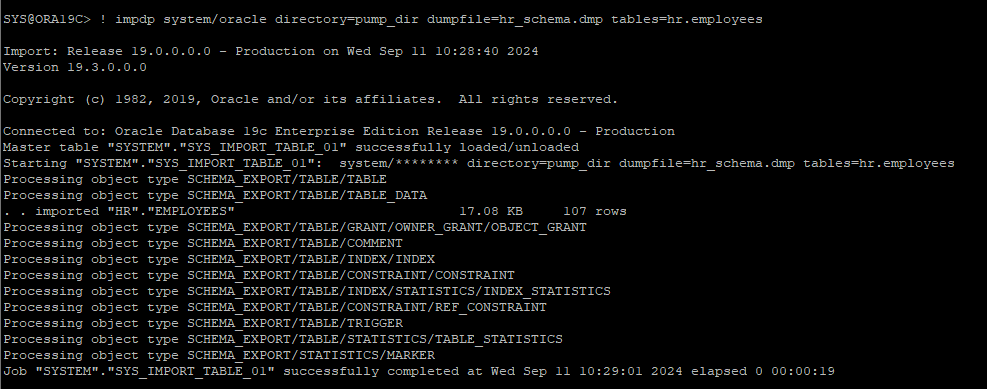
hr이 가지고 있는 employees 테이블 import
impdp system/oracle directory=pump_dir dumpfile=hr_schema.dmp tables=hr.employees
- hr계정의 dump 파일이더라도 hr.employees으로 해줘야한다. hr을 지정해주지 않으면 system에서 찾게된다
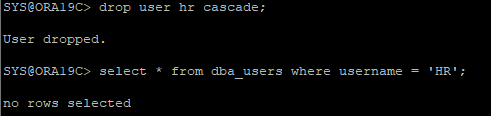
hr 유저삭제 후 확인
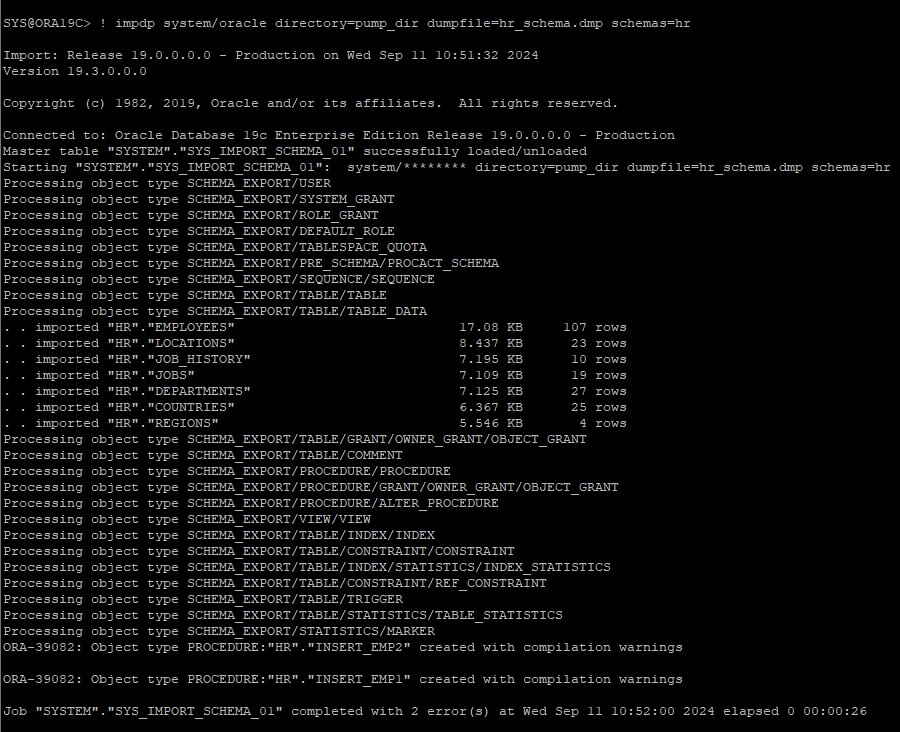
삭제한 유저에 대한 생성부터 모든 객체와 권한, 데이터를 import
impdp system/oracle directory=pump_dir dumpfile=hr_schema.dmp schemas=hr
특정한 유저의 테이블만 export
expdp system/oracle schemas=hr include=table directory=pump_dir dumpfile=hr_table.dmp

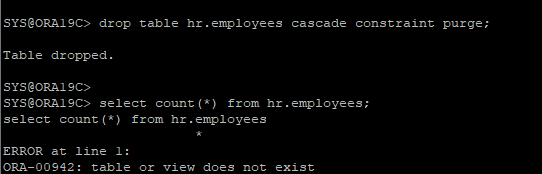
특정 테이블을 삭제
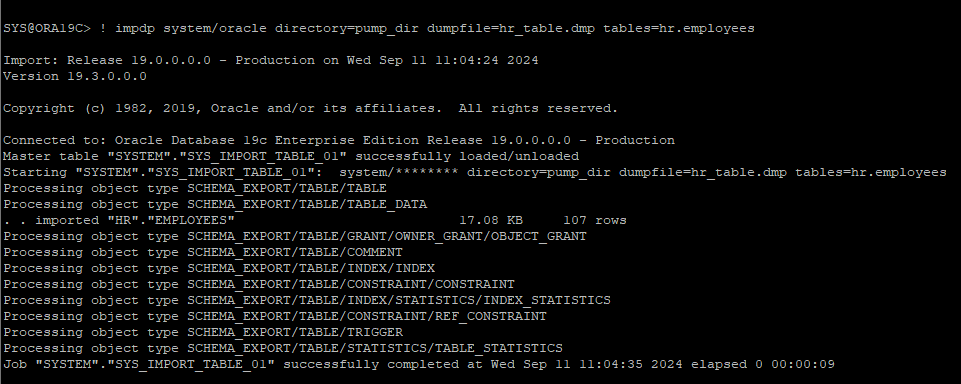
특정 테이블만 import
impdp system/oracle directory=pump_dir dumpfile=hr_table.dmp tables=hr.employees
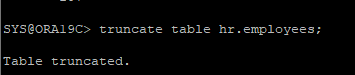
테이블 truncate
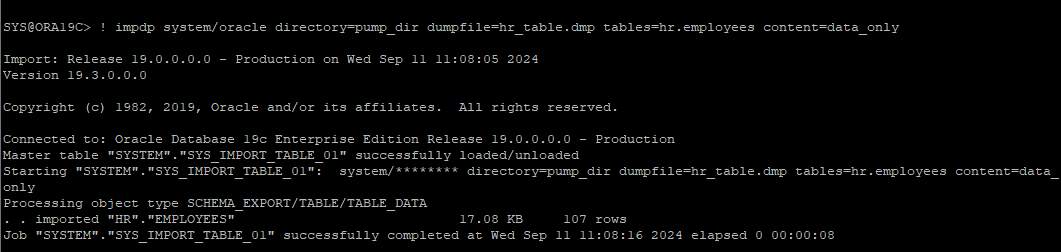
테이블의 구조는 살아있는 상태에서 데이터만 import
impdp system/oracle directory=pump_dir dumpfile=hr_table.dmp tables=hr.employees content=data_only
테이블 drop

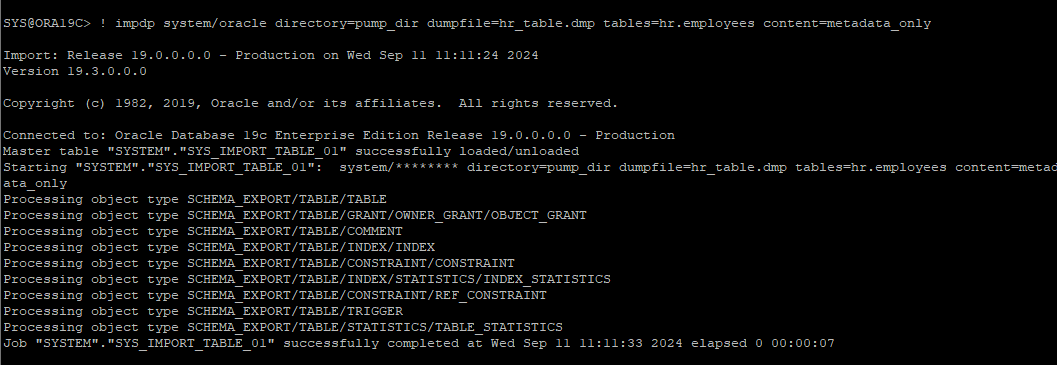
테이블의 구조만 import 받고 싶을때
impdp system/oracle directory=pump_dir dumpfile=hr_table.dmp tables=hr.employees content=metadata_only
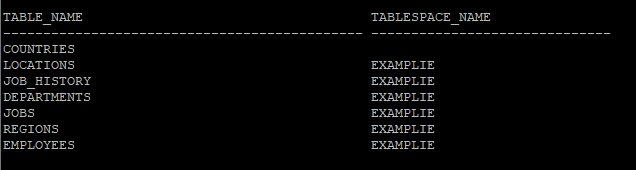
hr 유저가 가지고 있는 테이블의 테이블스페이스 확인
select table_name, tablespace_name from dba_tables where owner='HR';
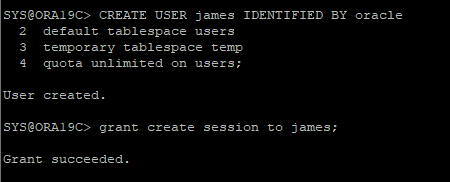
james 유저 생성 후 권한부여
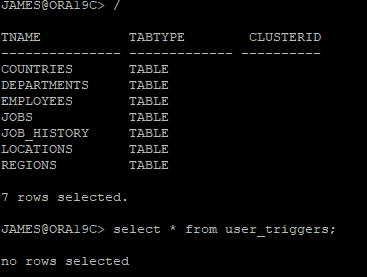
hr 유저가 가지고 있는 모든 테이블을 james 유저에게 import
- import 시 소유자 및 테이블스페이스 변경해야함
- 변경할때는 remap_schema, remap_tablespace를 사용해야함
- trigger는 제외하고 import 받을때는 exclude 키워드 사용
impdp system/oracle directory=pump_dir dumpfile=hr_table.dmp remap_schema='HR':'JAMES' remap_tablespace='EXAMPLIE':'USERS' exclude=trigger
정상적으로 import 되었다.
테이블레벨의 sql file 생성
물리적인 위치에 생성된다.
impdp system/oracle directory=pump_dir dumpfile=hr_table.dmp tables=hr.employees sqlfile=employees.sql
유저레벨의 sql fiel 생성
impdp system/oracle schemas=hr directory=pump_dir dumpfile=hr_schema.dmp sqlfile=hr.sql
tablespace export
expdp system/oracle directory=pump_dir dumpfile=example.dmp tablespaces=examplie
examplie 테이블스페이스 삭제

테이블스페이스 DUMP 파일은 테이블스페이스의 구조에 대한 정보는 가지고 있지 않다.
따라서 import 하기 전에 사전에 테이블스페이스를 만들어 놓아야 한다.

생성해 놓은 테이블스페이스 import 작업
impdp system/oracle directory=pump_dir dumpfile=example.dmp tablespaces=examplie
특정한 테이블만 export 받을때
expdp system/oracle directory=pump_dir dumfile=hr_james_table.dmp tables=hr.employees, hr.departments, james.loactions
Transportable tablespace
- 같은 버전에서만 사용가능한 기능
- 서로 다른 플랫폼 간의 데이터 이동을 지원하는 기능이다.
- Transportable tablespace는 테이블스페이스를 읽기전용 상태로 설정한 뒤 메타데이타만 먼저 export하고 os 레벨에서 데이터파일을 target 플랫폼으로 복사한 다음 데이터 딕셔너리에 메타 데이타를 import 하는 방식으로 데이터를 전송한다.
ora19c DB
-
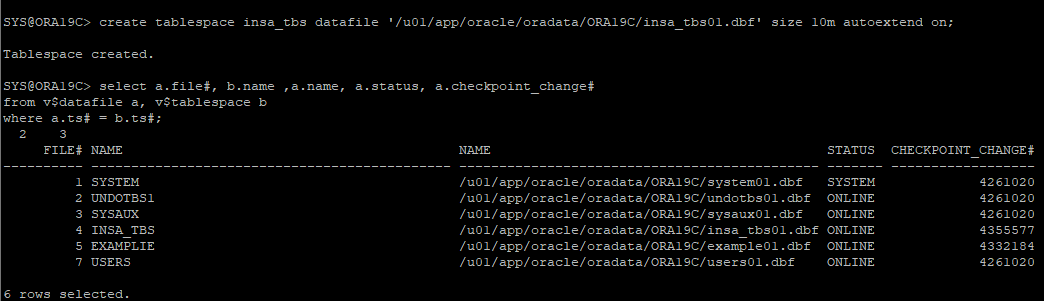
ora19c DB에 신규 테이블스페이스 생성
-
신규 테이블스페이스에 테이블 생성

-
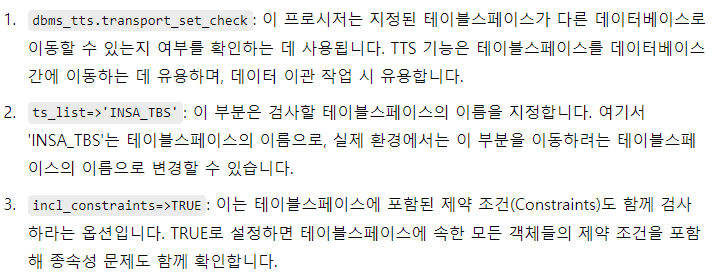
테이블스페이스를 이관작업 할수 있는지 체크
execute dbms_tts.transport_set_check(ts_list=>'INSA_TBS',incl_constraints=>TRUE)

- 테이블스페이스를 이관하려면 READ ONLY 모드로 변경해야한다.
-
변경하기전에 현재 테이블스페이스 모드 확인
select tablespace_name, status from dba_tablespaces where tablespace_name='INSA_TBS';

-
read only 모드로 변경
- 모드 변경시에도 partial 체크포인트가 발생한다.
alter tablespace insa_tbs read only;


- transport tablespace로 export 받기
- 테이블스페이스에 대한 meta data만 export 하고 데이터는 없다.
expdp system/oracle directory=pump_dir transport_tablespaces=insa_tbs dumpfile=insa_tbs.dmp
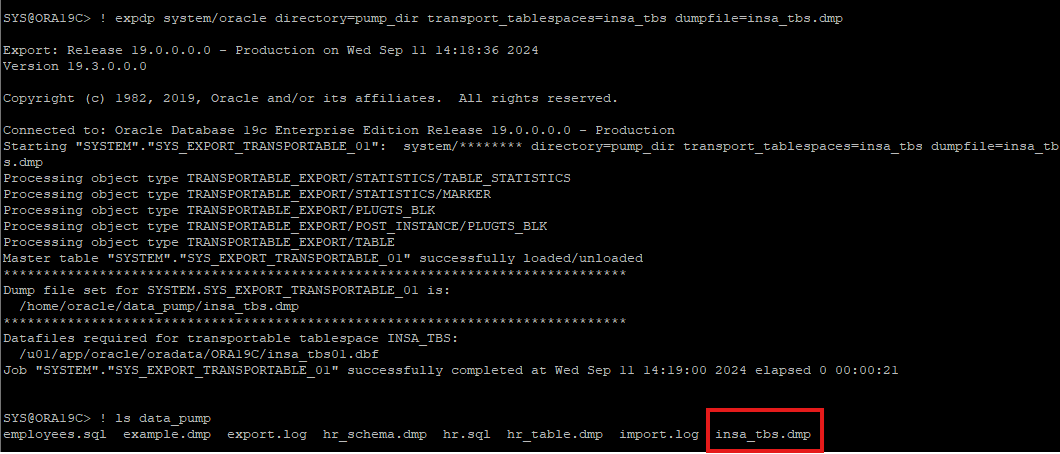
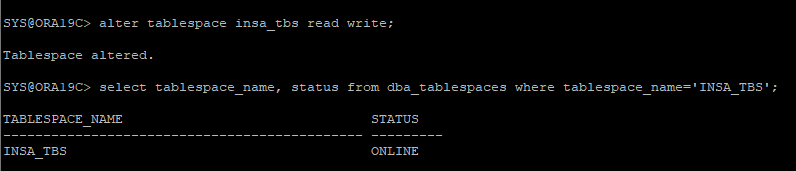
- export한 테이블스페이스가 있는 데이터파일을 clone DB에 복사해준다.
- 현장에서는 다른 서버이기 때문에 dump 파일도 같이 전송해줘야 한다.

- 전송이 완료되었으면 read only 모드였던 테이블스페이스를 다시 read write 모드로 변경해야한다.
clone DB
- 물리적인 덤프 파일을 사용하기 위해 논리적인 디렉터리 만들기
-
만들려는 디렉터리가 이미 존재하는지 확인

-
논리적인 디렉터리 생성
- 덤프파일이 clone 디렉터리 안에 있기 때문에 /home/oracle/clone 으로 설정

-
system 계정 패스워드 설정 및 계정 unlock

-
import 받는데 dump 파일이 가지고 있는 테이블스페이스와 datafile이 맞는지 매핑 작업을 거친다.
- import 작업이 완료되면 테이블스페이스에 객체 정보들이 들어가있다.
- 복사본을 받으려는 clone DB의 메모리 공간을 작게 설정하였기 때문에 오류가 발생할 수 있어 통계정보는 제외하고 import 받을 수 있다.
impdp system/oracle directory=clone_dir dumpfile=insa_tbs.dmp transport_datafiles='/home/oracle/clone/insa_tbs01.dbf' exclude=statistics
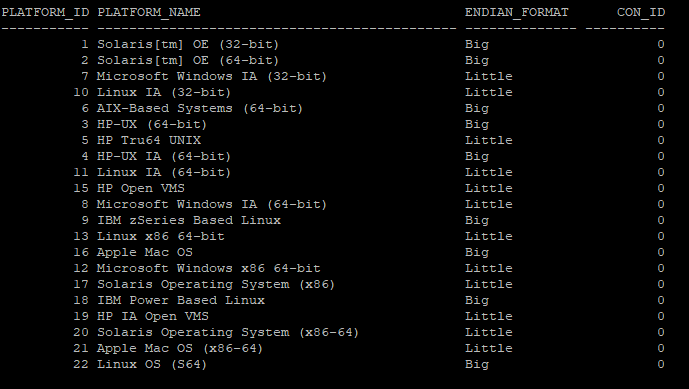
- transpotable_tablespace는 다른 os로 이관할때 같은 문자 체계를 가지고 있어야지 이관이 가능하다.
- ENDIAN_FORMAT이 같은 OS 끼리만 가능하다.
select * from v$transportable_platform;