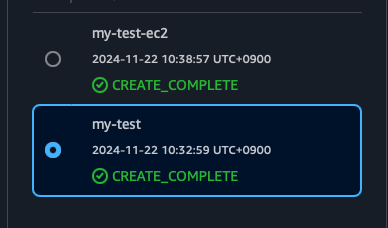
CloudFormation stack 생성
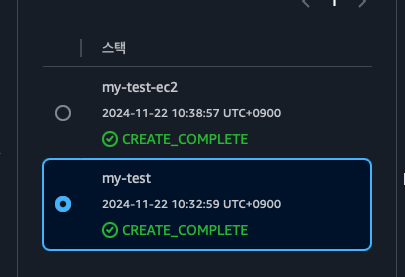
VPC Template code
AWSTemplateFormatVersion: "2010-09-09"
Resources:
  MyVPC:
    Type: "AWS::EC2::VPC"
    Properties:
      CidrBlock: "10.10.0.0/16"
      EnableDnsSupport: true
      EnableDnsHostnames: true
      Tags:
        - Key: "Name"
          Value: "my-vpc"

  MySubnet01:
    Type: "AWS::EC2::Subnet"
    Properties:
      VpcId: !Ref MyVPC
      CidrBlock: "10.10.1.0/24"
      AvailabilityZone: "ap-northeast-2a"
      MapPublicIpOnLaunch: true
      Tags:
        - Key: "Name"
          Value: "my-sub01"

  MySubnet02:
    Type: "AWS::EC2::Subnet"
    Properties:
      VpcId: !Ref MyVPC
      CidrBlock: "10.10.2.0/24"
      AvailabilityZone: "ap-northeast-2c"
      MapPublicIpOnLaunch: true
      Tags:
        - Key: "Name"
          Value: "my-sub02"

  MyInternetGateway:
    Type: "AWS::EC2::InternetGateway"
    Properties:
      Tags:
        - Key: "Name"
          Value: "my-igw"

  AttachGateway:
    Type: "AWS::EC2::VPCGatewayAttachment"
    Properties:
      VpcId: !Ref MyVPC
      InternetGatewayId: !Ref MyInternetGateway

  MyRouteTable:
    Type: "AWS::EC2::RouteTable"
    Properties:
      VpcId: !Ref MyVPC
      Tags:
        - Key: "Name"
          Value: "my-route"

  MyRoute:
    Type: "AWS::EC2::Route"
    Properties:
      RouteTableId: !Ref MyRouteTable
      DestinationCidrBlock: "0.0.0.0/0"
      GatewayId: !Ref MyInternetGateway

  SubnetRouteTableAssociation01:
    Type: "AWS::EC2::SubnetRouteTableAssociation"
    Properties:
      SubnetId: !Ref MySubnet01
      RouteTableId: !Ref MyRouteTable

  SubnetRouteTableAssociation02:
    Type: "AWS::EC2::SubnetRouteTableAssociation"
    Properties:
      SubnetId: !Ref MySubnet02
      RouteTableId: !Ref MyRouteTable

  MySecurityGroup:
    Type: "AWS::EC2::SecurityGroup"
    Properties:
      GroupDescription: "Security group for web servers"
      VpcId: !Ref MyVPC
      SecurityGroupIngress:
        - IpProtocol: "tcp"
          FromPort: 22
          ToPort: 22
          CidrIp: "0.0.0.0/0"
        - IpProtocol: "icmp"
          FromPort: -1
          ToPort: -1
          CidrIp: "0.0.0.0/0"
        - IpProtocol: "tcp"
          FromPort: 80
          ToPort: 80
          CidrIp: "0.0.0.0/0"
      SecurityGroupEgress:
        - IpProtocol: "-1"
          CidrIp: "0.0.0.0/0"
      Tags:
        - Key: "Name"
          Value: "my-web-sg"

Outputs:
  VPCId:
    Value: !Ref MyVPC
    Export:
      Name: "VPCId"

  SubnetId01:
    Value: !Ref MySubnet01
    Export:
      Name: "SubnetId01"

  SubnetId02:
    Value: !Ref MySubnet02
    Export:
      Name: "SubnetId02"

  SecurityGroupId:
    Value: !Ref MySecurityGroup
    Export:
      Name: "SecurityGroupId"
EC2 Template code
AWSTemplateFormatVersion: "2010-09-09"
Resources:
MyInstance01:
  Type: "AWS::EC2::Instance"
  Properties:
    InstanceType: "t2.micro"
    KeyName: "deepdive-key"
    ImageId: "ami-03d31e4041396b53c"
    SubnetId: !ImportValue "SubnetId01"
    SecurityGroupIds:
      - !ImportValue "SecurityGroupId"
    Tags:
      - Key: "Name"
        Value: "myweb01"
    UserData:
      Fn::Base64: !Sub |
        #!/bin/bash
        sudo -i
        dnf -y update
        dnf -y upgrade-minimal
        dnf install -y httpd
        systemctl start httpd
        systemctl enable httpd
        echo '<div style="display: flex; height: 100vh; justify-content: center; align-items: center;"><h1>Hello World  from <span style="color:red;">myweb01</span></h1></div>' > /var/www/html/index.html
        dnf install -y https://dev.mysql.com/get/mysql80-community-release-el9-1.noarch.rpm
        dnf -y install --nogpgcheck mysql-community-client
        dnf -y install stress

MyInstance02:
  Type: "AWS::EC2::Instance"
  Properties:
    InstanceType: "t2.micro"
    KeyName: "deepdive-key"
    ImageId: "ami-03d31e4041396b53c"
    SubnetId: !ImportValue "SubnetId02"
    SecurityGroupIds:
      - !ImportValue "SecurityGroupId"
    Tags:
      - Key: "Name"
        Value: "myweb02"
    UserData:
      Fn::Base64: !Sub |
        #!/bin/bash
        sudo -i
        dnf -y update
        dnf -y upgrade-minimal
        dnf install -y httpd
        systemctl start httpd
        systemctl enable httpd
        echo '<div style="display: flex; height: 100vh; justify-content: center; align-items: center;"><h1>Hello World  from <span style="color:red;">myweb02</span></h1></div>' > /var/www/html/index.html
        dnf install -y https://dev.mysql.com/get/mysql80-community-release-el9-1.noarch.rpm
        dnf -y install --nogpgcheck mysql-community-client
        dnf -y install stress
my-test 는 vpc 생성 스택이고 my-test-ec2는 ec2 생성이다.
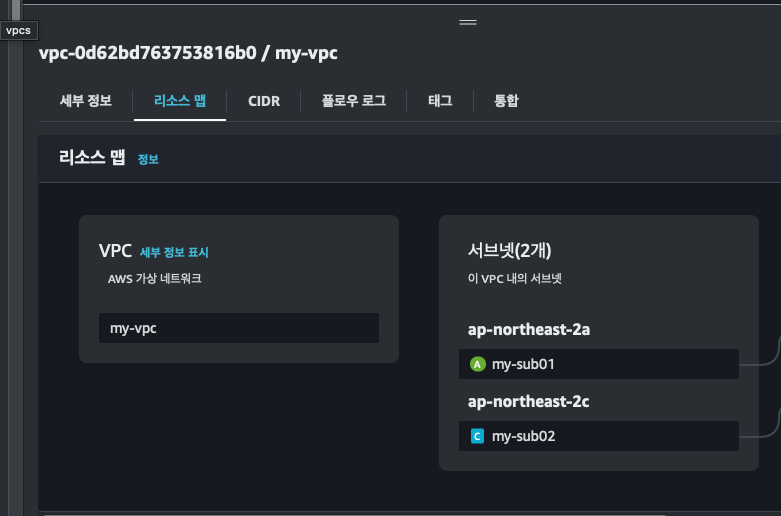
vpc 생성 확인

ec2 생성 확인
myweb03 이 생성이 안됬다면 따로 생성 해주면 됨
구성
ec2
1. myweb01: Bastion Host
2. myweb02: private subnet에 있는 인스턴스
3. myweb03: test 용
넷웤
- vpc: my-vpc
- 서브넷: my-sub01 , my-sub02
- 라우팅테이블: my-route
- 인터넷 게이트웨이: my-igw
- 보안그룹: my-web-sg
private subnet 만들기/라우팅테이블
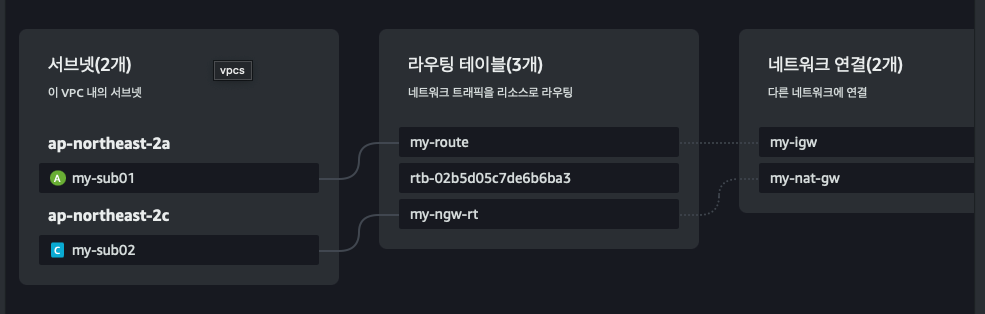
나는 이미 실습을 완료한 상태라 분리가 되있다 하지만 처음 하면 mysub01 과 mysub02가 라우트에 연결 되있는것 이다.
프라이빗 서브넷을 만들라면 라우팅에서만 제거해주면 된다.
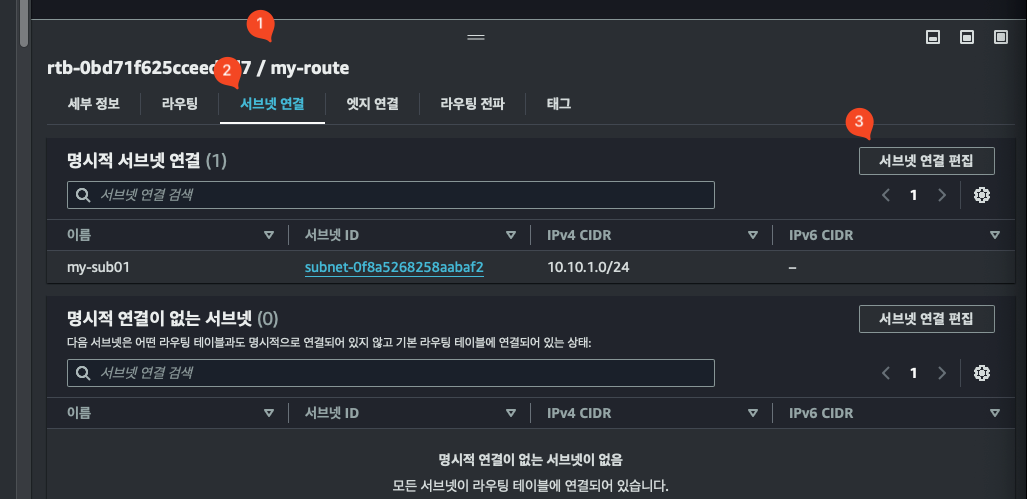
vpc -> 라우팅 테이블 -> 서브넷 연결 -> 서브넷 연결 편집 -> mysub02 연결 해제
하게 되면 mysub02 서브넷은 프라이빗 서브넷으로 외부에서 접속할수 없게 된다.
Bastion Host 에서만 myweb02 접속/보안그룹
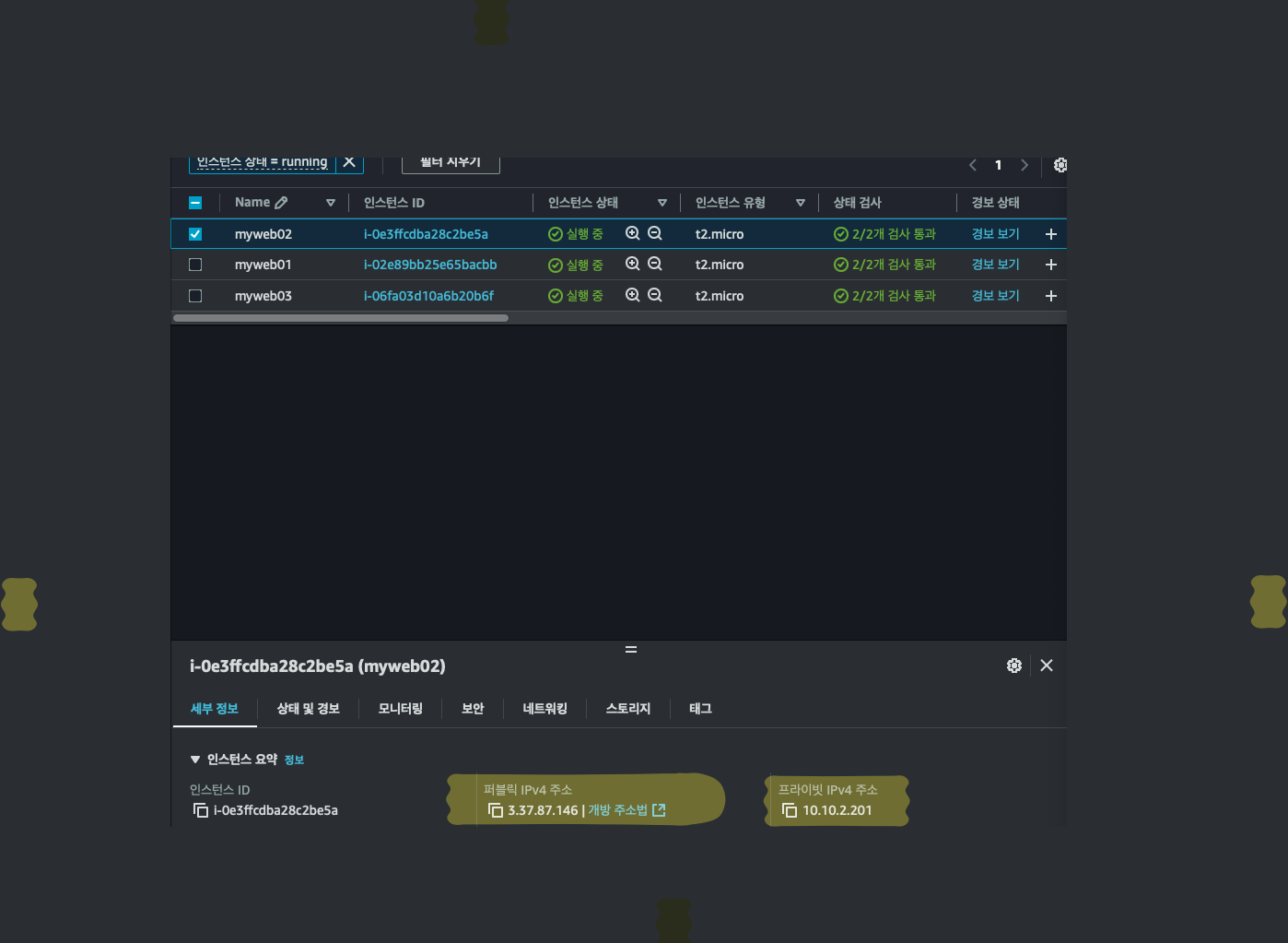
myweb02
- 사설 IP: 10.10.2.201
- 공인 IP: 3.37.87.146
현재 상태확인
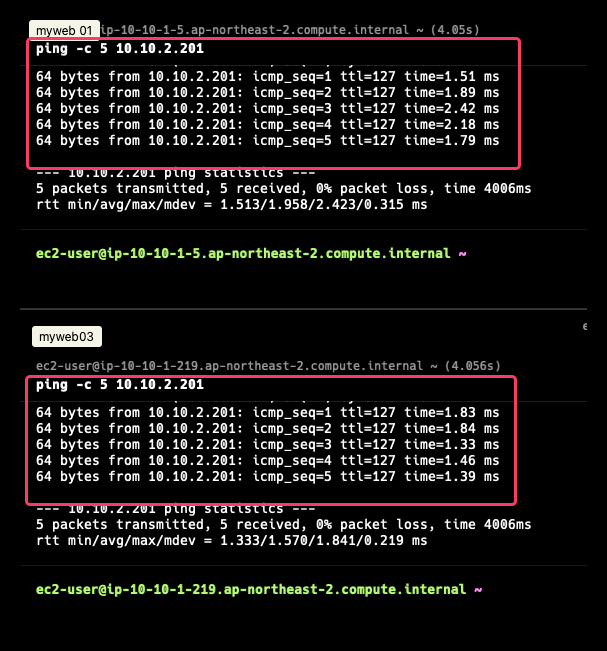
위에 터미널 : myweb01 에서 myweb02 핑 테스트
아래 터미널 : myweb03 에서 myweb02 핑 테스트
현재 목표: myweb01 에서만 myweb02에 접속 할수 있게 하고싶음
myweb01 이 Bastion Host 가 되는 것.
Bastion Host : Bastion Host는 네트워크 아키텍처에서 사용되는 보안 강화 시스템으로, 민감한 리소스(예: 데이터베이스, 애플리케이션 서버 등)에 대한 안전한 접근을 중계하는 서버를 의미합니다.
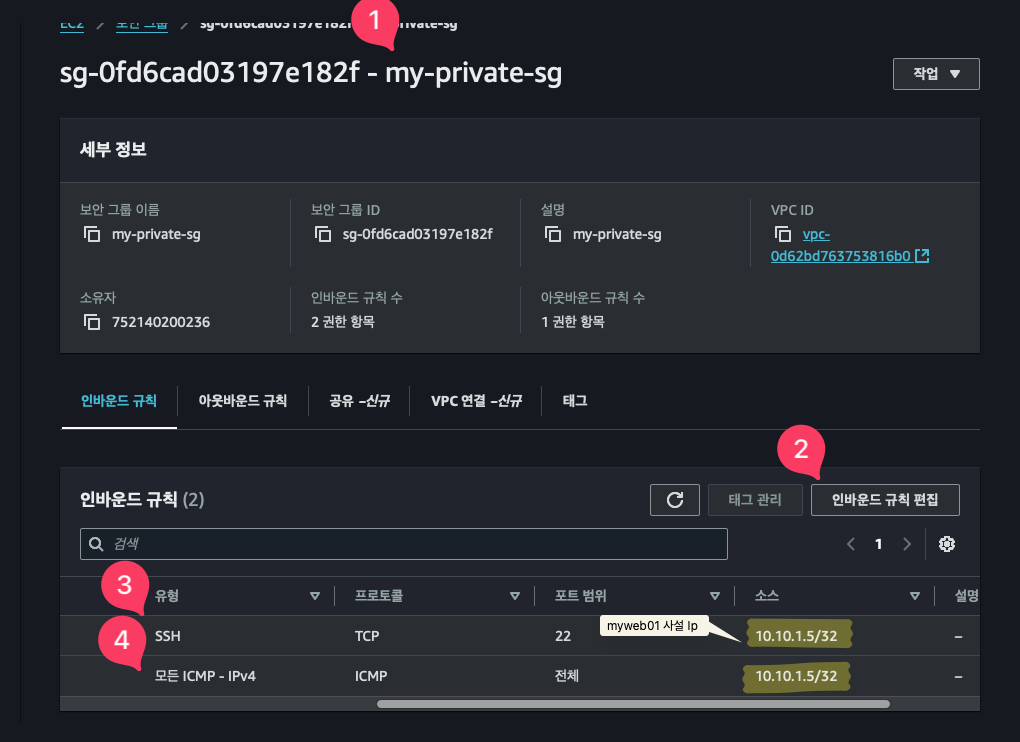
보안 그룹 my-private-sg 생성
- 당연하게 계속 같은 vpc에 생성 해야하고
- 접속 및 핑 테스트를 위해 ssh,icmp 프로토콜 허용
- 그리고 myweb01 을 bastion host 로 만들거기때문에 myweb01 사설 ip를 등록
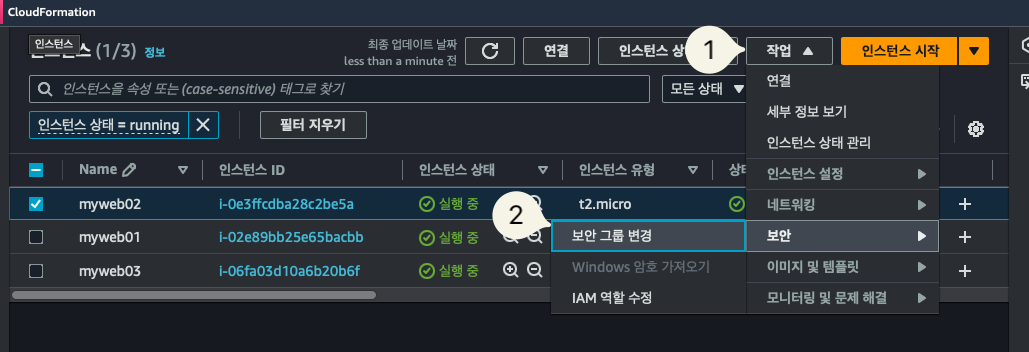
그리고 아까 생성한 보안 그룹을 추가하고 기존 보안그룹 삭제
TEST
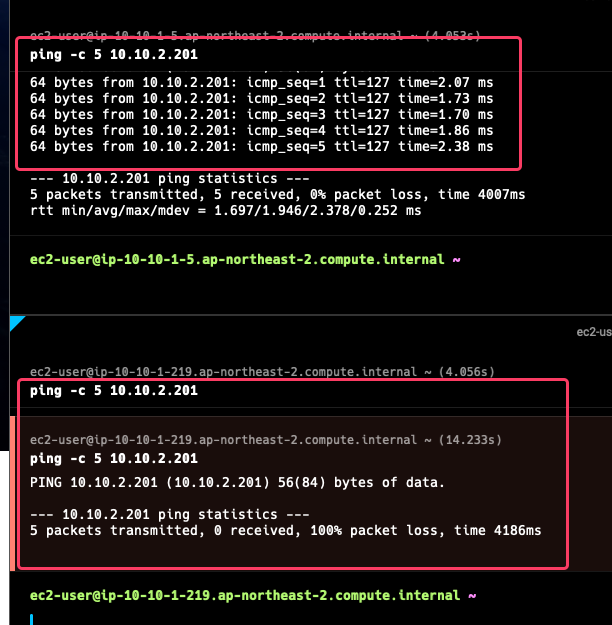
사진과 같이 myweb01에서는 성공하지만 myweb03에서는 실패 한다.
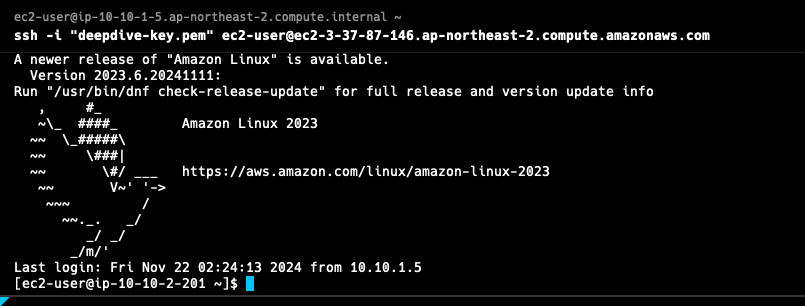
myweb01 인스턴스에서 myweb02 인스턴스로 접속도 잘됨 (접속 하기 위해서는 myweb01에 keypair 가 있어야 함 따라서 로컬에서 myweb01로 키 옮겨줘야지 접속할수 있겠죠?)
외부통신/NAT gateway 설정
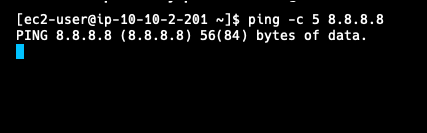
현재 myweb02에서 외부와 통신이 안되고 있음.
해결 방법 -> NAT GateWay 로 통신을 하게 해주면 됨
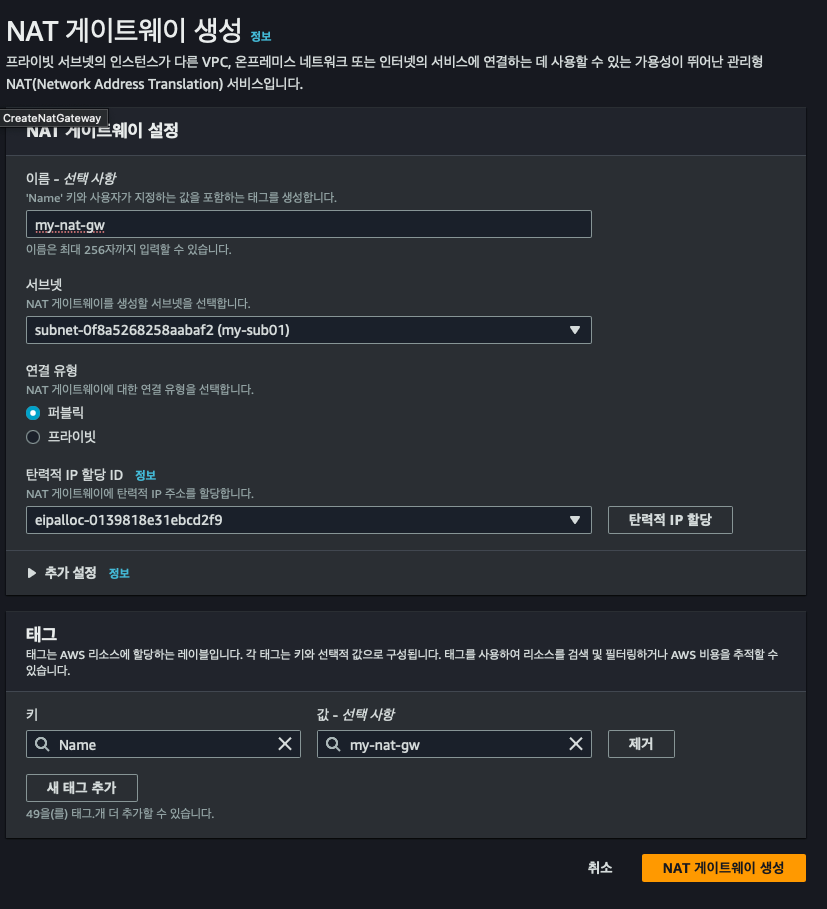
서브넷은 mysub01 에 해야하는 이유는 퍼블릭 서브넷에 있어야 외부와 통신을 시켜줄수 있으니까 퍼블릭 서브넷인 mysub01에 해야함
그리고 고정 ip가 필요하므로 Eip 할당해주고 끝
이제 통신 경로가 필요하니까 라우팅 테이블로 가서
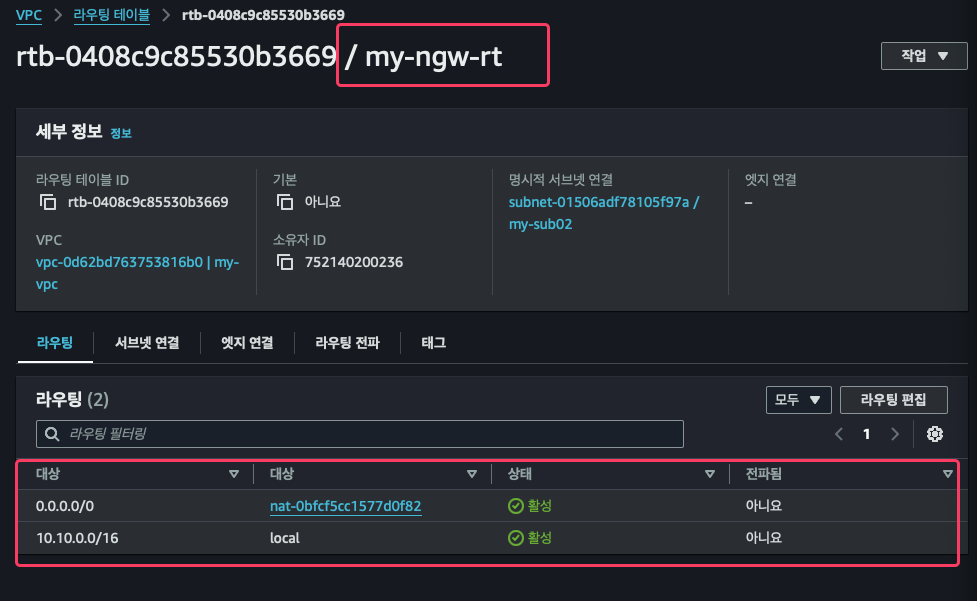
NAT 게이트웨이 연결 해주고
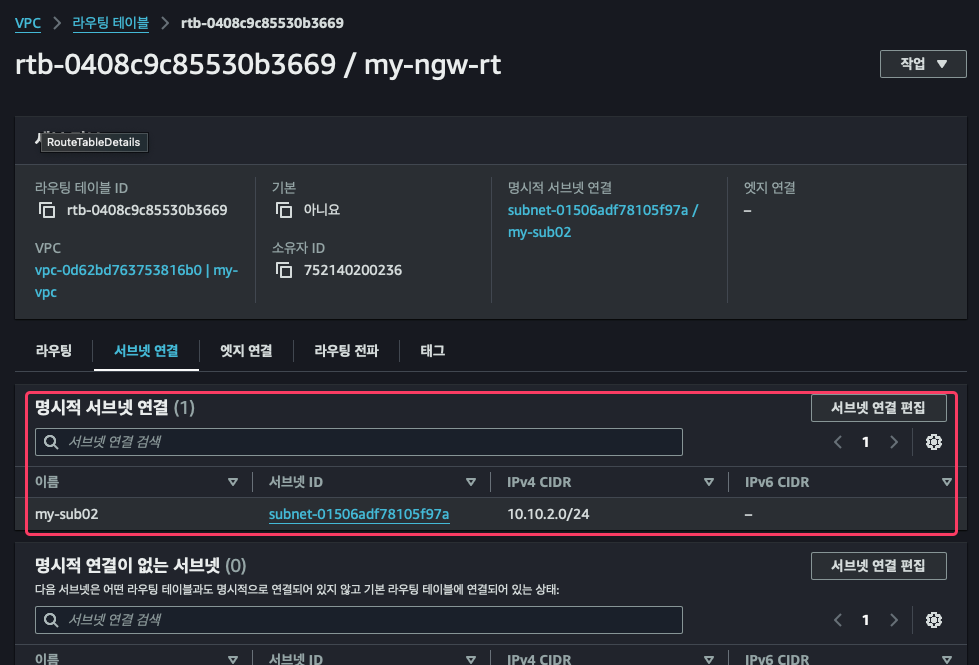
mysub02 서브넷도 연결 해주면 완료
TEST
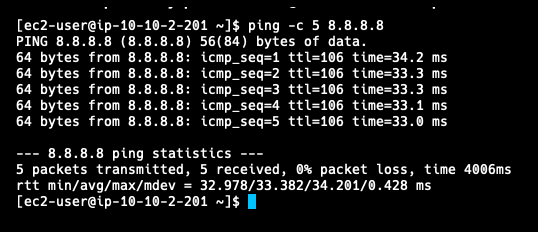
이제 외부와 통신 아주 잘됨
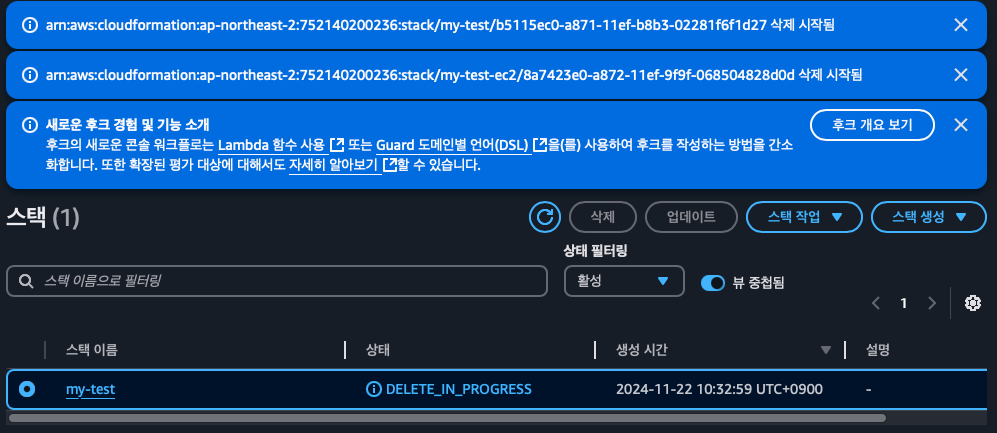
리소스 삭제
1)ec2 삭제
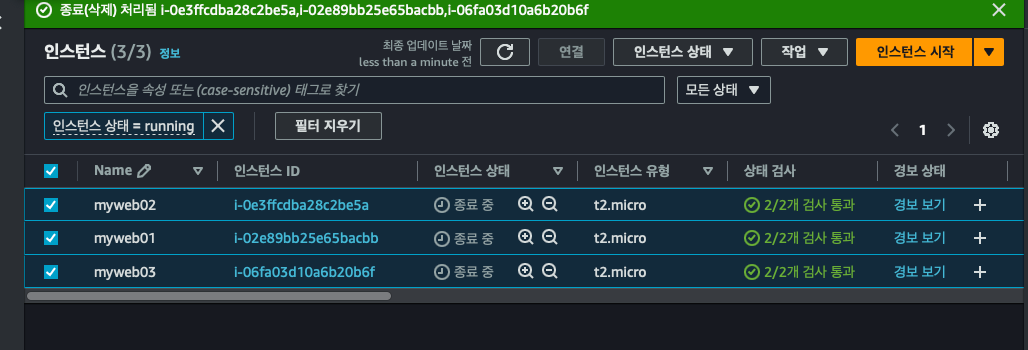
2) NAT 삭제

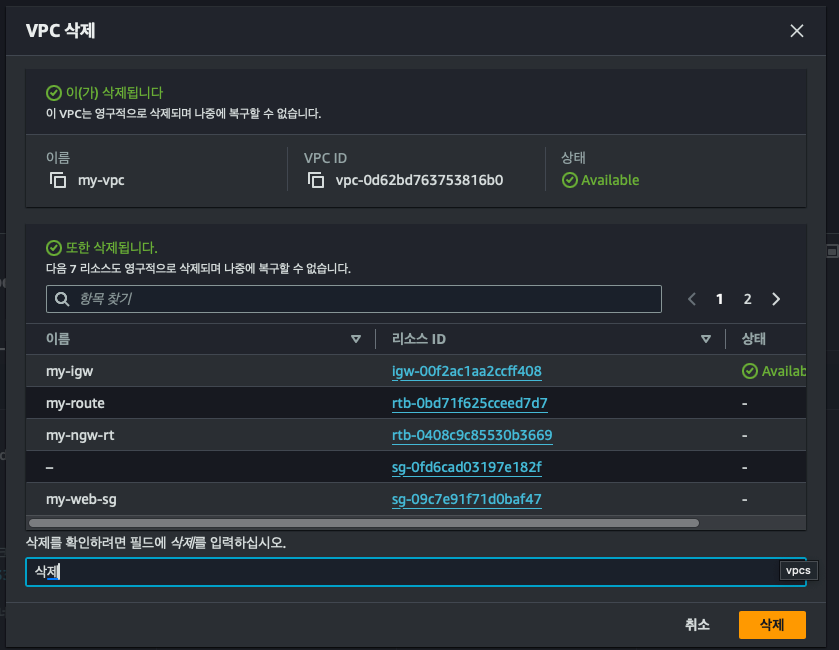
3) vpc 삭제
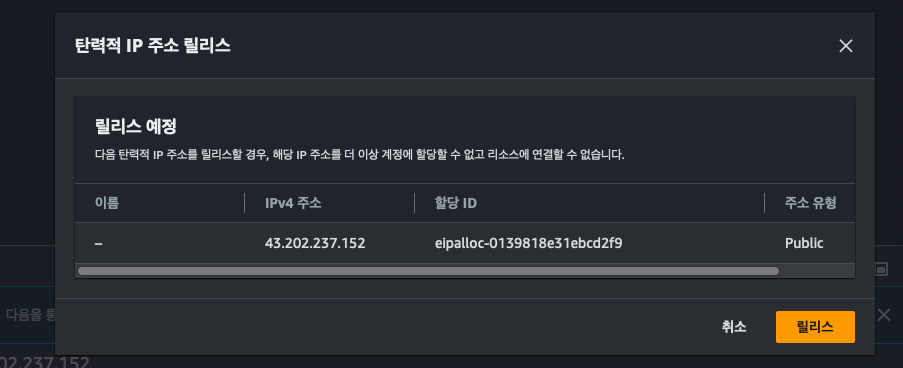
4) 탄력적 IP 릴리즈
5) cloudformation 삭제