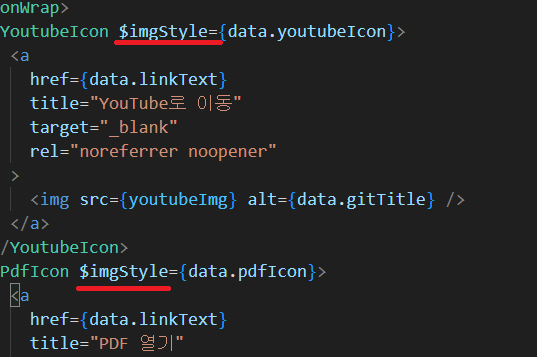
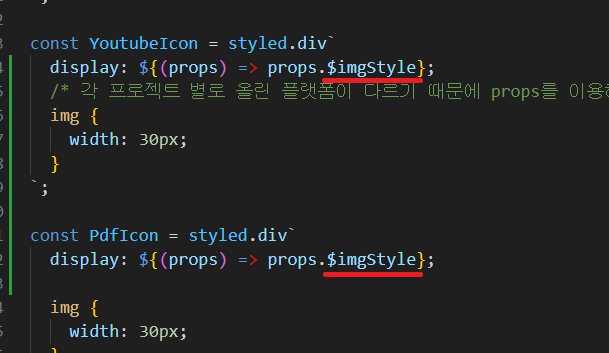
앞의 글에서 필요한 아이콘을 사용하기 위해서 props를 사용하였는데, 이후 새로운 오류가 생겨서 해결해보고자 글을 작성하게 되었다.

React does not recognize the
imgStyleprop on a DOM element. If you intentionally want it to appear in the DOM as a custom attribute, spell it as lowercaseimgstyleinstead. If you accidentally passed it from a parent component, remove it from the DOM element.
오류를 찾아보니 React에서 카멜케이스는 DOM속성으로 인식하기 때문에 오류가 뜬 것!
아! 그럼 소문자로 바꾸면 해결이 되는 건가??!
그런 마음으로 소문자로 싹 고쳤으나..

styled-components: it looks like an unknown prop "imgstyle" is being sent through to the DOM, which will likely trigger a React console error. If you would like automatic filtering of unknown props, you can opt-into that behavior via
<StyleSheetManager shouldForwardProp={...}>(connect an API like@emotion/is-prop-valid) or consider using transient props ($prefix for automatic filtering.)
이번에는 이런 경고문이 뜨는 것 아니겠는가..
해결하기 위해서는 @emotion/is-prop-valid를 사용하거나, 달러($)접두사를 추가하면 된다.
(1) StyleSheetManager 사용
-
StyleSheetManager을 사용하는 경우
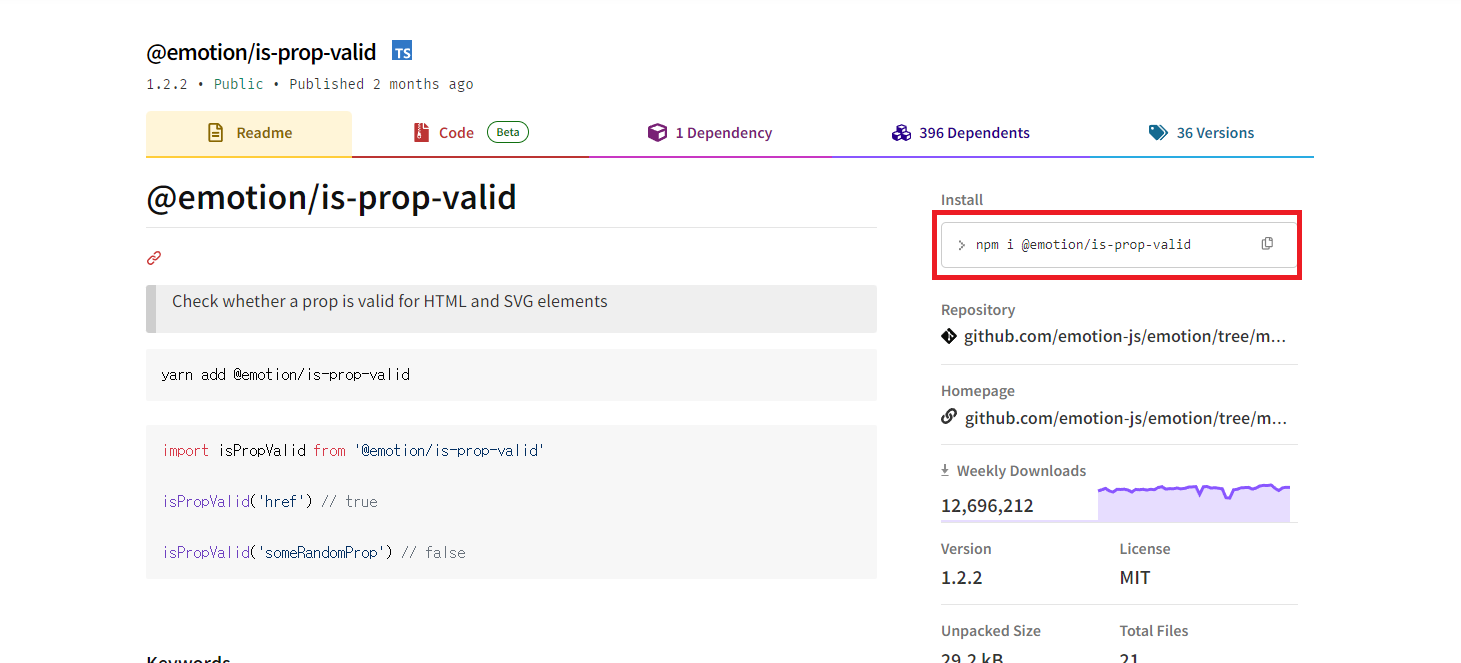
npm 페이지로 가서 @emotion/is-prop-valid를 install해준다.
npm i @emotion/is-prop-valid
-
install을 해줬으면 StyleSheetManager을 import해주자

-
아래 그림처럼 추가해준다.
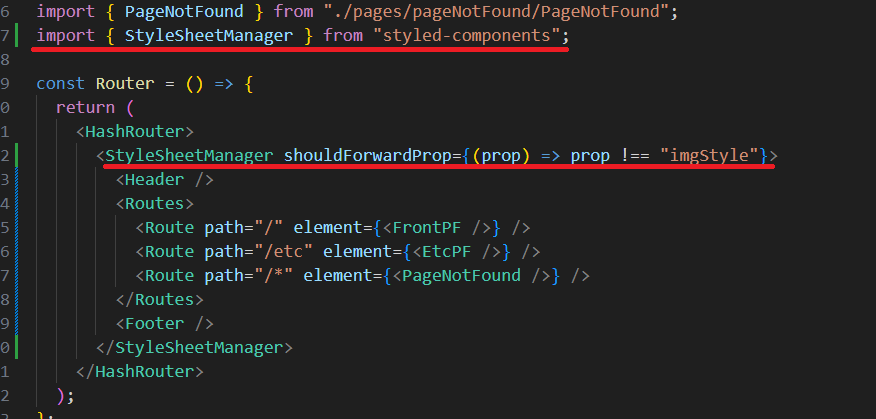
- 확인해보면 에러나 경고문이 사라진 걸 확인할 수 있다!
(2) 달러($) 접두사 사용
간단하게 $를 추가해주기만 하면 된다..