delegate / DataSource
delegate
- delegate로 선언된 객체는 자신을 임명한 객체가 도와을 요청하면 지정된 메서드를 통해 처리해준다.
하나의 객체가 모든 일을 하지 않고 일을 분담하여 하는 것을 말한다.
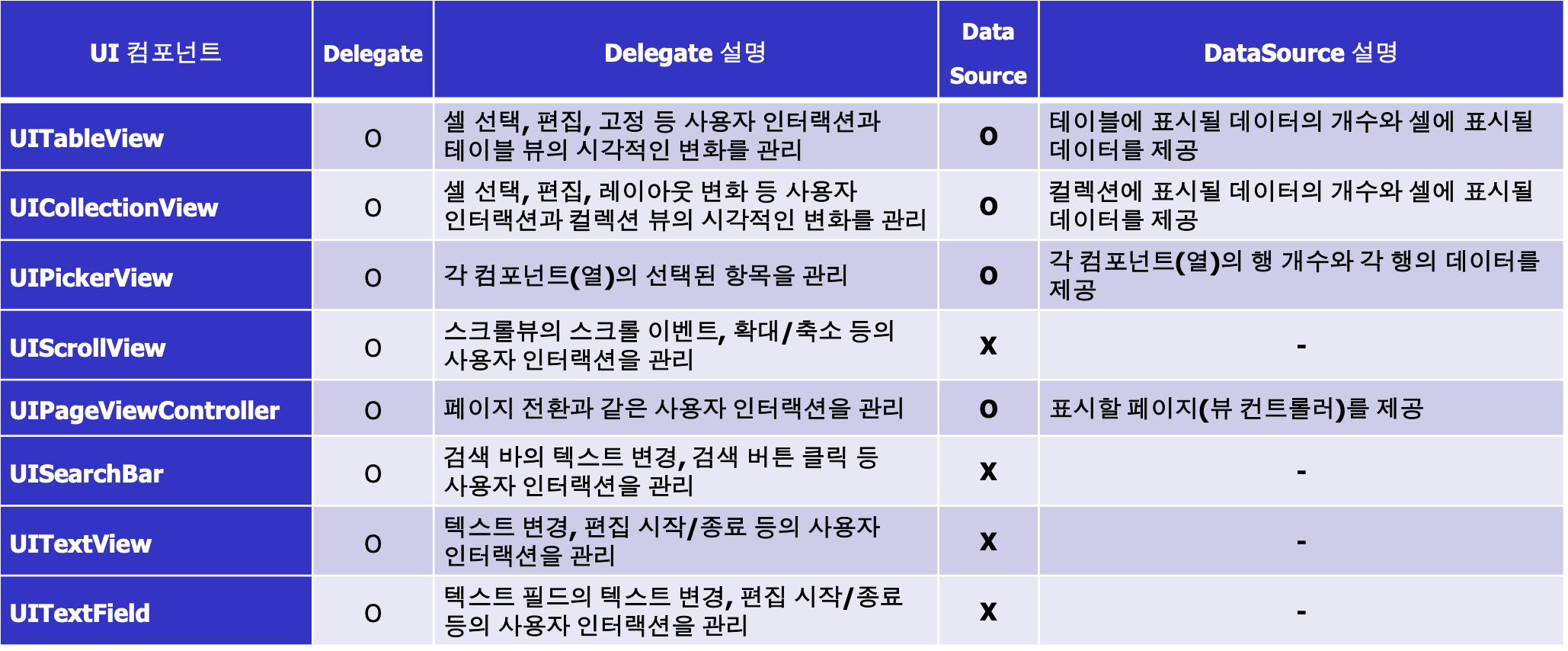
프로토콜(protocol)
- 특정 클래스와 관련없는 프로퍼티, 메서드 선언 집합
table view의 필수 메서드
- table view -> UITableViewDataSource 를 만들때 사용해야 하는 필수 메서드 2가지 numberOfRowsInSection , cellForRowAt
override func tableView(_ tableView: UITableView, numberOfRowsInSection section: Int) -> Int {
    return items.count
} // 특정 섹션에 표시할 행의 개수
override func tableView(_ tableView: UITableView, cellForRowAt indexPath: IndexPath) -> UITableViewCell {
    // Fetch a cell of the appropriate type.
    let cell = tableView.dequeueReusableCell(withIdentifier: "cellTypeIdentifier"
                                             , for: indexPath)
    // Configure the cell’s contents.
    cell.textLabel!.text = "Cell text"
    return cell
} //특정 위치의 셀을 리턴
선택적 메서드
numberOfSections(in:)
테이블 뷰에 섹션 수 지정
tableView(_:titleForHeaderInSection:)
각 섹션의 헤더에 표시될 텍스트 지정
tableView(_:titleForFooterInSection:)
각 섹션의 푸터에 표시될 텍스트 지정
tableView(_:canEditRowAt:)
셀을 삭제하거나 추가할 때
tableView(_:canMoveRowAt:)
셀의 순서를 변경할 때
Delegate: UITableViewDelegate프로토콜
tableView(_:willDisplay:forRowAt:)
셀이 테이블 뷰에 추가되기 직전에 호출. 셀의 외관을 세부적으로 조정
tableView(_:didSelectRowAt:)
사용자가 특정 셀을 선택했을 때 호출. 셀 선택 시 실행할 동작을 정의
tableView(_:heightForRowAt:)
각 셀의 높이를 지정. 모든 셀이 동일한 높이가 아닐 경우 유용
tableView(_:viewForHeaderInSection:)
각 섹션의 헤더 뷰를 커스터마이징. 커스텀 뷰를 섹션 헤더로 반환
tableView(_:heightForHeaderInSection:)
각 섹션 헤더의 높이 지정. 헤더 뷰의 높이를 조정
tableView(_:viewForFooterInSection:)
각 섹션의 푸터 뷰를 커스터마이징. 커스텀 뷰를 섹션 푸터로 반환
tableView(_:heightForFooterInSection:)
각 섹션 푸터의 높이를 지정. 푸터 뷰의 높이를 조정
tableView(_:willBeginEditingRowAt:)
셀이 편집 모드로 들어갈 때 호출. 편집 동작을 시작하기 전에 필요한 작업
tableView(_:didEndEditingRowAt:)
셀의 편집이 끝났을 때 호출. 편집 동작이 완료된 후의 처리
기본적인 섹터별 이름
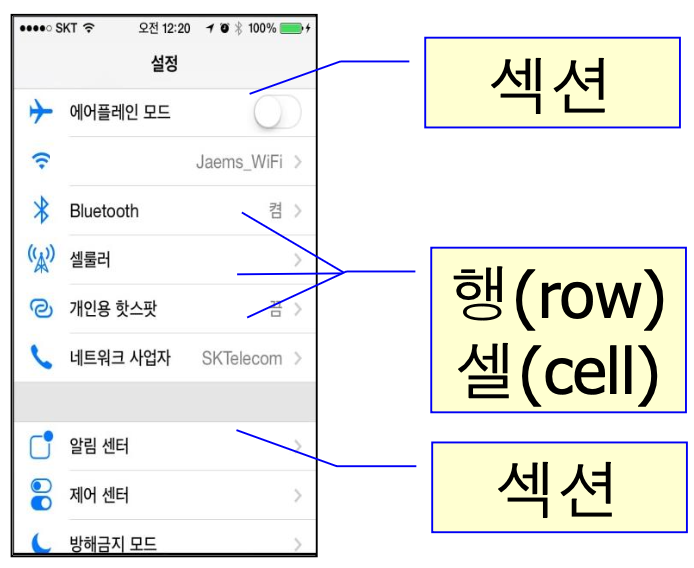
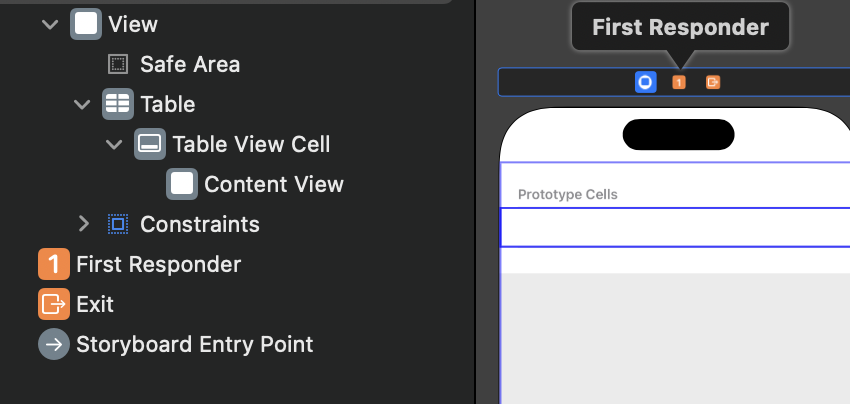
table view
-
Safe Area = Status bar, 네비게이션바, Home Indicator 영역을 제외한 부분
-
table view를 만들때 필수 메서드를 두개를 사용해야 하지만 한개만 주어 에러가 나는 모습이다.

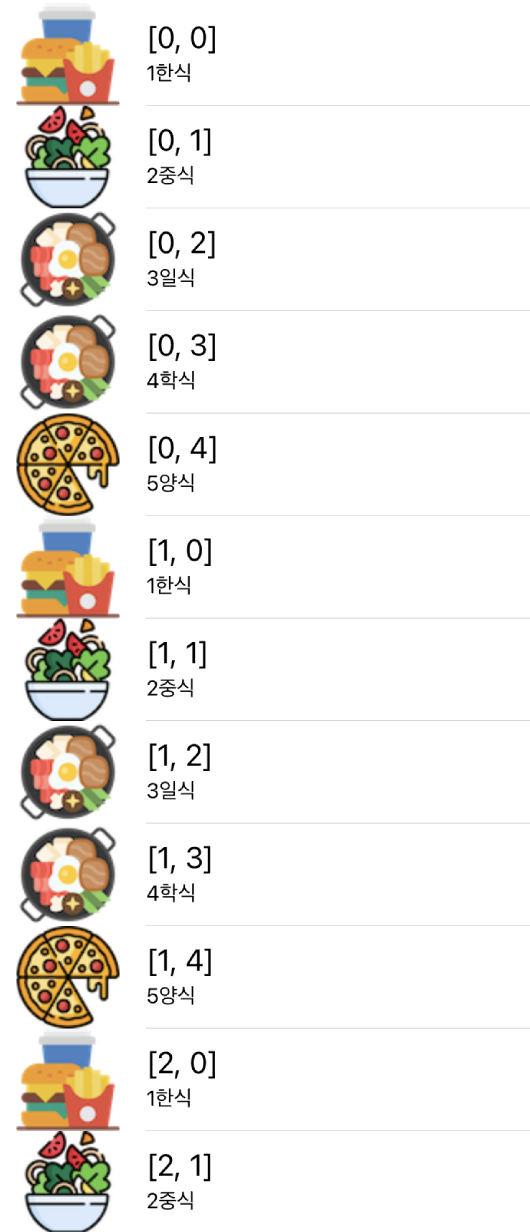
범위를 지정하고 반복하여 출력
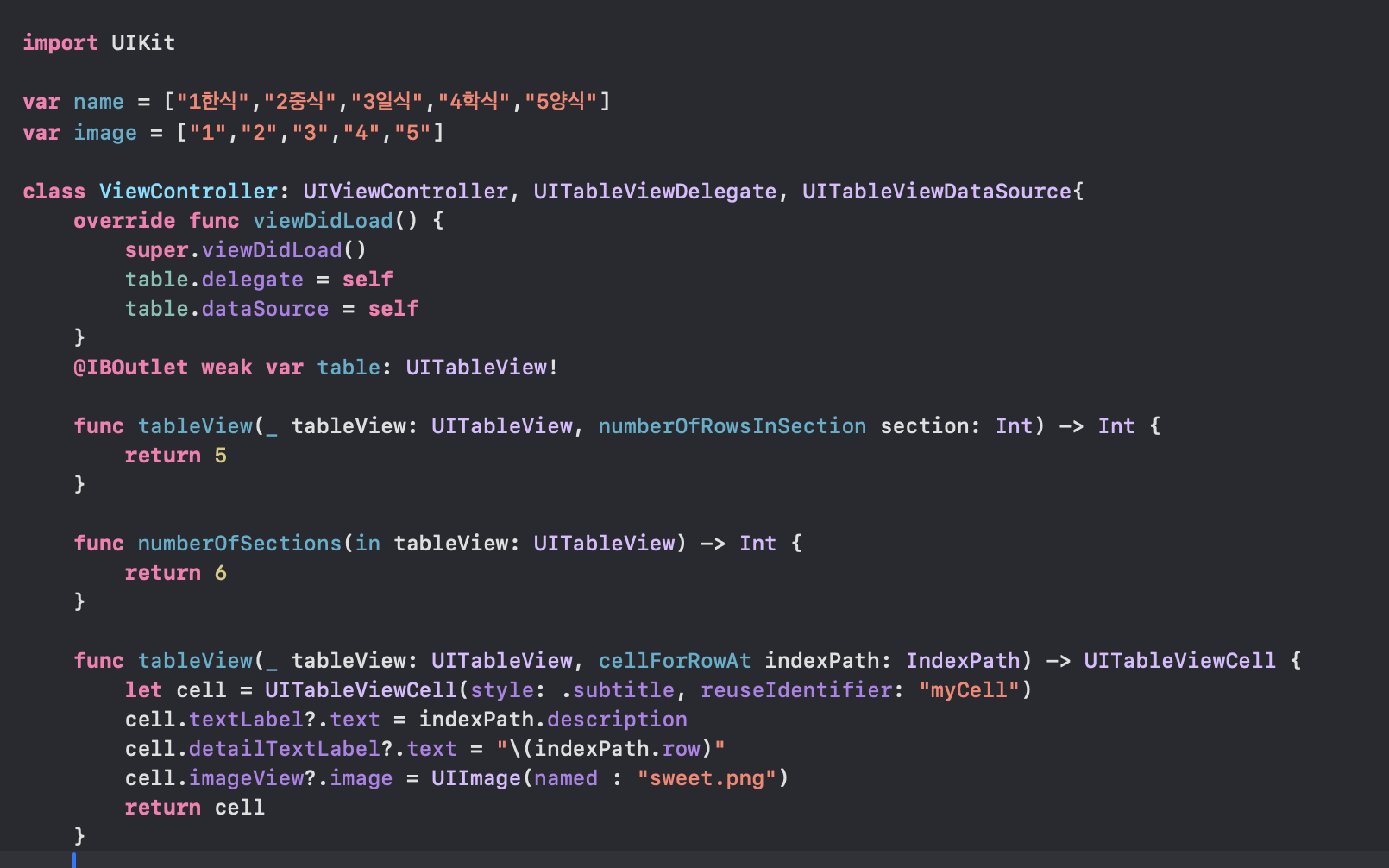
반복 실행되는 코드
- 실질적으로 image와 text를 가져와서 반복실행 되는 모습이 보인다.
func tableView(_ tableView: UITableView, cellForRowAt indexPath: IndexPath) -> UITableViewCell {
        let cell = UITableViewCell(style: .subtitle, reuseIdentifier: "myCell")
        cell.textLabel?.text = indexPath.description
        cell.detailTextLabel?.text = name[indexPath.row]
        cell.imageView?.image = UIImage(named : image[indexPath.row])
        return cell
cell custom
- 애플에서 공식으로 만들어준 cell이 있지만 마음에 들지 않으면 아래와 같이 TableView Cell을 만들어 사용자가 원하는 모양으로 만들 수 있다.

개발자 지망생