리액트 프로젝트를 하다 보면 꼭 한 번은 만나게 되는 상황이 있습니다.
컴포넌트 트리 어딘가에서 에러가 터지면, 앱 전체가 그대로 하얀 화면(white
screen of death)이 되어버리는 순간이죠.
이럴 때 사용자를 보호해주는 최후의 안전망이 바로 Error
Boundary입니다.
그런데 재미있는 사실 하나. 함수 컴포넌트 전성시대인 지금도, Error
Boundary만은 클래스 컴포넌트로만 작성해야 합니다.
"왜 아직도 클래스일까?" 오늘은 그 이유와 한계, 그리고 실전 적용 팁을
정리해봅니다.
TL;DR (Too Long; Didn’t Read)
- Error Boundary는 여전히 클래스 전용
라이프사이클(getDerivedStateFromError,componentDidCatch)로만
지원됩니다. - 함수형 훅으로 대체할 수 없고, 필요하다면
react-error-boundary같은
라이브러리를 사용하세요. - 잡을 수 있는 에러 범위는 제한적입니다: 렌더링/라이프사이클/자식
생성자.
이벤트 핸들러, 비동기 콜백, SSR 단계 오류는 잡지 못합니다.
Error Boundary란 무엇인가
- 문제: 자식 컴포넌트에서 발생한 에러 하나 때문에 앱 전체가 무너질
수 있습니다. - 해결: Error Boundary는 하위 트리에서 발생한 렌더링 에러를
포착해, Fallback UI를 보여줍니다.
→ 사용자에게 최소한 "앗, 오류가 발생했어요" 같은 화면을 보장해 주는
셈이죠.
왜 클래스여야 할까?
React는 에러 처리를 위해 두 가지 클래스 전용 메서드를 제공합니다.
class ErrorBoundary extends Component<Props, State> {
  static getDerivedStateFromError(error: Error): State {
    return { hasError: true, error };
  }

  componentDidCatch(error: Error, errorInfo: ErrorInfo): void {
    console.error('Error caught by boundary:', error, errorInfo);
  }
}getDerivedStateFromError: 렌더 단계에서 에러 발생 시 호출 →
상태를 에러 모드로 전환 → fallback UI 렌더링componentDidCatch: 커밋 이후 호출 → 로깅/리포팅에 활용(Sentry
등)
함수형 컴포넌트에서는 이 과정을 대체할 공식 훅이 없습니다.
try/catch나 useEffect로는 렌더 단계 예외를 잡을 수 없고, Suspense도
목적이 다르죠.
그래서 지금도 Error Boundary는 클래스가 정석입니다.
실전 구현 포인트
아래는 가장 단순한 형태의 Error Boundary입니다.
import { Component, type ErrorInfo, type ReactNode } from 'react';

class ErrorBoundary extends Component<{ children: ReactNode; fallback?: ReactNode }, { hasError: boolean; error: Error | null }> {
  state = { hasError: false, error: null as Error | null };

  static getDerivedStateFromError(error: Error) {
    return { hasError: true, error };
  }

  componentDidCatch(error: Error, errorInfo: ErrorInfo) {
    console.error('Error caught by boundary:', error, errorInfo);
  }

  render() {
    if (this.state.hasError) {
      return this.props.fallback ?? (
        <div>
          <h2>오류가 발생했습니다</h2>
          <p>{this.state.error?.message ?? '알 수 없는 오류'}</p>
          <button onClick={() => this.setState({ hasError: false, error: null })}>다시 시도</button>
        </div>
      );
    }
    return this.props.children;
  }
}

export default ErrorBoundary;
특징
hasError,error상태를 로컬에서 관리props.fallback이 있으면 우선 사용- "다시 시도" 버튼 → 상태 초기화 후 재렌더링 시도
어떻게 쓰나?
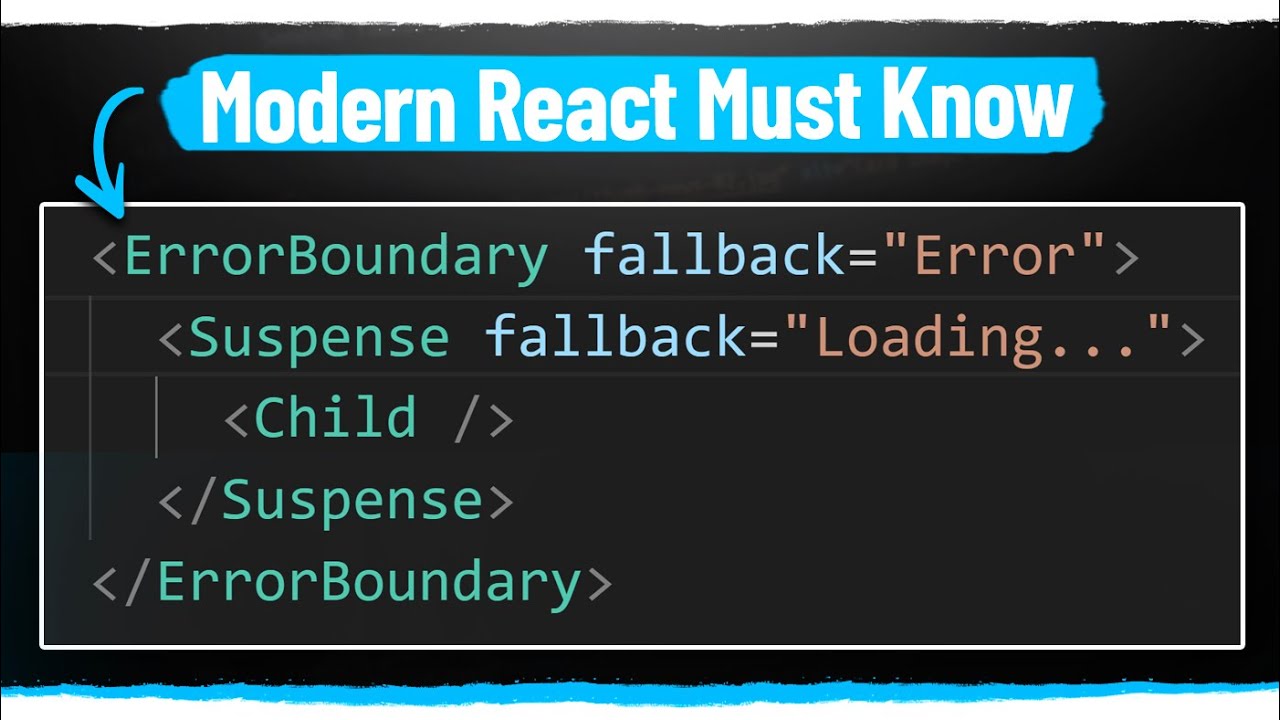
일반적으로는 페이지나 큰 섹션 단위로 감싸는 방식이 가장
효과적입니다.
import ErrorBoundary from '@/components/ErrorBoundary';
import Dashboard from '@/pages/Dashboard';

export default function App() {
  return (
    <ErrorBoundary>
      <Dashboard />
    </ErrorBoundary>
  );
}
이렇게 하면 특정 페이지에서만 오류가 발생했을 때, 다른 페이지로 전파되지
않도록 막을 수 있습니다.
함수형으로 쓰고 싶다면?
react-error-boundary라는 라이브러리를 추천합니다.
내부적으로는 여전히 클래스 기반 Error Boundary를 사용하지만, 함수형
API를 제공합니다.
import { ErrorBoundary } from 'react-error-boundary';

function Fallback({ error, resetErrorBoundary }: { error: Error; resetErrorBoundary: () => void }) {
  return (
    <div>
      <h2>오류가 발생했습니다</h2>
      <p>{error.message}</p>
      <button onClick={resetErrorBoundary}>다시 시도</button>
    </div>
  );
}

export default function App() {
  return (
    <ErrorBoundary
      FallbackComponent={Fallback}
      onReset={() => {
        // 상태 초기화, 캐시 정리 등 복구 로직
      }}
    >
      <Dashboard />
    </ErrorBoundary>
  );
}
Error Boundary가 못 잡는 것들
- 이벤트 핸들러 내부 에러 → 직접
try/catch필요 - 비동기 콜백(setTimeout, Promise) → 바운더리 밖
- SSR 단계 오류 → 서버 측 처리 필요
- 자기 자신 내부의 에러 → 자식 트리만 보호 가능
Best Practice
- 전역 + 로컬 레벨링: 앱 전체를 감싸는 글로벌 바운더리 +
페이지/피처 단위 로컬 바운더리 함께 사용 - 안정적인 Fallback: 의존성 적고 실패 확률이 낮은 UI 사용
- 로깅 연동:
componentDidCatch에서 사용자 컨텍스트, 라우트,
릴리즈 버전 등 함께 전송 - 복구 전략: "다시 시도" 시 캐시 초기화, 상태 리셋, 데이터
재요청까지 고려
결론
Error Boundary는 여전히 클래스 전용 기능입니다.
"왜 클래스냐?"라는 질문에 대한 답은 단순합니다:
React가 제공하는 에러 복구 메커니즘이 클래스 라이프사이클에만 존재하기
때문입니다.
함수형 API를 쓰고 싶다면 react-error-boundary 같은 라이브러리를
활용하세요.
중요한 건 클래스 기반이라는 원리를 이해하고, 실제 서비스에서는
올바르게 배치하고 로깅/복구 전략까지 함께 세우는 것입니다.