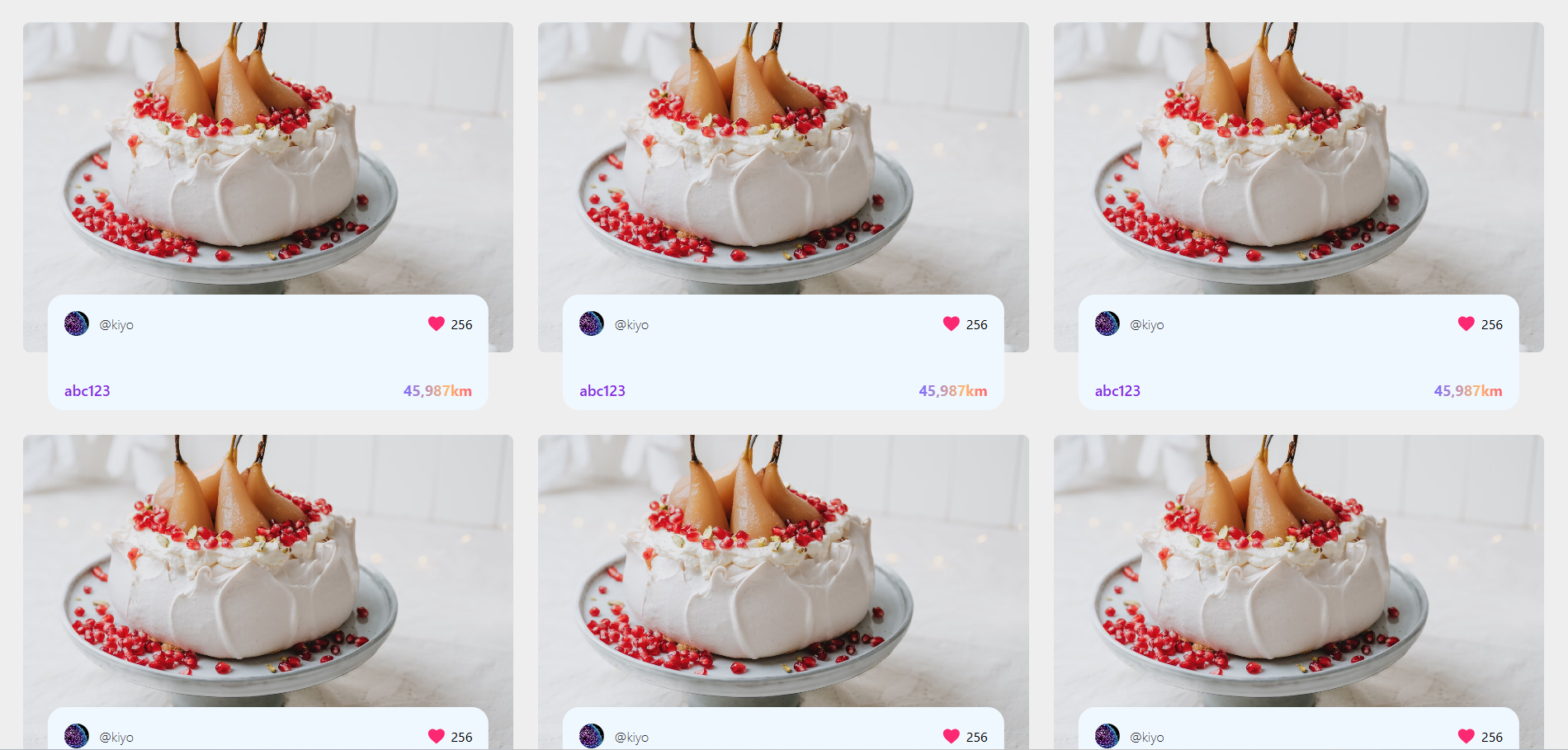
1, styled-components lib 설치 명령어: (--save-dev 필요x)
npm install styled-components1.5, minification of styles, server-side rendering 등 위해
babel도 설치하래서 따라했는데, 아직까지는 필수가 아닌 것 같다.
npm install --save-dev babel-plugin-styled-components1.75, 앱 루트에서 .babelrc파일 생성, 아래 내용 입력
{
  "plugins": ["babel-plugin-styled-components"]
}
2, App.js
import React from "react";
import "./App.css";
import Card from "./components/card/Card";
import CardList from "./components/card/CardList";

function App() {
  return (
    <div>
      <CardList>
        <Card></Card>
        <Card></Card>
        <Card></Card>
        <Card></Card>
        <Card></Card>
        <Card></Card>
      </CardList>
    </div>
  );
}

export default App;
3, Card.js
import React from "react";
import styled from "styled-components";

const StyledCard = styled.div`
  position: relative;
  /* width: 400px; → auto, full*/
`;

const CardImage = styled.div`
  width: 100%; /* StyledCard에 맞추기 */
  height: 400px;
  border-radius: 8px;
`;

const CardImg = styled.img`
  display: block;
  width: 100%;
  height: 100%;
  object-fit: cover;
  border-radius: inherit; /* kế thừa CardImage */
`;

const CardContent = styled.div`
  width: calc(100% - 100px);
  /* 무조건 틀보다 조금 적게 */

  height: 100px;
  position: absolute;
  left: 50%;
  transform: translate(-50%, 50%);
  background-color: aliceblue;
  z-index: 10;
  border-radius: 20px;
  padding: 20px;
  bottom: 0;
`;

const CardTop = styled.div`
  display: flex;
  justify-content: space-between;
  align-items: center;
  /* 위 3종세트의 단축키: facb */
  margin-bottom: 30px;
`;

const CardUser = styled.div`
  display: flex;
  align-items: center;
  column-gap: 12px;
`;

const UserImg = styled.img`
  width: 30px;
  height: 30px;
  border-radius: 100rem;
  object-fit: cover;
  flex-shrink: 0;
`;

const UserName = styled.span`
  font-size: 16px;
  font-weight: 300;
  color: #333;
`;

const CardMeta = styled.div`
  display: flex;
  align-items: horizontal;
  column-gap: 8px;
`;

const CardFooter = styled.div`
  display: flex;
  justify-content: space-between;
  align-items: center;
`;

const CardTitle = styled.h4`
  font-size: 18px;
  font-weight: 500;
  color: blueviolet;
`;

const CardAmt = styled.span`
  font-size: 18px;
  font-weight: bold;
  background: linear-gradient(
    86.88deg,
    #7d6aff 1.38%,
    #ffb86c 64.35%,
    #fc2872 119.91%
  );
  color: transparent;
  -webkit-background-clip: text;
  background-clip: text;
`;

const Card = () => {
  return (
    <StyledCard>
      <CardImage>
        <CardImg
          src="https://images.unsplash.com/photo-1735030379333-134693a094f6?q=80&w=1887&auto=format&fit=crop&ixlib=rb-4.0.3&ixid=M3wxMjA3fDB8MHxwaG90by1wYWdlfHx8fGVufDB8fHx8fA%3D%3D"
          alt=""
        />
      </CardImage>

      <CardContent>
        <CardTop>
          <CardUser>
            <UserImg
              src="https://plus.unsplash.com/premium_photo-1673263586782-8fa0713158e0?q=80&w=1974&auto=format&fit=crop&ixlib=rb-4.0.3&ixid=M3wxMjA3fDB8MHxwaG90by1wYWdlfHx8fGVufDB8fHx8fA%3D%3D"
              alt=""
            />
            <UserName>@kiyo</UserName>
          </CardUser>
          <CardMeta>
            <img src="/heart.svg" alt="heart" />
            <span>256</span>
          </CardMeta>
          {/* / = public folder. 앱 생성 시 자동 지점됨 */}
        </CardTop>

        <CardFooter>
          <CardTitle>abc123</CardTitle>
          <CardAmt>45,987km</CardAmt>
        </CardFooter>
      </CardContent>
    </StyledCard>
  );
};

export default Card;
4, CardList.js
import React from "react";
import styled from "styled-components";

const StyledCardList = styled.div`
  display: grid;
  grid-template-columns: repeat(3, 1fr);
  gap: 100px 30px;
  padding: 30px;
`;

const CardList = (props) => {
  return <StyledCardList>{props.children}</StyledCardList>;
};

export default CardList;
5, index.css
각 카드마다 모양이 잘 잡혔는지 보기 위해 bg 색상 추가
background-color: #eee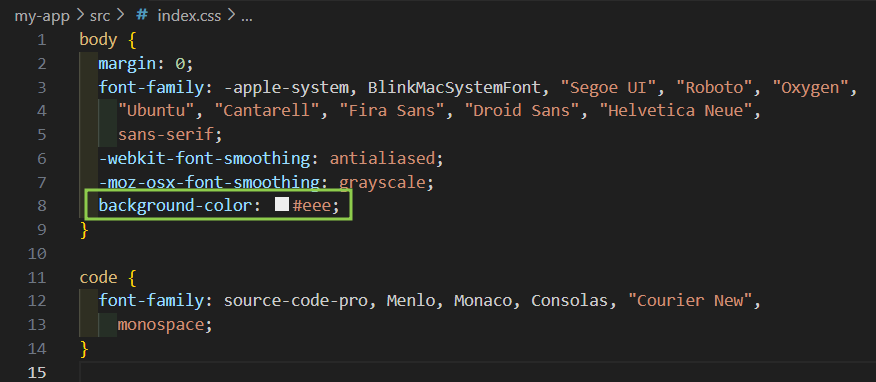
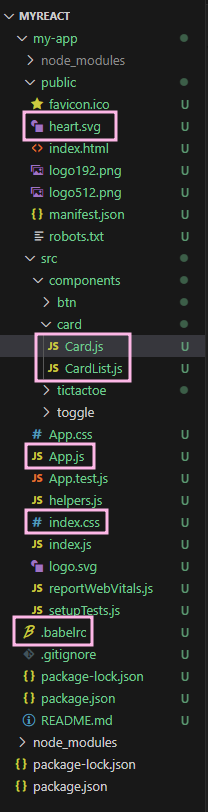
6, 이미지 url
온라인에서 url 가져오고 쓰는 이미지가 아닌,
플젝 폴더에 저장하고 경로를 통해 출력할 경우, 해당 이미지를 public에 저장하면 된다.
directory:

기기 좋아하는 여자