props
컴포넌트 간의
정보 교류 방법이자, 부모 컴포넌트가 자식 컴포넌트에게넘겨준 데이터 묶음이다.
props에는 2가지 규칙이 존재한다.
-
반드시 위에서 아래 방향으로 흐른다.
(부모) > (자식) 방향(단방향) -
반드시
읽기 전용으로 취급하며, 변경하지 않는다.
예시
1) 값 전달 받기
import React from "react";

function App() {
    return <GrandFather />;
}

function GrandFather() {
    return <Mother />;
}

function Mother() {
    const name = "홍부인";
    return <Child motherName={name} />; // 💡"props로 name을 전달했다."
}

function Child(props) {
    console.log(props);
    return <div>연결 성공</div>;
}

export default App;
-
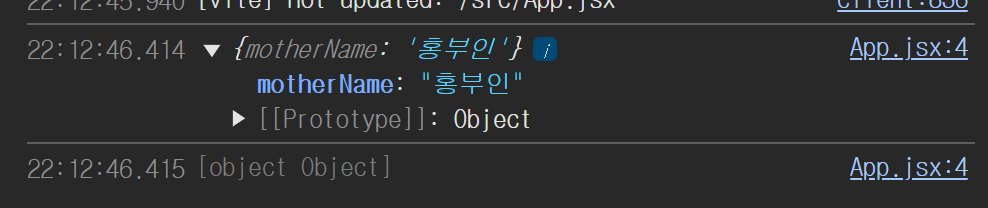
컴포넌트의 인자에서
props값을 받을 수 있다. -
motherName
(key 값)={name}(value값)하나의객체로 전달된다.
2) 전달받은 값을 화면에 렌더링 하기
import React from "react";

function Child(props) {
    console.log(props);
    return <div>{props.motherName}</div>;
}
function Mother() {
    const name = "홍부인";
    return <Child motherName={name} />; // 💡"props로 name을 전달했다."
}
function GrandFather() {
    return <Mother />;
}
function App() {
    return <GrandFather />;
}

export default App;
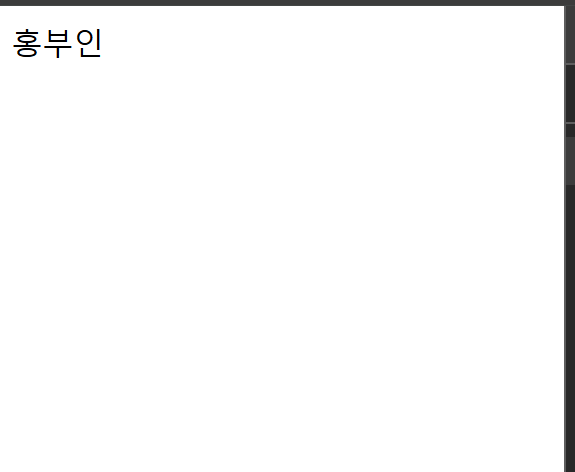
- div태그 안에 {} 중괄호를 사용해서 화면에 렌더링 할 수 있습니다.
- JSX에서도
{ }중괄호를 사용하면 자바스크립트 코드를 사용할 수 있습니다.
props.motherName형태로 사용하는 이유는 props는객체형태로 넘어오기 때문입니다.
prop drilling
부모 > 자식 > 자식 > 자식 형태로 여러번 데이터를 물려 주는 방식을 의미한다.
export default function App() {
  return (
    <div className="App">
      <FirstComponent content="Who needs me?" />
    </div>
  );
}

function FirstComponent({ content }) {
  return (
    <div>
      <h3>I am the first component</h3>;
      <SecondComponent content={content} />|
    </div>
  );
}

function SecondComponent({ content }) {
  return (
    <div>
      <h3>I am the second component</h3>;
      <ThirdComponent content={content} />
    </div>
  );
}

function ThirdComponent({ content }) {
  return (
    <div>
      <h3>I am the third component</h3>;
      <ComponentNeedingProps content={content} />
    </div>
  );
}

function ComponentNeedingProps({ content }) {
  return <h3>{content}</h3>;
}
'content' is missing in props validation 이라는 오류 문구를 만날 수 있다.
만나게 된다면 .eslintrc.cjs파일에서 rules에 "react/prop-types": "off"을 추가하면 된다.
하루를 마치며
오늘은 개인과제 2일차다. 강의를 보면서 따라 했더니 CRUC에서 CRD 기능 구현에 성공했다. 물론 추가하고 싶은 것이 남아 내일 추가하고 남은 U기능 구현에 집중할 것이다. 이 번에는 도전 기능에도 도전할 것이다.
프론트엔드 공부중