Spring3 다운로드
https://github.com/spring-attic/toolsuite-distribution/wiki/Spring-Tool-Suite-3
Tomcat9.0 다운로드
https://tomcat.apache.org/download-90.cgi
STS 환경설정
- windows -> preferences -> general -> workspace -> Default Encoding 을 UTF-8로 변경
- windows -> preferences -> general -> web browser -> External 선택, Chrome 선택
- windows -> preferences -> web -> html -> Enconding -> UTF-8 변경
- windows -> preferences -> web -> css -> Enconding -> UTF-8 변경
- windows -> preferences -> web -> jsp -> Enconding -> UTF-8 변경
Tomcat 환경변수 설정
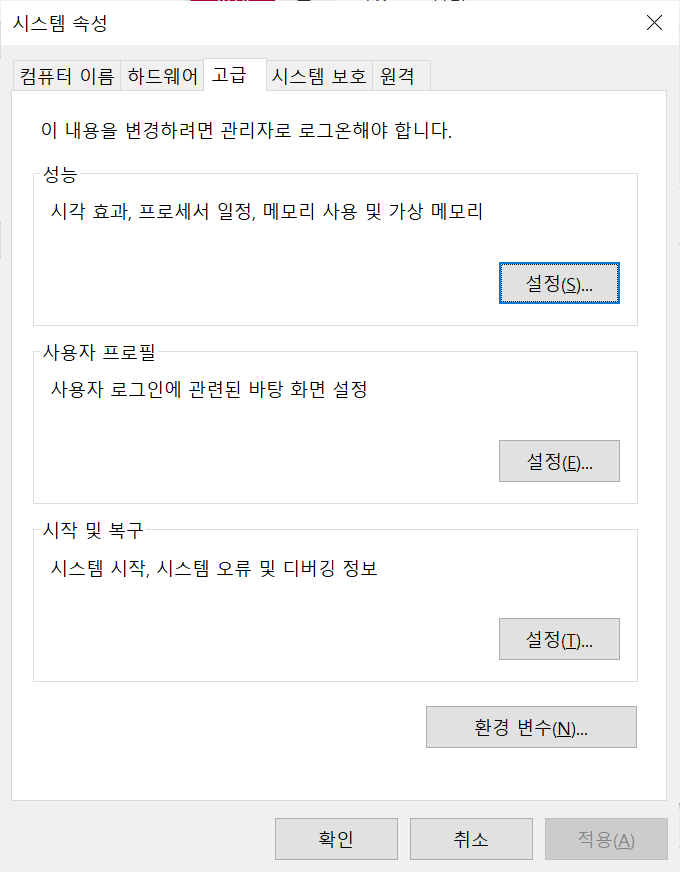
시스템속성 -> 환경변수
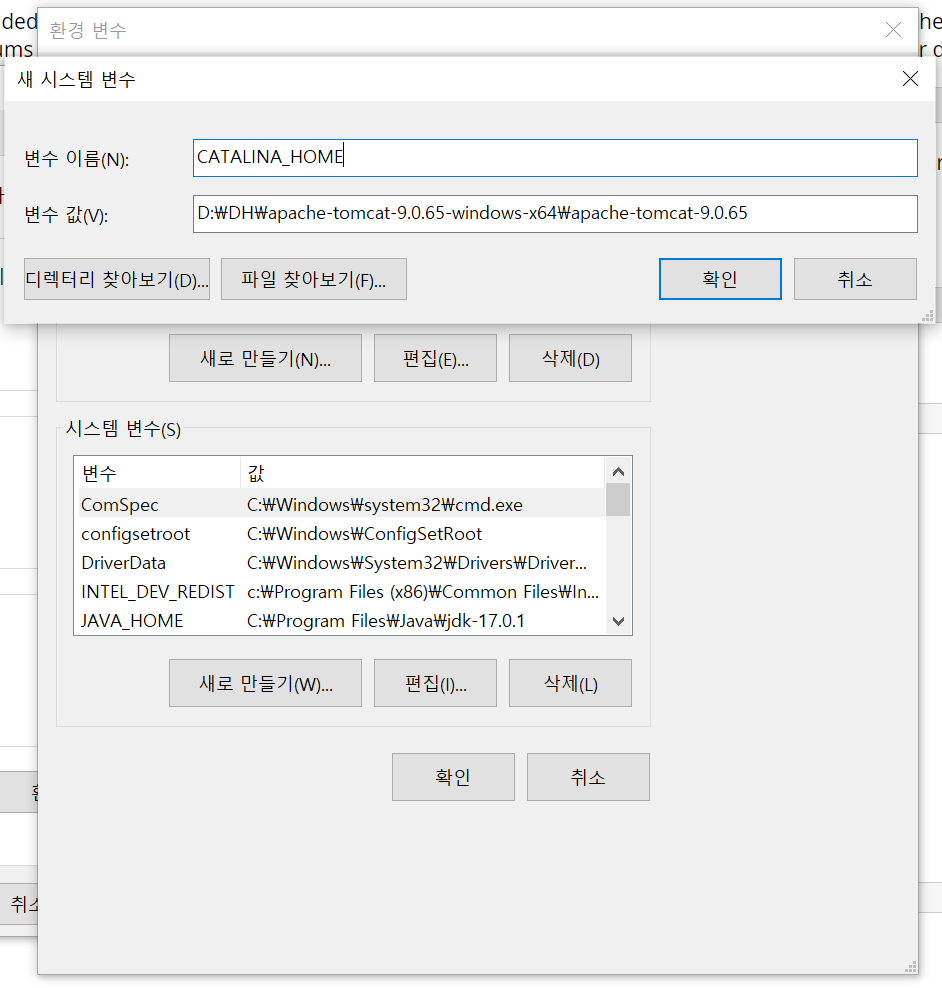
시스템 변수 -> 새로만들기 -> 변수 이름 : CATALINA_HOME -> 변수값: 압축 푼 Tomcat 폴더 (bin 폴더 이전까지) 경로입력
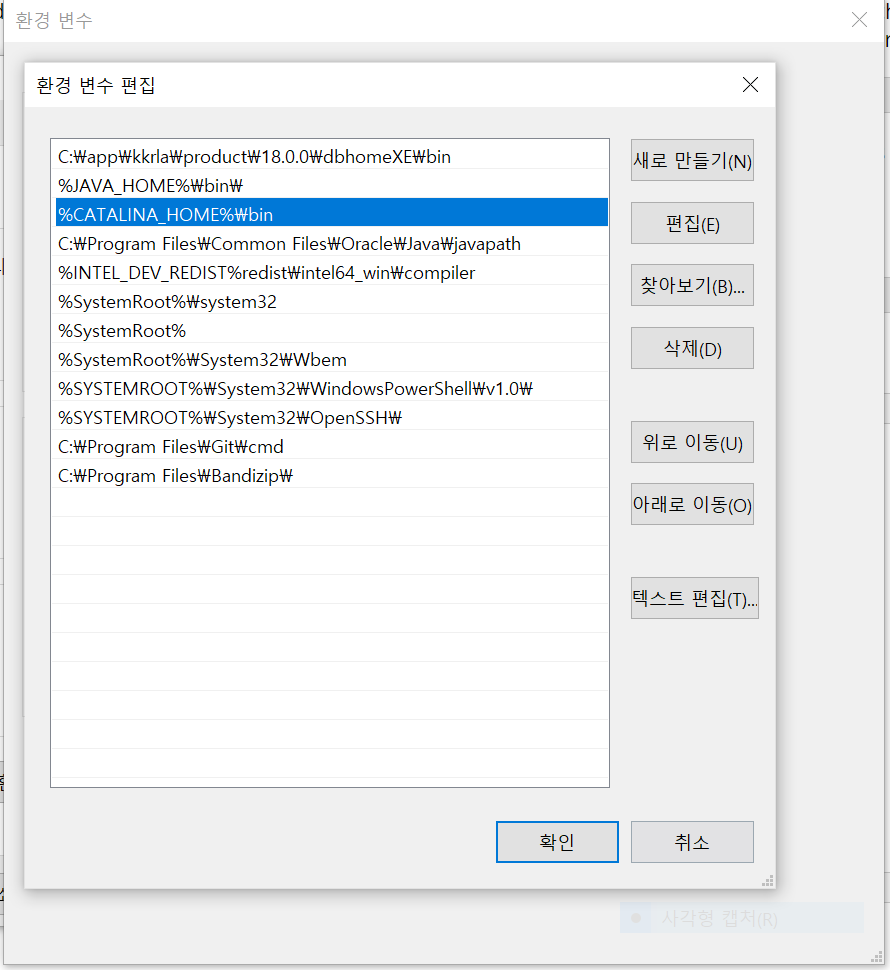
시스템 변수 -> path -> 편집 -> 새로만들기 : %CATALINA_HOME%\bin 입력
STS 연동
windows -> preferences -> server -> RunTime Env...
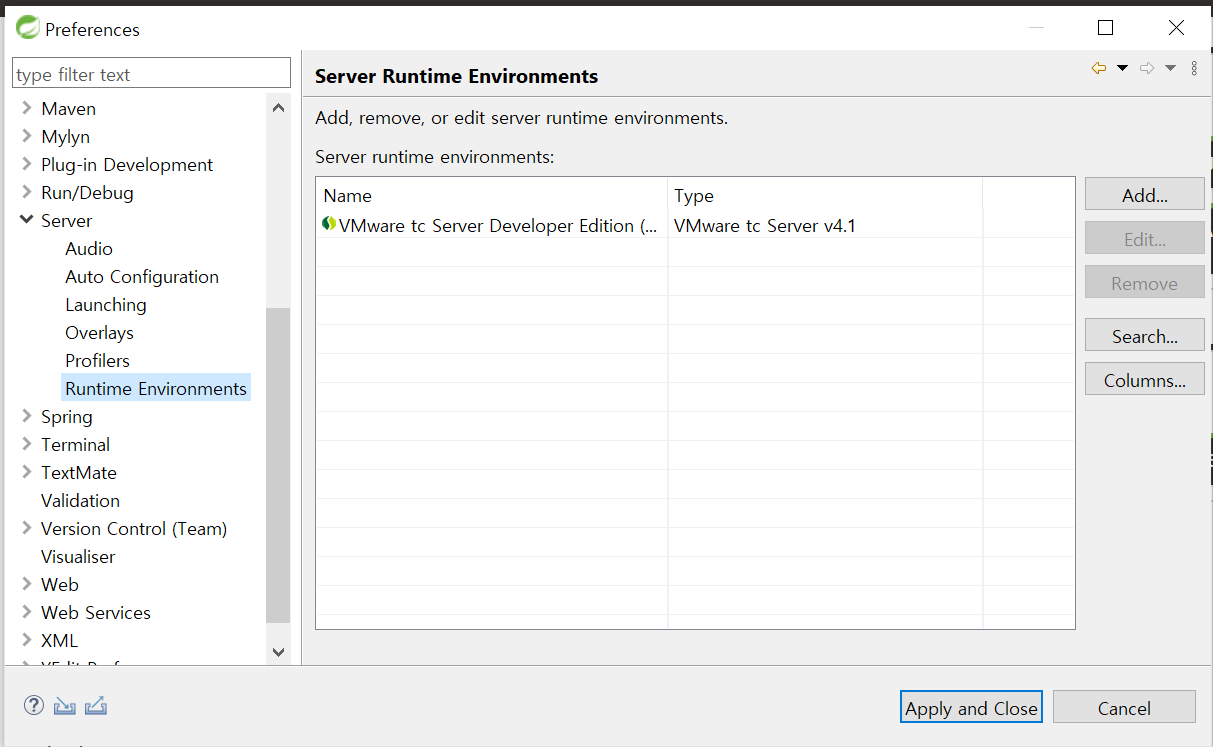
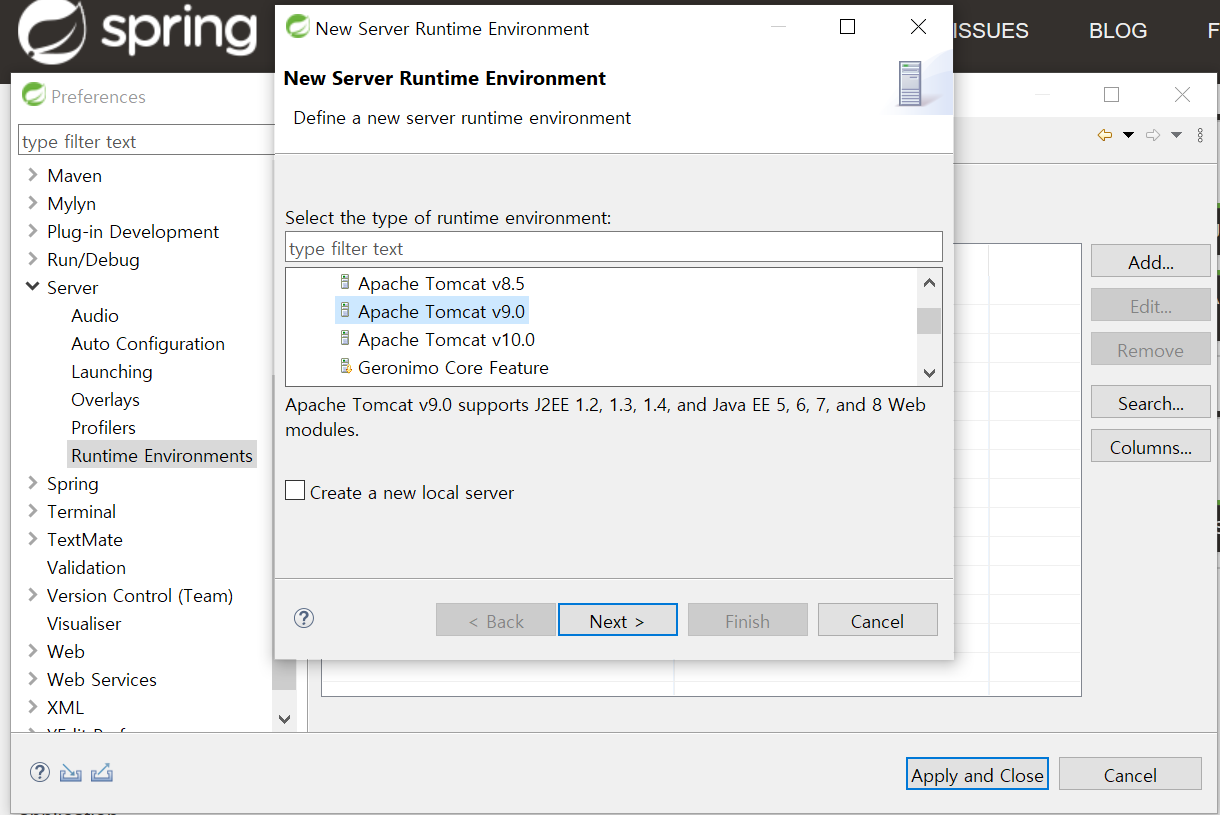
Add -> Apatch 폴더에서 Tomcat9.0 선택
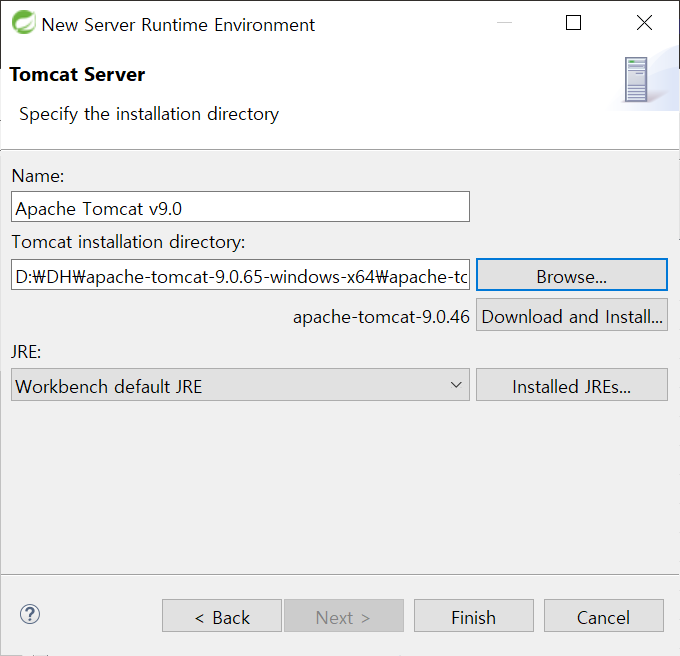
Browser-> Tomcat설치 폴더 찾기 (Bin폴더가 보이는 곳까지)
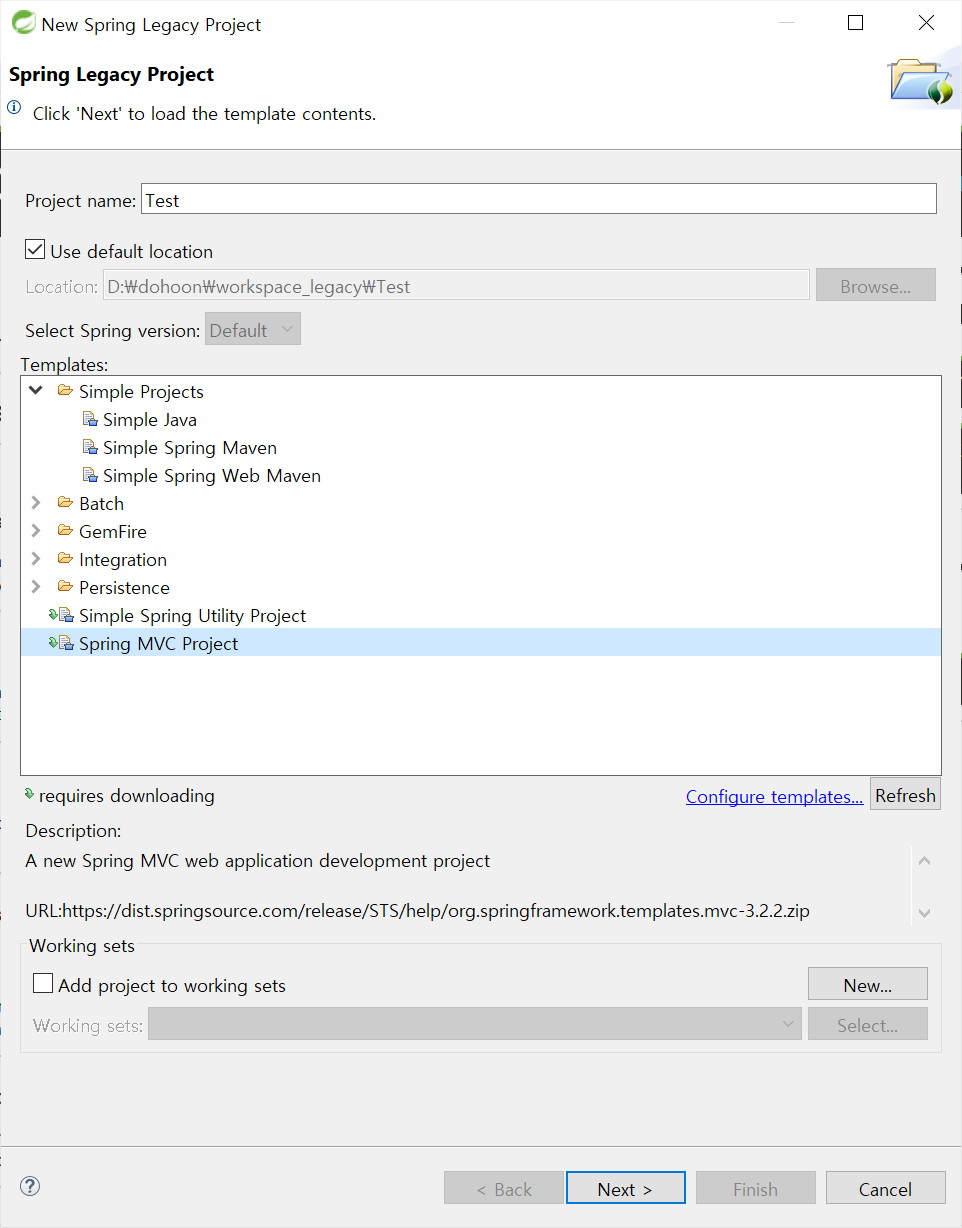
스프링 프로젝트 생성
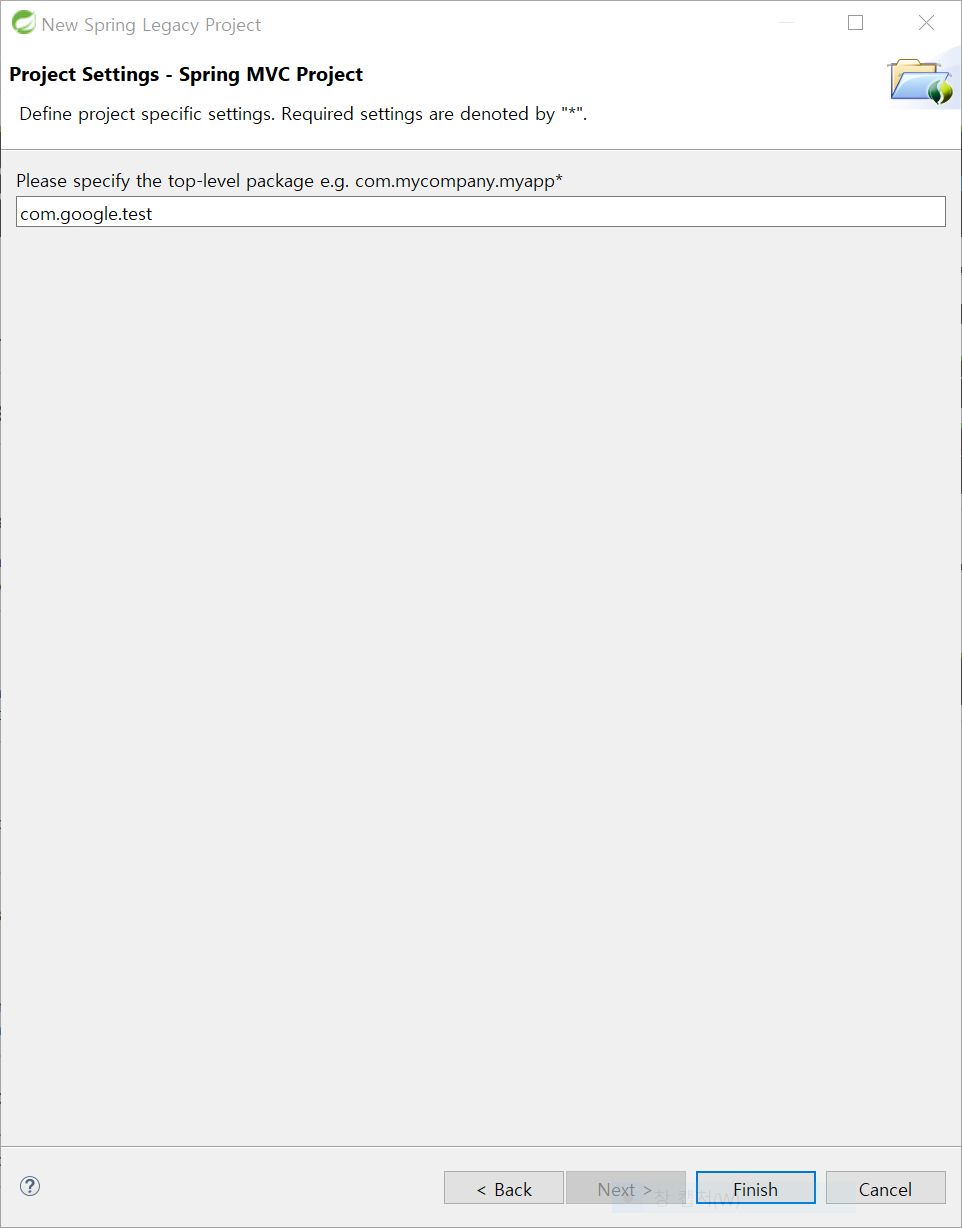
FIle -> new >- Spring Legacy 선택 -> Template -> Spring MVC Project 선택
Base 패키지명 입력
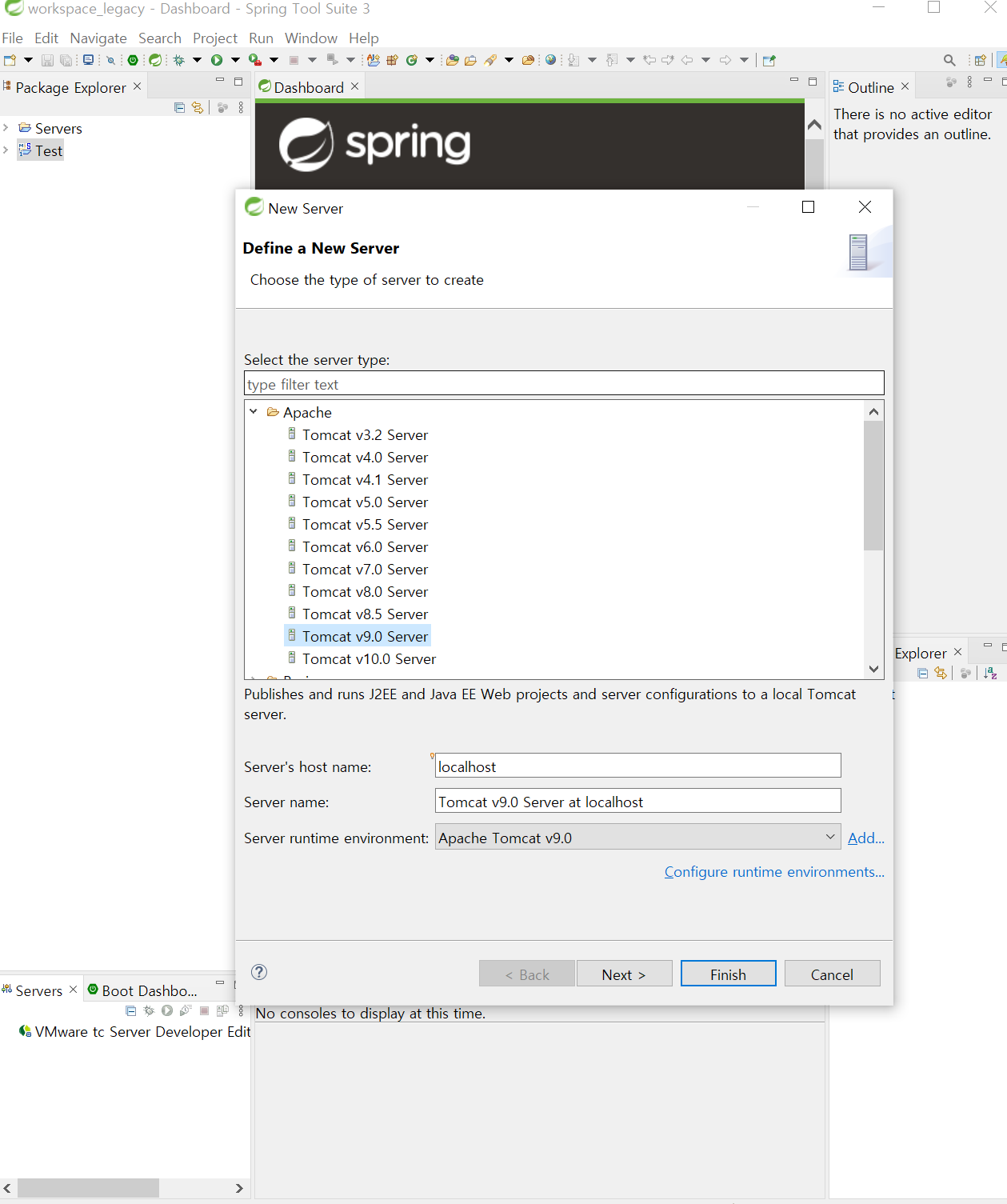
STS에서 사용 할 서버 추가
좌측 하단 server탭 안에 우클릭 -> new -> server -> tomcat9.0선택
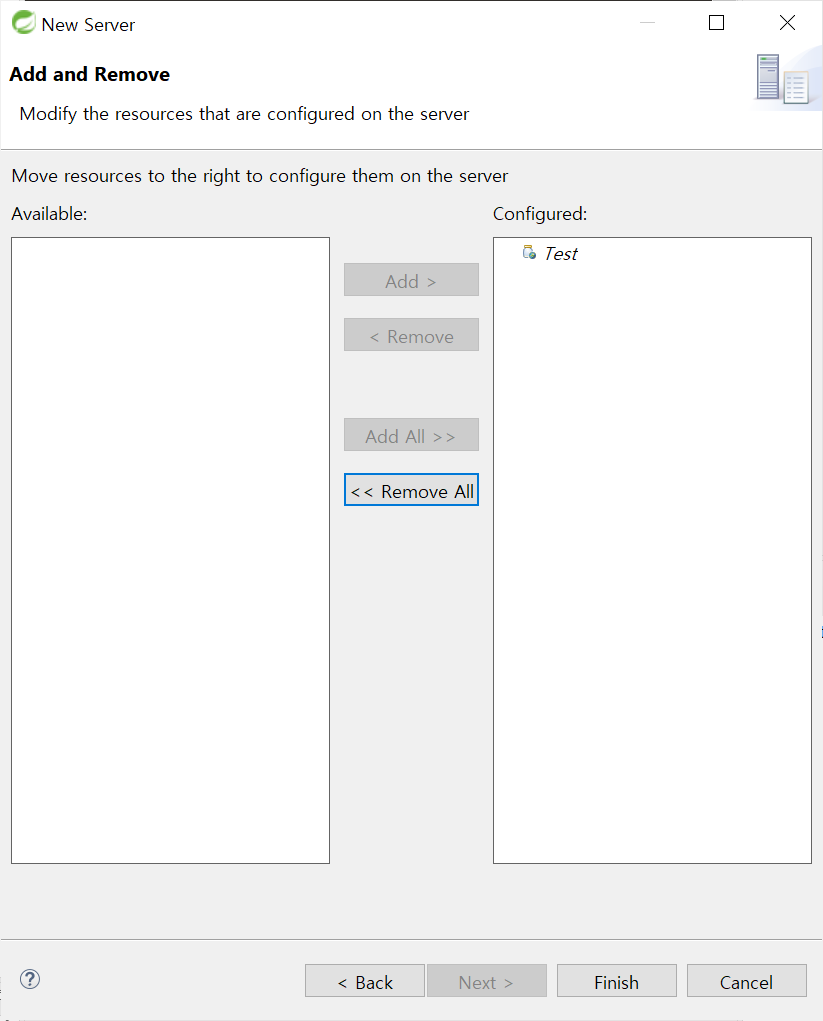
Add -> Finish
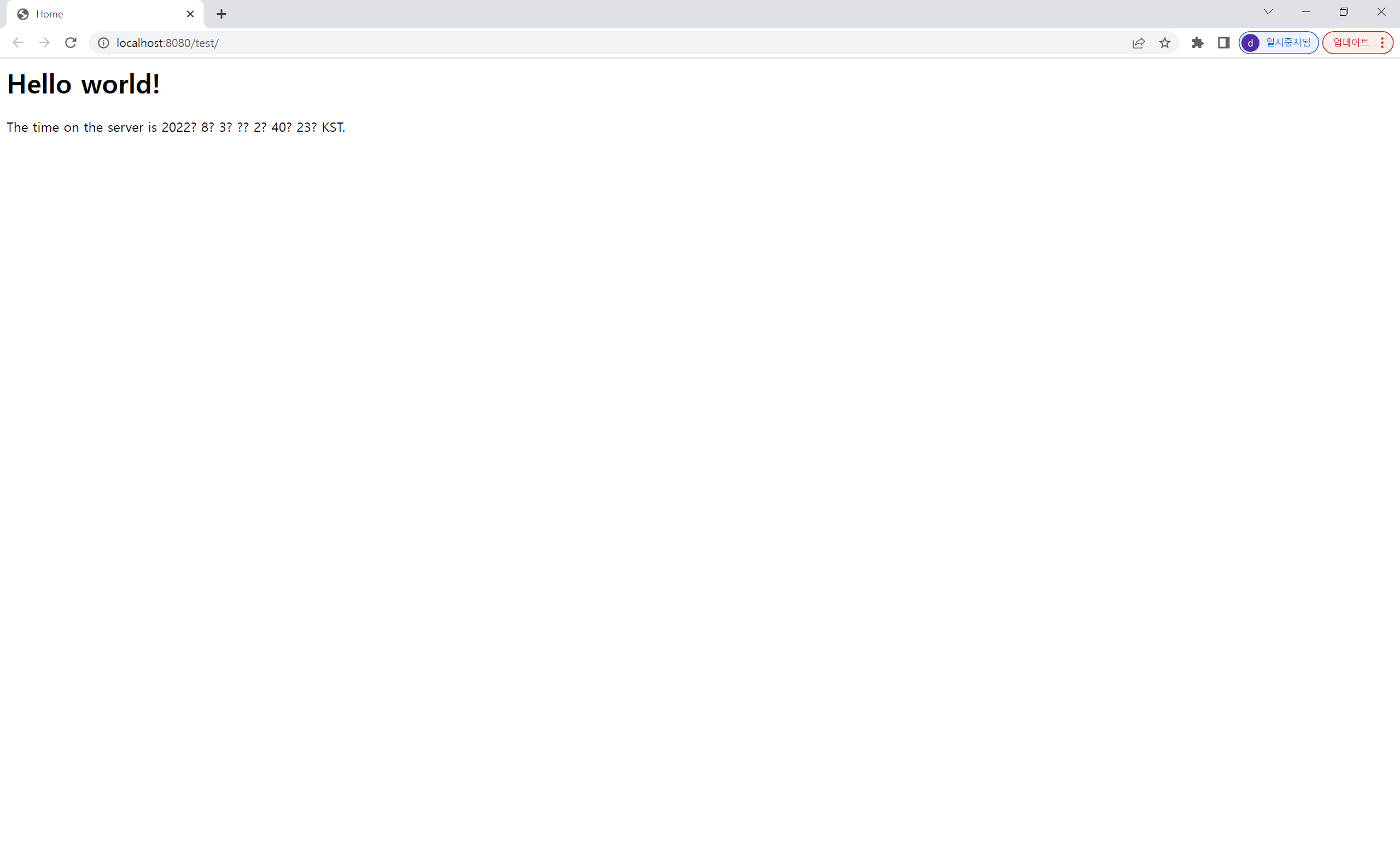
톰캣 실행 확인
프로젝트 우클릭 -> Run As -> Run on Server
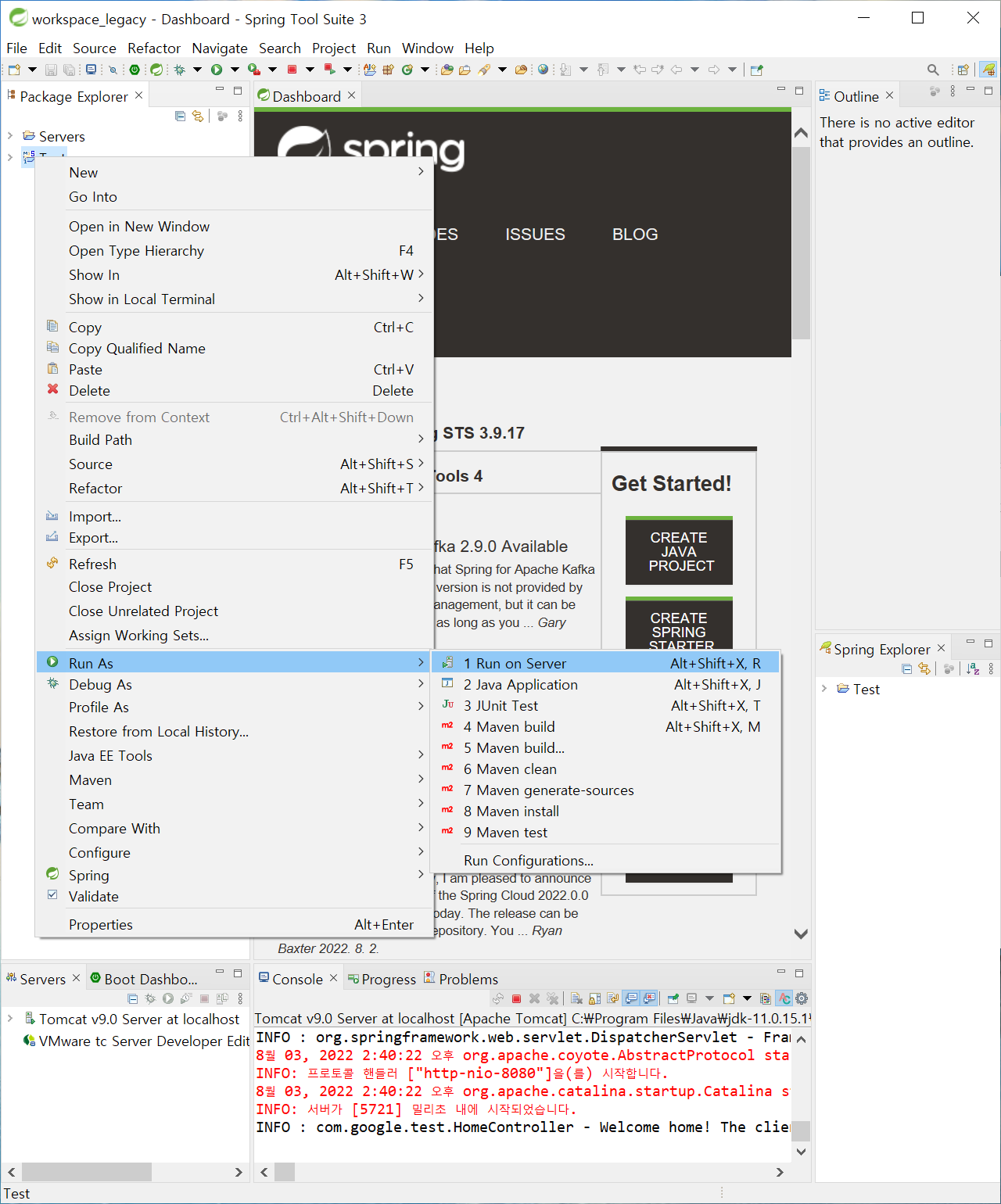
실행 완료