import tkinter as tk

disValue = 0
operator = {'+':1, '-':2, '/':3, '*':4, 'C':5, '=':6}
stoValue = 0
opPre = 0

def number_click(value):
    global disValue
    disValue = (disValue*10) + value
    str_value.set(disValue)

def clear():
    global disValue, stoValue, opPre
    stoValue = 0
    opPre = 0
    disValue = 0
    str_value.set(disValue)

def operator_click(value):
    global disValue,operator,stoValue,opPre
    op = operator[value]
    if op == 5:
        clear()
    elif disValue == 0:
        opPre = 0
    elif opPre == 0:
        opPre = op
        stoValue = disValue
        disValue = 0
        str_value.set(disValue)
    elif op == 6:
        if opPre == 1:
            disValue = stoValue + disValue
        if opPre == 2:
            disValue = stoValue - disValue
        if opPre == 3:
            disValue = stoValue / disValue
        if opPre == 4:
            disValue = stoValue * disValue

        str_value.set(str(disValue))
        disValue = 0
        disValue = 0
        opPre = 0
    else:
        clear()

def button_click(value):
    try:
        value = int(value)
        number_click(value)
    except:
        operator_click(value)

win = tk.Tk()
win.title('계산기')
str_value = tk.StringVar()
str_value.set(str(disValue))
dis = tk.Entry(win, textvariable=str_value, justify='right', bg = 'white', fg = 'black')
dis.grid(column=0, row=0, columnspan = 4, ipadx=90, ipady=25)

calItem = [['7','8','9','*'],
            ['4','5','6','+'],
            ['1','2','3','-'],
            ['/','0','C','=']]

for i,items in enumerate(calItem):
    for k,item in enumerate(items):

        try:
            color = int(item)
            color = 'white'
        except:
            color = '#D6F0FF'
        bt = tk.Button(win,
                       text = item,
                       width = 10,
                       height = 5,
                       bg = color,
                       fg = 'black',
                       command = lambda cmd=item: button_click(cmd)
                       )
        bt.grid(column=k, row=(i+1))
win.mainloop()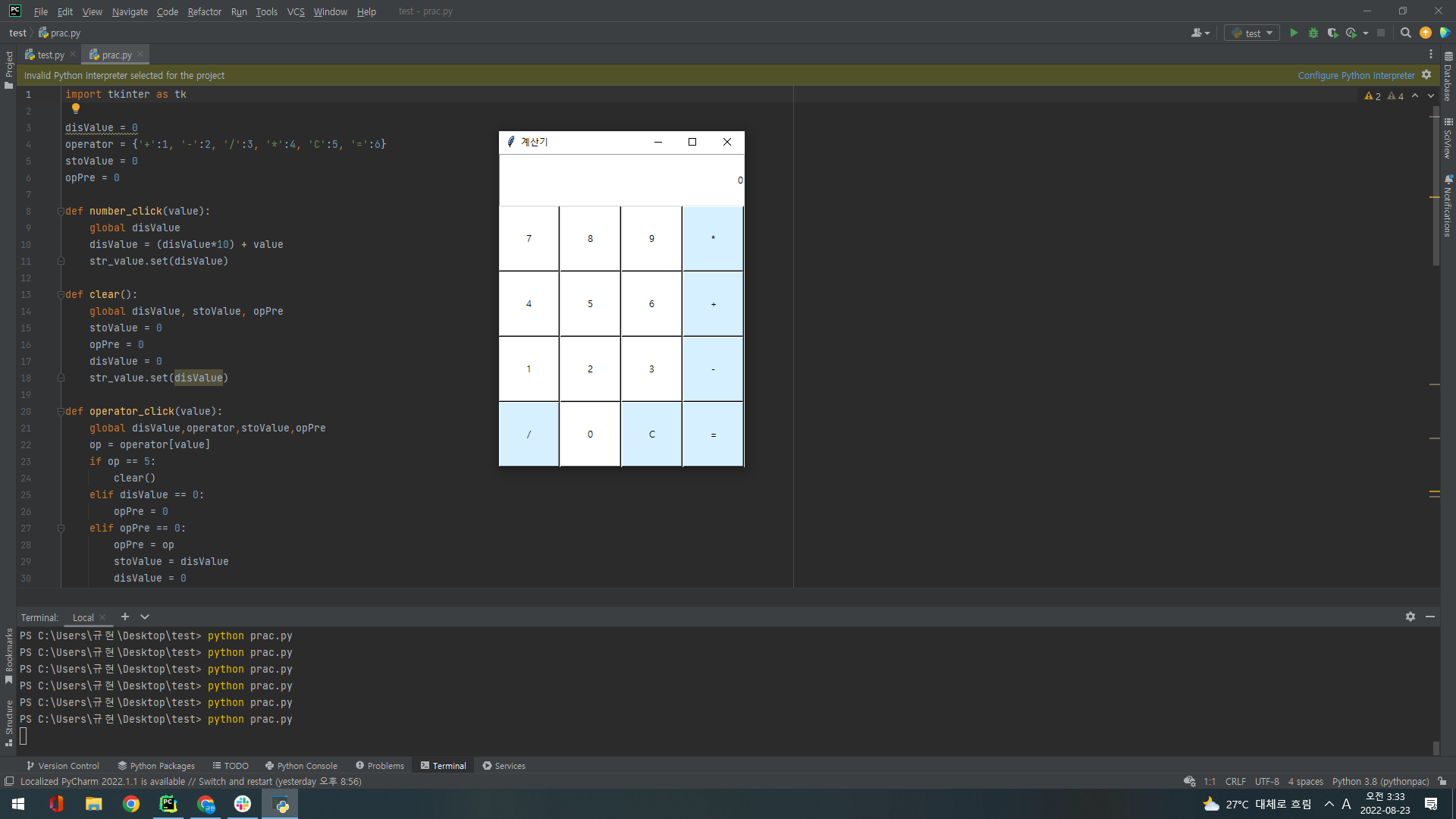

웹개발 회고록