몽구스 설치
: NodeJs에서 사용하기 위함
npm i mongoose
  "dependencies": {
    "express": "^4.21.0",
    "mongoose": "^8.7.1",
    "nunjucks": "^3.2.4"
  },
설치 잘된 것을 확인 가능
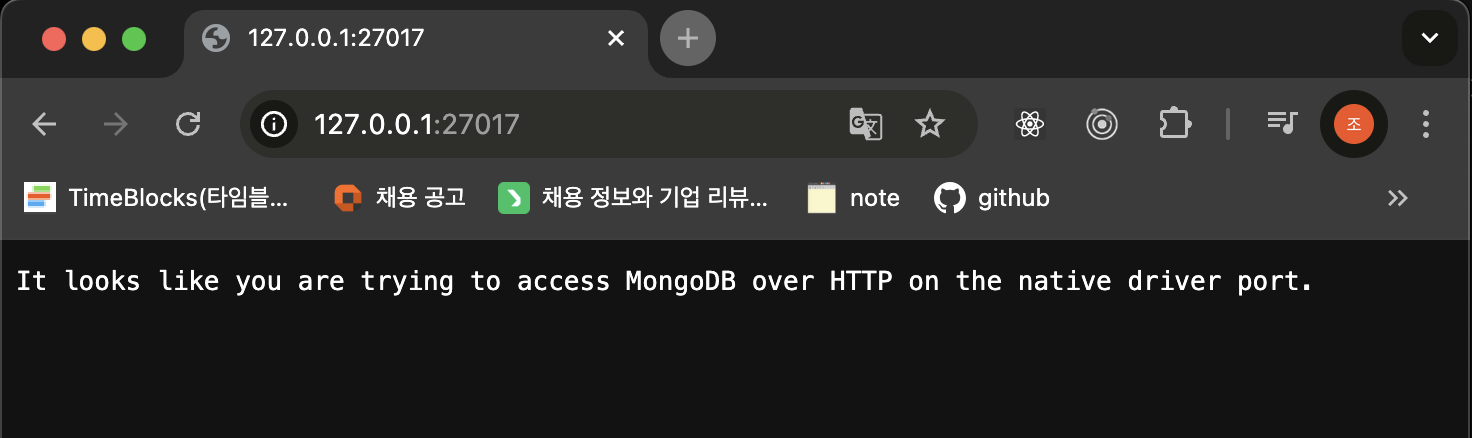
127.0.0.1:27017
로 접속해보면
현재 잘 실행중인 것 체크 가능
Mongoose: 스키마 기능 제공
- Schema
: NodeJs에서 데이터 처리를 쉽게 해줄 수 있는 스키마 기능 제공 - Schema 종류
: String, Number, Date, Boolean, Buffer, Mixed(모든 데이터 타입 가능),
ObjectedId(객체ID),Array(배열)
index에 몽구스 import
import mongoose from "mongoose";
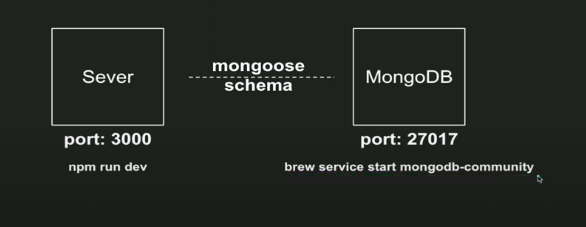
각각의 포트에서 사용중인건데
이것들을 연결해서 사용해주기 위해 mongoose를 사용한다
//mongoose Connect (주소 작성)
mongoose.connect('mongodb://127.0.0.1:27017')
  .then(() => console.log('DB 연결 성공'))
  .catch(e => console.error(e));

//mongoose set
//스키마 기능을 사용
const { Schema } = mongoose;

//스키마 정의
const WriteSchema = new Schema({
  title: String,
  contents: String,
  date: {
    type: Date,
    default: Date.now,
  }
})
// 모델은 Writing이라는 이름으로 WriteSchema를 갖게 된다.
const Writing = mongoose.model('Writing', WriteSchema);
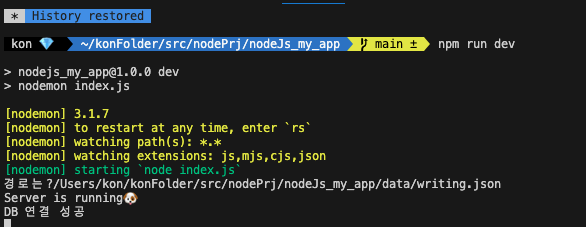
성공 메시지 확인
성공 메시지가 뜬 것은 서버와 DB가 몽구스로 연결되었다는 것을 의미
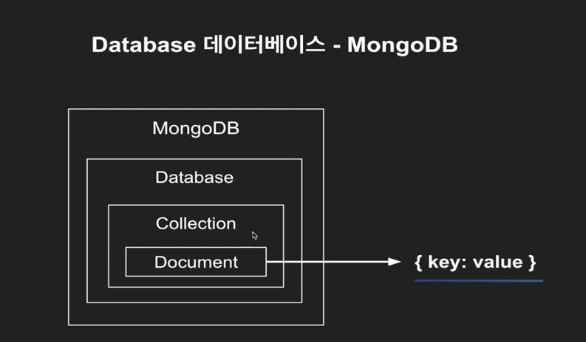
MongoDB안에
하나의 데이터 베이스 ,콜렉션, Document를 미리 만들어줘야함
터미널에서 :MongoDB 사용하는 방법
터미널 열기
mongo 입력
show dbs 입력
admin 0.000GB
config 0.000GB
local 0.000GB
test 0.000GB
show dbs : 가지고 있는 db 보는 명령어
데이터 베이스 하나 추가하기
use express
use express입력
switched to db express
show dbs
해도 테이블이 안보이는건 내용이 없어서
use express
db.createCollection('writings')
{ "ok" : 1 } 메시지 뜸
show dbs
admin 0.000GB
config 0.000GB
express 0.000GB
local 0.000GB
test 0.000GB
콜렉션이 생겨서 보이게 됨
콜렉션 확인
show collections
writings
입력 방법 터미널 내
db.writings.insert({"title": "title1", "contents": "contents1", "date": "2024-10-17"})
WriteResult({ "nInserted" : 1 })메시지뜸
db.writings.insert([{"title": "title1", "contents": "contents1", "date": "2024-10-17"},{"title": "title2", "contents": "contents2", "date": "2024-10-17"}])
[] 리스트로 묶어서 여러개를 넣을 수도 있다
db.컬렉션명.find()
db.writings.find()
ㄴ 제대로 들어갔는지 조회
> db.writings.find()
{ "_id" : ObjectId("671110a6dafe30c8043c339e"), "title" : "title1", "contents" : "contents1", "date" : "2024-10-17" }
> db.writings.find().pretty()
{
	"_id" : ObjectId("671110a6dafe30c8043c339e"),
	"title" : "title1",
	"contents" : "contents1",
	"date" : "2024-10-17"
}
pretty(): 붙이면 결과가 좀 더 예쁘게 보임