조건문(Conditional Statement)란?
Java에서 조건문은 특정 조건에 따라 서로 다른 코드를 실행할 때 사용한다.
예를 들어, 시험 점수가 60점 이상이면 "합격"을 출력하고, 그렇지 않으면 "불합격"을 출력할 수 있다.
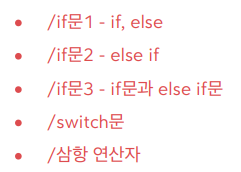
조건문에는 대표적으로 if문과 switch문이 있다.
if문
if문은 조건이 참(true)일 때만 코드 블록을 실행한다.
if (condition) {
    // 조건이 참일 때 실행되는 코드
}
예시:
int score = 75;

if (score >= 60) {
    System.out.println("합격");
}

if (score < 60) {
    System.out.println("불합격");
}
score = 75이면 "합격"이 출력된다.
score = 40이면 "불합격"이 출력된다.
if-else문
else문은 if 조건이 거짓일 때 실행되는 코드를 제공한다.
if (condition) {
    // 조건이 참일 때 실행
} else {
    // 조건이 거짓일 때 실행
}
예시:
int score = 55;

if (score >= 60) {
    System.out.println("합격");
} else {
    System.out.println("불합격");
}
이 경우 "불합격"이 출력된다.
else if문
else if문은 조건이 여러 개일 때 사용한다. 앞의 조건이 거짓일 때 다음 조건을 검사한다.
if (condition1) {
    // 조건1이 참일 때 실행
} else if (condition2) {
    // 조건2가 참일 때 실행
} else {
    // 모든 조건이 거짓일 때 실행
}
예시:
int score = 82;

if (score >= 90) {
    System.out.println("A 학점");
} else if (score >= 80) {
    System.out.println("B 학점");
} else if (score >= 70) {
    System.out.println("C 학점");
} else if (score >= 60) {
    System.out.println("D 학점");
} else {
    System.out.println("F 학점");
}
조건에 맞는 블록 하나만 실행되고 나머지는 건너뛴다.
if와 else if의 차이
- 서로 연관된 조건이면
if와else if를 함께 사용한다. - 독립적인 조건이라면
if문을 각각 따로 사용한다.
예시:
// 연관된 조건 → if-else if 사용
if (score >= 90) {
    System.out.println("A 학점");
} else if (score >= 80) {
    System.out.println("B 학점");
}

// 독립된 조건 → if 각각 사용
if (score >= 60) {
    System.out.println("합격");
}
if (score % 2 == 0) {
    System.out.println("짝수 점수");
}
첫 번째 코드는 둘 중 하나만 실행되고, 두 번째 코드는 두 조건이 모두 참이면 둘 다 실행된다.
switch문
switch문은 값이 여러 경우 중 하나와 일치하는지를 비교해 실행할 코드를 선택한다.
switch (변수) {
    case 값1:
        // 값1일 때 실행
        break;
    case 값2:
        // 값2일 때 실행
        break;
    default:
        // 어떤 case에도 해당하지 않을 때 실행
}
예시:
int score = 85;
String grade;

switch (score / 10) {
    case 10:
    case 9:
        grade = "A 학점";
        break;
    case 8:
        grade = "B 학점";
        break;
    case 7:
        grade = "C 학점";
        break;
    case 6:
        grade = "D 학점";
        break;
    default:
        grade = "F 학점";
}

System.out.println(grade);
score = 85이면 "B 학점"이 출력된다.
switch문에서 break 생략
break를 생략하면 다음 case로 넘어가 실행된다. 이를 fall-through라고 한다.
int score = 95;

switch (score / 10) {
    case 10:
    case 9:
        System.out.println("우수한 성적");
        break;
    case 8:
        System.out.println("좋은 성적");
        break;
    default:
        System.out.println("분발 필요");
}
이 경우 score = 95이면 case 10에서 case 9로 이어져 "우수한 성적"이 출력된다.
Java 14의 새로운 switch문
Java 14부터는 더 간결한 switch문을 사용할 수 있다.
int score = 72;

String grade = switch (score / 10) {
    case 10, 9 -> "A 학점";
    case 8 -> "B 학점";
    case 7 -> "C 학점";
    case 6 -> "D 학점";
    default -> "F 학점";
};

System.out.println(grade);
score = 72이면 "C 학점"이 출력된다.
삼항 연산자
조건문이 간단한 경우에는 삼항 연산자(조건 연산자)를 사용할 수 있다.
(조건) ? 참일_때_값 : 거짓일_때_값예시:
int score = 65;
String result = (score >= 60) ? "합격" : "불합격";
System.out.println(result);
조건이 참이면 "합격", 거짓이면 "불합격"이 선택된다.