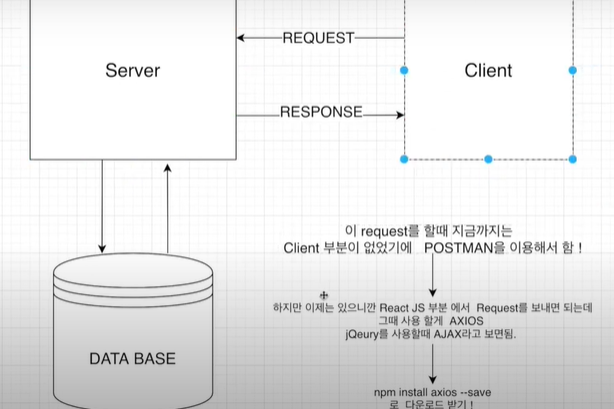
- 전에는 Client가 없었기 때문에 Postman을 이용하여 통신 했음
- 이제는 Client가 있으니, Axios를 사용하여 서버와 통신할 수 있음.
그렇다면, 곧바로 서버와 클라이언트 통신을 해보자!
⭐ client > src > LandingPage.js

import React, { useEffect } from 'react'
import axios from 'axios'

export default function LandingPage() {
    useEffect(()=>{
        axios.get('/api/hello')
            .then(res=> console.log(res.data))
    },[])
    return (
        <div>LandingPage입니다~~</div>
    )
}
⭐ server > index.js
// axios 테스트
app.get('/api/hello', (req, res)=>{
res.send('안녕하세용')
})client (3000 포트)와 server (5000포트)의 통신 결과 --❌
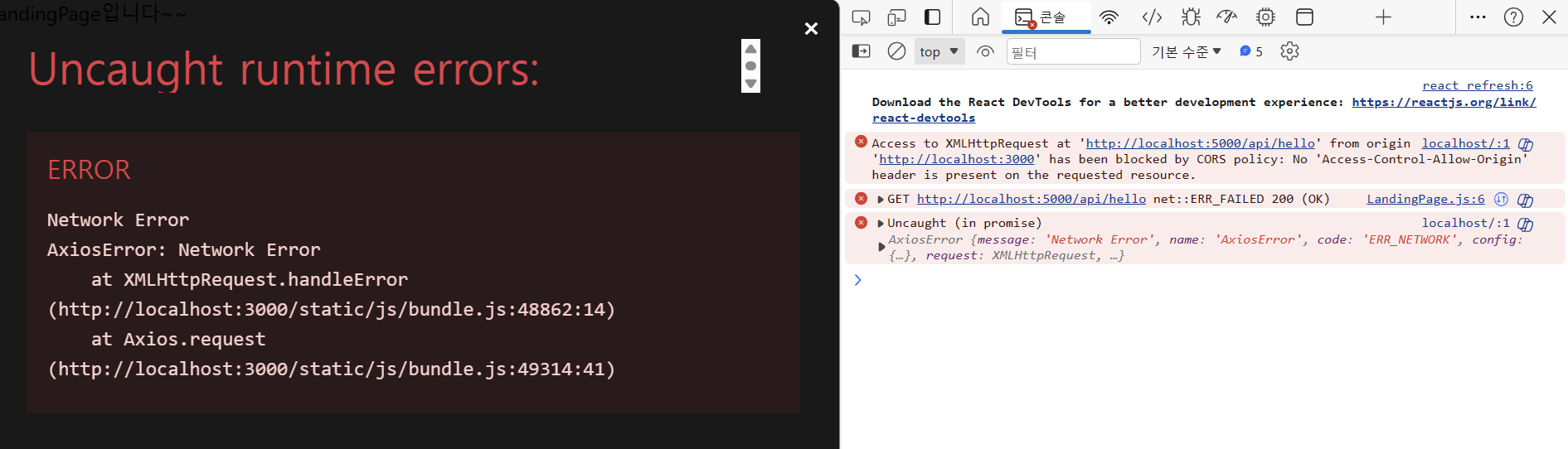
콘솔에 뜬 오류 중 첫 번째 오류를 보자면 CORS(Cross-Origin Resource Sharing) 정책 위반이라는 의미이다. 서버는 5000포트인테 클라이언트는 3000포트에서 요청을 보내고 있으므로 통신이 될 수 없다는 것이다. 이 오류는 Proxy 사용으로 해결할 수 있다.
Proxy 적용 ✨참조
-
1. 설치
npm i http-proxy-middleware --save -
2. src/setupProxy.js 파일 생성
⭐ client > src > setupProxy.js

const { createProxyMiddleware } = require('http-proxy-middleware');

module.exports = function(app) {
  app.use(
    '/api',
    createProxyMiddleware({
      target: 'http://localhost:5000',
      changeOrigin: true,
    })
  );
};- 3. 다시 client에서 npm start !!
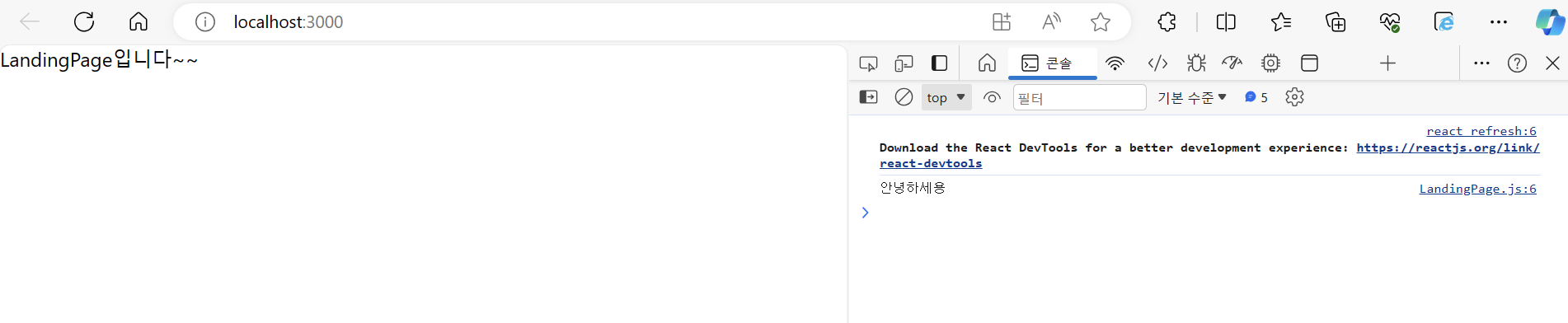 이렇게 Proxy를 적용한 후, 오류들이 사라지고 통신이 잘 되는 모습을 볼 수 있다.
Proxy 사용 이유 📖
- 회사에서 직원들이나 집안에서 아이들 인터넷 사용 제어
- 캐쉬를 이용해 더 빠른 인터넷 이용 제공
ex) 유저가 Proxy Server에 정보를 저장 해놓고 인터넷까지 가서 정보를 얻지 않아도 됨.
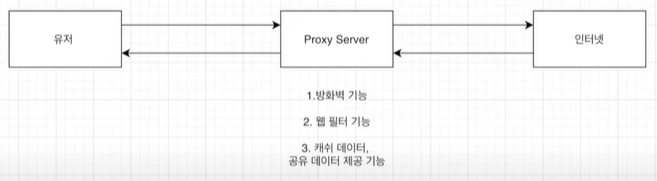
- 더 나은 보안 제공 (= 방화벽)
- 이용 제한된 사이트 접근 가능

기록장 📝