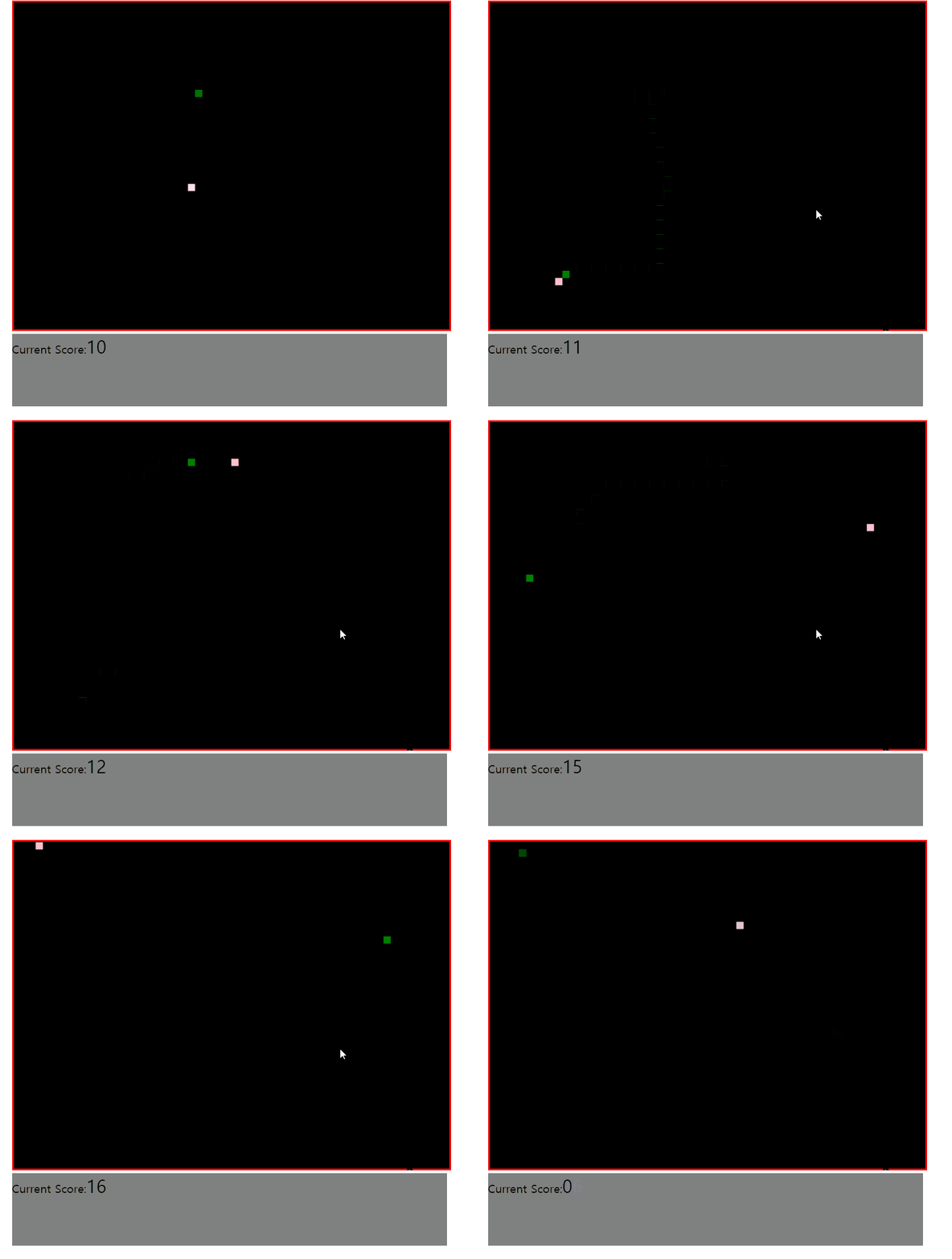
제이쿼리로 구현한 미니게임입니다.
수업진행중 숙제로 내주신 문제입니다.
제작일시 21.12.17 소요시간 2시간
HTML과 CSS가 완성되어있는 파일을 받아 .js파일만 작성하였습니다.
어떻게 구동하는지 작동화면만 보고 .js파일을 직접 작성하였습니다.
game.html 소스코드(제공)
<!DOCTYPE html>
<html>
<head>
<title>Snake Game</title>
<link rel="stylesheet" type="text/css" href="game.css">
<!-- jQuery -->
<script src="https://code.jquery.com/jquery-3.6.0.min.js"></script>
</head>
<body>
	<div id="container">
		<div id="gameover">
			Game over! <br> Your score is <span id="final"></span> <br>
			<a onClick="window.location.reload()">
				Click To Play Again
			</a>
		</div>
		<canvas id="myCanvas" width="600" height="450">
	   		Your browser does not support the canvas feature
	  	</canvas>
		<div id="score">
			<div>
				Current Score:<span id="current">0</span>
			</div>
		</div>
	</div>
	<script src="game.js"></script>
</body>
</html>
game.css 소스코드(제공)
@charset "UTF-8";
#container {
	margin: auto;
	width: 700px;
}

#myCanvas {
	background-color: #000000;
	border: 3px red solid;
}

#gameover {
	position: absolute;
	top: 200px;
	left: 300px;
	font-size: 25px;
	text-align: center;
	color: #FFFFFF;
	display: none;
}

#score {
	width: 600px;
	height: 100px;
/* 	margin: auto; */
	background-color: grey;
}

#current, #highest {
	font-size: 25px;
	color: black;
	text-align: center;
}

a {
	text-decoration: none;
	color: #FFFFFF;
}

span {
	color: #FFFFFF;
}
game.js 소스코드(본인작성)
let ctx = $('#myCanvas')[0].getContext('2d');     //canvas 객체
let w = $('#myCanvas').width();					  //width
let h = $('#myCanvas').height();				  //height

let score = 0;  //점수
let speed = 150; //스피드
let size = 10;   //뱀과 먹이의 크기 (w와 h의 공배수로 작성해야함)
let totalPix_x = w/size-1;
let totalPix_y = h/size-1;
let snake_loc = get_loc();   // 뱀의 위치 초기화
let food_loc = get_loc();    // 먹이의 위치 초기화
let move_interval = null; //move 함수를 인터벌시키기위한 변수

// 조건식 -> 뱀과 먹이의 위치가 동일할때
// 실행문 -> 뱀의 위치를 재설정함
while(snake_loc[0]==food_loc[0]&&snake_loc[1]==food_loc[1]){
	snake_loc = get_loc();
}

//x,y좌표를 배열로 리턴하는 메소드
function get_loc(){
	return [random(0,totalPix_x)*size,random(0,totalPix_y)*size];
}
//사각형(뱀,먹이)를 그려주는 메소드
function fillObj(color,obj_arr){
	ctx.fillStyle = color;
	ctx.fillRect(obj_arr[0],obj_arr[1],size,size);
}


// 뱀과 먹이를 그리기
fillObj('pink', food_loc);
fillObj('green', snake_loc);

// min~max 범위의 랜덤한 정수를 리턴하는 메소드
//-> random(10,1)은 1~10까지의 무작위 정수를 리턴함
function random(max,min){
	return Math.round((Math.random()*(max-min))+min);
}

//점수를 html에 적어주는 메소드 -speedUp추가됨
function getScore(){
	$('#current').text(++score);
	switch(score){
	case 5 : speedUp(); break;
	case 10 : speedUp(); break;
	case 15 : speedUp(); break;
	case 20 : speedUp(); break;
	case 25 : speedUp(); break;
	case 30 : speedUp(); break;
	case 35 : speedUp(); break;
	case 40 : speedUp(); break;
	case 45 : speedUp(); break;
	case 45 : speedUp(); break;
	default : break;
	}
}

//새로운 먹이의 위치를 정하고, 그려주는 메소드
//조건문 -> 뱀과 먹이의 위치가 같으면 먹이의 위치를 재설정함
function newFood(){
	while(snake_loc[0]==food_loc[0]&&snake_loc[1]==food_loc[1]){
		food_loc = get_loc();
	}
	fillObj('pink', food_loc);
}

//속도빠르게함
function speedUp(){
	speed -= 10;
}

//뱀의 위치가 canvas에서 벗어나면 게임을 종료시키는 메소드 실행
function gameOver(){
	if(snake_loc[0]<0||snake_loc[0]>w-size){
		clearInterval(move_interval);
		msg_gameOver();
	} else if(snake_loc[1]<0||snake_loc[1]>h-size){
		clearInterval(move_interval);
		msg_gameOver();
	}
}

//게임을 종료시키는 메소드(창 새로고침)
function msg_gameOver(){
	alert('GameOver');
	window.location.reload();
}


// 키다운이벤트 추가  e.keyCode는 누른 키의 정보를 담고있음
//-> 37:왼쪽 38:위쪽 39:오른쪽 40:아래쪽
// 기존의 인터벌이 있을수있으니 clearInterval 한후
// 각방향의 move 메소드를 호출하여 인터벌시킨다.
	$(this).keyup(function(e) {
		switch(e.keyCode){
		case 37 :
		clearInterval(move_interval);
		move_interval = setInterval(move_left, speed);
		break;
		case 38 :
		clearInterval(move_interval);
		move_interval = setInterval(move_up, speed);
		break;
		case 39 :
		clearInterval(move_interval);
		move_interval = setInterval(move_right, speed);
		break;
		case 40 :
		clearInterval(move_interval);
		move_interval = setInterval(move_down, speed);
		break;
		default : break;
		}
	});

// move 메소드는 기존의 뱀위치를 검은색으로 색칠 -> 뱀의 위치 증감시키기
// 증감된 위치 색칠 -> 뱀과 먹이의 위치가 같다면 getScore, newFood 메소드호출
// -> 항시 gameOver메소드 호출로 진행된다.(gameOver 메소드 안에서 조건문으로 검사)

function move_right(){
	fillObj('black', snake_loc);
	snake_loc[0]+=size;
	ctx.fillStyle = 'green';
	fillObj('green', snake_loc);
	if(snake_loc[0]==food_loc[0]&&snake_loc[1]==food_loc[1]){
		getScore();
		newFood();
	}
	gameOver();
}
function move_left(){
	fillObj('black', snake_loc);
	snake_loc[0] -=size;
	fillObj('green', snake_loc);
	if(snake_loc[0]==food_loc[0]&&snake_loc[1]==food_loc[1]){
		getScore();
		newFood();
	}
	gameOver();
}
function move_up(){
	fillObj('black', snake_loc);
	snake_loc[1] -=size;
	fillObj('green', snake_loc);
	if(snake_loc[0]==food_loc[0]&&snake_loc[1]==food_loc[1]){
		getScore();
		newFood();
	}
	gameOver();
}
function move_down(){
	fillObj('black', snake_loc);
	snake_loc[1] +=size;
	fillObj('green', snake_loc);
	if(snake_loc[0]==food_loc[0]&&snake_loc[1]==food_loc[1]){
		getScore();
		newFood();
	}
	gameOver();
}
실행 화면
후기
처음엔 막막했는데 하나 하나 단계를 밟아가면서
(랜덤한위치에 뱀,먹이 띄우기 -> 키보드 이벤트로 뱀 움직이기
-> 인터벌 -> 겹쳤을때 점수획득,새로운 먹이등장 -> 게임종료 조건추가)
작성하니 생각보다 금방 완성했다.
(21.12.20 최종수정)

안녕하세요 김민혁입니다.