Steam Cloud
Steam 클라우드는 게임 데이터를 유저의 로컬이 아닌 Steam 서버에 저장하여,
여러 디바이스 간의 데이터 동기화를 지원하는 기능.
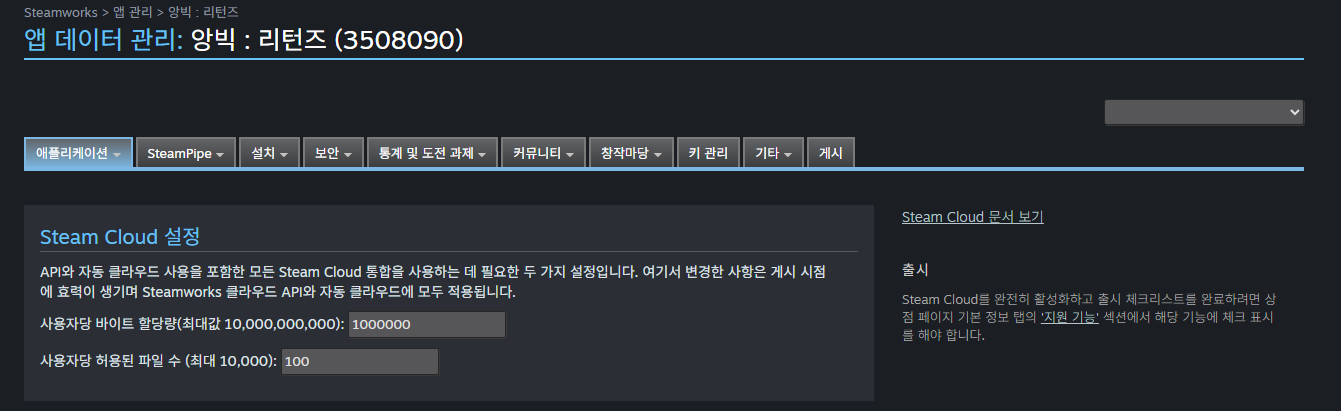
Steam Cloud 문서 를 많이 읽어보자.
1. Steam Cloud 활용 방안 설계
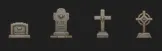
- DeathPos : 게임을 시작할 때, 캐릭터가 마지막으로 죽은 위치에 무덤을 생성한다.
- 환경 설정 : 언어, SFX/BGM 설정 값
+ 키 세팅 : 이동, 점프, 아이템 줍기, ... - 유저가 클리어한 난이도 : Easy / Normal / Hard
2. Steam Cloud 설정
Dynamic Cloud 설정
- 게임을 플레이 중인 PC 인 A 에서 일시 중지하면 진행 상황을 Steam 클라우드에 동기화 한다.
- 다른 PC 인 B 에서 게임을 재개하면, Steam Cloud 에 업데이트된 진행 상황을 로드하여
A 에서 플레이하던 시점부터 이어서 플레이할 수 있다.

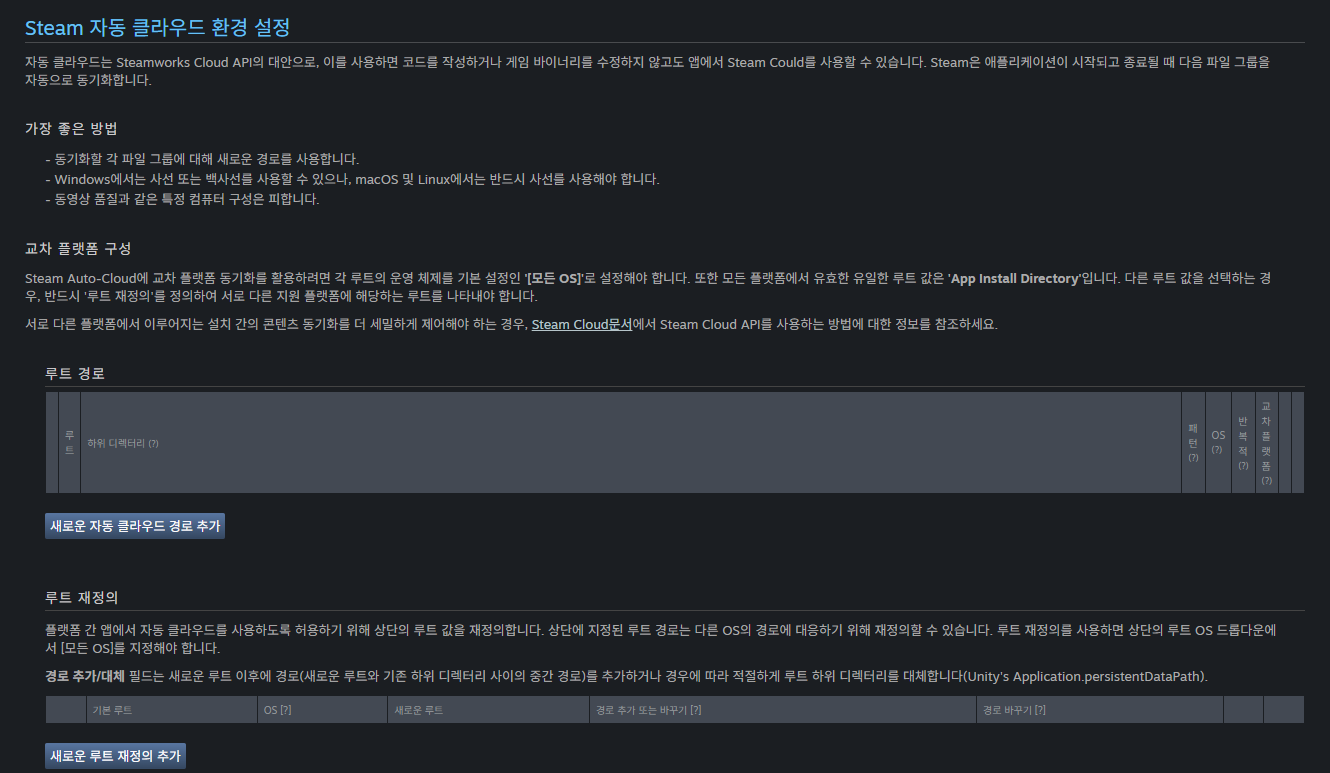
Auto-Cloud 설정
- 저장 파일이 있는 위치, 파일을 저장할 위치를 지정할 수 있게 해주는 설정
- 플랫폼, OS에 따라 확장자명이나 하위 디렉토리를 수정할 수 있다.
3. 주의할 점
마찬가지로 Steam 클라이언트가 연결된 상태여야 한다.
세부적인 동기화 제어를 위해 FacePunch 의 SteamRemoteStorage API 를 활용하였다.
4.SteamCloudManager.cs
1. 저장 구조 설계하기
JSON 형태로 데이터를 저장하고 불러오기 위해
SaveData 를 [System.Serialzable] 속성으로 생성해주었다.
[System.Serializable]
public class SaveData
{
    public DeathPos deathPos = new DeathPos(); // 마지막 죽은 위치 (stage - pos)
    public string keyBindingsJson = null; // 키 설정
    public int unlockedDifficulty = 1; // 해금 난이도
}
2. 초기화
스팀 클라이언트와 연결되었는지 확인하고,
연결되었다면, 저장된 데이터를 불러오기.
private void Start()
{
    if (!SteamClient.IsValid)
    {
        Debug.LogError("Steam Client가 실행되지 않았습니다.");
        return;
    }

    Load(); // 게임 실행 시 자동 불러오기
}
3. 데이터 불러오기 Load
- static bool FileExists( string filename )
- 지정된 파일이 존재하는지 확인.
- static byte[] FileRead( string filename )
- Binary 파일을 열고 파일 내용을 Byte 배열로 읽은 다음, 파일을 닫는다.
4. 데이터 저장하기 Save
- static bool FileWrite( string filename, byte[] data )
- 새 파일을 만들고 파일에 바이트를 쓴 다음 파일을 닫는다.
대상 파일이 이미 존재하는 경우 덮어쓴다.
- 새 파일을 만들고 파일에 바이트를 쓴 다음 파일을 닫는다.
5. 디버그 용도
정상적으로 클라우드가 작동하지 않거나, 데이터가 잘 불러와지지 않는다면,
다음 프로퍼티와 메서드를 활용해서 디버그해보자.
-
static System.DateTime FileTime( string filename )
- 지정된 파일의 마지막 수정 날짜/시간을 가져온다.
-
static int FileCount { get; }
- Steam Cloud에 의해 동기화된 로컬 파일의 총 개수를 가져온다.
-
static IEnumerable Files { get; }
- Steam Cloud에서 동기화된 파일 이름 목록 가져온다.
-
static bool IsCloudEnabled { get; }
IsCloudEnabledForAccount및IsCloudEnabledForApp인 경우 true를 반환
-
static bool IsCloudEnabledForAccount { get; }
- 이 사용자에 대해 계정 전체의 Steam 클라우드 설정이 활성화되어 있는지 또는 설정->클라우드 대화 상자에서 비활성화되어 있는지 확인
-
static bool IsCloudEnabledForApp { get; set; }
- 이 사용자에 대해 게임별 Steam Cloud 설정이 활성화되어 있는지 또는 게임 속성->업데이트 대화 상자에서 비활성화되어 있는지 확인.
-
static ulong QuotaBytes { get; }
- 총 바이트 수를 반환
-
static ulong QuotaRemainingBytes { get; }
- 할당량을 모두 사용할 때까지 남은 바이트 수 반환
-
static ulong QuotaUsedBytes { get; }
- 사용된 바이트 수 반환
디버그 과정
[2025-03-18 15:17:00] [AppID 3508090] Starting sync (init,)
[2025-03-18 15:17:00] [AppID 3508090] AutoCloud checking local state for user 406302897
[2025-03-18 15:17:00] [U:1:406302897] [AppID 3508090] Init cache request complete
[2025-03-18 15:17:00] [AppID 3508090] Starting sync (eval,)
[2025-03-18 15:17:00] [AppID 3508090] AutoCloud checking local state for user 406302897
[2025-03-18 15:17:00] [AppID 3508090] YldWriteCacheDirectoryToFile - empty vector, deleting 'C:\Program Files (x86)\Steam/userdata/406302897/3508090/remotecache.vdf'
[2025-03-18 15:17:01] [AppID 3508090] Need to sync from local change number '0' to global change number '0' (full), but not attempting now
[2025-03-18 15:17:01] [AppID 3508090] Eval complete
안녕하세요 게임 개발하는 MINO 입니다.