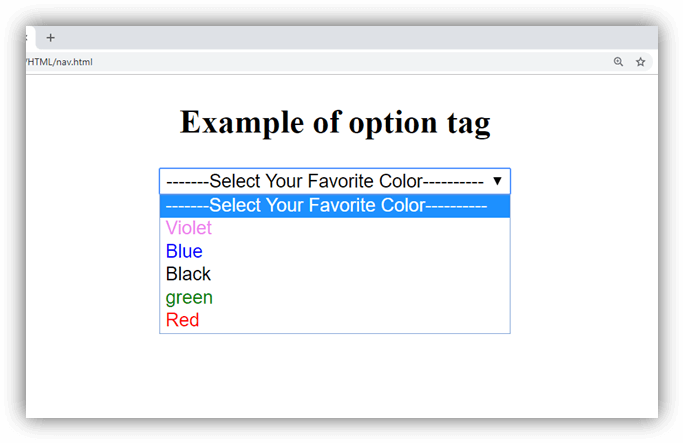
웹을 보다보면 radio,checkbox와 다르게 클릭하면 주루룩 항목을 선택 할수 있는 bar 같은 것을 보았을 것이다.
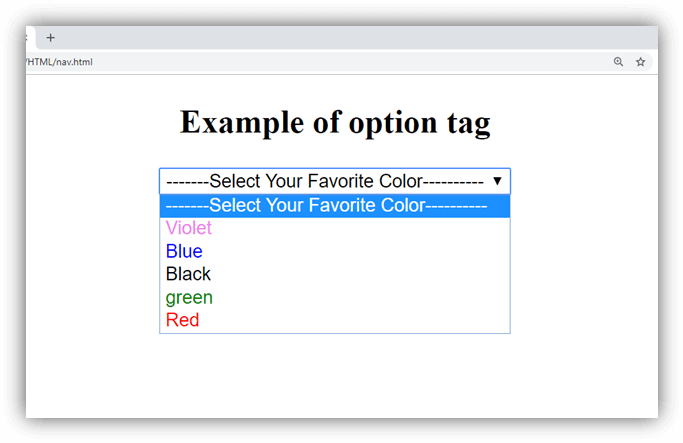
이런것을 나타낼 수 있는 태그가 <select>, <option> 이다.
기본적인 구성은 form안에 <select>안에<option>여러개를 넣는 형식이다.
여기서 <option>은 나열할 항목들을 여러개 적어주면 된다.
<form action="" method="GET">
  <select>
    <option>ps5</option>
    <option>steam</option>
    <option>xbox</option>
    <option>nintendo</option>
  </select>
</form>
실제로 적용해보면 아래와 같다.
추가로 submit 버튼을 누르면 이제 사용자가 선택한 항목이 서버로 넘어가는 기능이다. 그러면 사용자가 선택한 값?은 어떻게 넘기는 걸까?
답은 name과 value를 명시해 주면된다. 아래 코드를 보자
<form action="" method="GET">
  <label for="game-platform">게임플랫폼</label>
  <select name="game-platform" id="game-platform">
    <option value="playstation">ps5</option>
    <option value="window">steam</option>
    <option value="xbox">xbox</option>
    <option value="nintendo">nintendo</option>
  </select>
  <button type="submit">구매하기</button>
</form><select>에 아래 <option>들의 대표 명사?인 name="game-platform" 이라는 속성을 부여했고, 각각의 <option>들에는 사용자들이 선택했을때 어떤 값을 넘길지 value=" " 에 각각 값을 넣어준것을 확인 할수 있다. 추가로 앞에서 배운<label>을 넣어줘서, <select>와 연결해 주었다.
실제 적용해보면!
보통 쇼핑몰 같은 곳에서 사이즈를 선택한다던가, 색상을 선택한다던가 할때 이 셀렉트 바를 많이 봤을 것이다. 내가 "270사이즈"에 "갈색"을 선택했다면 이 정보가 서버로 넘어가야할 텐데, 그 값들이 value에 들어가는 거구나 알게 되었다.

잠실사는 주니어 개발자
Linda had always been fascinated by the intricate strategies behind casino games. Her interest in probabilities and love for numbers drove her to explore a new blackjack site she had recently heard about from a friend. Determined https://primaplaycasinopokies.com/ to maximize her chances of winning, Linda devoted time to studying various strategies and practiced extensively in free games. She wanted to ensure that when she played for real, she was well-prepared. After carefully reviewing the site's reputation and assessing the fairness of its software, Linda felt confident enough to make her move.