
가상환경 설정
1. python -m venv 가상환경이름
2. 가상환경이름\Scripts\activate셀레니움 동적 크롤링
동적 크롤링 관련 자료
.env 파일에 klas 로그인 정보 필요
from selenium import webdriver
from selenium.webdriver.common.by import By
from selenium.webdriver.chrome.service import Service
from webdriver_manager.chrome import ChromeDriverManager
import time
import os
import re
from dotenv import load_dotenv
from pymongo import MongoClient
from selenium.common.exceptions import UnexpectedAlertPresentException, NoAlertPresentException, ElementNotInteractableException
from pymongo.errors import CursorNotFound

# 환경 변수 로드
load_dotenv()

# MongoDB 연결 설정
client = MongoClient(os.getenv("MONGO_URI"))
db = client.get_database()
collection = db["class"]

# Selenium 웹드라이버 설정
driver = webdriver.Chrome(service=Service(ChromeDriverManager().install()))

def handle_alert():
    try:
        alert = driver.switch_to.alert
        alert_text = alert.text
        if "폐강된 강의입니다" in alert_text:
            print("폐강된 강의입니다. 경고창을 닫고 넘어갑니다.")
            alert.accept()
            return True
    except NoAlertPresentException:
        return False

def search_and_update(course_name):
    try:
        search_field = driver.find_element(By.XPATH, '/html/body/main/div/div/div/div[2]/div[2]/table[1]/tbody/tr[2]/td[1]/input')
        search_field.clear()
        time.sleep(1)
        search_field.send_keys(course_name)

        search_button = driver.find_element(By.XPATH, '/html/body/main/div/div/div/div[2]/div[2]/div/button')
        search_button.click()
        time.sleep(3)

        results = driver.find_elements(By.XPATH, '/html/body/main/div/div/div/div[2]/div[2]/table[2]/tbody/tr')

        for i in range(len(results)):
            try:
                results = driver.find_elements(By.XPATH, '/html/body/main/div/div/div/div[2]/div[2]/table[2]/tbody/tr')
                results[i].click()
                time.sleep(5)

                if handle_alert():
                    continue

                class_idx_element = driver.find_element(By.XPATH, '//*[@id="appModule"]/div[2]/div[2]/table[1]/tbody/tr[2]/td[1]')
                class_idx = class_idx_element.text.strip()

                class_in_db = collection.find_one({"class_idx": class_idx})
                if class_in_db:
                    classroom_element = driver.find_element(By.XPATH, '//*[@id="appModule"]/div[2]/div[2]/table[1]/tbody/tr[4]/td[1]')
                    classroom_text = classroom_element.text.strip()
                    matches = re.findall(r'\((.*?)\)', classroom_text)
                    classroom_idx = ', '.join(set(matches)) if matches else ""

                    print(f"강의명: {course_name}, 강의 ID: {class_idx}, 강의실: {classroom_idx}")

                    collection.update_one(
                        {"class_idx": class_idx},
                        {"$set": {"classroom_idx": classroom_idx}},
                        upsert=True
                    )

                back_button = driver.find_element(By.XPATH, '//*[@id="appModule"]/div[2]/div[2]/div/button')
                back_button.click()
                time.sleep(3)
            except UnexpectedAlertPresentException:
                if handle_alert():
                    continue
            except Exception as e:
                print(f"오류 발생: {e}")
                continue
    except ElementNotInteractableException:
        print(f"입력 필드 비활성화 오류 발생: {course_name} 검색 시 문제 발생")
    except Exception as e:
        print(f"검색 오류 발생: {e}")

def handle_cursor_timeout():
    while True:
        try:
            return list(collection.find({}, {"class_name": 1, "_id": 0}).batch_size(10))
        except CursorNotFound:
            print("커서가 만료되었습니다. 다시 시도합니다.")
            time.sleep(1)

try:
    driver.get("https://klas.kw.ac.kr/usr/cmn/login/LoginForm.do")
    time.sleep(2)

    id_field = driver.find_element(By.XPATH, '//*[@id="loginId"]')
    password_field = driver.find_element(By.XPATH, '//*[@id="loginPwd"]')
    id_field.send_keys(os.getenv("ID"))
    password_field.send_keys(os.getenv("PASSWORD"))

    login_button = driver.find_element(By.XPATH, '/html/body/div[1]/div/div/div[2]/form/div[2]/button')
    login_button.click()
    time.sleep(5)

    driver.get("https://klas.kw.ac.kr/std/cps/atnlc/LectrePlanStdPage.do")
    time.sleep(3)

    page_size = 100
    total_courses = collection.count_documents({})

    for page in range(0, total_courses, page_size):
        courses = handle_cursor_timeout()[page:page+page_size]
        processed_courses = set()

        for course in courses:
            if course["class_name"] in processed_courses:
                continue
            search_and_update(course["class_name"])
            processed_courses.add(course["class_name"])
finally:
    driver.quit()
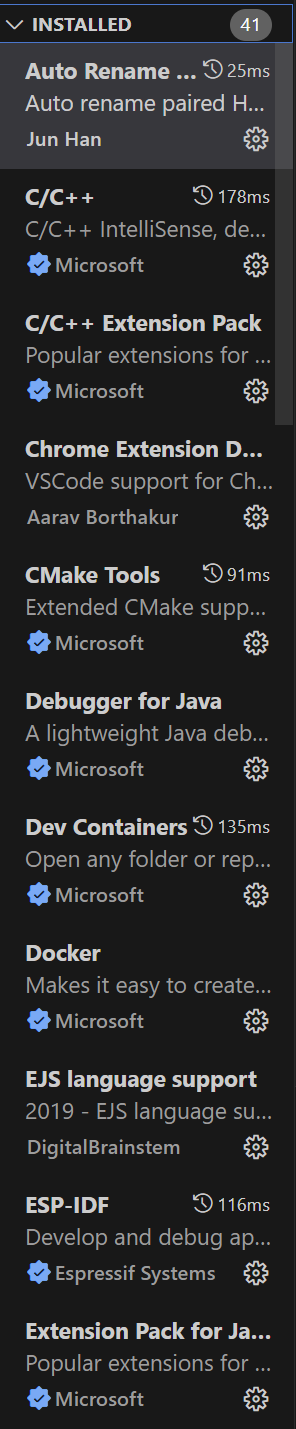
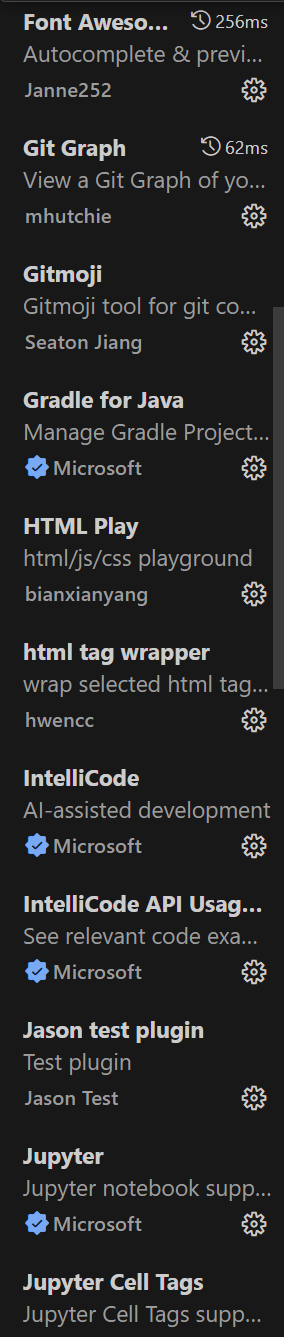
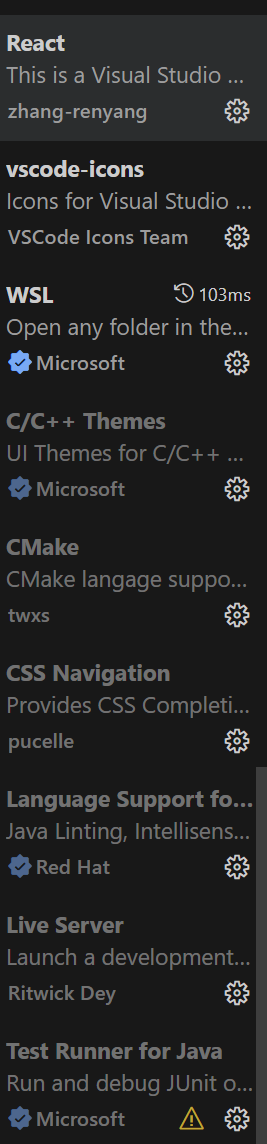
vscode 확장자(다운했던것들)


대한민국의 미래를 묻는다면 고개를 들어 나를 쳐다보거라