typsScript Compiler
Compilation Context
타입스크립트 컴파일러를 어떤 파일과 어떤 방식으로 컴파일러할건지를 정해 놓은게 Compilation Context이고 이건 tsconfig.js파일에 선언되어 있다.
1. tsconfig schema
tsconfig파일의 전체적인 구조
tsconfig 구조 이곳에 들어가면 tsconfig파일의 전체적인 구조가 나온다.
중요도가 높은 순서대로 설명
최상위 프로퍼티
- compileOnSave
- extends
- compileOptions
- files
- include
- exclude
- reference
typeAcquisitiontsNode
❗compileOptions에 대해서 중점적으로 공부
1-1. compileOnSave
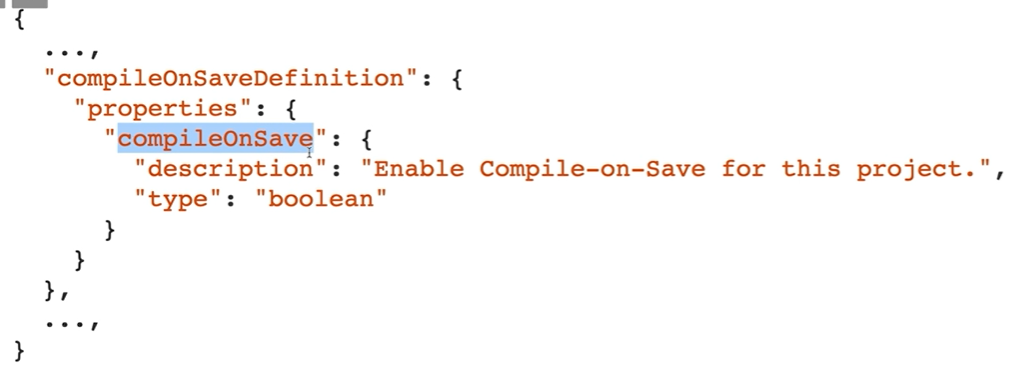
tsconfig파일에
"compileOnSave": true,을 추가해준다.
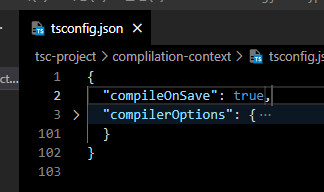
이 프로젝트에서 파일을 저장하면 컴파일하겠다는 설정
compileOnSave
- true/false (default fasle)
- 누가?
- Visual Studio 2015 with TypeScript 18.4 이상
- atom-typescript 플러그인
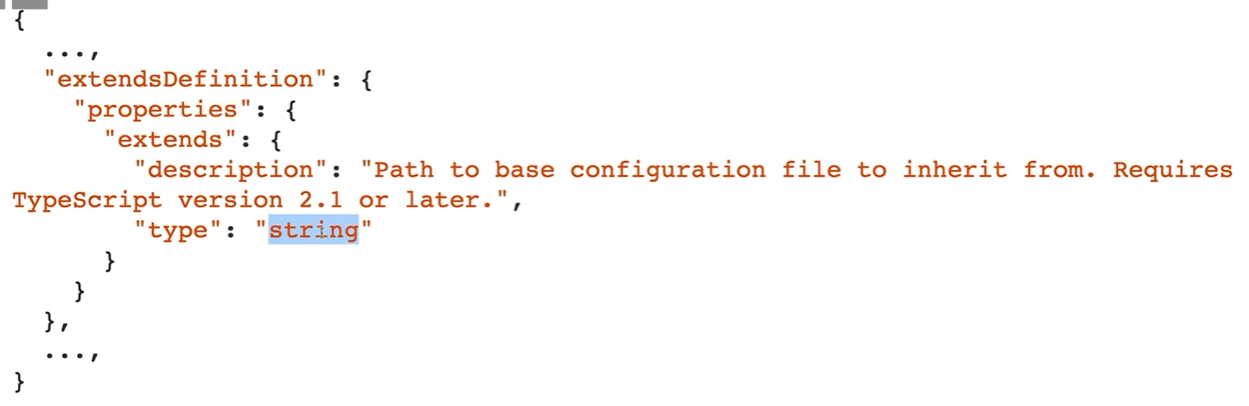
1-2. extends
상속할 때 사용한다.
- 스키마
- 예시
- tsconfig파일에 아래 코드 추가
"extends": "./base.json",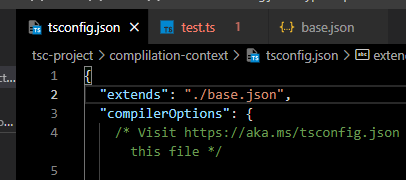
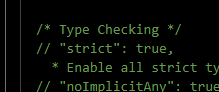
그리고 "strict": true를 꺼준다.
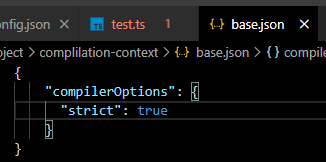
- base.json파일 추가
base.json파일을 추가해서
아래와 같은 코드를 입력
{
    "compilerOptions": {
      "strict": true
    }
}
- test.ts 파일 생성
test.ts파일을 만들어서 테스트
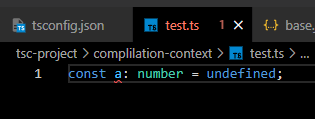
extends가 잘 동작할때는 test파일에 에러가 생긴다.
- extends 동작
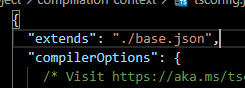
- extends 미동작
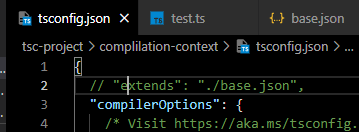
extends
- 파일(상대) 경로명: string
- TypeScript 2.1 New Spec
1-3. files, include, exclude
- 스키마
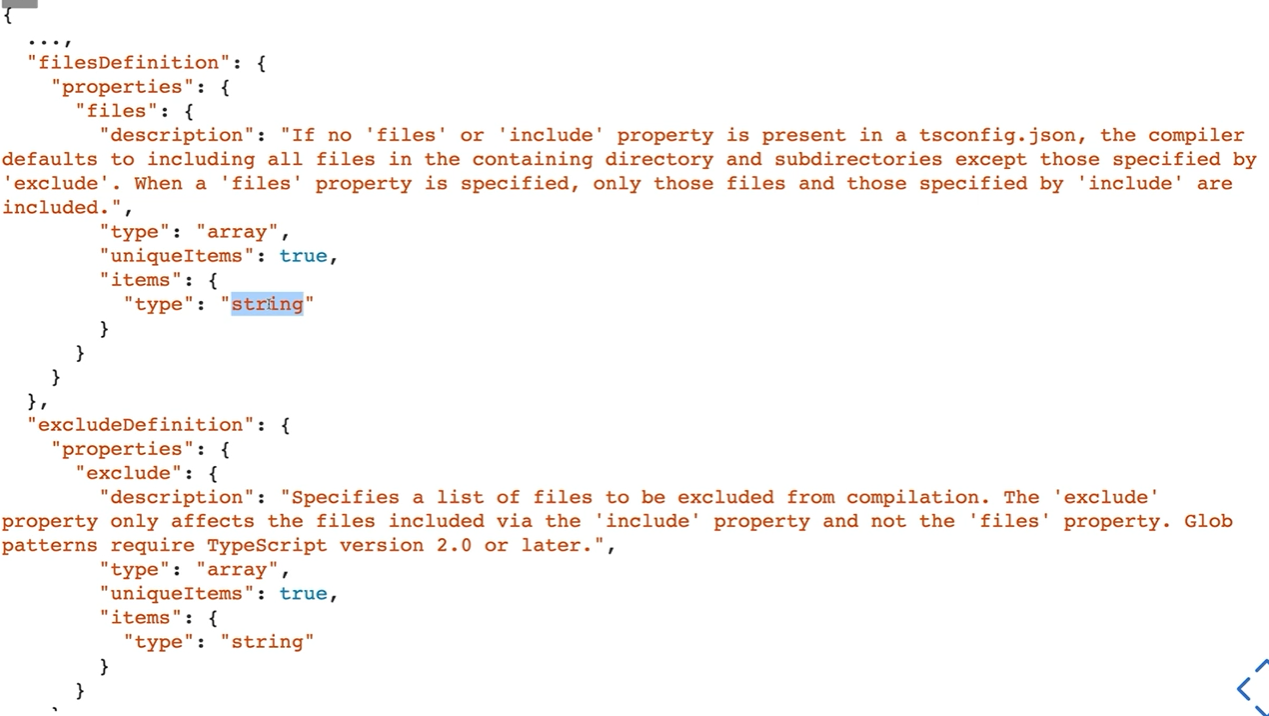
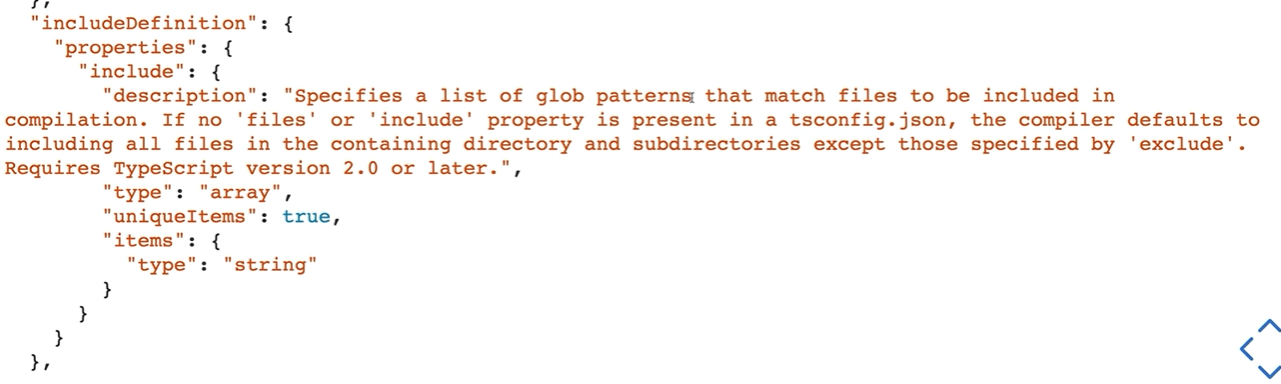
files가 제일 최상위다.
files, include, exclude
- 셋다 설정이 없으면, 전부다 컴파일
- files
- exclude 보가 쎕니다.
- 상대 혹은 절대 경로의 리스트 배열입니다.
- include, exclude
- glob 패턴(마치 .gitignore)
- include
- exclude 보다 약합니다.
*같은걸 사용하면, .ts/.tsx/.d.ts만 include(allowJS)- exclude
- 설정 안하면 4가지(node_modules, bower_components. jspm-packages,
<outDir>)를 default로 제외합니다.<outDir>은 항상 제외합니다.(include에 있어도)
2. compileOptions
2-1. typeRoots, types
- 스키마
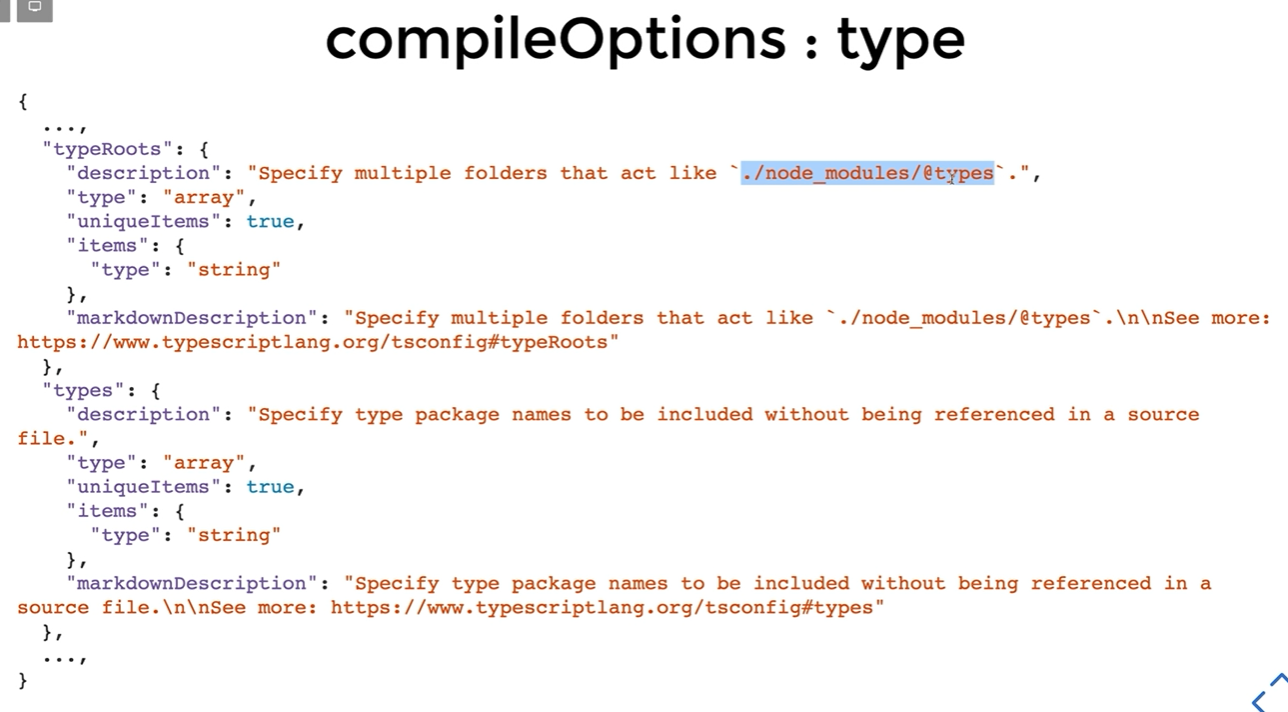
@types
- TypeScript 2.0부터 사용 가능해진 내장 type definition 시스템
- 아무 설정을 안하면?
- node_modules/@types라는 모든 경로를 찾아서 사용- typeRoots를 사용하면?
- 배열 안에 들어있는 결로들 아래서만 가져옵니다.- types를 사용하면?
- 배열 안의 모듈 혹은 ./node_modules/@types/ 안의 모듈 이름에서 찾아옵니다.
[]빈 배열을 넣는다는건 이 시스템으 ㄹ이요하지 않겠다는 것입니다.- typeRootes와 types를 같이 사용하지 않습니다.
2-2. target과 lib
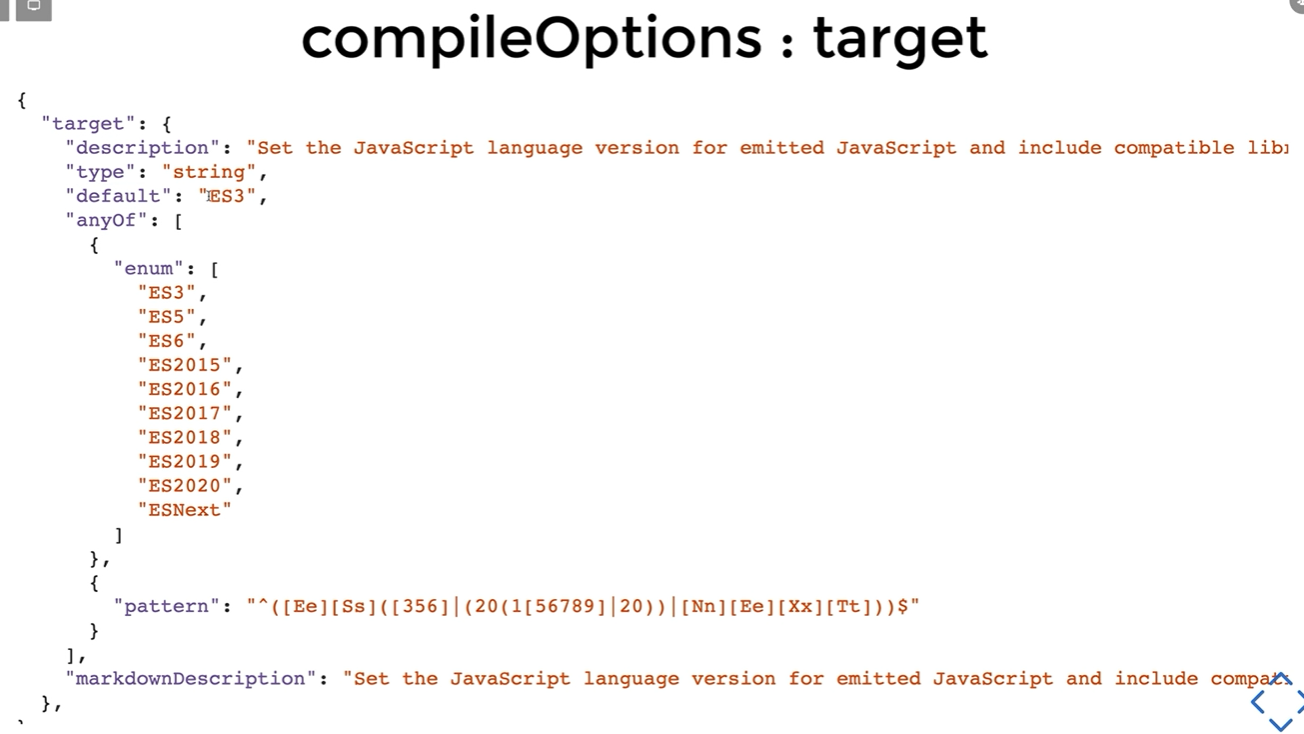
- target 스키마
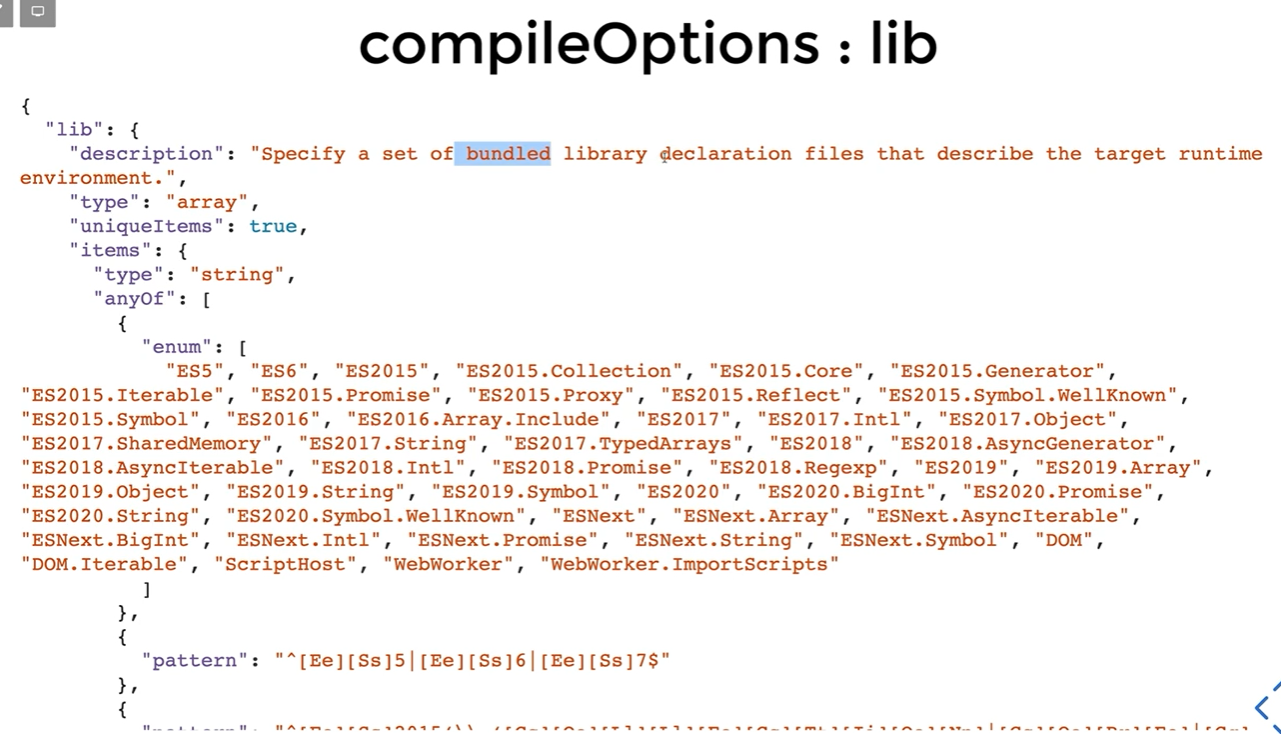
- lib 스키마
target과 lib
- target
- 빌드의 결과물을 어떤 버전으로 할 것이냐
- 지정을 안하면 es3 입니다.
- lib
- 기본 type definition 라이브러리를 어떤 것을 사용햘 것이냐
- lib 를 지정하지 않을 때,
- target이
es3이고, 디폴트로 lib.d.ts를 사용합니다.- target이
es5이고, 디폴트로 dom, es5, scripthost를 사용합니다.- target이
es6이고, 디폴트로 dom, es6, dom.iterable, scripthost를 사용합니다.- lib 를 지정하면 그 lib 배열로만 라이브러리를 사용합니다.
- 빈
[]=> no definition found 어쩌구
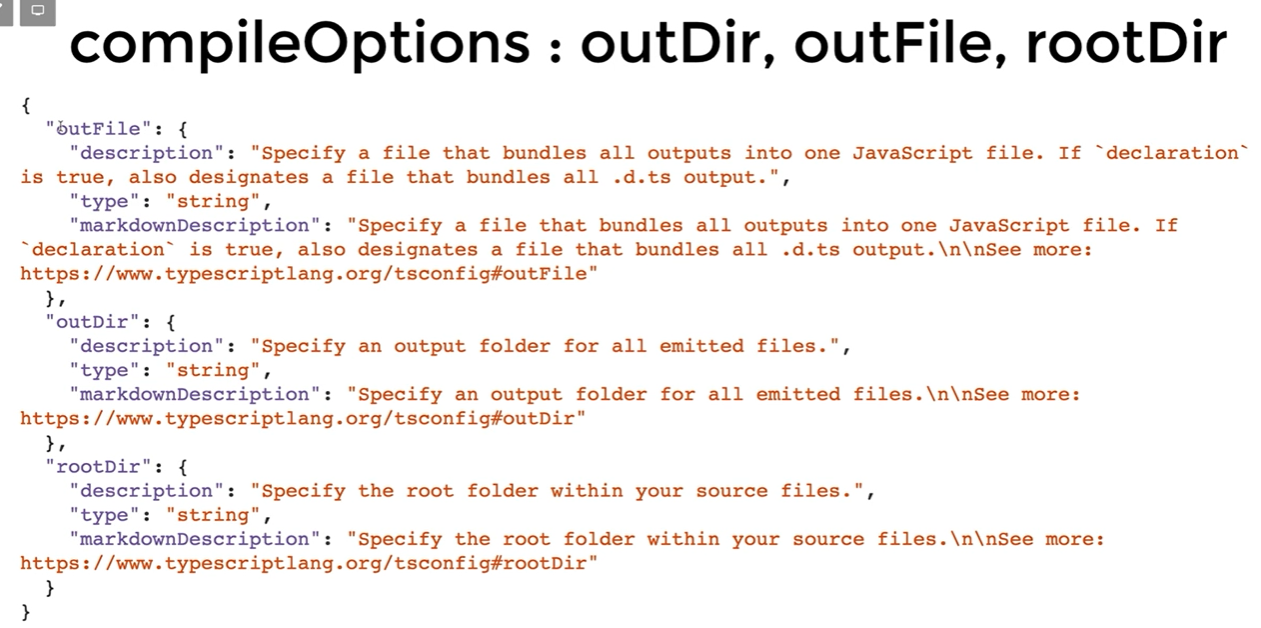
2-3. outDir, outFile, rootDir
- 스키마
2-2. strict
strict는 true로 켜놓아야한다.
- 스키마
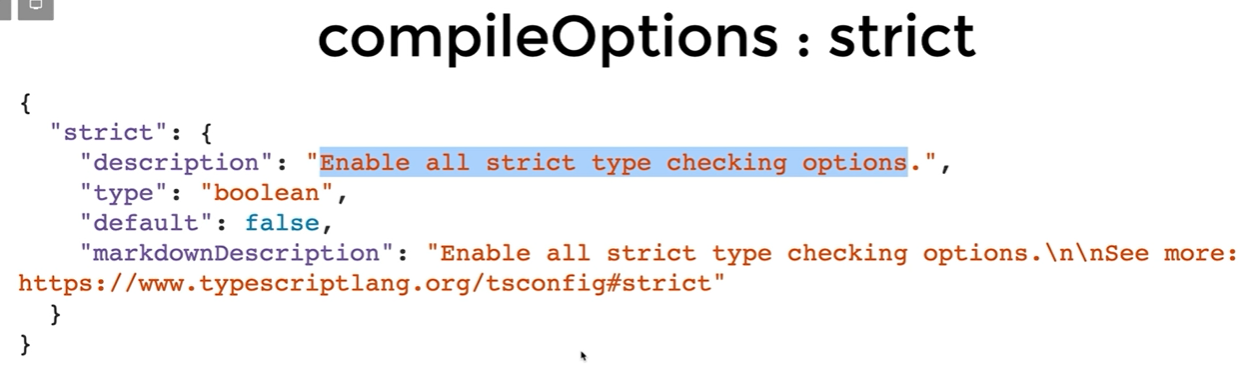
Enable all strict type checking options.
--nolmplicitAny--nolmplicitThis--strictNullChecks--strictFunctionTypes--strictPropertyInitialization--strictBindCallApply--alwaysStrict
- --noImplicitAny
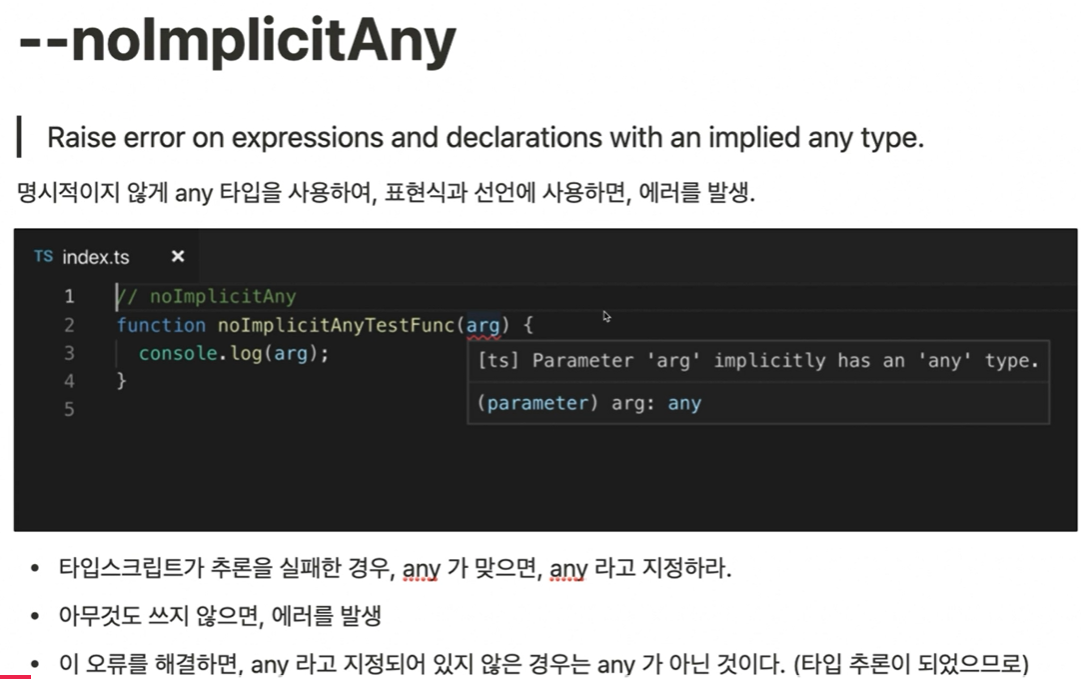
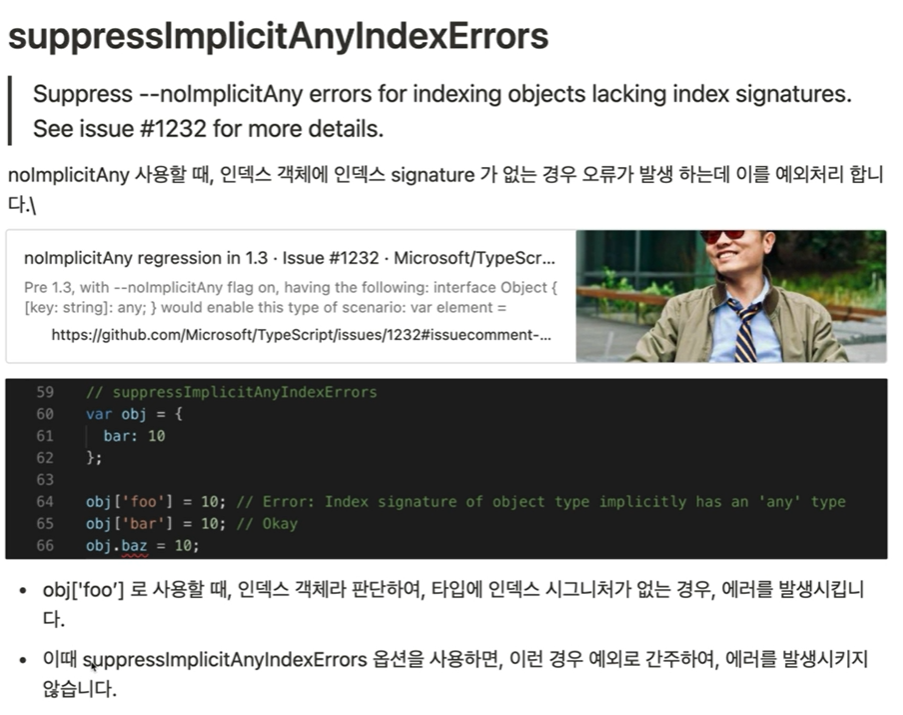
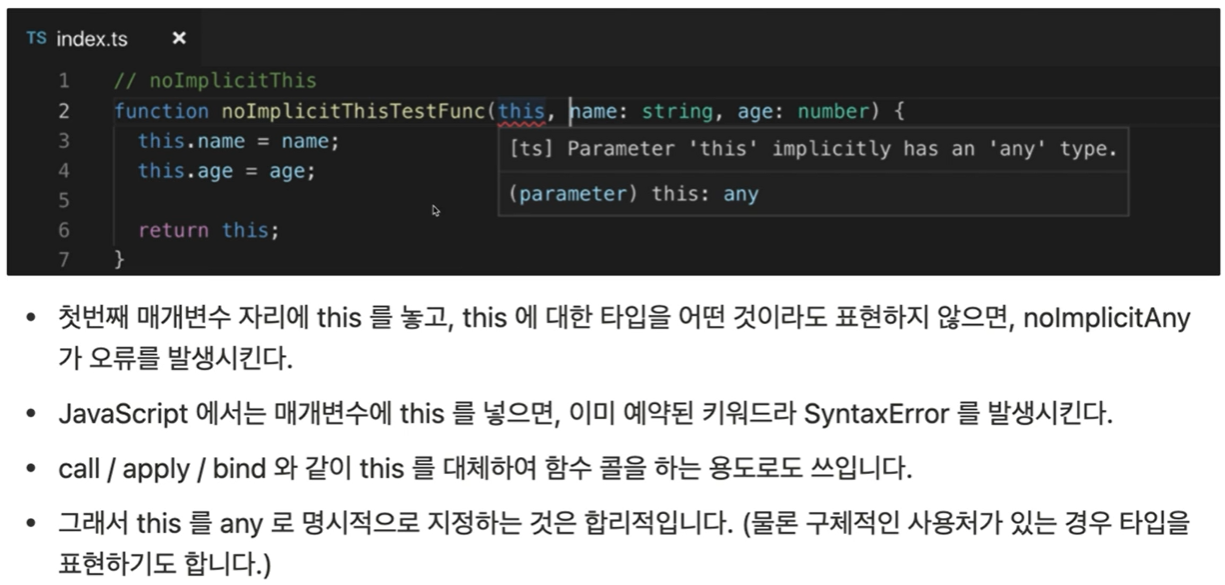
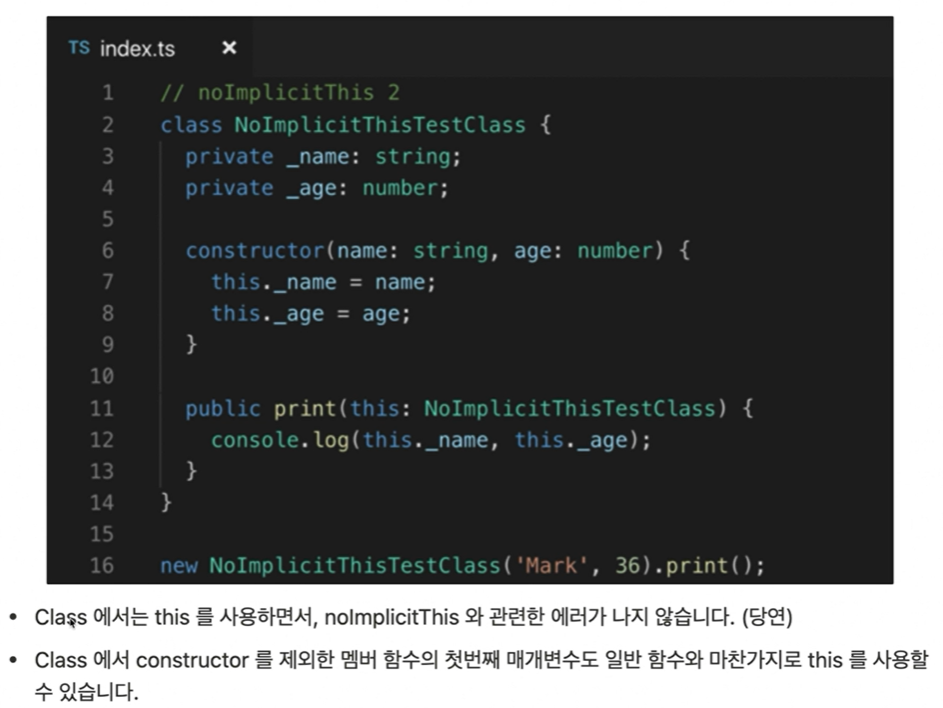
- --noImplicitThis
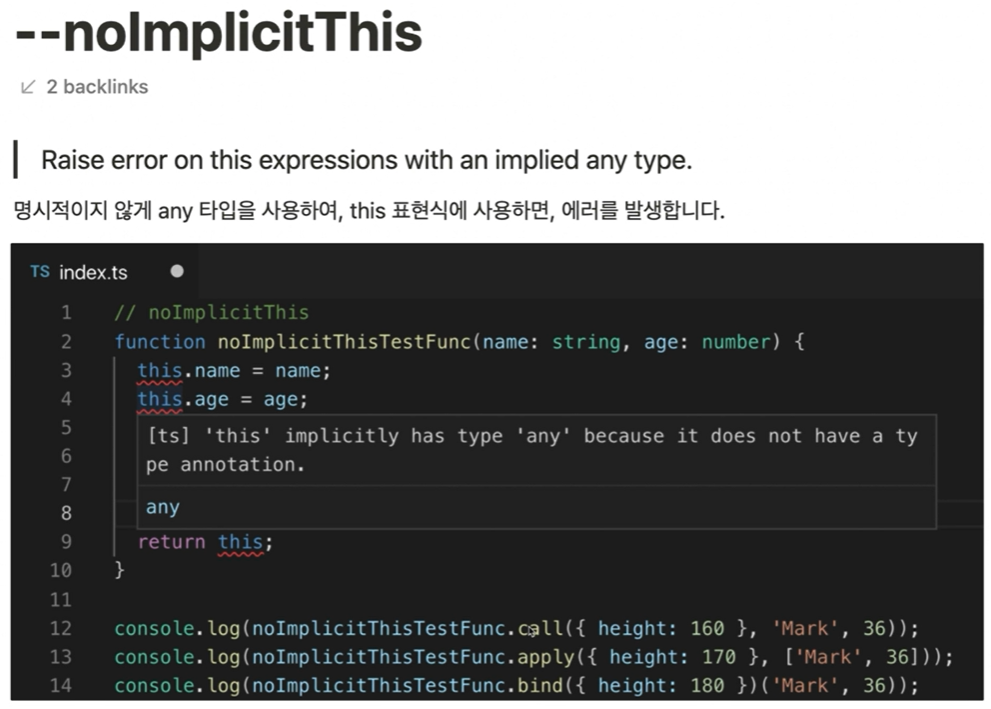
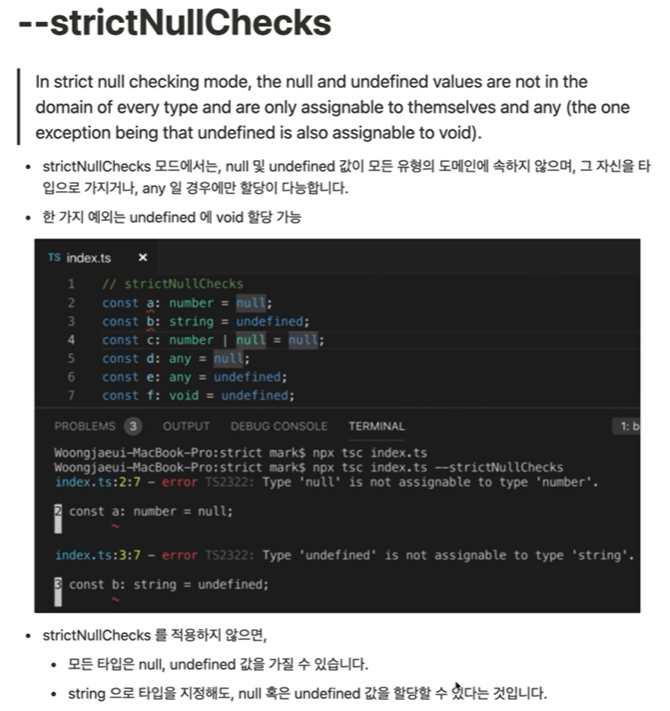
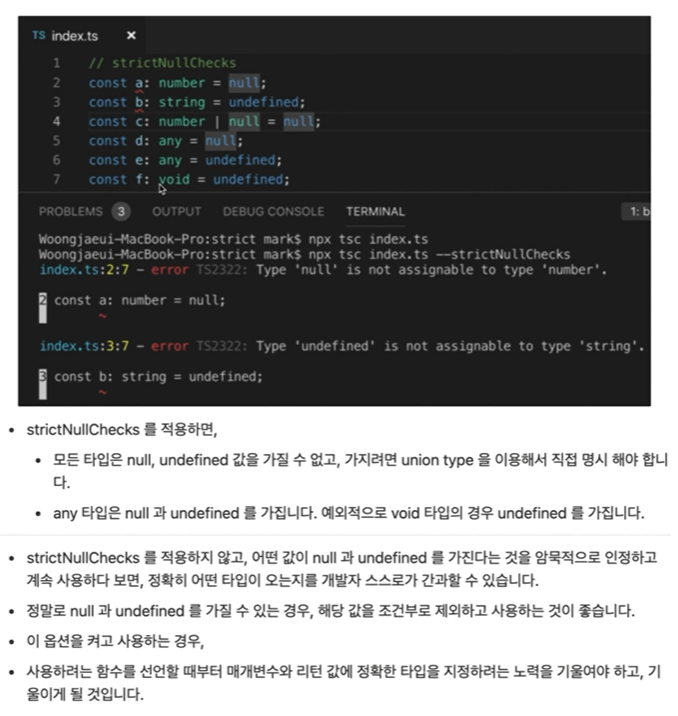
- --strictNullChecks
- --strictFunctionTypes
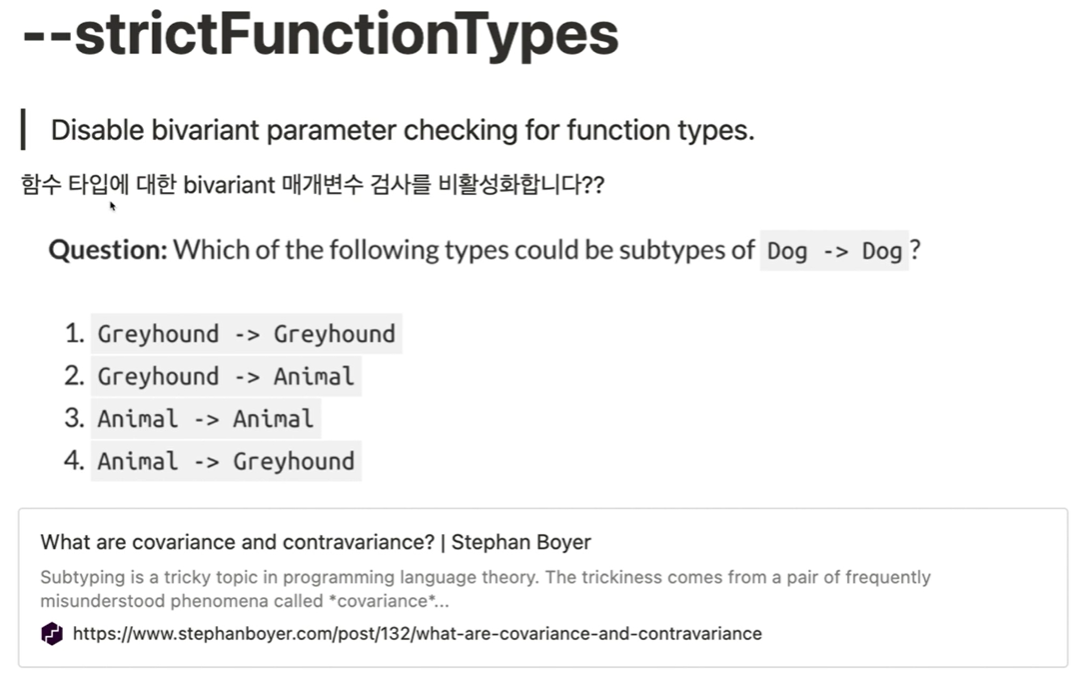
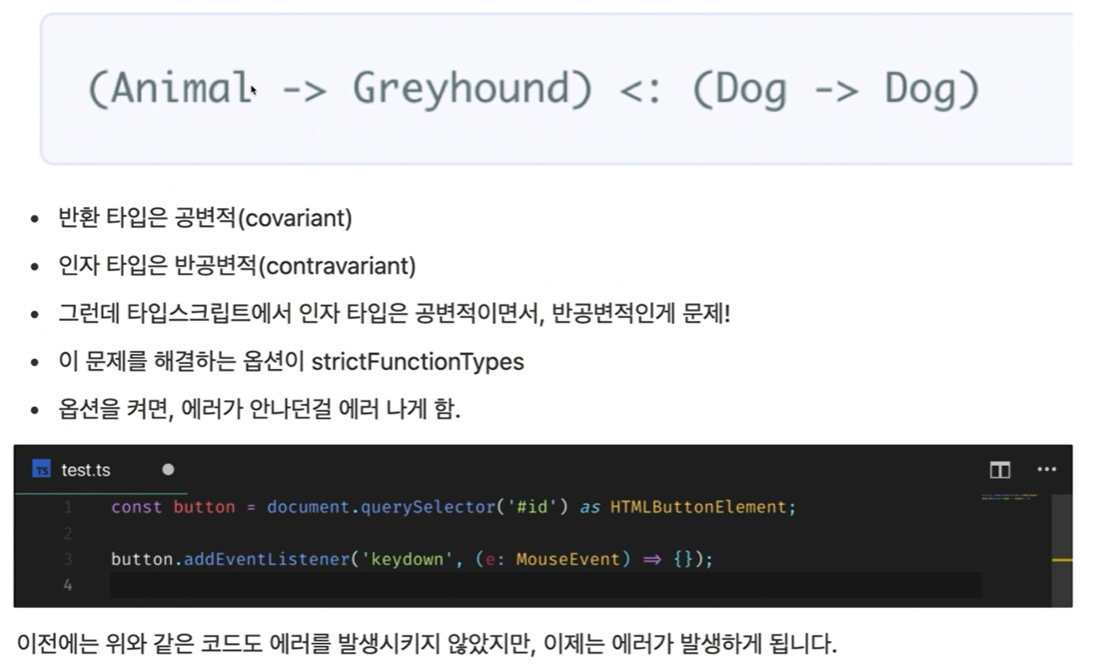
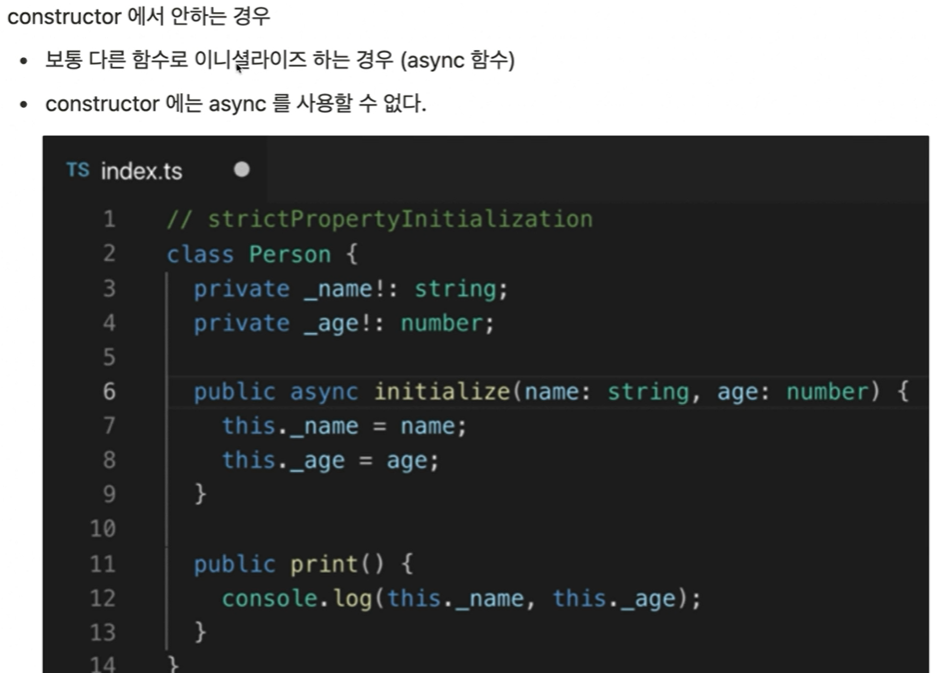
- --strictPropertyInitialization
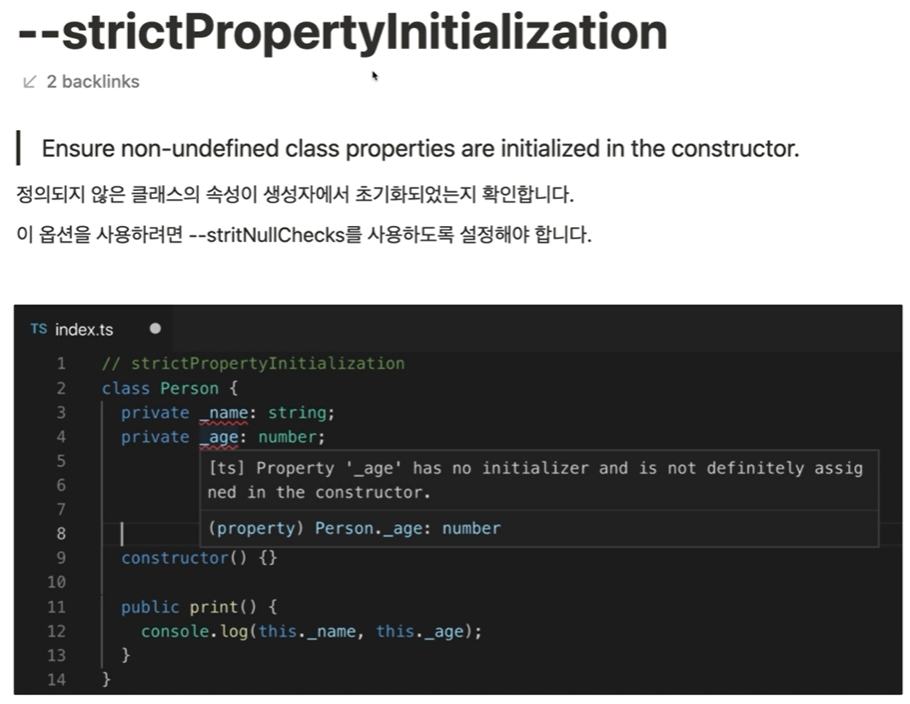
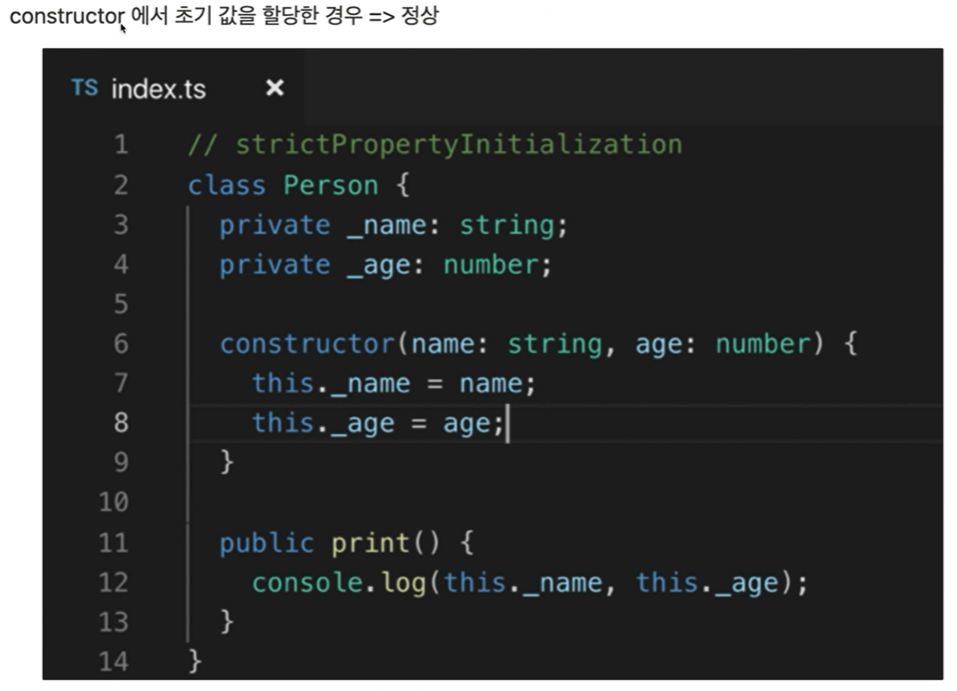
-
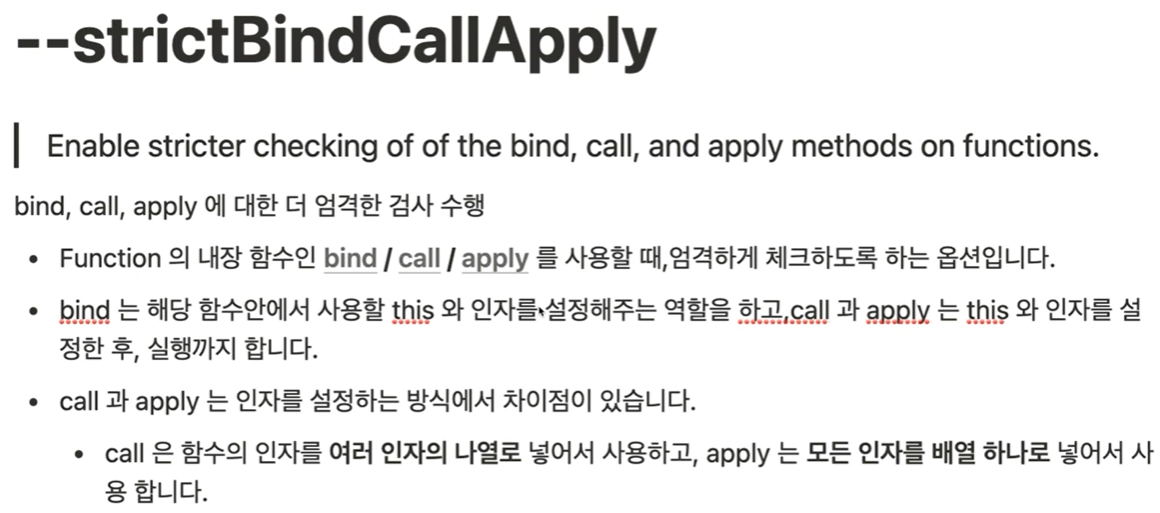
--strictBindCallAply
-
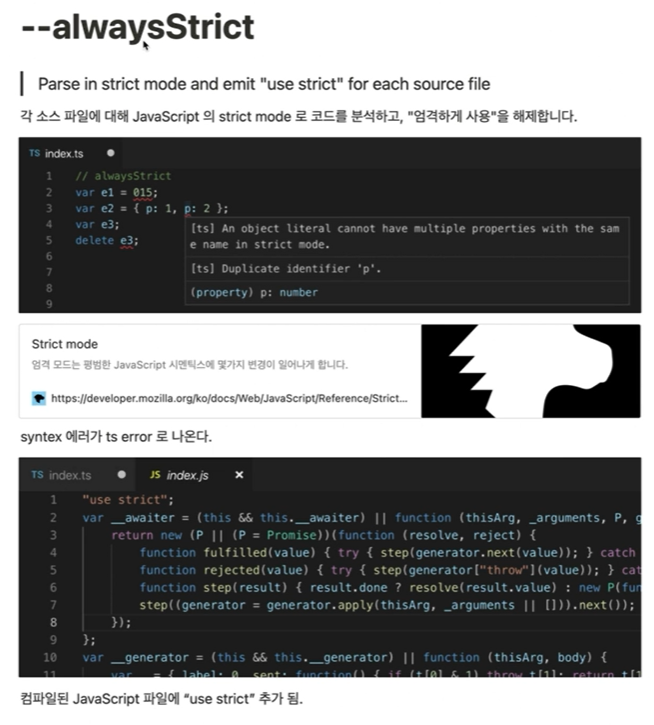
--alwaysStrict

프론트엔드 개발자