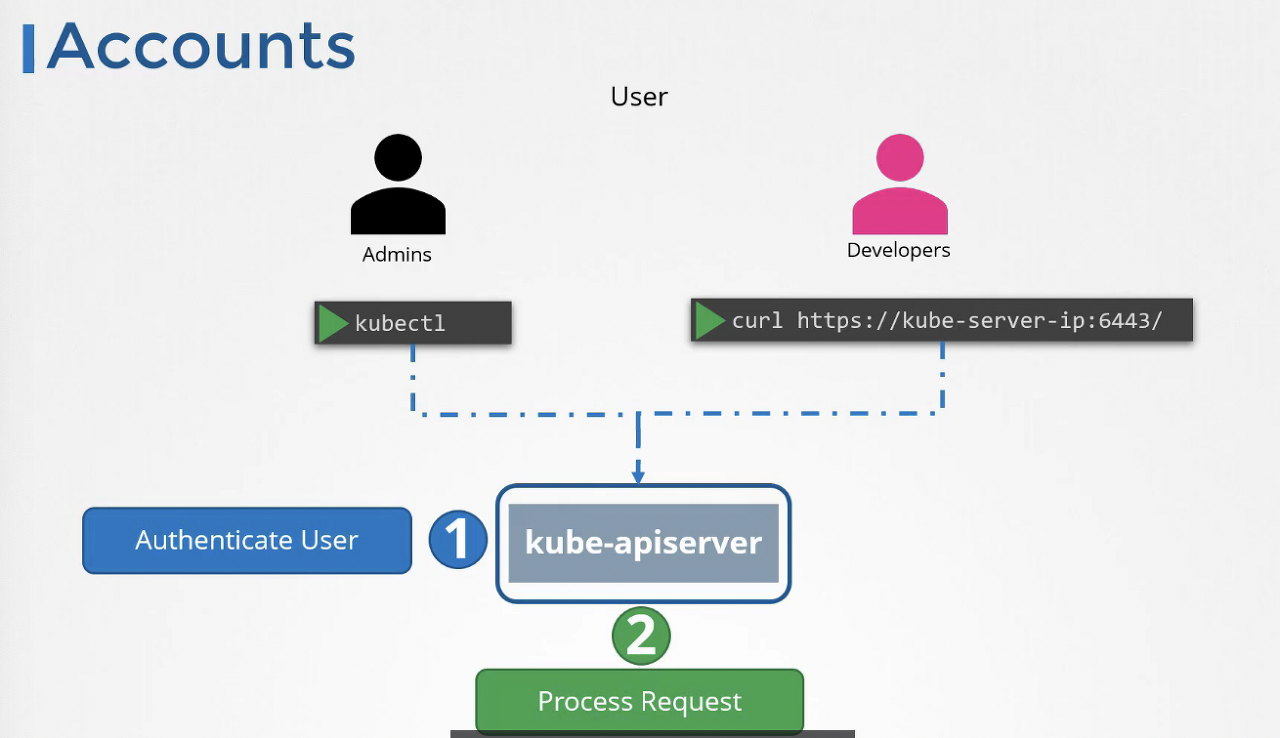
kube-apiserver가 API 서버에 대한 액세스 접근 제어를 실행하기 때문에 apiserver의 보안이 1차 보안 요소이다. 인증 요소인 사용자 ID, 암호, 토큰을 파일로 저장하여 하게된다. 파일로 저장하긴 하나 일반 파일은 아니고, password file이다. 다른 보안 조치는 안되나, 서비스 계정(사용자 계정이 아닌)은 쿠버네티스가 생성하여 관리할 수 있다.
- Identify the certificate file used for the kube-api server
cat /etc/kubernetes/manifests/kube-apiserver.yaml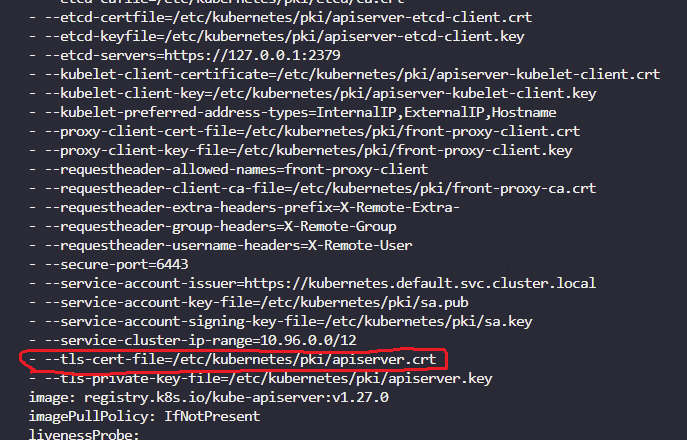
- Identify the Certificate file used to authenticate kube-apiserver as a client to ETCD Server
cat /etc/kubernetes/manifests/kube-apiserver.yaml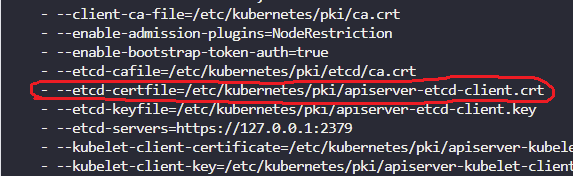
- Identify the key used to authenticate kubeapi-server to the kubelet server
cat /etc/kubernetes/manifests/kube-apiserver.yaml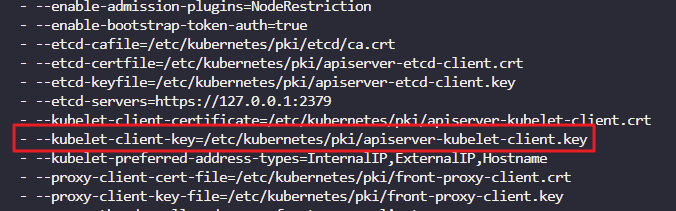
- Identify the ETCD Server Certificate used to host ETCD server.
k get po -n kube-system
k describe po etcd-controlplane -n kube-system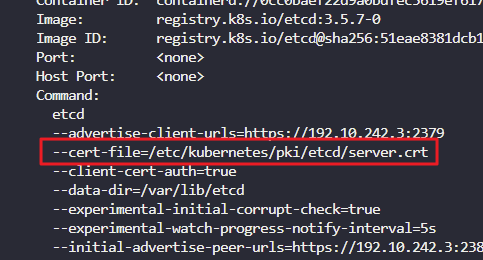
-
Identify the ETCD Server CA Root Certificate used to serve ETCD Server.
ETCD can have its own CA. So this may be a different CA certificate than the one used by kube-api server.
k get po -n kube-system
k describe po etcd-controlplane -n kube-system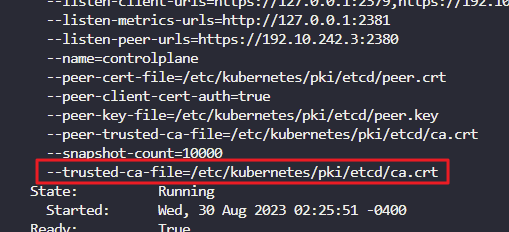
-
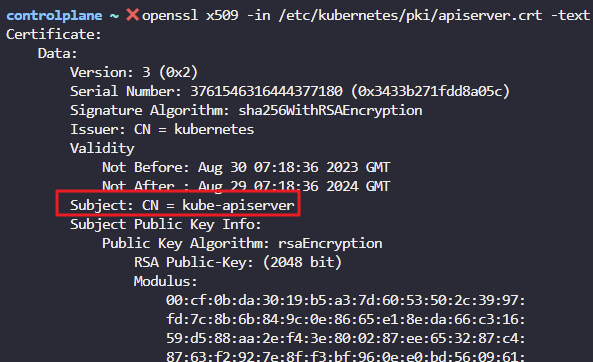
What is the Common Name (CN) configured on the Kube API Server Certificate?
OpenSSL Syntax: openssl x509 -in file-path.crt -text -noout
cat /etc/kubernetes/manifests/kube-apiserver.yaml
openssl x509 -in /etc/kubernetes/pki/apiserver.crt -text 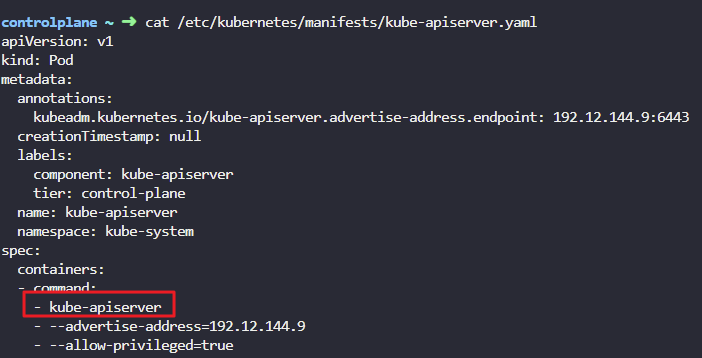
- What is the name of the CA who issued the Kube API Server Certificate?
openssl x509 -in /etc/kubernetes/pki/apiserver.crt -text 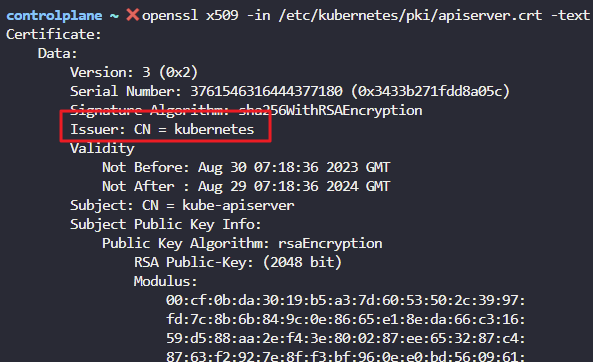
8. Which of the below alternate names is not configured on the Kube API Server Certificate?
openssl x509 -in /etc/kubernetes/pki/apiserver.crt -text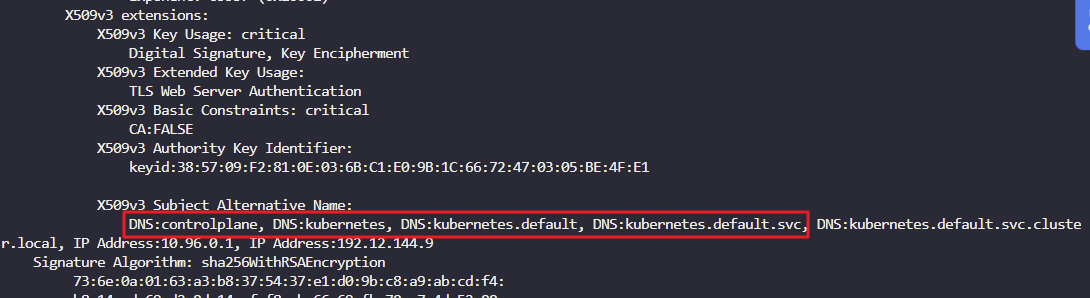
9. What is the Common Name (CN) configured on the ETCD Server certificate?
openssl x509 -in /etc/kubernetes/pki/etcd/server.crt -text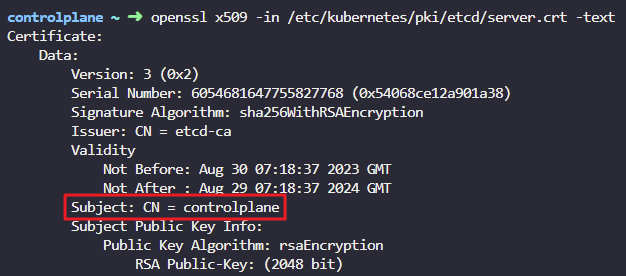
- How long, from the issued date, is the Kube-API Server Certificate valid for?
openssl x509 -in /etc/kubernetes/pki/etcd/server.crt -text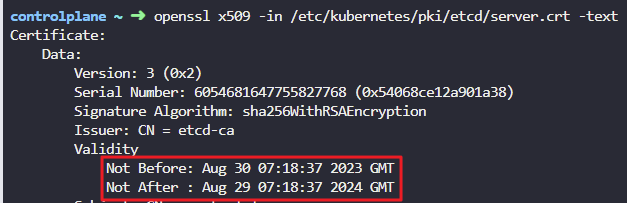
11. How long, from the issued date, is the Root CA Certificate valid for?
File: /etc/kubernetes/pki/ca.crt
openssl x509 -in /etc/kubernetes/pki/ca.crt -text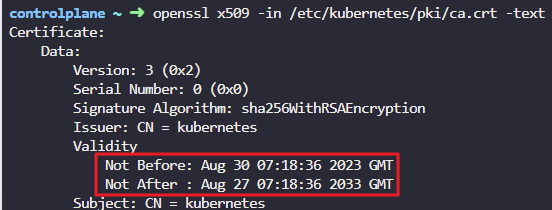
12. Kubectl suddenly stops responding to your commands. Check it out! Someone recently modified the /etc/kubernetes/manifests/etcd.yaml file
You are asked to investigate and fix the issue. Once you fix the issue wait for sometime for kubectl to respond. Check the logs of the ETCD container.
Fix the kube-api server
vi /etc/kubernetes/manifests/etcd.yaml
k delete po etcd-controlplane -n kube-system
k get po -n kube-system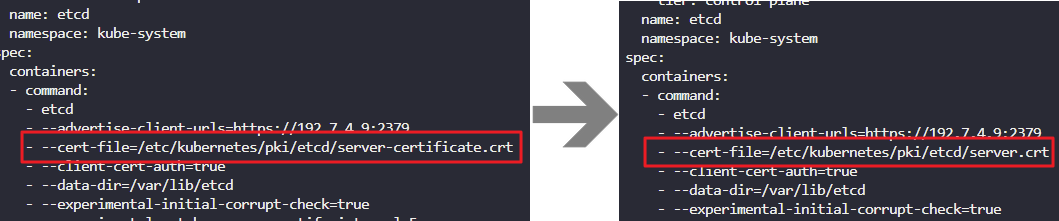
13. The kube-api server stopped again! Check it out. Inspect the kube-api server logs and identify the root cause and fix the issue.
Run crictl ps -a command to identify the kube-api server container. Run crictl logs container-id command to view the logs.
Fix the kube-api server
crictl ps -a | grep kube-apiserver
crictl logs --tail=2 2549d5bbcc2d1
vi /etc/kubernetes/manifests/kube-apiserver.yaml
k delete po -n kube-system kube-apiserver-controlplane
k get po -n kube-system kube-apiserver-controlplane


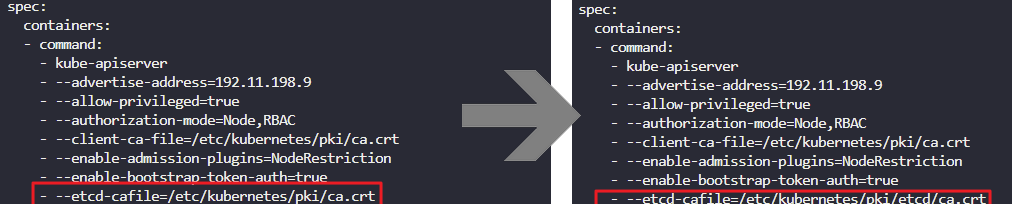
certificate error → cat /etc/kubernetes/manifests/kube-apiserver.yaml
–client-ca-file=/etc/kubernetes/pki/ca.crt
–etcd-certfile=/etc/kubernetes/pki/apiserver-etcd-client.crt
openssl x509 -in crt or key path -text
ex) openssl x509 -in /etc/kubernetes/pki/ca.crt -text
check CN
/etc/kubernetes/pki/ca.crt CN → kubernetes
/etc/kubernetes/pki/apiserver-etcd-client.crt CN-> etcd-ca
openssl x509 -in /etc/kubernetes/pki/etcd/ca.crt -text
CN → etcd-ca
rewrite → vi /etc/kubernetes/manifests/kube-apiserver.yaml
–client-ca-file=/etc/kubernetes/pki/ca.crt → --client-ca-file=/etc/kubernetes/pki/etcd/ca.crt