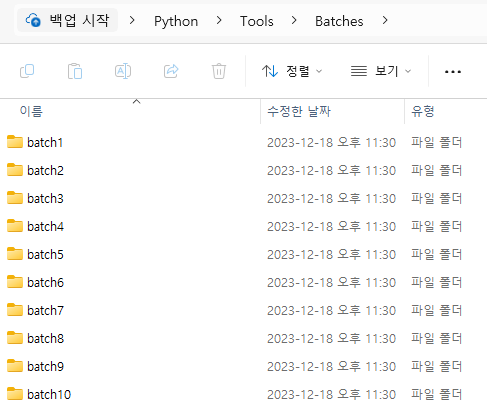
기존에 한 경로에 모아놓은 프로그램을 순차적으로 자동 실행하는 로직을 짰었다.
원글: 프로그램 자동 실행하기
하지만 저 경로에 들어가는 프로그램은 다른 경로에서 작업을 하던 거였고. PyInstaller로 말아서 exe로 실행하던 거였는데 귀찮아져서 소스 하나 돌려서 한 경로로 몰아넣고 Python으로 실행한 것이었다.
import shutil
import os

def copy_folder(src_folder, dest_folder, new_name):
    # 경로 A 유효성 체크
    if not os.path.exists(src_folder):
        print(f"Source folder '{src_folder}' does not exist.")
        return

    # 경로 B가 존재하지 않으면 생성
    if not os.path.exists(dest_folder):
        os.makedirs(dest_folder)

    # 새로 생성하여 저장될 폴더 명의 Absolute 경로명
    new_folder_path = os.path.join(dest_folder, new_name)

    # shutil 모듈로 복붙하기
    try:
        shutil.copytree(src_folder, new_folder_path)
        print(f"Folder '{src_folder}' copied to '{new_folder_path}' as '{new_name}'.")
    except shutil.Error as e:
        print(f"Folder copy failed: {e}")
    except OSError as e:
        print(f"Folder copy failed: {e}")

if __name__ == "__main__":
    # 경로 A
    source_folder_path = "C:\\..."

    # 경로 B
    destination_folder = "C:\\..."

    for i in range(10):
    	# 저장할 폴더 이름
        new_folder_name = 'batch' + str(i+1)

        # Copy & Paste 메소드 실행
        copy_folder(source_folder_path, destination_folder, new_folder_name)
초보자를 위한 프로그래밍 정리