1.글쓴이가 나오게 하기
질문 목록
templates\boards\post_list.html
      <tbody>
        {% if post_list %}
          {% for post in post_list %}
            <tr class="text-center">
              <td>{{post.id}}</td>
              <td class="text-start">
                <a href="{% url 'boards:detail' post.id %}">{{ post.title }}</a>
                {% if post.comment_set.count > 0 %}
                  <span class="text-danger small mx-2">{{ post.comment_set.count }}</span>
                {% endif %}
              </td>
              <td>{{ post.user.username }}</td>
              <!-- 글쓴이 추가 -->
              <td>{{ post.created_at }}</td>
            </tr>
          {% endfor %}
        {% else %}
          <tr>
            <td colspan="4">게시글이 없습니다</td>
          </tr>
        {% endif %}
      </tbody>
게시글 상세
게시글 상세 템플릿도 다음과 같이 글쓴이를 추가하자.
templates\boards\post_detail.html
(... 생략 ...)
        <div class="badge bg-light text-dark p-2 text-start">
          <div class="mb-2">{{ question.author.username }}</div>
          <div>{{ post.created_at }}</div>
        </div>
(... 생략 ...)
글쓴이와 작성일시가 함께 보이도록 수정했다. 그리고 부트스트랩을 이용하여 여백과 정렬 등의 디자인도 살짝 변경했다.
그리고 답변 부분도 글쓴이를 다음처럼 추가하자.
templates\boards\post_detail.html
  <h5 class="border-bottom my-3 py-2">{{post.comment_set.count}}개의 댓글이 있습니다.</h5>
  {% for comment in post.comment_set.all %}
    <div class="card my-3">
      <div class="card-body">
        <div class="card-text" style="white-space: pre-line;">{{ comment.content }}</div>
        <div class="d-flex justify-content-end">
          <div class="badge bg-light text-dark p-2 text-start">
            <div class="mb-2">{{ comment.user.username }}</div>
             <div>{{comment.created_at}}</div>
          </div>
        </div>
      </div>
    </div>
  {% endfor %}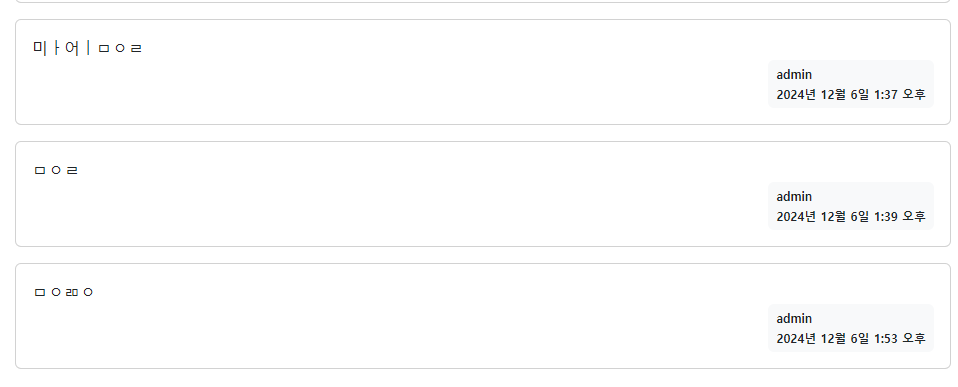

쿵스보이(얼짱뮤지션)