1.로그인 페이지를 깔끔한 페이지로 변경해 보자
static 폴더 밑에 accounts\css 폴더를 만든후 아래의 파일 추가
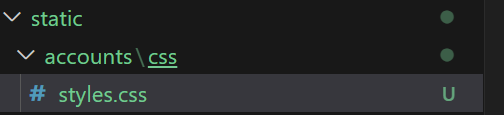
static\accounts\css\styles.css
/* Importing fonts from Google */
@import url('https://fonts.googleapis.com/css2?family=Poppins:wght@300;400;500;600;700;800;900&display=swap');

/* Reseting */
* {
    margin: 0;
    padding: 0;
    box-sizing: border-box;
    font-family: 'Poppins', sans-serif;
}

body {
    background: #ecf0f3;
}

.wrapper {
    max-width: 350px;
    min-height: 500px;
    margin: 80px auto;
    padding: 40px 30px 30px 30px;
    background-color: #ecf0f3;
    border-radius: 15px;
    box-shadow: 13px 13px 20px #cbced1, -13px -13px 20px #fff;
}

.logo {
    width: 80px;
    margin: auto;
}

.logo img {
    width: 100%;
    height: 80px;
    object-fit: cover;
    border-radius: 50%;
    box-shadow: 0px 0px 3px #5f5f5f, 0px 0px 0px 5px #ecf0f3,
        8px 8px 15px #a7aaa7, -8px -8px 15px #fff;
}

.wrapper .name {
    font-weight: 600;
    font-size: 1.4rem;
    letter-spacing: 1.3px;
    padding-left: 10px;
    color: #555;
}

.wrapper .form-field input {
    width: 100%;
    display: block;
    border: none;
    outline: none;
    background: none;
    font-size: 1.2rem;
    color: #666;
    padding: 10px 15px 10px 10px;
    /* border: 1px solid red; */
}

.wrapper .form-field {
    padding-left: 10px;
    margin-bottom: 20px;
    border-radius: 20px;
    box-shadow: inset 8px 8px 8px #cbced1, inset -8px -8px 8px #fff;
}

.wrapper .form-field .fas {
    color: #555;
}

.wrapper .btn {
    box-shadow: none;
    width: 100%;
    height: 40px;
    background-color: #03a9f4;
    color: #fff;
    border-radius: 25px;
    box-shadow: 3px 3px 3px #b1b1b1, -3px -3px 3px #fff;
    letter-spacing: 1.3px;
}

.wrapper .btn:hover {
    background-color: #039be5;
}

.wrapper a {
    text-decoration: none;
    font-size: 0.8rem;
    color: #03a9f4;
}

.wrapper a:hover {
    color: #039be5;
}

@media (max-width: 380px) {
    .wrapper {
        margin: 30px 20px;
        padding: 40px 15px 15px 15px;
    }
}
로그인 템플릿 파일 작성
templates\accounts\login.html
{% extends "layout/base.html" %}
{% block content %}
  {% include 'accounts/head.html' %}
  <div class="d-flex flex-column vh-100 justify-content-between">
    {% include 'layout/navbar.html' %}
    <div class="wrapper">
      <div class="logo">
        <img src="https://www.freepnglogos.com/uploads/twitter-logo-png/twitter-bird-symbols-png-logo-0.png" alt="">
      </div>
      <div class="text-center mt-4 name">
        Login
      </div>
      <form class="p-3 mt-3" method="post" action="{% url 'accounts:login' %}">
        {% csrf_token %}
        <input type="hidden" name="next" value="{{ next }}">
        <!-- 로그인 성공후 이동되는 URL -->
        {% include "layout/form_errors.html" %}
        <div class="form-field d-flex align-items-center">
          <span class="far fa-user"></span>
          <input type="text" name="username" id="username" placeholder="아이디">
        </div>
        <div class="form-field d-flex align-items-center">
          <span class="fas fa-key"></span>
          <input type="password" name="password" id="pwd" placeholder="패스워드">
        </div>
        <button class="btn mt-3">Login</button>
      </form>
      <div class="text-center fs-6">
        <a href="#">Forget password?</a>
        or
        <a href="#">Sign up</a>
      </div>
    </div>

    <!-- Footer-->
    {% include 'store/footer.html' %}

  {% endblock %}
</div>
templates\accounts\head.html (파일추가)
{% load static %}

<head>
  <meta charset="utf-8"/>
  <meta name="viewport" content="width=device-width, initial-scale=1, shrink-to-fit=no"/>
  <meta name="description" content=""/>
  <meta name="author" content=""/>
  <title>로그인</title>
  <!-- Bootstrap icons-->
  <link href="https://cdn.jsdelivr.net/npm/bootstrap@5.0.0-beta1/dist/css/bootstrap.min.css" rel="stylesheet"/>
  <link href="https://cdn.jsdelivr.net/npm/bootstrap@5.0.0-beta1/dist/js/bootstrap.bundle.min.js" rel="stylesheet"/>
  <link href="https://cdnjs.cloudflare.com/ajax/libs/jquery/3.2.1/jquery.min.js" rel="stylesheet"/>
  <link href="https://use.fontawesome.com/releases/v5.7.2/css/all.css" rel="stylesheet"/>

  <!-- Core theme CSS (includes Bootstrap)-->
  <link href="{% static 'accounts/css/styles.css' %}" rel="stylesheet"/>
</head>
templates\layout\base.html (해당파일 변경)
아래부분을 따로때 내었습니다.
<!-- 네비게이션바 -->
{% include "layout/navbar.html" %}
{% load static %}
<!doctype html>
<html lang="ko">

  <body>

    <!-- 기본 템플릿 안에 삽입될 내용 Start -->
    {% block content %}{% endblock %}
    <!-- 기본 템플릿 안에 삽입될 내용 End -->
    <!-- 자바스크립트 Start -->
    {% block script %}{% endblock %}
    <!-- 자바스크립트 End -->
    <!-- Bootstrap core JS-->
    <script src="https://cdn.jsdelivr.net/npm/bootstrap@5.3.3/dist/js/bootstrap.bundle.min.js"></script>
    <!-- Core theme JS-->
    <script src="{% static 'store/js/scripts.js' %}"></script>
  </body>

</html>
templates\store\head.html
{% extends 'layout/base.html' %}
{% load static %}

{% block content %}

    <!-- Head -->
    {% include 'store/head.html' %}

    <!-- 네비게이션바 추가 되었음 -->
    {% include "layout/navbar.html" %}

    <!-- Header -->
    {% include 'store/header.html' %}
(... 생략 ...)
templates\store\about.html
{% extends 'layout/base.html' %}
{% load static %}

{% block content %}
  <!-- Head -->
  {% include 'store/head.html' %}
  <!-- 네비게이션바 -->
  {% include "layout/navbar.html" %}
  <!-- Header -->
(... 생략 ...)
아래와 같이 로그인 화면이 제대로 되었는지 확인
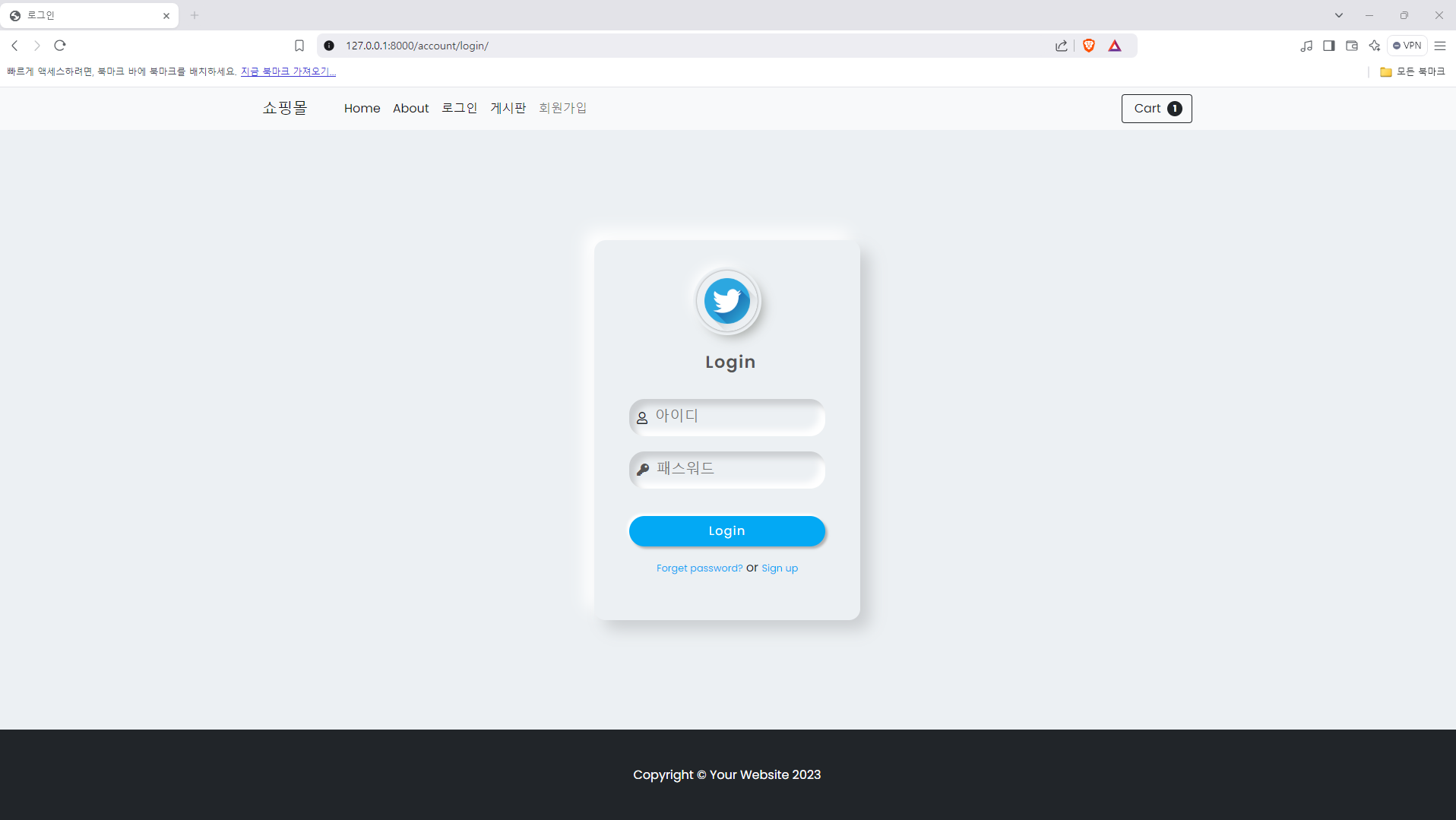
변경사항이 좀 있으므로 깃허브를 참고 하셔도 좋습니다.

쿵스보이(얼짱뮤지션)