1.store\urls.py
path('category/<str:foo>', views.category, name='category'), #변수 foo 의 의미 참고
2.store\views.py
def home(request):
    products = Product.objects.all()
    categories = Category.objects.all()
    return render(request,'store/home.html',{'products':products,'categories':categories})


def category(request, foo):
    #Replace Hyphens with Spaces

    foo = foo.replace('-',' ')
    #print(foo)

    # Grab the category from the url
    try:
        #Look up the category
        category = Category.objects.get(name=foo)
        print(category)

        products = Product.objects.filter(category=category)
        print(products)

        return render(request, 'store/category.html',{'products':products,'category':category,'categories':Category.objects.all })

    except:
        messages.success(request, ("카테고리가 존재하지 않습니다."))
        return redirect('store:home')
store\templates\navbar.html
     <li>
          {% if not user.is_authenticated %}
            <a class="nav-link" href="{% url 'accounts:signup' %}">회원가입</a>
          {% endif %}
        </li>
        <li class="nav-item dropdown">
          <a class="nav-link dropdown-toggle" id="navbarDropdown" href="#" role="button" data-bs-toggle="dropdown" aria-expanded="false">Shop</a>
          <ul class="dropdown-menu" aria-labelledby="navbarDropdown">
            <li>
              <a class="dropdown-item" href="{% url 'store:home' %}">All Products</a>
            </li>
            <li>
              <hr class="dropdown-divider"/>
            </li>
            {% comment %} 카테고리 받아오기위한 추가 부분 {% endcomment %}
            {% if categories %}
              {% for category in categories %}
                <li>
                  <a class="dropdown-item" href="#">{{category.name}}</a>
                </li>
              {% endfor %}
            {% endif %}
templates\store\category.html
{% extends 'layout/base.html' %}
{% load static %}

{% block content %}
  <!-- Head -->
  {% include 'store/head.html' %}
  <!-- 네비게이션바 -->
  {% include "layout/navbar.html" %}
  <!-- Header -->

  <header class="bg-dark py-5">
    <div class="container px-4 px-lg-5 my-5">
      <div class="text-center text-white">
        <h1 class="display-4 fw-bolder">{{category}}</h1>
        <p class="lead fw-normal text-white-50 mb-0">Category Page</p>
      </div>
    </div>
  </header>

  <section class="py-5">
    <div class="container px-4 px-lg-5 mt-5">
      <div class="row gx-4 gx-lg-5 row-cols-2 row-cols-md-3 row-cols-xl-4 justify-content-center">
        {% for product in products %}
          <div class="col mb-5">
            <div class="card h-100">
              {% if product.is_sale %}
                <!-- Sale badge-->
                <div class="badge bg-dark text-white position-absolute" style="top: 0.5rem; right: 0.5rem">Sale</div>
              {% endif %}
              <!-- Product image-->
              <img class="card-img-top" src="{{product.image.url}}" alt="..."/>
              <!-- Product details-->
              <div class="card-body p-4">
                <div class="text-center">
                  <!-- Product name-->
                  <h5 class="fw-bolder">{{ product.name }}</h5>
                  <!-- Product reviews-->
                  <div class="d-flex justify-content-center small text-warning mb-2">
                    <div class="bi-star-fill"></div>
                    <div class="bi-star-fill"></div>
                    <div class="bi-star-fill"></div>
                    <div class="bi-star-fill"></div>
                    <div class="bi-star-fill"></div>
                  </div>
                  <!-- Product price-->
                  {% if product.is_sale %}
                    <span class="text-muted text-decoration-line-through">$20.00</span>
                  {% endif %}
                  ${{ product.price }}
                </div>
              </div>
              <!-- Product actions-->
              <div class="card-footer p-4 pt-0 border-top-0 bg-transparent">
                <div class="text-center">
                  <a class="btn btn-outline-dark mt-auto" href="{% url 'store:product' product.id %}">View Product</a>
                </div>
              </div>
            </div>
          </div>
        {% endfor %}
      </div>
    </div>
  </section>
 {% include 'store/footer.html' %}
{%endblock content%}
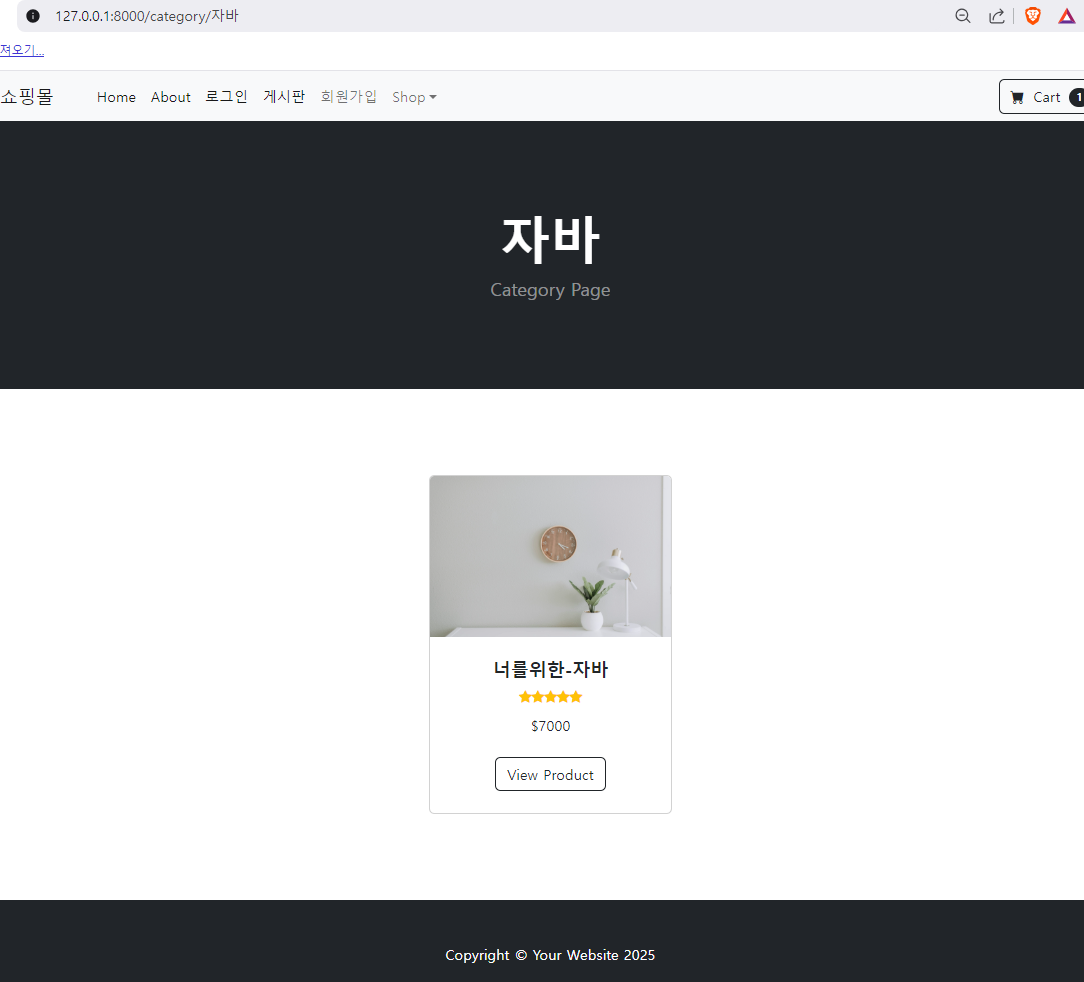
아래와 같이 카테고리가 잘 작동되는지 확인

쿵스보이(얼짱뮤지션)