1.navbar.html 에서 카트 버튼 확인
templates\layout\navbar.html
아래의 버튼 확인
      <form class="d-flex">
        <a href="#" class="btn btn-outline-dark">
          <i class="bi-cart-fill me-1"></i>
          Cart
          <span class="badge bg-dark text-white ms-1 rounded-pill" id="cart_quantity">0</span>
        </a>
      </form>
2.cart\views.py
cart\views.py
아래와 같이 수정
def cart_add(request):
    cart  = Cart(request)

    print("카트========",cart)

    if request.POST.get('action') == 'post':
        print('=========')

        #get stuff
        product_id = int(request.POST.get('product_id'))
        print('product_id', product_id)

        # lookup proudct in DB
        product = get_object_or_404(Product,id=product_id)

        print("프로덕트",product)


        #save to session
        cart.add(product=product)

        #Get cart quantity
        cart_quantity = cart.__len__()
        response = JsonResponse({'qty': cart_quantity})

        return response
templates\layout\navbar.html
<span class="badge bg-dark text-white ms-1 rounded-pill" id="cart_quantity">{{cart|length}}</span>templates\store\product.html
  <script>
    $(document).on('click', '#add-cart',function(e){
      $.ajax({
        type:"POST",
        url:"{% url 'cart:cart_add' %}",
        data:{
          product_id: $('#add-cart').val(),
          csrfmiddlewaretoken:'{{  csrf_token }}',
          action: 'post'
        },
        success : function(json){
          console.log(json)
          $('#cart_quantity').text(json.qty)
        },
        error : function(e){
          console.log(e)
        }
      })
    });
  </script>
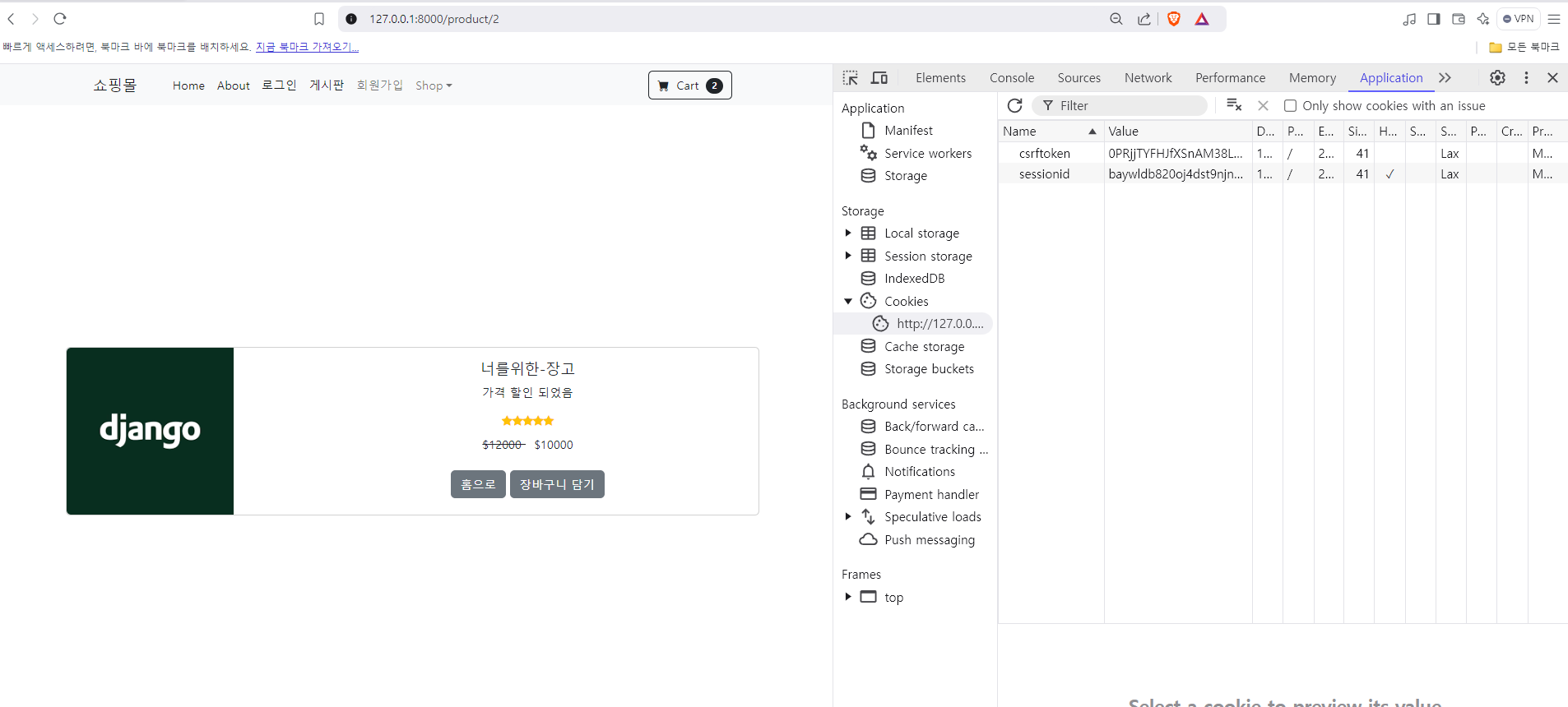
테스트를 제대로 하기 위해 sessionid를 지우고 다시 한번 하기
아래와 같이 Cart 버튼이 올라 가는가 확인

쿵스보이(얼짱뮤지션)