https://djoser.readthedocs.io/en/latest/
1. 아래의 두개를 install 한다.
pip install -U djoser
pip install -U djangorestframework_simplejwt
2. \config\settings.py
아래를 추가
INSTALLED_APPS = [
    "django.contrib.auth",
	(생략)
    'djoser',#dev_57
]


#dev_57
REST_FRAMEWORK = {
    'DEFAULT_AUTHENTICATION_CLASSES': (
        'rest_framework_simplejwt.authentication.JWTAuthentication',
    ),
}

SIMPLE_JWT = {
   'AUTH_HEADER_TYPES': ('JWT',),
   'ACCESS_TOKEN_LIFETIME': timedelta(days=1),
   'REFRESH_TOKEN_LIFETIME': timedelta(days=2),
}
3. \config\urls.py
    path("auth/", include('djoser.urls')),#dev_57
    path("auth/", include('djoser.urls.jwt')),#dev_57
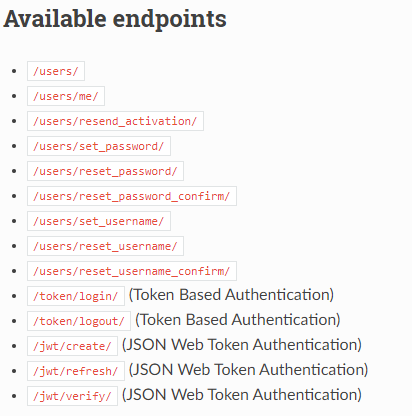
https://djoser.readthedocs.io/en/latest/getting_started.html#available-endpoints
위의 기본설정을 하면 아래의 url을 제공하여 기본적인 기능을 제공하여 준다.
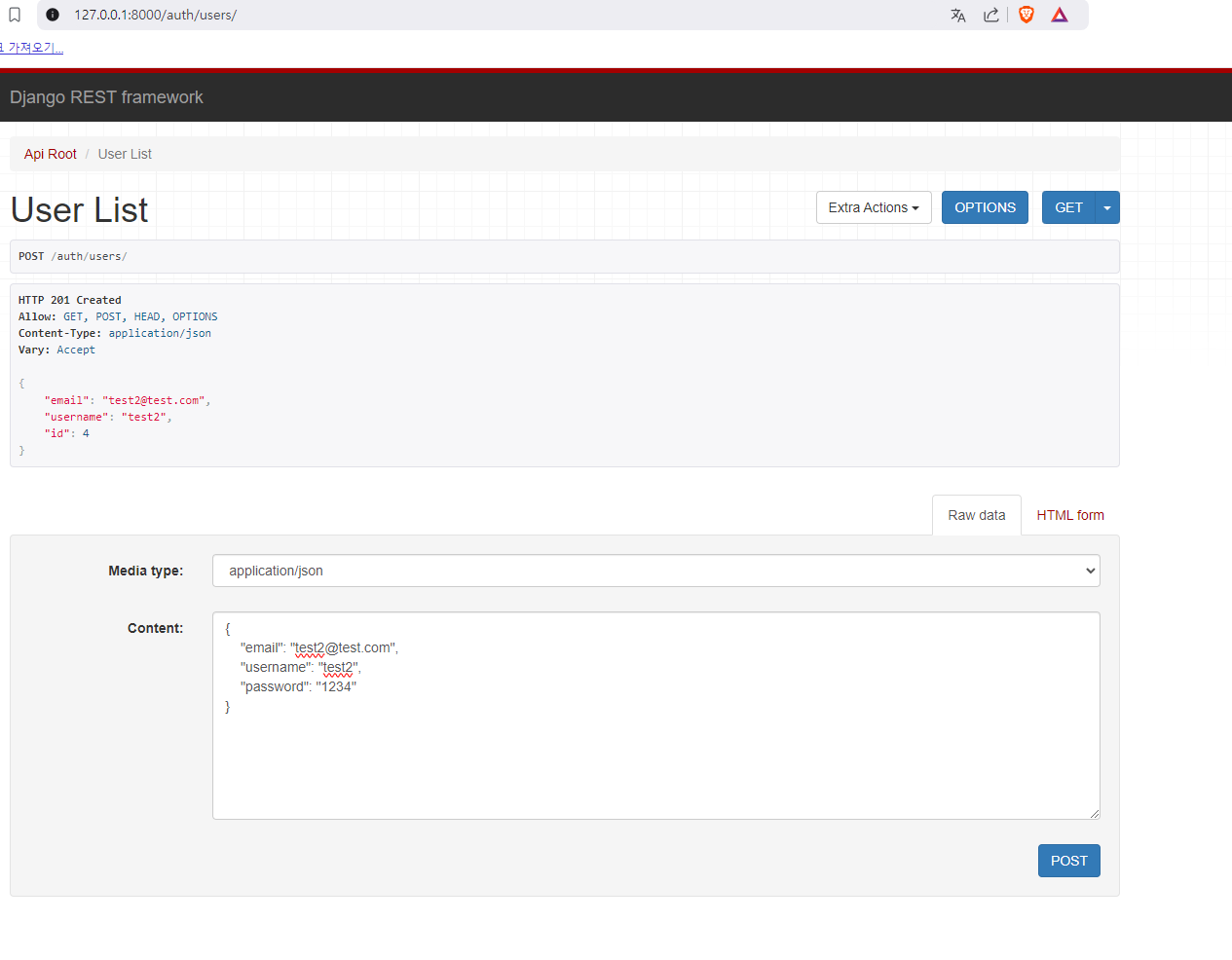
우선 아래와 같이 유저가입을 해보자
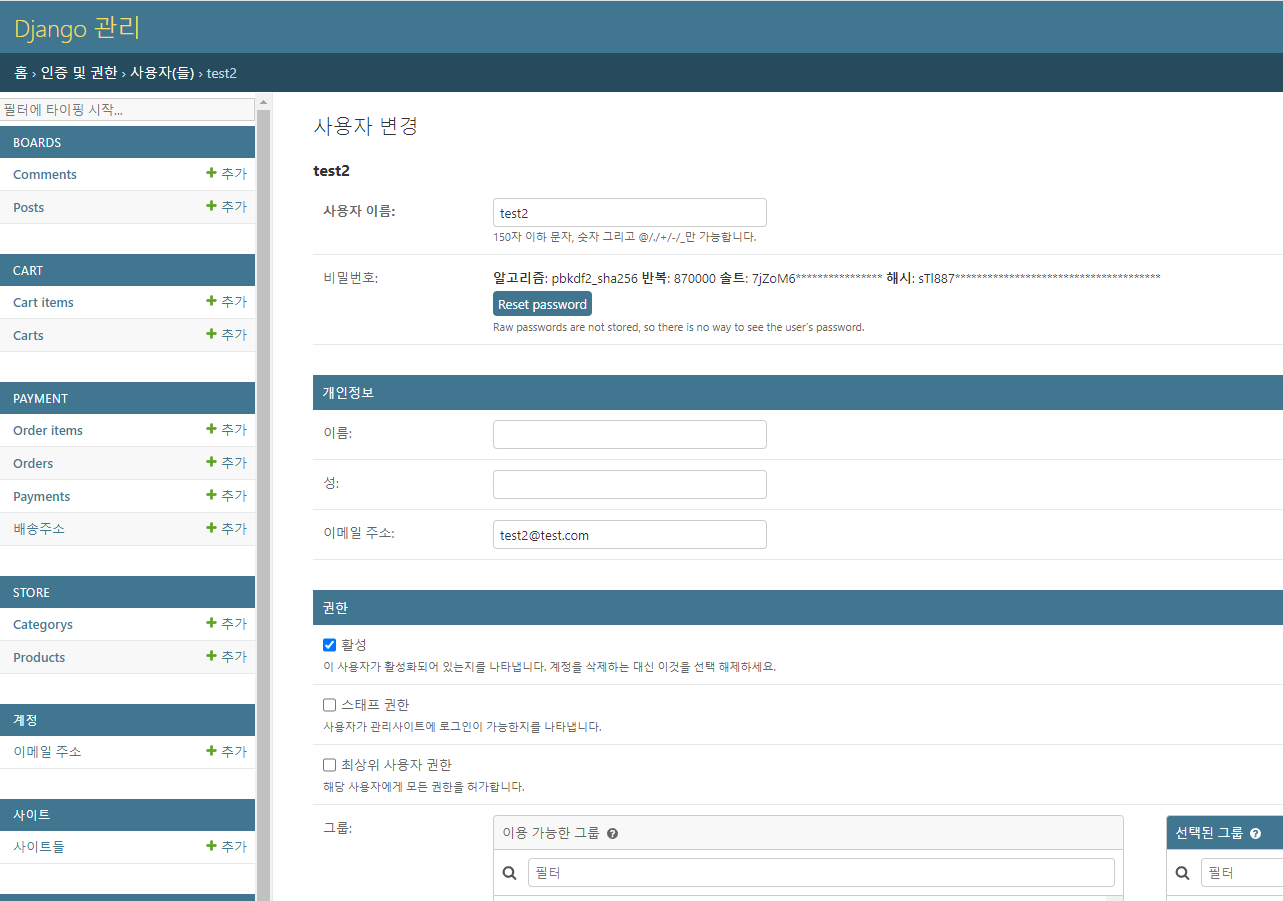
확인
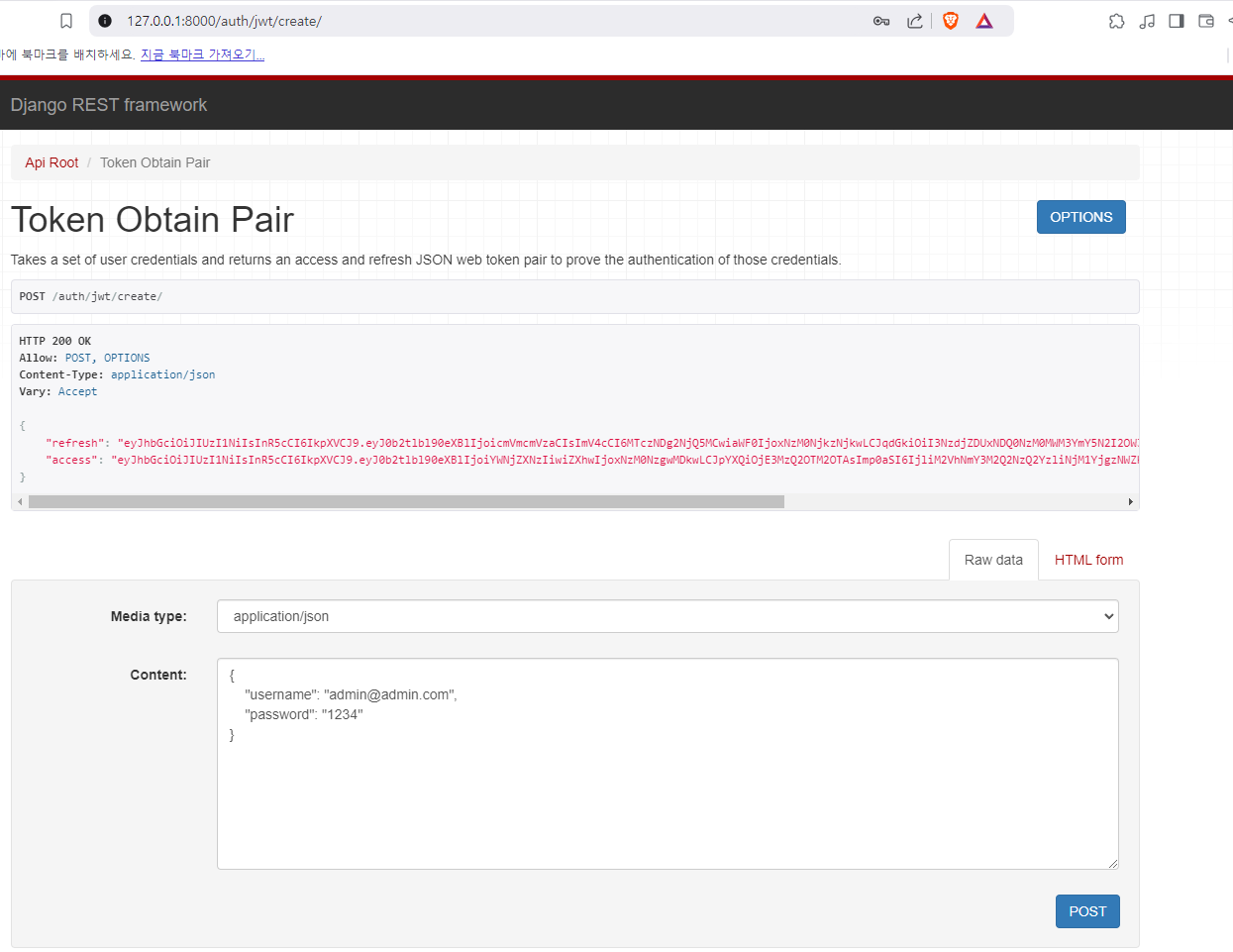
로그인 하기
- 아래와 같이 토큰을 생성한다.
-
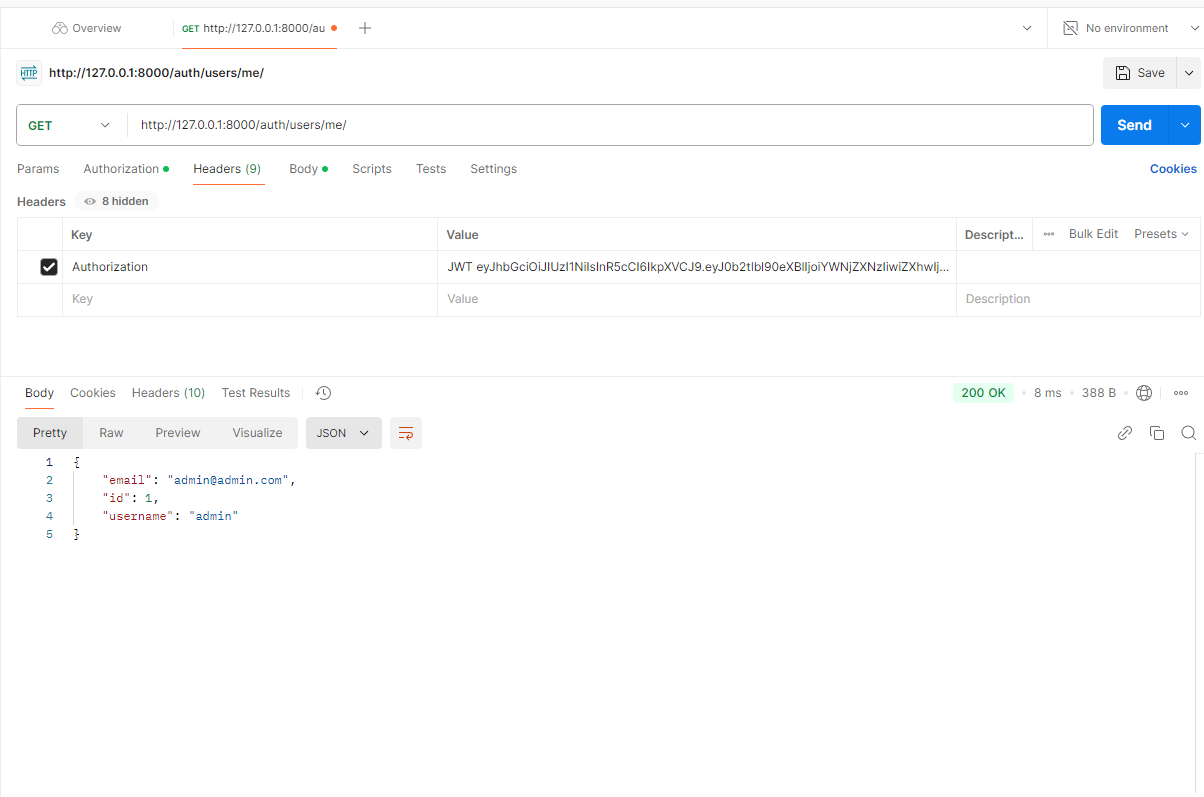
postman 에서 아래와 같이 셋팅후 Send 버튼을 누르후 아래와 같이 유저 정보가 json 으로 넘어 오는가 확인 한다.
-
주의 할것은 Value 입력시 위의 access 토큰과 함께 JWT와 한칸을 띄운후 access 토큰을 집어 넣는다.

쿵스보이(얼짱뮤지션)