1.게시판 목록 구현
다음 페이지 요청 시 등록한 게시글들을 조회할 수 있도록 구현해 보자.
2.템플릿 디렉터리
템플릿 파일을 작성하기 전에 템플릿 파일을 저장할 디렉터리를 먼저 만들어야 한다. 템플릿을 저장할 디렉터리는 config/settings.py 파일의 TEMPLATES 항목에 설정해야 한다.
(... 생략 ...)
TEMPLATES = [
    {
        'BACKEND': 'django.template.backends.django.DjangoTemplates',
        'DIRS': [BASE_DIR / 'templates'],
        'APP_DIRS': True,
        'OPTIONS': {
            'context_processors': [
                'django.template.context_processors.debug',
                'django.template.context_processors.request',
                'django.contrib.auth.context_processors.auth',
                'django.contrib.messages.context_processors.messages',
            ],
        },
    },
]
(... 생략 ...)
BASE_DIR / 'templates'에서 BASE_DIR은 c:\projects\ecommerce 이므로, 추가한 디렉터리의 전체 경로는 다음과 같을 것이다.
c:\projects\mysite\templates
(mysite) c:\projects\mysite> mkdir templates
모든 앱이 공통으로 사용할 템플릿 디렉터리 projects/mysite/templates
boards 앱이 사용할 템플릿 디렉터리
projects/mysite/templates/boards
common 앱이 사용할 템플릿 디렉터리 projects/mysite/templates/common
3.템플릿 파일
그리고 templates/boards/board_list.html 파일을 다음처럼 작성하자.
[파일명: templates/boards/post_list.html]


{% if post_list %}
  <ul>
    {% for post in post_list %}
      <li>
        <a href="/boards/{{ post.id }}/">{{ post.title }}</a>
      </li>
    {% endfor %}
  </ul>
{% else %}
  <p>게시글이 없습니다.</p>
{% endif %}
4.아래의 순서 대로 추가
config/urls.py
urlpatterns = [
...
    path("boards/", include('boards.urls')),
...
]
boards/urls.py
urlpatterns = [
...
   path("", views.index), #boards/ 끝에 슬러시 주의 할것
...
]
boards/views.py 를 아래와 같이 수정
from boards.models import Post


def index(request):
    post_list = Post.objects.order_by('-created_at')
    context = {'post_list': post_list}
    return render(request, 'boards/post_list.html', context)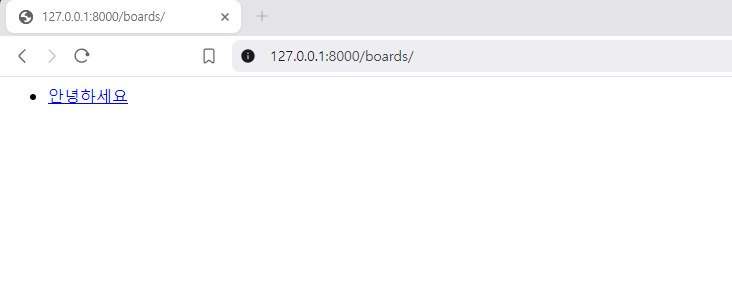

쿵스보이(얼짱뮤지션)