
IntelliJ에서 프로젝트 생성하기
지금까지 Eclipse나 Spring Tool Suite 4를 사용하였지만 카페24에 프로젝트를 업로드하기 위해 IntelliJ로 개발하기로 결정했다
🎀 프로젝트 생성
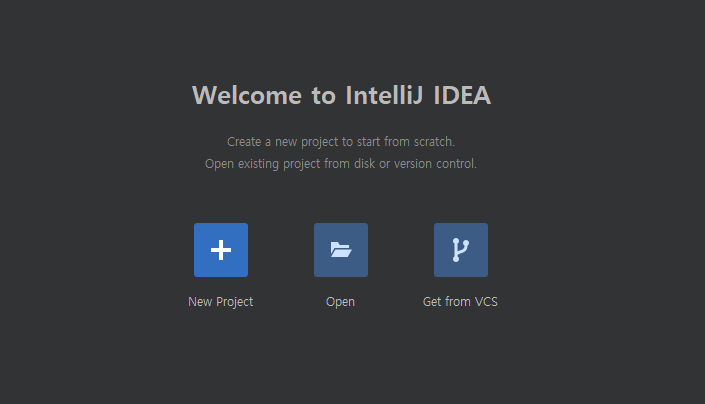
New Project 선택
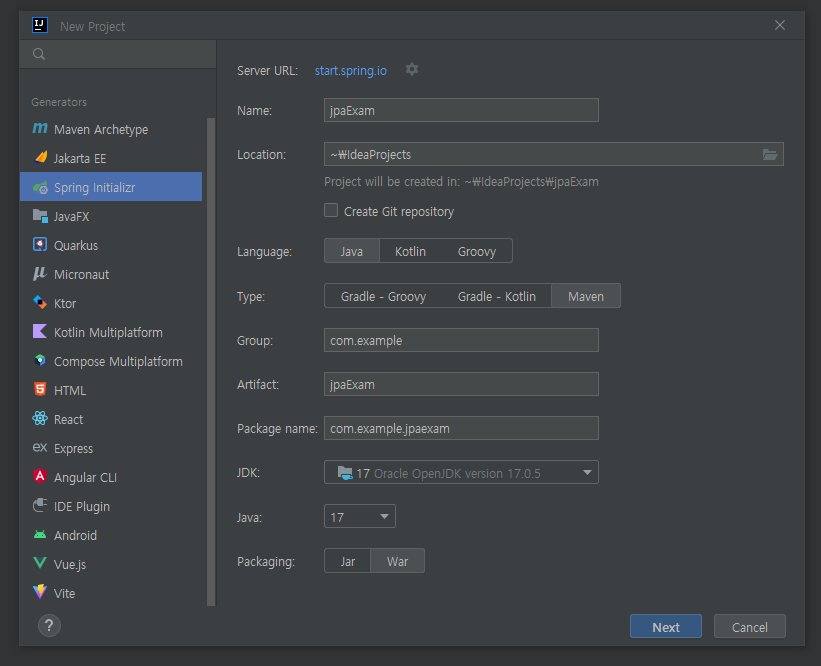
- Name 입력
- Type : Maven 선택
- JDK : 17
- Packaging : War
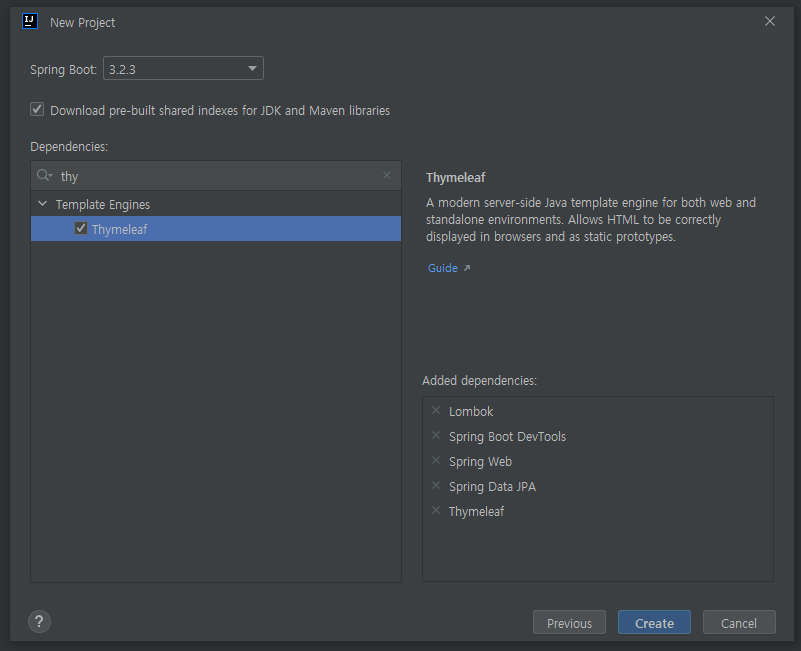
- Dependencies 추가
- Mariadb도 추가해야하지만 하지 않았을 경우 pom.xml에 직접추가
<dependency>
            <groupId>org.mariadb.jdbc</groupId>
            <artifactId>mariadb-java-client</artifactId>
            <scope>runtime</scope>
</dependency>
- JPA에 익숙해지면 Spring Security도 추가하기
🎀 설정
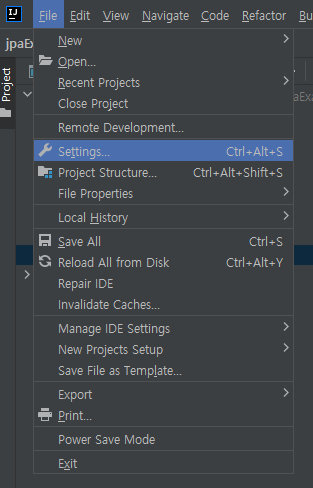
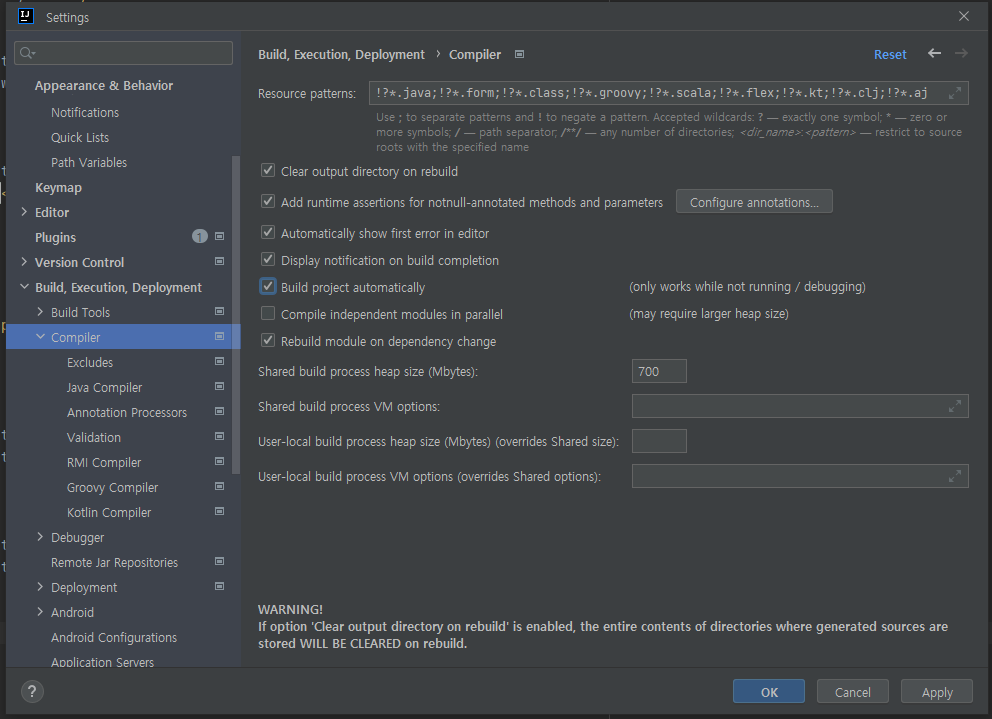
Spring 코드를 수정했을 때 자동으로 서버가 재시작되게 하려면 Build project automatically에 체크
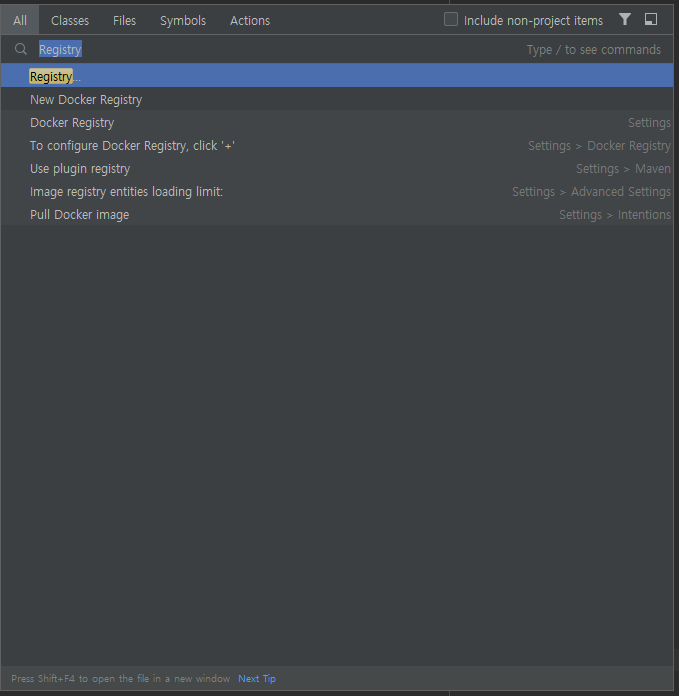
[Cntrol + f] 로 Registry 검색
🎀 application.yml
server :
  port : 80
spring :
  thymeleaf:
    prefix : classpath:/templates/views/
    suffix : .html
    cache : false

  datasource:
    #???
    #설정한값.cafe24.com
    #url: jdbc:mariadb://localhost:설정한값/설정한값
    #???
    url: jdbc:mariadb://설정한값.cafe24.com:설정한값/설정한값
    username: 설정한값
    password: 설정한값
    driver-class-name: org.mariadb.jdbc.Driver

    jpa:
      hibernate:
        ddl-auto: update
      properties:
        hibernate:
          dialect: org.hibernate.dialect.MariaDBDialect
          format_sql: true
application.properties를 [shift + f6] 키로 application.yml로 수정
🎀 Maven
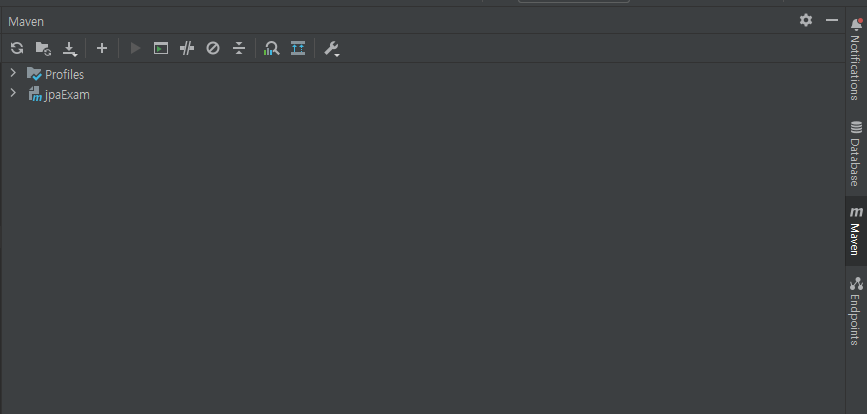
우측 탭에 Maven클릭해서 reload버튼을 누르면 Maven업데이트 적용

2023~