
렌더링이란??
- 일반적인 의미의 렌더링:
- 어떤 것을 시각적으로 나타내는 과정
- 그림, 텍스트, 애니메이션, 비디오 등을 화면에 그리거나 표시하는 것
- 웹 브라우저에서의 렌더링:
- 웹 페이지의 모습을 화면에 그리는 과정
- HTML, CSS, JavaScript를 사용하여 웹 페이지의 구조, 스타일 및 동작을 렌더링한다. HTML 문서를 파싱하여 DOM을 생성하고, CSS 스타일을 적용하여 레이아웃을 계산하며, JavaScript를 실행하여 동적 상호 작용을 처리
- React에서의 렌더링:
- React가 Component를 호출하는 것
React 렌더링의 세단계
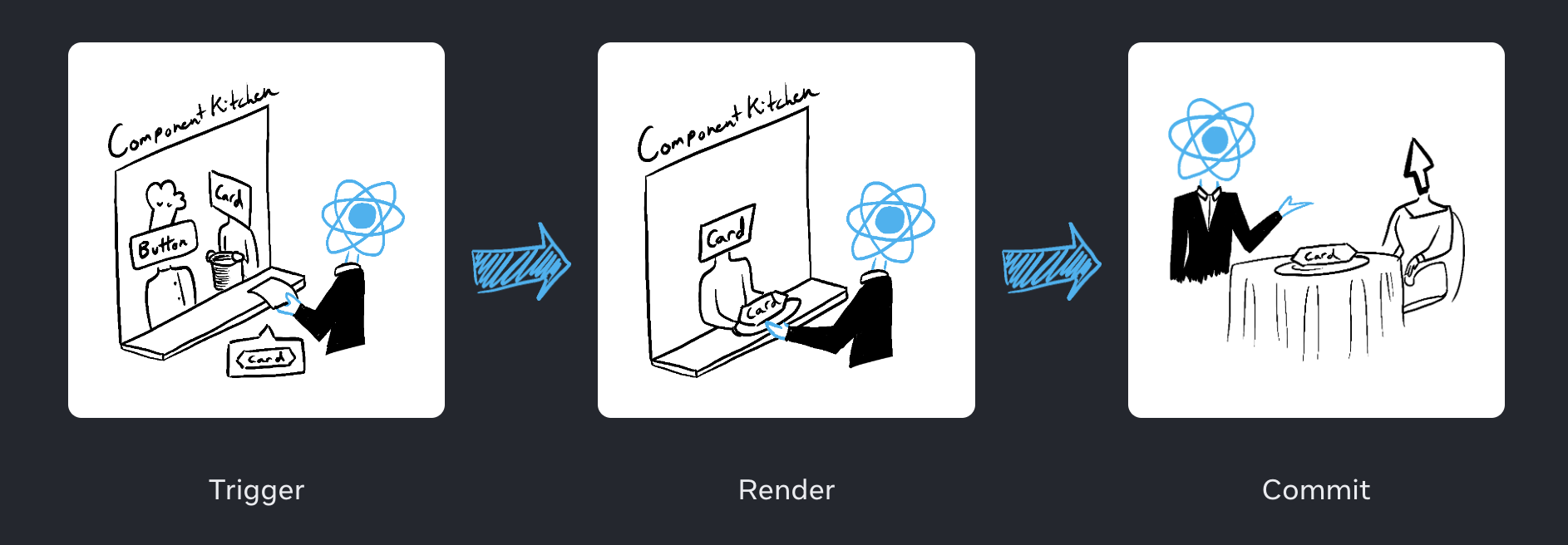
- 렌더링 트리거(촉발)
- 렌더링 단계
- 커밋 단계
렌더링 트리거
특정 컴포넌트에서 렌더링 트리거가 일어나는 두가지 경우
- 컴포넌트가 처음 렌더링 될때(초기 렌더링)
-
createRoot를 통해 브라우저 DOM 노드에 컴포넌트를 렌더링 할 루트를 만든다 -
root에서의 render 메서드를 통해서 component의 렌더링 트리거가 일어난다
import Image from './Image.js';
import { createRoot } from 'react-dom/client';

const root = createRoot(document.getElementById('root'))
root.render(<Image />);
-
- 컴포넌트의 state나 상위 컴포넌트의 state(props)가 업데이트 되었을때(리-렌더링) 컴포넌트의 초기 렌더링 이후에는 state를
set 함수로 업데이트 시킬 수 있고 이는 렌더링을 자동으로 큐에 추가시키면서 렌더링 트리거를 일으킨다.
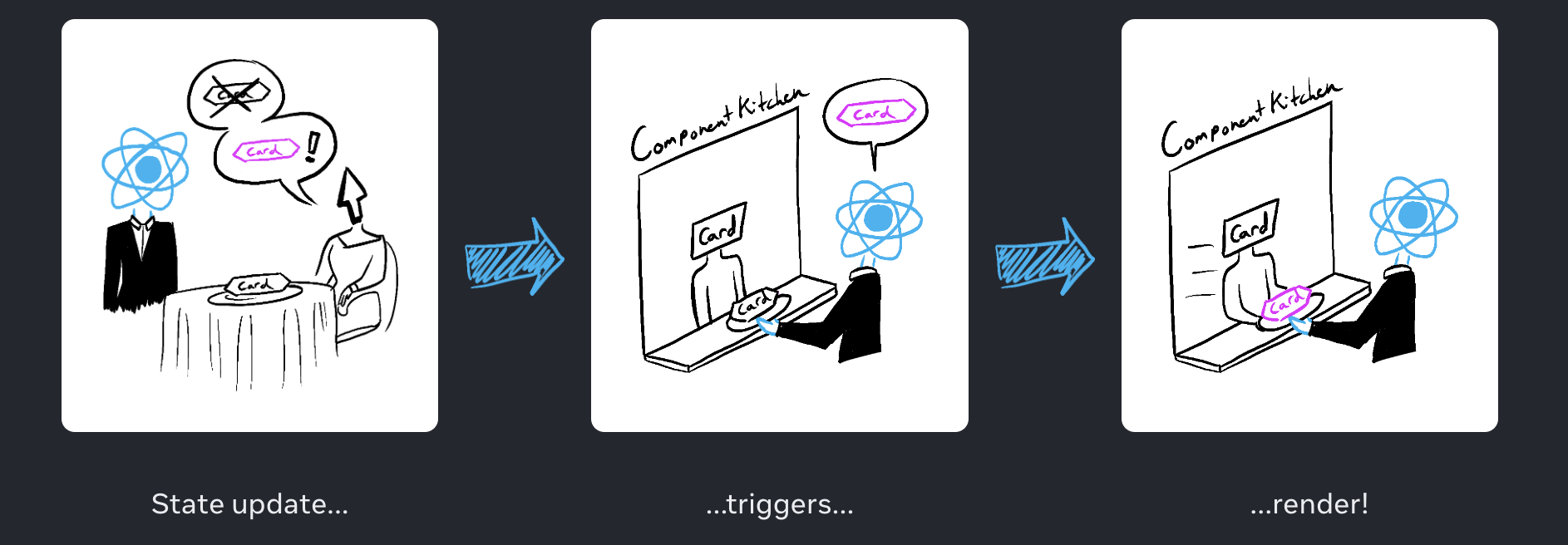
렌더링 단계
렌더링 트리거 후에 React는 컴포넌트를 호출하여 DOM 노드(Virtual DOM)를 생성함으로써 화면에 표시할 내용을 파악한다. 아까 React에서의 렌더링의 의미를 다시 짚고 가보자. 렌더링은 React가 컴포넌트를 호출하는 것이다.
- 초기 렌더링에서 리액트는 root 컴포넌트를 호출한다.
- 리 렌더링에서 리액트는 state가 업데이트된 컴포넌트를 호출한다.
이 컴포넌트 호출은 재귀적(recursive)이다. 호출된 컴포넌트(부모)가 다른 컴포넌트(자식)을 return하면 그 컴포넌트를 호출하고 또 그 컴포넌트(부모)한테 자식 컴포넌트가 있으면 또 그 자식 컴포넌트를 호출하는 식으로 진행되는 것이다. 더이상 중첩된 컴포넌트가 없을떄까지 진행되며 리액트에선 어떤것을 화면에 표시해야 할지 정확히 알게 된다.
// index.js
import Gallery from './Gallery.js';
import { createRoot } from 'react-dom/client';

const root = createRoot(document.getElementById('root'))
root.render(<Gallery />);
// Gallery.js
export default function Gallery() {
return (
<section>
<h1>Inspiring Sculptures</h1>
<Image />
<Image />
<Image />
</section>
);
}
function Image() {
return (
<img
src="https://i.imgur.com/ZF6s192.jpg"
alt="'Floralis Genérica' by Eduardo Catalano: a gigantic metallic flower sculpture with reflective petals"
/>
);
}- 초기 렌더링 중에 React는
<section> <h1> <img>이 3개 태그에 대한 DOM 노드를 생성한다. - 리 렌더링 중 React는 이전 Rendering 이후 변경된 속성이 있는지 계산 한다.
커밋 단계
렌더링 단계 후에 React는 DOM을 수정한다.
- 초기 렌더링에서 리액트는 appendChild()라는 DOM API로 생성된 모든 DOM 노드(Virtual DOM)를 화면(Real DOM)에 배치한다.
- 리 렌더링에서 React는 DOM이 최신 렌더링 결과와 같게 하기 위한 최소한의 변경 사항을 적용한다. (위 렌더링 단계에서 미리 계산함)
React는 렌더링 간 차이가 있는 경우에만 DOM 노드를 변경한다.
export default function Clock({ time }) {
  return (
    <>
      <h1>{time}</h1>
      <input />
    </>
  );
}- time 이라는 props가 매초 변경된다고 치면 React는
<h1 >을 새 time으로 매초 변경하지만<input />은 변경하지 않는다
참고자료
https://react.dev/learn/render-and-commit
https://www.youtube.com/watch?v=VPtL6dU0YXc&list=PLC3y8-rFHvwg7czgqpQIBEAHn8D6l530t&index=2
https://www.moonkorea.dev/React-렌더링-및-최적화-(1)
https://d2.naver.com/helloworld/59361 << 브라우저 동작 및 렌더링을 자세히 알고 싶다면
https://velog.io/@yesbb/virtual-dom의-성능이-더-좋은이유<< virtual dom을 자세히 알고 싶다면
