2023-2 종합프로젝트설계에서 chatgpt를 이용한 서버스를 만들었다.
내가 chatgpt api 통신을 하는 부분을 담당했었다.
원래는 chatgpt의 응답을 기다렸다가 한번의 응답을 보내줬었는데, chatgpt처럼 한글자씩 버퍼에 들어오는데로 보여줄 수 있도록 수정을 하기로 했다.
실시간 통신을 해야하기 때문에 웹소켓을 이용하려 했다.
1. open ai에서 소켓 통신을 지원하지 않는것 같음
2. ws 프로토콜을 새로 공부해야함
하루를 목표로 잡고 기능 구현을 하려고 했기 때문에 위 2가지 문제점..이 있었고, http를 이용해서도 실시간 통신이 가능하다고 해서 알아봤다.
Server-sent Events(SSE)
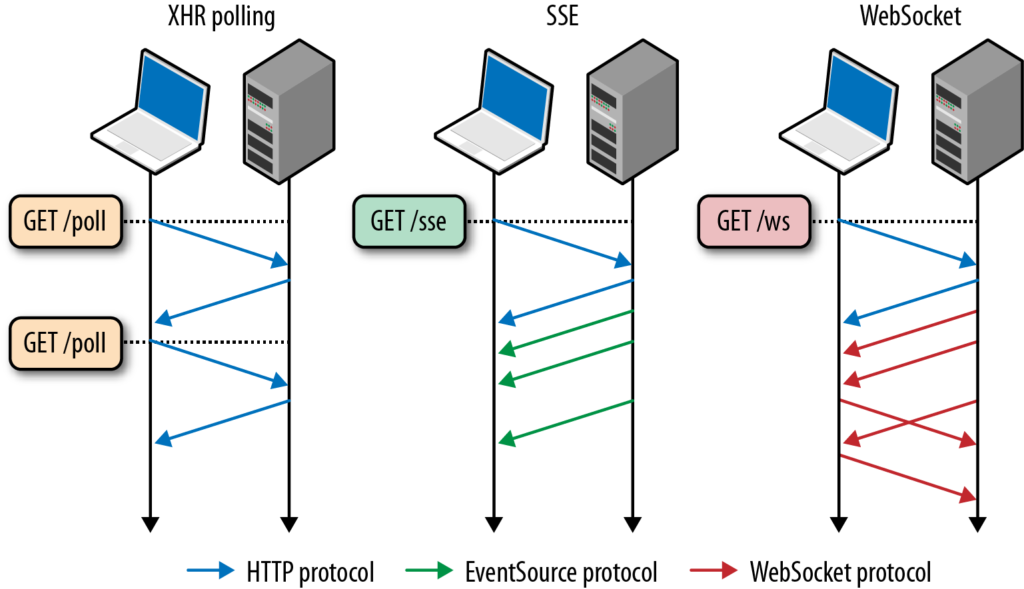
크게 위 그림의 3가지 종류로 봤을때, 흔히 알던 http통신의 방법은 pooling 이다
pooling은 클라이언트로 부터 요청이 들어왔을때 응답을 돌려주는 것으로 요청과 응답이 1:1관계이다.
server-sent event 는 커넥션을 맺고 나서 서버측에서 event가 발생할때마다 응답을 보내준다. 요청과 응답이 1:N 관계이다.
socket 통신은 커넥션을 맺고 나면 클라이언트와 서버의 구분없이 양방향으로 데이터를 보낼수 있는 구조이다.
적용 전
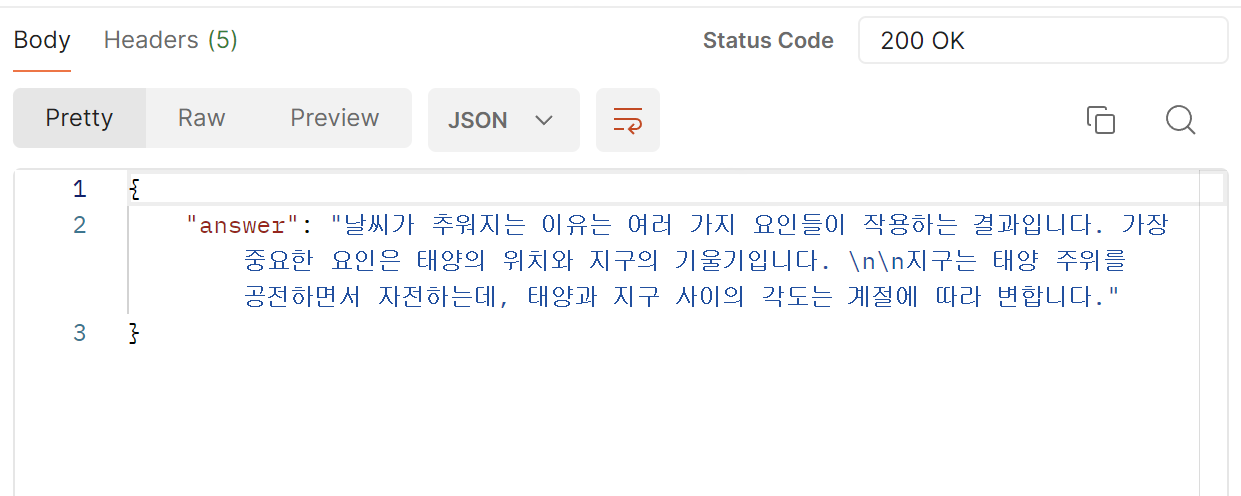
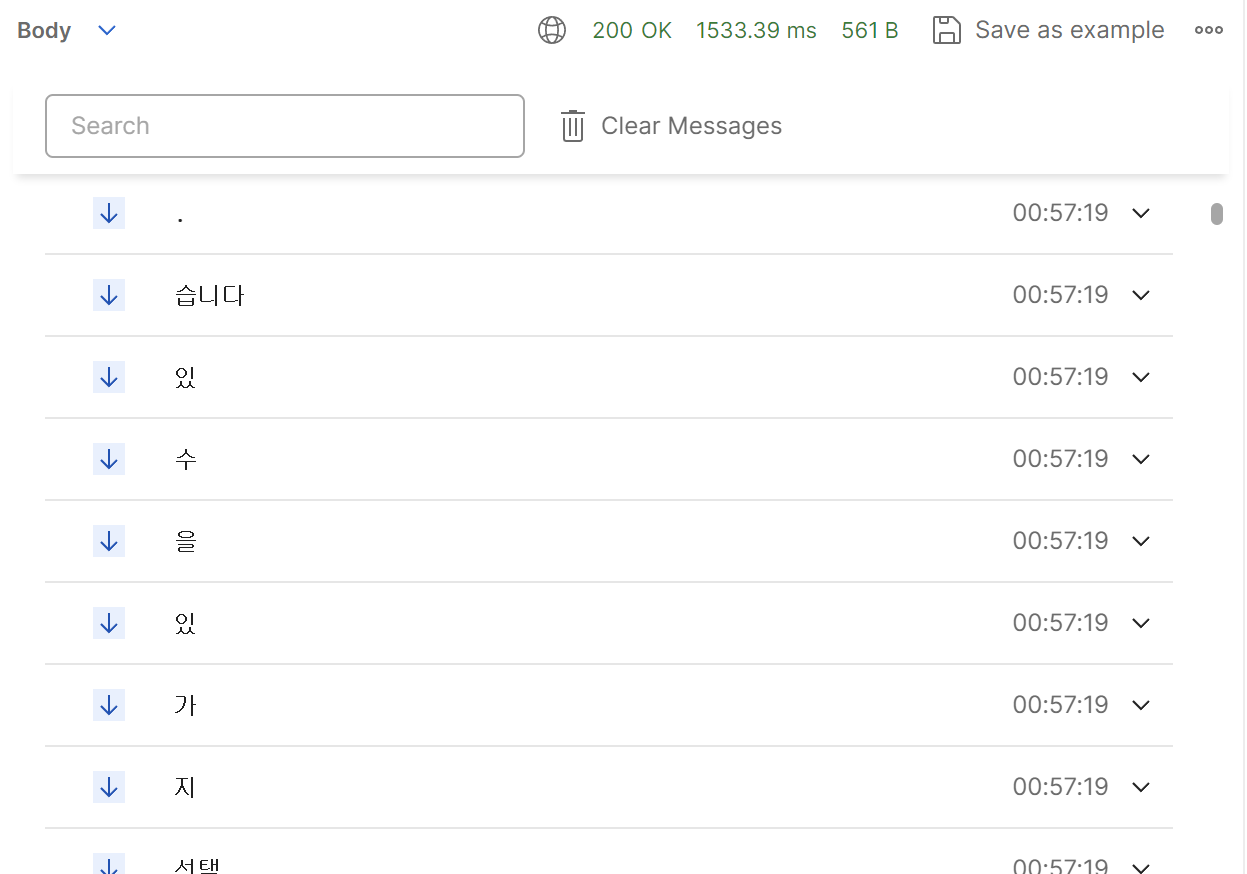
적용 후
원래 코드
ChatgptRequestDto requestDto = ChatgptRequestDto.builder()
                .messages(compositeMessage(request,chatRoomId))
                .model(gptConfigInfo.getModel_name())
                .temperature(gptConfigInfo.getTemperature())
                .maxTokens(gptConfigInfo.getMaximum_length())
                .stop_sequences(gptConfigInfo.getStop_sequence())
                .topP(gptConfigInfo.getTop_p())
                .frequency_penalty(gptConfigInfo.getFrequency_penalty())
                .presence_penalty(gptConfigInfo.getPresence_penalty())
                .build();

HttpEntity<ChatgptRequestDto> requestEntity = compositeRequest(requestDto);
RestTemplate restTemplate = new RestTemplate();
ResponseEntity<ChatgptResponseDto> responseEntity = restTemplate.postForEntity(
                url,
                requestEntity,
                ChatgptResponseDto.class);


ChatgptResponseDto result = responseEntity.getBody();
String answer = result.getChoices().get(0).getMessage().getContent();
open ai 명세를 보면 요청바디에 stream 이라는 필드를 true로 설정하여 요청을 보내면 스트리밍 방식으로 응답을 보낸다고 되어있다.
이렇게 받아온 응답을 클라이언트에 sse방법으로 전달하기위해 SseEmitter 라는 스프링 api를 이용했다.
원래는 restTemplete을 이용해 http통신을 하는 코드를 짰었는데 flux를 도입하기 위해 webClient를 이용한 코드로 수정을 하였다.
수정된 코드
WebClient client = WebClient.create("https://api.openai.com/v1");

        client.post().uri("/chat/completions")
                .header("Content-Type", "application/json")
                .header("Authorization", "Bearer " + key)
                .body(BodyInserters.fromValue(requestDto))
                .exchangeToFlux(response -> response.bodyToFlux(ChatStreamResponseDto.class))
                .doOnNext(data -> {
                    try {
                        if (data.getChoices().get(0).getFinishReason()!=null) {
                            sseEmitter.complete();
                            return;
                        }
                        sseEmitter.send(data.getChoices().get(0).getDelta().getContent());
                    } catch (IOException e) {
                        throw new RuntimeException(e);
                    }
                })
                .doOnError(sseEmitter::completeWithError)
                .doOnComplete(sseEmitter::complete)
                .subscribe();
아직 connect을 끊는 부분이 잘못 구현되어 있어 버퍼에 남아있는 이전기록이 출력되는 문제가 있다.
다음엔 Sse와 webClient에 대해 더 공부해보고 코드를 수정해야겠다
[다음글]
[참고]
https://akku-dev.tistory.com/84
https://dkswnkk.tistory.com/702
https://taogenjia.com/2023/03/16/The-Guide-to-Call-ChatGPT-3-5-Event-Stream-API-in-Spring-Boot/
https://www.youtube.com/watch?v=Fjj4ZmLlrP8&pp=ygUV7Iqk7ZSE66eBIHNzZSBjaGF0Z3B0