
📌 기존의 서비스되고 있는 npm을 분해하여 어떻게 구성되어 있는지 알아 본다.
NPM Package Download
- 원본 npm의 경우tgz로 압축된 파일로 존재 합니다.
- 대부분 install 하면서 압축이 풀어 node_module에 설치됩니다. 단순히 압축을 풀어 node_modules에 넣는 것이기 때문에 node_modules에 풀어져있는 패키를 확인해도 됩니다.
- 단 원본 파일의 형태를 확인해 볼겸, 직접 tgz 파일을 다운로드 받아서 보겠습니다.
- create react app package를 다운로드 합니다.
npm pack create-react-appnpm pack: npm pack 명령어는 개발한 코드를 package화 하거나 package 오리지날 형태로 다운받게 해줍니다.- create-react-app-5.0.1.tgz 이 생성되는 것을 확인 할 수 있습니다.
- tgz압축을 풀어 줍니다.
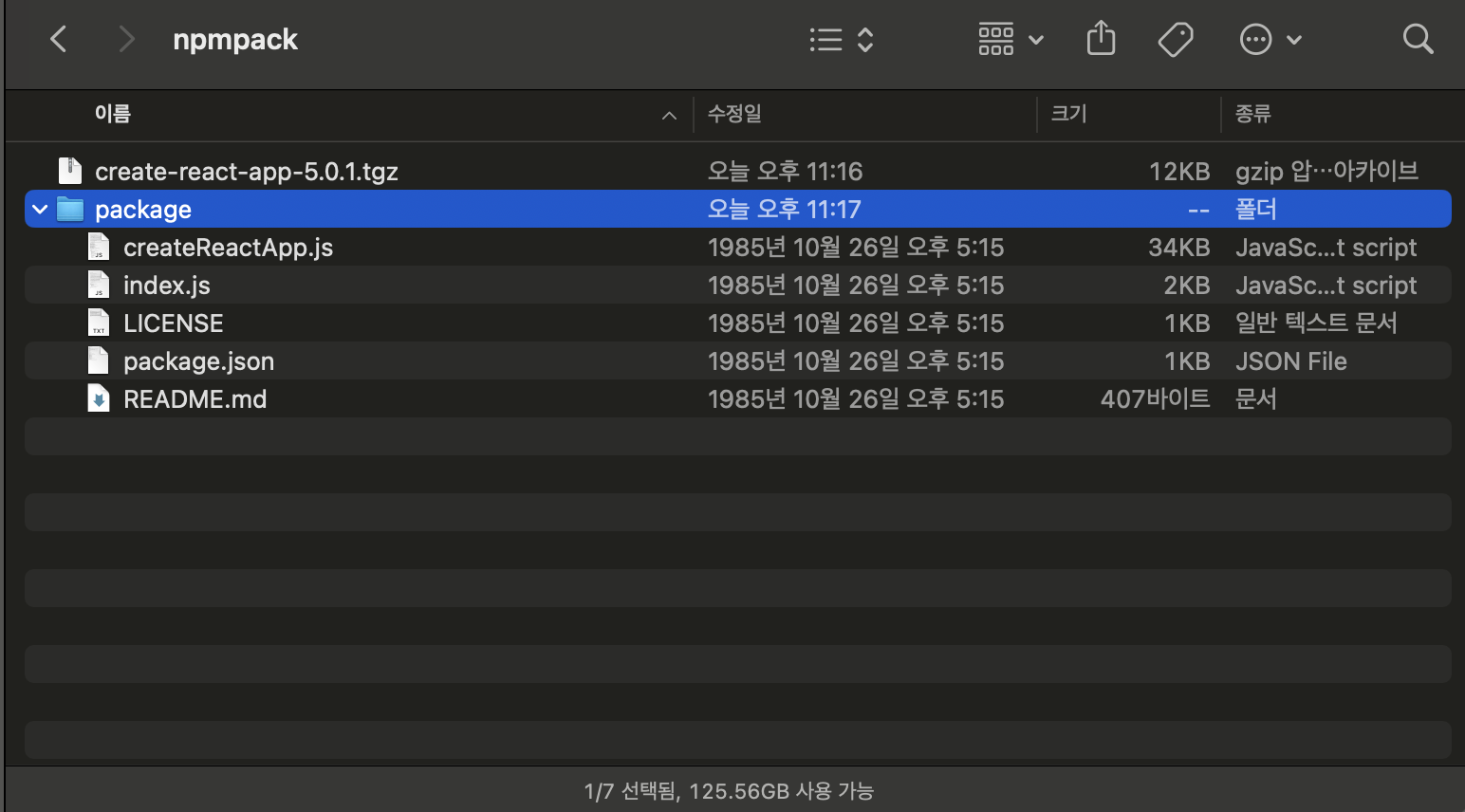
- 위 그림과 같이 package 라는 폴더에 여러 코드들이 나타나게 됩니다. 이제 각 코드들을 하나씩 살펴 보겠습니다.
NPM Package 구성
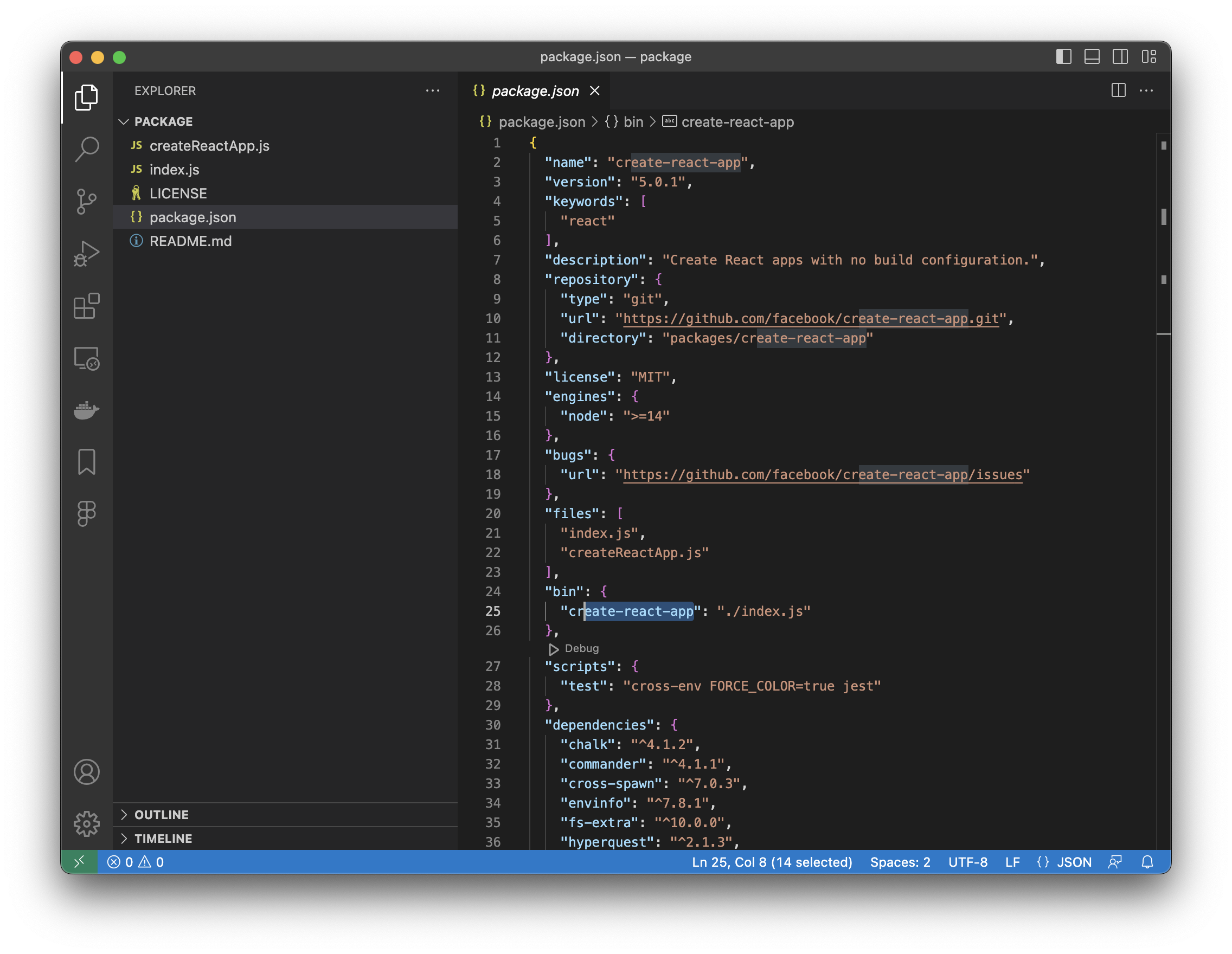
Package 구성
- index.js, createReactApp.js
- package 실행 code 입니다.
- package.json
- package config값, 의존성등이 설명된 파일 입니다.
- README.md
- package 설명을 위한 markdown파일 입니다. 이 readme 파일이 npm.js 사이트에 게시되는 설명이 됩니다.
- LICENSE
- 라이센스 정책 파일 입니다.
Package.json 구성
💡 현재 package의 옵션 위주로만 설명합니다. 자세한 설명은 https://docs.npmjs.com/cli/v9/configuring-npm/package-json 를 참조하세요{
"name": "create-react-app",
"version": "5.0.1",
"keywords": [
"react"
],
"description": "Create React apps with no build configuration.",
"repository": {
"type": "git",
"url": "https://github.com/facebook/create-react-app.git",
"directory": "packages/create-react-app"
},
"license": "MIT",
"engines": {
"node": ">=14"
},
"bugs": {
"url": "https://github.com/facebook/create-react-app/issues"
},
"files": [
"index.js",
"createReactApp.js"
],
"bin": {
"create-react-app": "./index.js"
},
"scripts": {
"test": "cross-env FORCE_COLOR=true jest"
},
"dependencies": {
"chalk": "^4.1.2",
"commander": "^4.1.1",
"cross-spawn": "^7.0.3",
"envinfo": "^7.8.1",
"fs-extra": "^10.0.0",
"hyperquest": "^2.1.3",
"prompts": "^2.4.2",
"semver": "^7.3.5",
"tar-pack": "^3.4.1",
"tmp": "^0.2.1",
"validate-npm-package-name": "^3.0.0"
},
"devDependencies": {
"cross-env": "^7.0.3",
"jest": "^27.4.3"
},
"gitHead": "19fa58d527ae74f2b6baa0867463eea1d290f9a5"
}- name(필수): package 이름
- version(필수): pacakge의 버젼
- keywords: package의 주요 키워드, 인스타그램의 hashtag 같은 역할 이라고 보면 된다.
- description: package의 간단한 설명
- engines: package를 동작하기 위한 기반 엔진(플랫폼)
- files: package의 구성 코드 파일들
- bin(실행형 npm인 경우 필수): package의 실행 모듈과 실행 command 라고 보면 된다. bin(npm을 실행 모듈로)으로 만드는 경우는 많지 않아서, 생소할 수 있다.
create-react-app my-app과 같은 command를 terminal에서 사용한다. bin에 create-react-app의 ./index.js가 실행된다. 즉 node ./inde.js myapp 이라고 실행 시킨것과 동일하다.- 이런 방식으로 nodejs를 마치 설치된 application이나 command로 활용이 가능하다.
- dependencies(필수)
- package가 사용한 다른 npm 패키지들 입니다.
- 여기 기술된 package들은 이 npm설치 될때 같이 설치됩니다.
- deDependencies
- package 개발시 필요한 npm 패키지들 입니다. 이 npm이 실행되는 것과는 무관합니다.
- gitHead
- 이 package code의 git Head 번호 입니다.
- main(실행형 npm이 아닌 경우 필수): 이 항목이 현재 create react app package에는 나타나 있지 않습니다. main은 이 package의 entry point 즉 default로 import되는 코드를 의미 합니다.
- create react app과 같은 경우 command로 실행만 시켜서 project를 생성하지, 코드에서 import하여 사용되지 않기 때문에 main 항목이 없습니다.
Code 구성
- Index.js
#!/usr/bin/env node /** * Copyright (c) 2015-present, Facebook, Inc. * * This source code is licensed under the MIT license found in the * LICENSE file in the root directory of this source tree. */ // ~~~~~~~~~~~~~~~~~~~~~~~~~~~~~~~~~~~~~~~~~~~~~~~~~~~~~~~~~~~~~~~~~~~~~~~~~~~~ // /!\ DO NOT MODIFY THIS FILE /!\ // ~~~~~~~~~~~~~~~~~~~~~~~~~~~~~~~~~~~~~~~~~~~~~~~~~~~~~~~~~~~~~~~~~~~~~~~~~~~~ // // create-react-app is installed globally on people's computers. This means // that it is extremely difficult to have them upgrade the version and // because there's only one global version installed, it is very prone to // breaking changes. // // The only job of create-react-app is to init the repository and then // forward all the commands to the local version of create-react-app. // // If you need to add a new command, please add it to the scripts/ folder. // // The only reason to modify this file is to add more warnings and // troubleshooting information for the `create-react-app` command. // // Do not make breaking changes! We absolutely don't want to have to // tell people to update their global version of create-react-app. // // Also be careful with new language features. // This file must work on Node 0.10+. // // ~~~~~~~~~~~~~~~~~~~~~~~~~~~~~~~~~~~~~~~~~~~~~~~~~~~~~~~~~~~~~~~~~~~~~~~~~~~~ // /!\ DO NOT MODIFY THIS FILE /!\ // ~~~~~~~~~~~~~~~~~~~~~~~~~~~~~~~~~~~~~~~~~~~~~~~~~~~~~~~~~~~~~~~~~~~~~~~~~~~~ 'use strict'; const currentNodeVersion = process.versions.node; const semver = currentNodeVersion.split('.'); const major = semver[0]; if (major < 14) { console.error( 'You are running Node ' + currentNodeVersion + '.\n' + 'Create React App requires Node 14 or higher. \n' + 'Please update your version of Node.' ); process.exit(1); } const { init } = require('./createReactApp'); init();- 특별한 기능은 없으며, 버젼 체크 정도의 과정를 거친후 createReactApp를 import하여 createReactApp모듈의 init 함수를 호출 합니다.
- createReactApp.js
function init() { const program = new commander.Command(packageJson.name) .version(packageJson.version) .arguments('<project-directory>') .usage(`${chalk.green('<project-directory>')} [options]`) .action(name => { projectName = name; }) .option('--verbose', 'print additional logs') .option('--info', 'print environment debug info') .option( '--scripts-version <alternative-package>', 'use a non-standard version of react-scripts' ) . . .- 실제 기능이 구현된 코드 입니다.
- 호출되면, parameter로 들어 온 옵션들을 파싱하고 각 옵션에 맞게 코드가 동작하게 되어 있습니다.
- bin 항목에서 이야기 한것과 같이 create-react-app —options 이라는 command는 node ./index.js —options와 같은 식으로 동작하여 index.js → createReactApp.js의 함수 호출및 로직 동작까지 진행됩니다.
Readme
- npm에 대한 설명을 기술 합니다.
- md(markdown) format을 준수 해야 합니다.
- 이름은 readme.md 혹은 README.md 로 파일의 이름은 대소문자 구분은 자유롭게 해도 상관 없습니다.
- readme 파일에 기술된 내용은 npm을 배포한 npm registry(npm.js)에 나타나게 됩니다.
- create-react-app readme입니다. 보통의 좀더 자세한 설명과 사용방법이 기술되어 있습니다. create react app의 경우 자세하 사용법을 링크로 대체해 놓았습니다.
# create-react-app

This package includes the global command for [Create React App](https://github.com/facebook/create-react-app).<br>
Please refer to its documentation:

- [Getting Started](https://facebook.github.io/create-react-app/docs/getting-started) – How to create a new app.
- [User Guide](https://facebook.github.io/create-react-app/) – How to develop apps bootstrapped with Create React App.- npmjs 사이트에 아래와 같이 보여지게 됩니다.
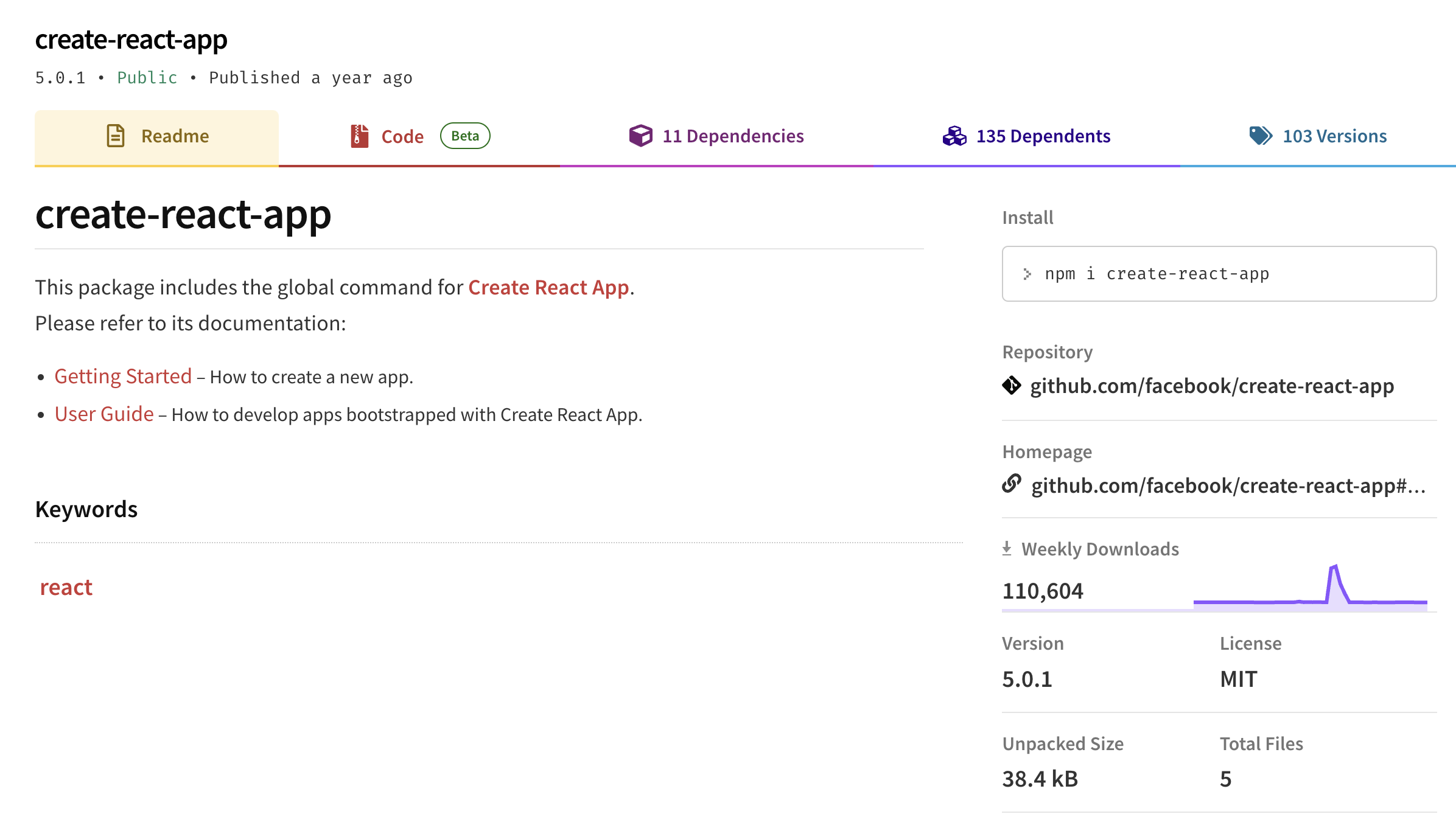
- https://www.npmjs.com/package/zlibt2 를 참조해보면 설치방법, 코드구성, package 사용방법등이 자세하게 설명되어 있는 것을 볼 수 있습니다.
필수 항목들
- pakcage.json
- index.js 혹은 main.js 와 같은 이름의 entry 모듈 파일
- 이름은 package.json에 기술 하기 때문에 어떤 이름 이어도 상관 없습니다.
- 위 2가지만 있으면 동작배포에 문제는 없습니다. 다만 공유를 위해서는 Readme.md 설명이 첨부되는 것이 좋습니다.
Future
- 다음에는 아주 간단한 함수 하나로 npm을 만들어 local pc에서 테스트하는 방법에 대해서 알아 보겠습니다.

늙은개발자