my sql on the 1st day
via https://dev.mysql.com/downloads/installer/
btm file.
setted up
-- 테이블 생성문 (Create table)
-- 테이블 이름은 department(학과)
create table department
(
-- dept_id(학과 번호), int(정수형), 1부터 자동 증가하도록 설정(auto increment)
dept_id int AUTO_INCREMENT,
-- dept_name(부서명), varchar(가변길이 문자열, 최대100글자로 설정)
-- null일 수 없음(필수 값)
dept_name varchar(100) NOT NULL,
-- 전화번호, 최대 100자, 필수값
phone_number varchar(100) NOT NULL,
-- 학과 번호를 기본키로 설정합니다.
PRIMARY KEY(dept_id)
)
department
it is basic for a DB table.
insert into product(product_name, price, category, sales) values ('아메리카노', 2000, '커피', 10);
insert into product(product_name, price, category, sales) values ('카페라떼', 3000, '커피', 5);
insert into product(product_name, price, category, sales) values ('바닐라라떼', 3500, '커피', 3);
insert into product(product_name, price, category, sales) values ('마카롱', 2000, '커피', 2);
insert into product(product_name, price, category, sales) values ('치즈케이크', 4000, '커피', 1);
select from student
-- (와일드카드)는 모든 컬럼을 가져옵니다.
-- 학번이 2번인 학생의 취미를 '그림'으로 갱신하는 쿼리
-- where은 조건절입니다.
update student set hobby = '그림' where student_id = 2;
delete from student where student_id=2;
-- 1학년 학생들 중 축구 좋아하는 애들을 조회합니다.
select * from student where grade = 1 and hobby = '축구'
select * from student where hobby IN('축구', '게임');
-- 학생들 중에서 이름이 '김'으로 시작하는 애들
SELECT * FROM student WHERE student_name LIKE '김%';
-- 학생이름을 기준으로 정렬합니다.
-- 이름(가나다순)
-- 정렬방식(ACS/DESC)를 생략하면 ACS(오름차순)이 적용됩니다.alter
SELECT * FROM student order by student_name;
SELECT MAX(price), MIN(price) FROM product;
-- 제품 테이블에 존재하는 상품의 개수를 셉니다.
-- COUNT에 (와일드카드)를 입력할 경우 행의 개수를 셉니다.
SELECT COUNT() FROM product;
SELECT SUM(sales) FROM product;
SELECT AVG(price) FROM product;
SELECT category, COUNT(*) FROM product GROUP BY category;
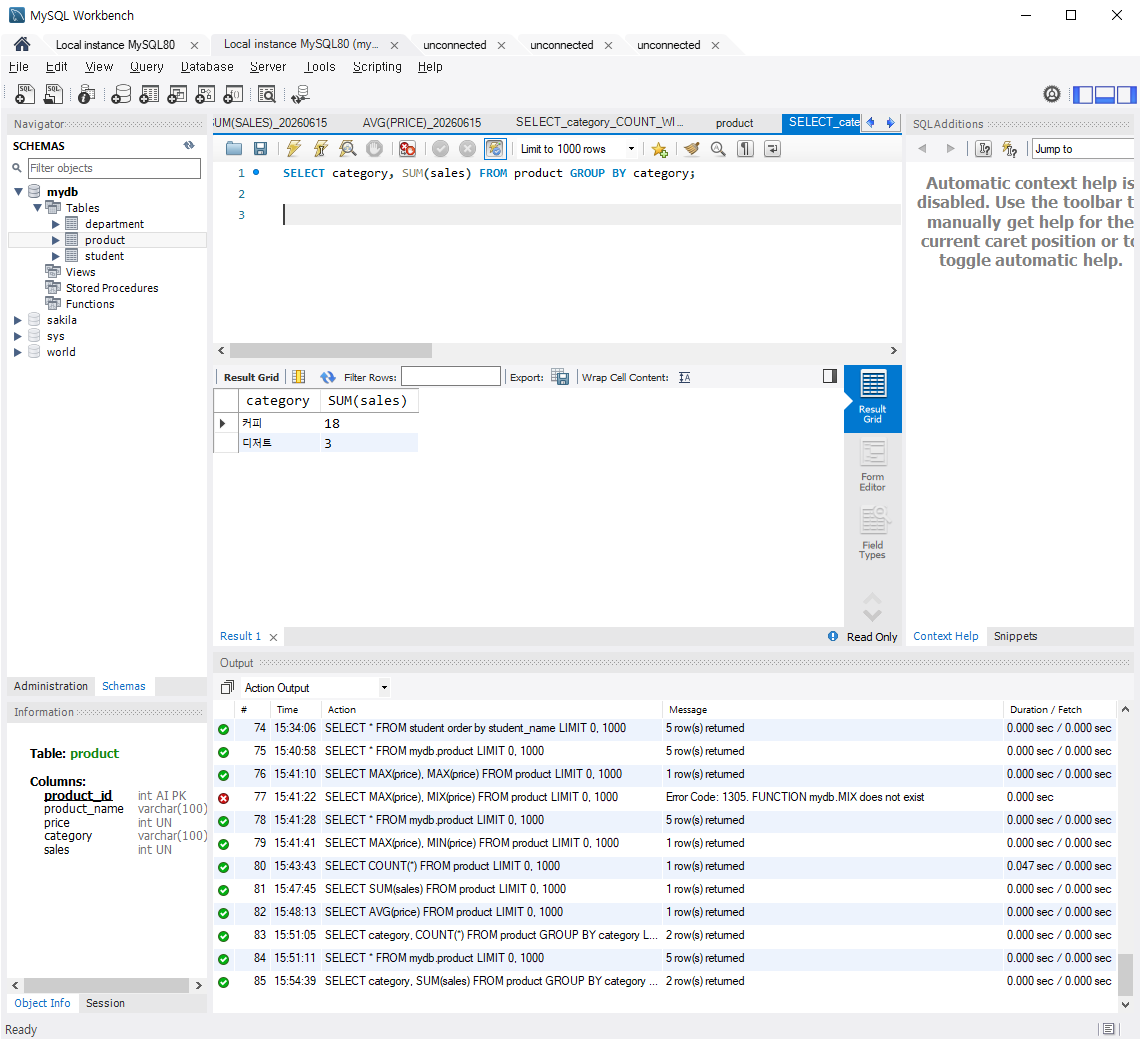
SELECT category, SUM(sales) FROM product GROUP BY category;